5
ENGLISH
3. CHARGING THE HEADPHONES
4. TURNING ON/OFF YOUR HEADPHONES
5. PAIRING WITH A PHONE OR OTHER DEVICE
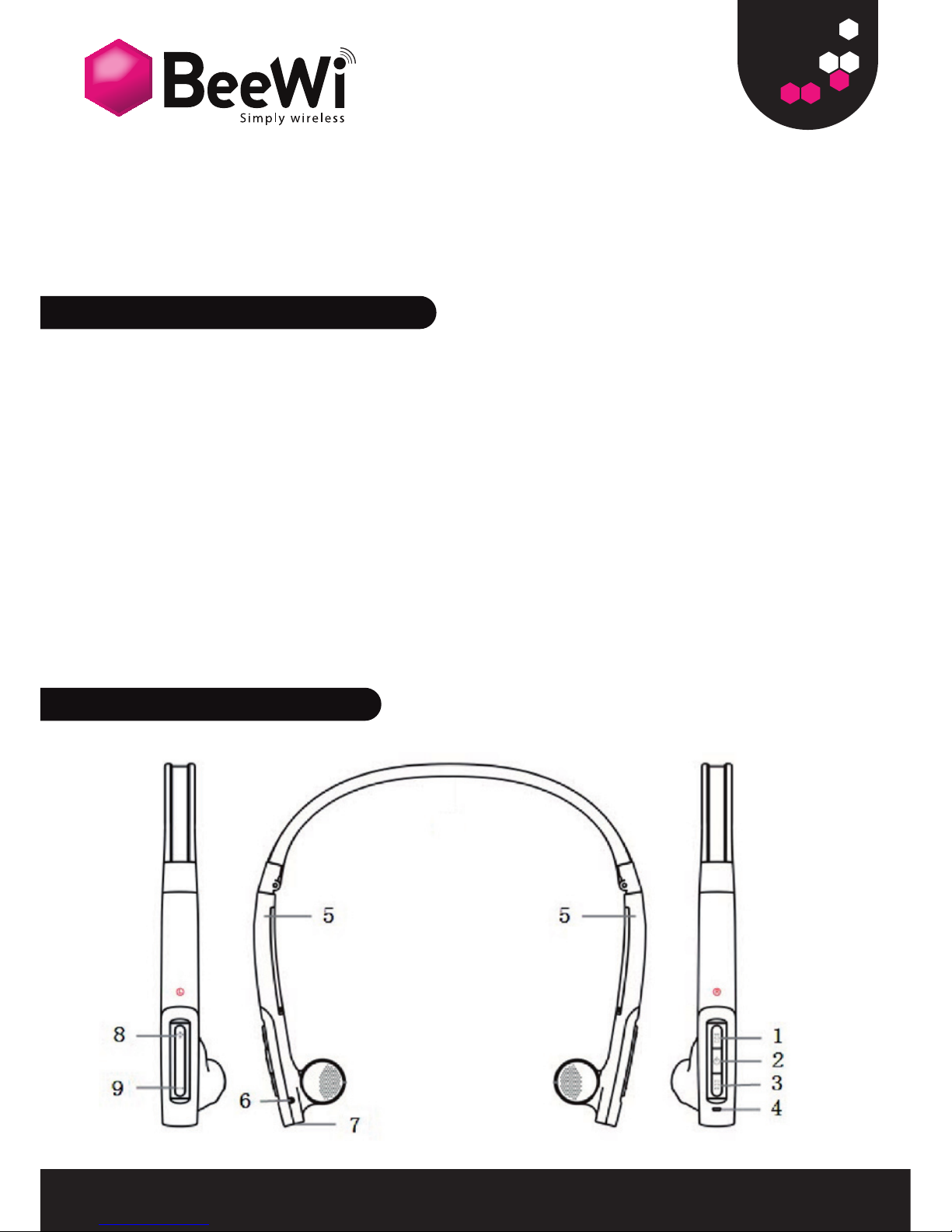
1. < key: previous track
2. Multifunction button (MFB):
3. > key: next track
4. Indicator lights
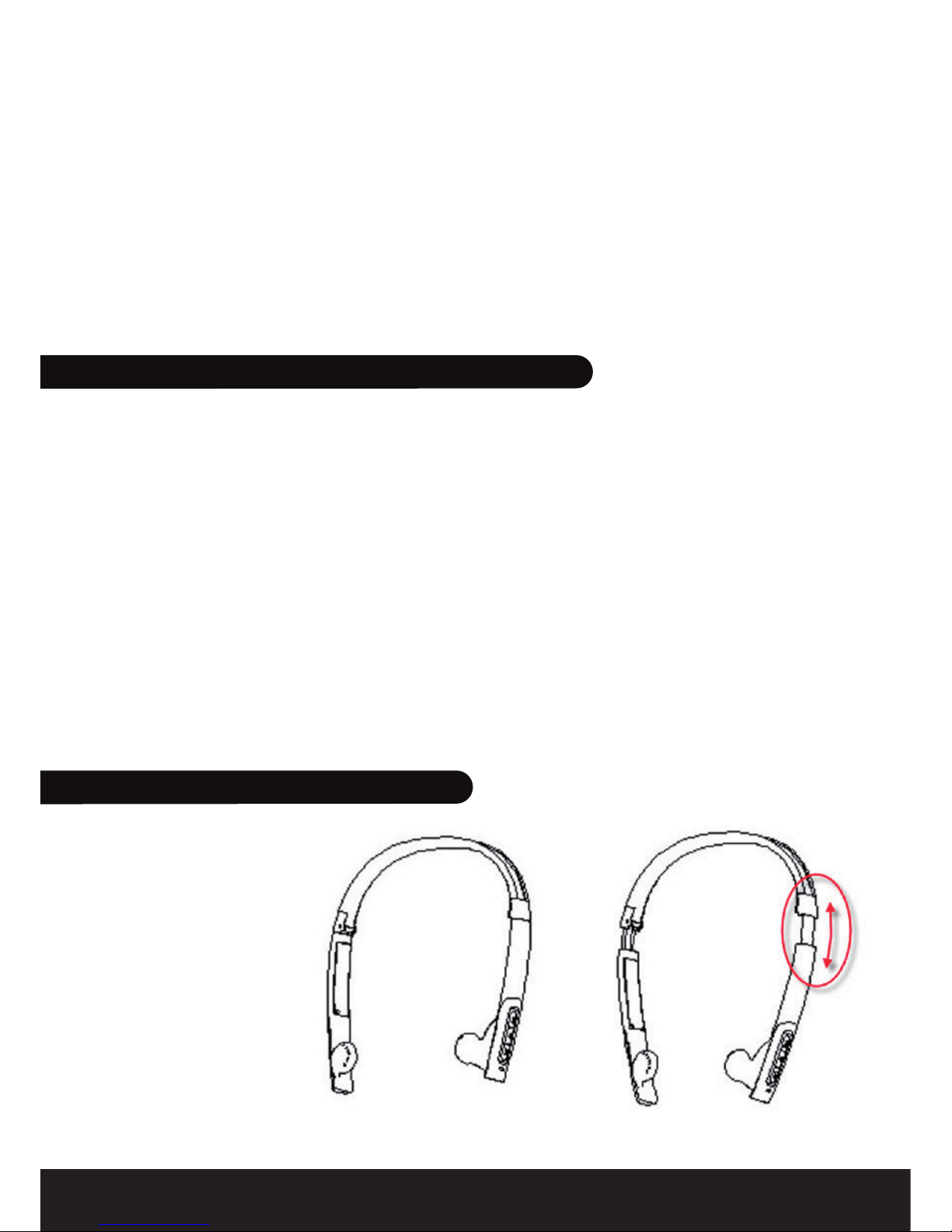
5. Adjustable headband
6. Microphone
7. Charging socket
8. (+) key: volume up
9. (–) key: volume down
Make sure that your headphone is fully charged for 2.5 hours before
you start using it. Connect the USB cable provided to your PC and to the
charging connector (7) of the headphone. Use only the USB cable provided
as using other devices may damage your headphone.
When the indicator lights are solid red, your headphone is charging. When
the lights turn off, the headphone is fully charged
Remark: The headphone will turn off automatically if no devices are
connected after 5 minutes in order to save power.
Before you use your headphone you must pair it up with a mobile phone or/
and another Bluetooth enabled device.
1. Put the headphone into pairing mode: when the headphone is turned off,
press and hold the MFB until the indicator light is blinking blue/red.
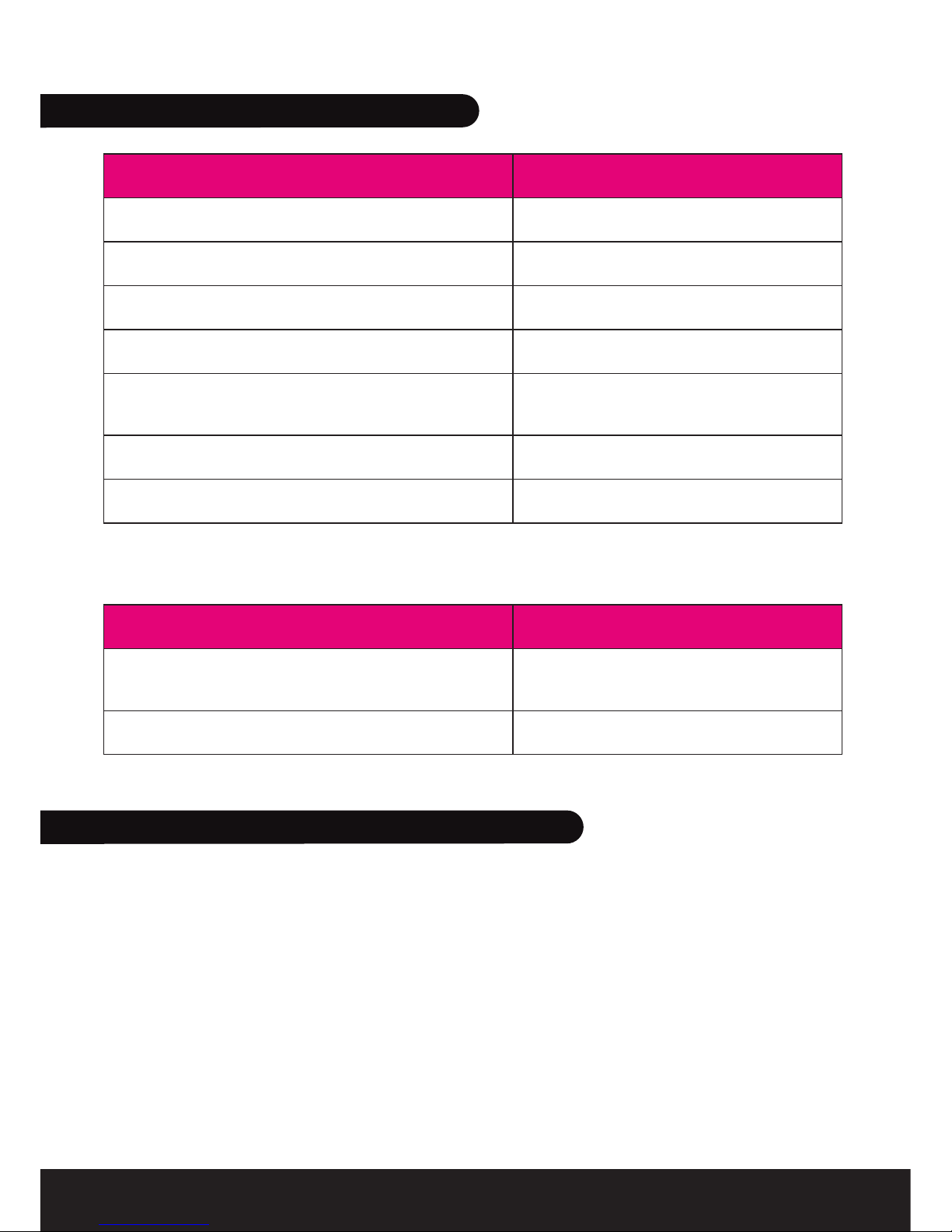
Function Operation LIGHT indicator
Turn on Press and hold the MFB for
3~5 seconds till the blue
LIGHT blinks.
Blue LIGHT indicator light
for 1 second
Turn off Press and hold the MFB
for 3~5 seconds till the red
LIGHT blinks.
Blue LIGHT indicator light
for 1 second