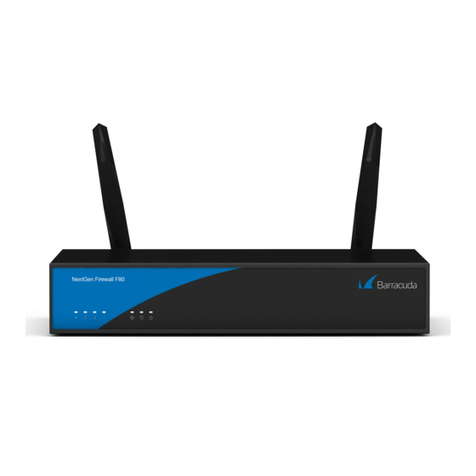
Barracuda NextGen Firewall F
Barracuda NG Firewall F180 Revision A
2 / 4
Operation Temperature 0 °C to +35 °C
Relative Humidity 5% - 95%, non-condensing
Fan 1 System Fan
Certifications CE, FCC, ROHS
Wi-Fi 802.11 b/g or better extended range Wi-Fi adapter
The hardware specifications list was valid at the time this manual was published. The listed components are
subject to change at any time, as Barracuda Networks may change hardware components due to technological
advancements. Therefore, the list may not reflect the current hardware configuration of the Barracuda Networks
NG Firewall or NG Control Center appliance it was delivered with.
Wall Mount Kit
This appliances is shipped with a wall mount kit. Print the Barracuda NG Firewall Wall Mount Jig to use as a
template when drilling the required holes. Do not scale the PDF when printing.
Status LED
Your appliance is equipped with a variety of LEDs. One of them is the Status LED. It is labeled either with a heart
symbol or the term Status. It indicates the appliance’s operational state by changing colors between green,
orange, and red and by changing between blinking and steady glowing. The table below shows the different
meanings of the different glowing states.
Your appliance is equipped with a variety of LEDs and acoustic signals. The front panel of the Barracuda NG
Firewall F80 contains one power LED (blue), one disc LED (green), one status LED (red), and 4 port LEDs. On the
back panel, you can see one power button LED and various port LEDs. Two acoustic signals indicate status of
installation.
LED Color Glowing State Meaning
All LED Off Off Appliance is powered off, or installation has not initialized far enough for
LED control when installation is started.
Power LED - BLUE steady Appliance is plugged in and is on.
Status LED - RED Off Power LED on and Status LED off: Box is running normally, or Installation
has finished successfully.
Steady Appliance is halted and may be disconnected, or an error occurred
preventing the Barracuda NG Firewall from entering the up state.
Blinking slowly
(1/s interval)
Normal installation, or appliance is either booting, shutting down, or
performing a system update.
Blinking fast
(4/s interval) Error during installation, or appliance is in ART mode.
Disc LED - GREEN Blinking Appliance is accessing the internal storage.
Port LEDs (front) -
GREEN Blinking Port in use (Data transfer).
Port LEDs (back) -
GREEN Left blinking Port in use (Data transfer) – Yellow (10/100 Mbps).
Right steady Port is on.
Acoustic Signal Frequency Meaning
Beep 1 time
(.) Appliance is booting.
Beep 3 times
(...)
Installation was completed successfully; appliance is halted for reboot. After
reboot, one beep will again indicate booting.