Aurora Multimedia VR-1FF Manuel utilisateur

Installation and
Operations
Manual
Manual Rev: 020901
Firmware Rev: 1.00
205 Commercial Court Morganville, NJ 07751
Voice: (732) 591-5800 Fax: (732) 591-5801
www.auroramultimedia.com
TV/ FM Tuner
with RS-232, IR, or Contact Closure Control
V Tune

Table of Contents
Product Description ................................1
Warning ................................................. 2
Unpacking ............................................ 2
Installation ............................................. 2
Remote Control .................................... 3
Specifications ........................................ 5
Control Port ............................................ 6
RS-232 Protocol ..................................... 6
Warranty ............................................ 11
System Overview ................................... 2
Front Panel ............................................ 4
Connector Specifications ..................... 8
Troubleshooting .................................... 9
Upgrading Firmware ............................. 10
FCC Statement ..................................... 11

1.0 Product Description
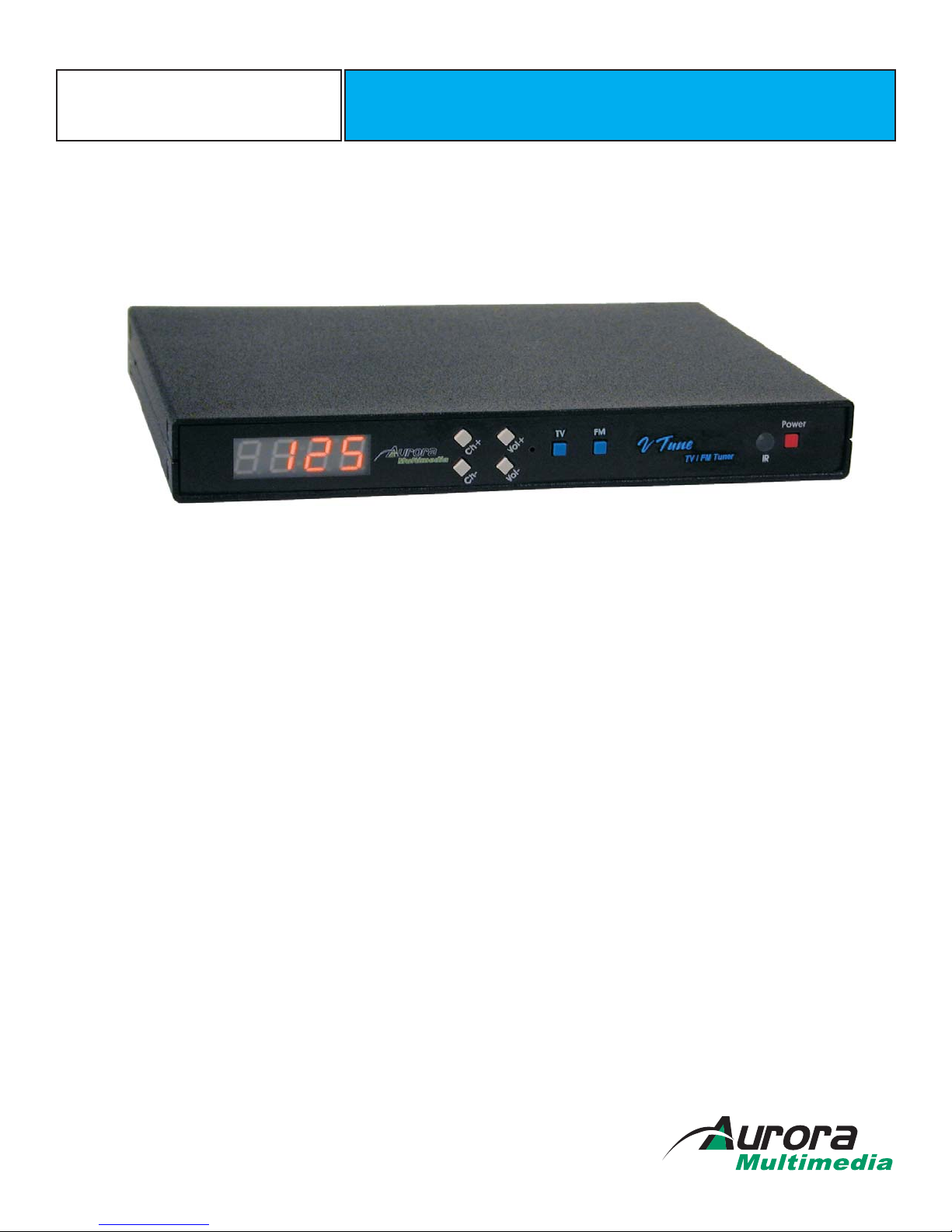
The is a 181-channel TV Tuner with composite video out. It is a perfect low
cost TV or FM Tuner for any AV System. The VTune is also a great compliment to
stand alone display devices such as Plasma, LCD, and CRT displays. Using the
RS-232, IR, or Contact Closure Control ensures that this affordable compact TV/FM
Tuner is easily integrated into any audio/video system.
VTune
-1-
+or
Plasma Display LCD Projector
?
?
?
?
?
?
181 Channel TV Tuner
FM Tuner (87.5 - 107.9MHz)
Composite Video Output
Stereo Audio Output
RS-232, IR, Contact Closure Control
Includes Full Featured IR remote control
?
?
?
?
?
?
Features

3.0 Unpacking
(1) - VTune
(1) - Installation and Operations Manual
(1) - 12 Volt (15 Watt) power supply
(1) - I Remote
(1)-6PinMini DIN Male - Female 9 Pin (Firmware Upgrade / RS-232 Control Cable)
RC-2
Note: Please examine the VTune for any signs of shipping damage.
2.0 : Static (Still) pictures will cause “burn in” on certain types of displays and may
damage the display device. When using static images, reducing brightness and/or contrast
can help reduce the risk of damage to the display device. Refer to the display’s owners and
technical manual about additional precautions.
Caution
-2-
Antenna Input
(Cable TV, etc.)
For RS-232 Control use
the provided 6 pin mini
DIN to 9 pin female
cable.
4.0 Installation
VTune Setup/Connection
Display Device
5.0 System Overview
The VTune is an RS232, contact closure, and IR controllable 181 Channel TV Tuner and FM Tuner. The unit was designed
for easy integration into systems that need remote control of the capabilities. The powerful yet simple RS232 protocol
gives a user full 2 way feedback of channel selections. Control systems can take advantage of the RS232 to allow true
channel updating on a touch panel or web browser. Ordinary IR only tuners can not give this type of information. Kiosks
can take advantage of the contact closure port for direct access of channel, volume, and source selection. Twelve
built in presets make getting to a users favorite TV or FM channels a breeze.
Another great feature of the VTune is the ability to upgrade the firmware for additional features or fixes. Try to keep an
eye out for the latest releases on www.auroramultimedia.com to take advantage of the new version. The firmware is
easily upload to the VTune with the Flash123 utility that is free on our web site.

8
5
2
7
4
1
9
6
3
0
IRC-2
SELECT
POWER
MUTE
VOL
CH
P1 P2 P3
P4 P6
P5
P9
P8
P7
P12
P10
LAST
P11
Presets
SET
F1 F2 F3
TV FM
6.0 Remote Control
Using the Aurora IRC-2 Remote Control
-3-
1. POWER - Turns on and off the VTune
2. F1 -
3. F2 - Not Used
4. F3 -
7. MUTE - Toggles the volume mute on/off
8. VOLUME - Ramps the volume up or down
9. CHANNEL - Changes the TV channel + or -
10. TV INPUT - Selects the TV Antenna as the Main source
Not Used (Future use)
(Future use)
Not Used (Future use)
11. FM INPUT - Selects the FM Antenna as the Main source
15. UP ARROW - Not Used (Future use)
16. DOWN ARROW - Not Used (Future use)
17. LEFT ARROW - Not Used (Future use)
18. RIGHT ARROW - Not Used (Future use)
19. SELECT - Not Used (Future use)
15 - 24 Number Keys - Used for direct channel selection
25. SET - Pressing this and one of the Preset buttons within 1.5
seconds stores current current channel.
26. LAST - Returns to the last channel selected
27 - 38 Preset Keys - P1 thru P12 selects the stored preset for TV or
FM.
Source Selection
Preset Selections
2345
810 9
12
14
13
11
15 16 17
18 19 20
21 22 23
25 24 26
27 28 29
30 31 32
33 34 35
36 37 38
1
6
7

7.0 Front Panel
-4-
The VTune front panel is simple but very effective. The orange seven segment display shows the
current TV channel selected for Main or PiP channel.
: Increments the TV or FM channel upCh+
Ch-
Vol+
Vol-
TV
FM
Power
TV & Vol- pressed together
: Decrements the TV or FM channel down
: Raises the volume. Front LED display will show v 52 if the level is at 52 for example. Times out
after 3 sec.
: Lowers the volume. Front LED display will show v 52 if the level is at 52 for example. Times out
after 3 sec.
: Selects TV as the source
: Selects FM as the source
: Toggles the VTune power on and off. When turning on it takes about 2 seconds to initialize. If
the VTune loses power it will turn on when power is returned.
: With TV as the current selection pressing theses buttons together will
allow a user to select broadcast, cable, HRC, IRC. The LED will display the selection with text.
Special Functions:

8.0 Specifications
8.4”L x 5.65”D 1”H
12v DC
FCC Class B
Power
RF Tuner
Video Output
Audio Outputs
Dimension
Compliance
Input Connector : 'F' type female
TV Frequency Range : 55.25 to 801.25 MHz, 31.25 or 62.5KHz fine tune
FM Frequency Range : 76.00 to 108.00 MHz, 50KHz fine tune
Connector: RCA female Yellow
Output: Composite video
Impedance: 75 ohms
Typical Level: 1.0V peak-peak into 75 ohms
Connectors: 2 RCA female 1- Left (White) 1- Right (Red)
Output: Unbalanced line level
Output Level: +12dB to –114dB in 64 steps
Demodulation: Quasi-Split Sound concept
Specifications subject to change without notice.
-5-

9.0
10.1 RS-232 Protocol
Control Port
!KEY_RIGHT
RS232 -
Contact Closure -
Pins 1,3,5 Note: Pin 2 must be disabled with jumper J9 removed (factory default)
Pins 1,2,4,6
Pin 1 - Ground Pin3-TX Pin5-RX
Pins 1,2: TV Pins 1,4: Channel + Pins 1,6: Channel -
Pins 1,4,6: FM Pins 1,2,4: Volume + Pins 1,2,6: Volume -
Baud Rate: 9600 8N1
Note: Pin 2 must be enable with jumper J9 on VTune
Note: Protocol below is as of firmware version 1.00 New commands will be available on future
revisions to give more discrete full featured commands. Check on the Aurora website for the latest
firmware and RS232 command additions.
<CR> is 0D hex or 13 decimal
? IS A QUERY COMMAND (Does not have to be Case Sensitive)
! IS A COMMAND (Does not have to be Case Sensitive)
~ IS A RESPONSE (ALL RESPONSES ARE CAPITALS)
!KEY_LEFT<CR> Left
<CR> Right
!KEY_UP<CR> Up arrow key
!KEY_DOWN<CR> Down arrow key
!KEY_SEL<CR> Select
!KEY_CH-<CR> Channel Down
!KEY_CH+<CR> Channel Up
!KEY_LAST<CR> Toggles between the last 2 channels selected
!KEY_0<CR> 0
!KEY_1<CR> 1
!KEY_2<CR> 2
!KEY_3<CR> 3
!KEY_4<CR> 4
!KEY_5<CR> 5
!KEY_6<CR> 6
!KEY_7<CR> 7
!KEY_8<CR> 8
!KEY_9<CR> 9
!KEY_SET<CR> Set button for presets
!KEY_P1<CR> Preset 1
!KEY_P2<CR> Preset 2
!KEY_P3<CR> Preset 3
!KEY_P4<CR> Preset 4
!KEY_P5<CR> Preset 5
!KEY_P6<CR> Preset 6
!KEY_P7<CR> Preset 7
!KEY_P8<CR> Preset 8
!KEY_P9<CR> Preset 9
!KEY_P10<CR> Preset 10
!KEY_P11<CR> Preset 11
!KEY_P12<CR> Preset 12
!KEY_VOL+<CR> Volume up
!KEY_VOL-<CR> Volume down
!KEY_MUTE<CR> Volume mute
-6-

-7-
10.1 (Continued)RS-232 Protocol
General Info
!KEY_PWR<CR> Power On / Off
!KEY_F1<CR> Function 1 key used for Format selection (pillar box, letter box, etc)
!KEY_F2<CR> Function 2 key (future use)
!KEY_F3<CR> Function 3 key audio follow mode (Main or PiP)
!KEY_TV<CR> TV Source Selection
!KEY_FM<CR> FM Source Selection
!PWRON<CR> Power On
!PWROFF<CR> Power Off
?PWR<CR> Query Power status responds with ~PWRON<CR> or ~PWROFF<CR>
!VOLxx<CR> Volume Level Set xx=00 to 64 Responds with ~VOL52<cr> for volume level 52.
00 is Mute for this command. 52 is zero dB
?VOL<CR> Query Volume Level Responds with ~VOL10<CR> for volume level 10.
?MCH<CR> Query Main Channel Responds with ~MCH002<CR> for channel 2.
!MCHxxx<CR> Main Channel change !MCH025<CR> for channel 25. xxx = 001 to 125
?MIN<CR> Main Input Query responds with ~MVID<CR> or ~MSVID<CR> or ~MTV<CR> or
~MRGB<CR> or ~MYPBPR<CR.
?VER<CR> Version Query responds with ~VER 1.00<CR> if version 1.00 was present.
Unless otherwise noted all valid commands are echoed back if properly received.
When Main TV channel is changed via remote or contact closure, the RS232 is updated by sending a ~MCHxxx<CR>
response
When Volume is changed via remote or contact closure, the RS232 is updated by sending a ~VOLxx<CR> response
Invalid commands will reply with ~ERROR<CR>.

-8-
11.0 Connector Specifications
DC
CONTROL
2.1mm Power Connector (12 volts)
Center is Positive Outer Shell is Ground
Pins 1,3,5 Note: Pin 2 must be disabled with jumper J9 removed (factory default)
Pin 1 - Ground Pin3-TX Pin5-RX
Pins 1,2,4,6
Pins 1,2: Volume Up Pins 1,4: Channel + Pins 1,6: Channel -
Pins 1,2,6: TV Pins 1,4,6: FM Pins 1,2,4,6: Volume Down
RS232 -
Contact Closure - Note: Pin 2 must be enable with jumper J9 on VTune
Video
Audio
Yellow RCA Phono Connector
White & Red RCA Phono Connector
Tip - Signal Sleeve - Ground
White is Left Unbalanced Output
Tip - Signal Sleeve - Ground
Red is Right Unbalanced Output
Tip - Signal Sleeve - Ground
Ce manuel convient aux modèles suivants
1
Table des matières
Autres manuels Aurora Multimedia Tuner TV

Aurora Multimedia
Aurora Multimedia ICS-SP20 Manuel utilisateur

Aurora Multimedia
Aurora Multimedia TVP-500F Manuel utilisateur

Aurora Multimedia
Aurora Multimedia TV/FM Tuner Manuel utilisateur

Aurora Multimedia
Aurora Multimedia TV/ FM Tuner V Tune Pro Manuel utilisateur

Aurora Multimedia
Aurora Multimedia VTune Pro Manuel utilisateur

Aurora Multimedia
Aurora Multimedia VPH-100 Manuel utilisateur