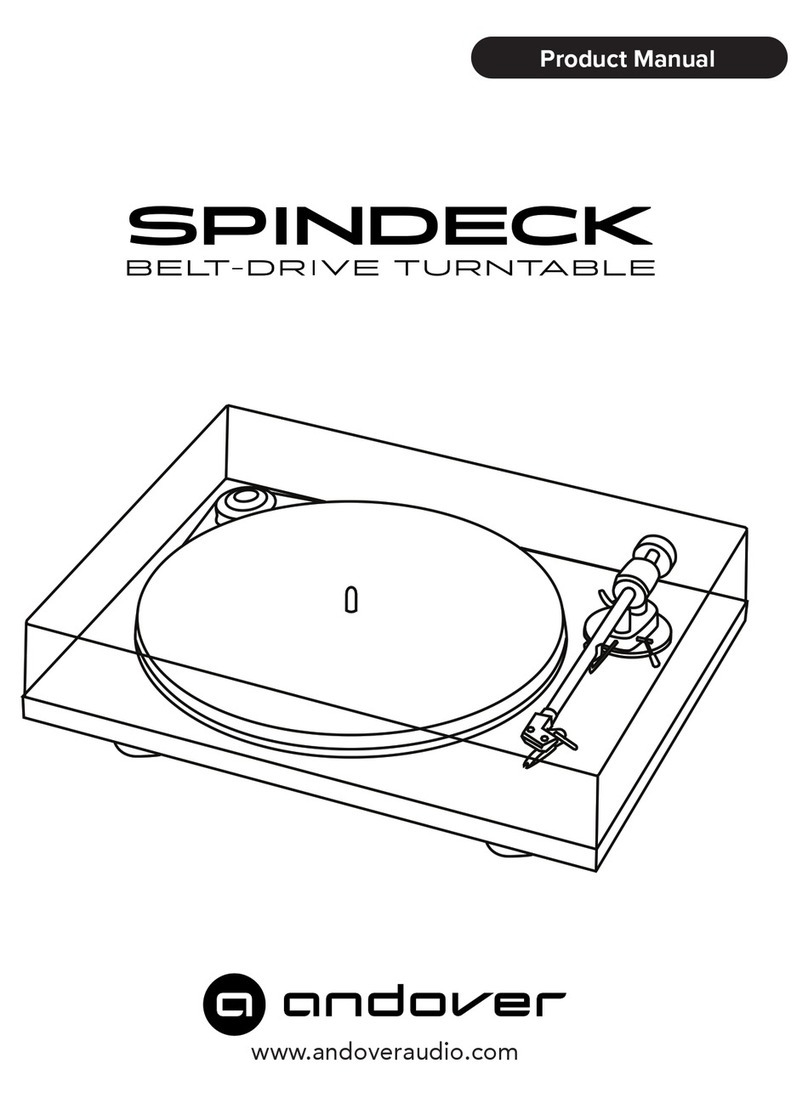
andover Model-One Manuel utilisateur

Page 1
www.andoveraudio.com
Product Manual

Page 2

Page 3
Table of Contents
Warnings / FCC Statement.......................................................4-5
Introduction / About / In the Box.......................................................... 6
Room Placement...........................................................7
General Operation...........................................................8
Remote Control.........................................................11
Back Panel.........................................................12
Turntable Setup Guide...................................................13-14
Bluetooth & Playback to/from a PC.........................................................15
Record Care.........................................................16
Guarantee / Product Cleaning.........................................................17
Customizing Your Vinyl Experience.........................................................18
Specications / Contact / Disclaimer.........................................................19

Page 4
WARNING
This symbol alerts the user to the presence
of uninsulated “dangerous voltage” within the
product’s enclosure that may be of sufcient
magnitude to constitute a risk of electric shock
to persons.
This symbol is intended to alert the user to
the presence of important operating and
maintenance (servicing) instructions in the
literature accompanying the appliance.
Important Safety Instructions
1. Read these instructions.
2. Keep these instructions.
3. Heed all warnings.
4. Do not use this apparatus near water.
5. Clean only with dry cloth.
6. Do not block any ventilation openings. Install in
accordance with the manufacturer’s instructions.
7. Do not install near any heat sources such as
radiators, heat registers, stoves, or other apparatus
(including ampliers) that produce heat.
8. Do not defeat the safety purpose of the polarized
or grounding-type plug. A polarized plug has two
blades with one wider than the other. A grounding
type plug has two blades and a third grounding
prong. The wide blade or the third prong are provid-
ed for your safety. If the provided plug does not t
into your outlet, consult an electrician for replace-
ment of the obsolete outlet.
9. Only use attachments/accessories specied by the
manufacturer.
10. Use only with the cart, stand, tripod, bracket or
table specied by the manufacturer, or sold with the
apparatus. When a cart is used, use caution when
moving the cart/apparatus combination to avoid
injury from tip-over.
11. Unplug this apparatus during lighting storms or
when not used for long periods of time.
12. Refer all servicing to qualied service personnel.
Servicing is required when the apparatus has been
damaged in any way, such as power supply cord or
plug is damaged, liquid has been spilled or objects
have fallen into the apparatus, the apparatus has
been exposed to rain or moisture, does not operate
normally, or has been dropped.
13. The apparatus shall not be exposed to dripping or
splashing and that no objects lled with liquids,
such as vases, shall be placed on the apparatus.
14. Do not install this apparatus in a bookcase or
similar unit.
15. The apparatus draws nominal non-operating power
from the AC outlet with its STANDBY/ON switch in
the standby position.
16. The apparatus should be located close enough to
the AC outlet so that you can easily grasp the power
cord plug at any time.
17. To completely disconnect the power input, the rear
panel power switch may be switched off.
18. Excessive sound pressure from earphones and
headphones can cause hearing loss.
19. The battery shall not be exposed to excessive heat
such as sunshine, re or the like.
Additional Safety Advice
1. Keep surrounding objects at least four inches away
from the apparatus for adequate ventilation.
2. Ventilation openings on the apparatus should not
be impeded by such items as newspaper, cloths,
curtains, and the like.
3. Do not place naked ame sources near the appara-
tus, such as lighted candles.
4. Dispose of internal electronics in accordance with
local safety and environmental regulations.
5. Do not operate the apparatus at a temperature less
than 36˚ F / 2˚ C or greater than 100˚ F / 38˚ C.
Caution
• DO NOT REMOVE THE EXTERNAL ENCLOSURE
PARTS TO EXPOSE THE ELECTRONICS. NO USER
SERVICEABLE PARTS ARE INSIDE.
• IF YOU ARE EXPERIENCING PROBLEMS WITH THIS
PRODUCT, CONTACT ANDOVER AUDIO CUSTOMER
SUPPORT. DO NOT USE THE PRODUCT UNTIL IT
HAS BEEN REPAIRED.
DO NOT OPEN
TO PREVENT THE RISK OF ELECTRIC
SHOCK, DO NO REMOVE COVER. NO
USER-SERVICEABLE PARTS INSIDE.
REFER SERVICING TO QUALIFIED
SERVICE PERSONNEL.

Page 5
FCC STATEMENT FOR THE U.S.A.
This equipment has been tested and found to comply
with the limits of part 15 of the FCC rules. These
limits are designed to provide reasonable protection
against harmful interference in a residential instal-
lation. This equipment generates, uses, and can
radiate radio frequency energy and, if not installed
and used in accordance with the instructions, may
cause harmful interference to radio communications,
However there is no guarantee that interference will
not occur in a particular installation. If this equipment
does cause harmful interference to radio or televi-
sion reception, which can be determined by turning
the equipment off and on, the user is encouraged to
try to correct the interference by one or more of the
following measures:
• Reorient or relocate the equipment.
• Increase the separation between the equipment
and receiver.
• Connect the equipment to an AC outlet of a dif-
ferent mains circuit from the main circuit/outlet
providing power to the receiver.
• Consult the dealer or an experience radio/TV
technician for help.
• Changes or modication to this equipment not
expressly approved by Andover for compliance
will void the user’s warranty.
Caution
Changes or modication to this equipment not ex-
pressly approved by Andover for compliance will void
the user’s warranty.
This product can be recycled. Products bearing this
symbol must NOT be thrown away with normal house-
hold waste. At the end of the product’s life, take it to a
collection point designated for recycling of electrical
and electronic devices. Find out more about return
and collection points through your local authority.
The European Waste Electrical and Electronic Equip-
ment (WEEE) Directive was implemented to dramat-
ically reduce the amount of waste going to landlls,
thereby reducing the environmental impact on the
planet and on human health. Please act responsibly
by recycling used products. If this product is still
usable, consider giving it away or selling it.

Page 6
Introduction
We’re really pleased that you have chosen your Model-One Spinsystem. It is
all you need to enjoy great sound from vinyl records, Bluetooth devices, and
any wired analog or digital source you may wish to add. Adding our (optional)
Songbird module will give your Spinsystem access to the Worldwide Web of High
Resolution entertainment from the most popular streaming services and internet
radio stations.
We sincerely hope that you will be overjoyed with the years of great-sounding,
simple to operate, musical entertainment that the Model-One is sure to provide.
To get the most from Model-One, be sure to thoroughly review this manual and
heed the important safety instructions. If you have any questions not covered
here please contact Andover Audio support via email (support@andoveraudio.
com) or phone (+1 978.775.3670).
With the proper care and operation, your Model-One will provide many years of
trouble-free enjoyment.
Please save the carton and original packaging in case you ever need to move or
ship your unit.
About Andover Audio
Since 2012, we at Andover Audiohave provided design and manufacturing
services behind the scenes to some of the most recognized brands in mobile,
professional, and high-performance consumer audio. We now focus our award-
winning skills on our own product line that artfully blends exceptional sound with
distinctive design.
In the Box
• Model One System
• Dustcover
• Quick-Setup Guide
• RF Remote Control
• Platter with Felt Mat
• OperationManual
• DC Power Supply
• Tonearm Counterweight
• Anti-Skating weight
• Adapter to play 45RPM singles
• Flat belt for 33/45 RPM
• Round Belt for 78RPM
• Philips Screwdriver
• Tonearm Counterweight
• Anti-Skate Weight
• 7” Single Adapter
• Cartridge alignment protractor.

Page 7
Room Placement
As with any sound system, placement in your room will affect how well the sound
lls the space. The Model One features a 270-degree sound eld to provide a
spacious, room-enveloping performance that dees its compact size. Sound is
emitted from both sides and the front of the unit, so be careful not to block the
sound from the sides. Although placement of the Model One is less complex
than a typical component system, following these simple guidelines will result in
the most enjoyable sound quality.
• To ensure the most even sound coverage, try to place system near the
center of one of the walls. It should be at, or slightly below, ear height for
a seated listener.
• Using the Model One stand will place the system at the ideal height in
most rooms.
• If the unit will be placed in a corner, angle it at 45-degrees so that the
speakers on one side are not blocked.
• Keep the sides of the unit unobstructed by solid objects for as much
distance as practical, but by at least 12” (~30.5 cm).
• Place the unit on a solid table or component rack. DO NOT use soft
vibration isolators or place the unit on a carpet or foam surface. If the
support surface is not sufciently rigid, acoustic feedback may occur.
• Avoid placing the unit in an enclosed bookshelf or cabinet as this will
signicantly compromise its performance.

Page 8
All functions of the Model One are selected using the menus displayed on the status
display. The rotary encoder knob on the front panel is used to navigate the menu. You
may also navigate by using the remote control. There are a few standardized actions
that will help you understand the operation ow. Under most situations, the unit will
default to the Home screen, which displays the source and mode, along with volume
level from 01 to 50.
Rotating the front panel knob clockwise will increase the sound volume.
Counterclockwise rotation will decrease the sound volume.
A QUICK PRESS of the knob (less than 3 sec.) will switch to the next menu, or lock in the
chosen selection.
A LONG PRESS (longer than 3 sec.) when in Phono mode will pause rotation of the
turntable platter and mute the audio. A subsequent press will unmute the audio and
restart the platter.
A “DOUBLE CLICK” press of the knob will take you directlty to the Audio Settings menu.
When you are in a menu, rotating the knob will move the selection into the highlight box.
The current selection is in bold type.
• Clockwise rotation increases or moves the selection up within the menu.
• Counterclockwise decreases or moves the selection down.
• Pressing the knob will make the selection in the box.
• The adjustments of Bass, Treble, Speed Adjust, Contrast, Brightness, and Modes are
effective immediately and do not require a nal press to select.
GENERAL OPERATION
Status Display
Rotary Encoder
1/4” Stereo Headphone Jack
Power/Mute Switch

Page 9
Model One Menu Operation
HOME
The Home screen is the default that you will see
at turn-on and after other menu screens time out.
It shows the source playing, the selected speaker
mode, and the volume level.
SELECTION
Tapping the knob brings you to the Selection
screen. From here you may select a different
source, and enter into the Audio Settings or Sys-
tem Preferences.
Rotate the knob to navigate to your selection,
and tap the knob again to make the selection. If
you decide to not make any changes, simply wait
three seconds and the system will revert back to
the Home screen. If you don’t want to wait, you
may go back home by selecting Back. Four choic-
es are shown at a time, but continue to scroll up
or down to reveal the full menu.
11
AUX 1 Panoramic M
Panoramic M
Phono 33
Phono 45/78
Bluetooth
AUX 2 / Auto
Source
PAUSE
Pressing and holding the knob for longer than
3 seconds when Phono is selected will pause
rotation of the turntable. This makes it easier to
change records. This is only valid for the Phono
source. Tap the knob again to restart the platter.
Panoramic M
Turntable platter paused.
Press knob to resume
Phono 33

Page 10
Model One Menu Operation (Cont.’d)
PREFERENCES
Subwoofer Output on/off – Subwoofer OFF is
default. When OFF, the internal speakers receive a
full range signal. When ON, a 100Hz High Pass lter
reduces the bass from the internal speakers. This
should always be OFF unless a subwoofer is being
used.
Internal Speakers on/off – Default is ON. This enables you to turn off the internal speak-
ers if you are using external powered speakers from the Line Out. Normally you will leave
this ON.
Brightness / Contrast – These two settings control the appearance of the display and
may be adjusted to your preference. The display will become dim 10 seconds after it is
operated. This is intentional, and it will return to the selected brightness when any adjust-
ments are made.
Auto On on/off – Default is ON. This enables or disables the auto-on function of Aux 2.
When enabled, a signal on Aux 2 will wake Model-One from Standby, Select Aux 2 as the
input, and adjust the volume to the value set in the next line. After 5 minutes of inactivity
on this input, the Model-One will enter Standby again.
Please note, if the Model-One is being used and is not in standby, the auto-on circuit is
inactive.
Auto-On Volume – This sets the volume level that you would like when the Auto On circuit
wakes the Model-One from Standby. The default value is 25.
Info – You may read the revision level of the operating Firmware, or Reset the Model One
to the default factory values.
Subwoofer Output (On)
Internal Speaker (On)
Brightness
Contrast
Preferences
Source Panoramic M
Ph33
REMOTE CONTROL DISPLAY
When using the remote control the display format
changes to an abbreviated text format with larger
characters to make it easier to read from a distance.
Ph33 as shown here means “Phono 33”. The display
will automatically revert to normal after a few sec-
onds, or immediately if operated from the front panel.
Autres manuels pour Model-One
2
Table des matières
Autres manuels andover Platine