ABRITES ABPROG Manuel utilisateur

2021 ABPROG Programmer for AVDI User Manual
ABPROG PROGRAMMER
FOR AVDI
User manual
version 2.4
www.abrites.com

www.abrites.com 2
2021 ABPROG Programmer for AVDI User Manual
Important notes
Warranty
The Abrites software and hardware products are developed, designed and manufactured by Abrites Ltd.
During the production process we comply to all safety and quality regulations and standards, aiming at
highest production quality. The Abrites hardware and software products are designed to build a coherent
ecosystem, which effectively solves a wide range of vehicle-related tasks, such as:
Diagnostic scanning;
Key programming;
Module replacement,
ECU programming;
Configuration and coding.
All software and hardware products by Abrites Ltd. are copyrighted. Permission is granted to copy Abrites
software files for your own back-up purposes only. Should you wish to copy this manual or parts of it, you
are granted permission only in case it is used with Abrites products, has “Abrites Ltd.” written on all copies,
and is used for actions that comply to respective local law and regulations.
You, as a purchaser of Abrites hardware products, are entitled of a two-year warranty. If the hardware
product you have purchased has been properly connected, and used according to its respective instruc-
tions, it should function correctly. In case the product does not function as expected, you are able to
claim warranty within the stated terms. Abrites Ltd. is entitled to require evidence of the defect or mal-
function, upon which the decision to repair or substitute the product shall be made.
There are certain conditions, upon which the warranty cannot be applied. The warranty shall not apply to
damages and defects caused by natural disaster, misuse, improper use, unusual use, negligence, failure to
observe the instructions for use issued by Abrites, modifications of the device, repair works performed by
unauthorized persons. For example, when the damage of the hardware has occurred due to incompatible
electricity supply, mechanical or water damage, as well as fire, flood or thunder storm, the warranty does
not apply.
Each warranty claim is inspected individually by our team and the decision is based upon thorough case
consideration.
Read the full hardware warranty terms on our website

www.abrites.com 3
2021 ABPROG Programmer for AVDI User Manual
Copyright information
Safety information
Copyright:
All material herein is Copyrighted ©2005-2021 Abrites, Ltd.
Abrites software, hardware, and firmware are also copyrighted
Users are given permission to copy any part of this manual provided that the copy is used with Abrites
products and the “Copyright © Abrites, Ltd.” statement remains on all copies
“Abrites” as used in this manual synonymous with “Abrites, Ltd.” And all it’s affiliates
The “Abrites” logo is a registered trademark of Abrites, Ltd.
Notices:
The information contained in this document is subject to change without prior notice. Abrites shall
not be held liable for technical/editorial errors, or omissions herein.
Warranties for Abrites products and services are set forth in the express written warranty statements
accompanying the product. Nothing herein should be construed as constituting any additional war-
ranty.
Abrites assumes no responsibility for any damage resulting from the use, misuse, or negligent use of
the hardware or any software application.
The Abrites products are to be used by trained and experienced users in diagnostics and reprogramming
of vehicles and equipment. The user is assumed to have a good understanding of vehicle electronic sys-
tems, as well as potential hazards while working around vehicles. There are numerous safety situations
that cannot be foreseen, thus we recommend that the user read and follow all safety messages in the
available manual, on all equipment they use, including vehicle manuals, as well as internal shop docu-
ments and operating procedures.
Some important points:
Block all wheels of the vehicle when testing. Be cautious when working around electricity.
Do not ignore the risk of shock from vehicle and building-level voltages.
Do not smoke, or allow sparks/flame near any part of the vehicle fuel system or batteries.
Always work in an adequately ventilated area, vehicle exhaust fumes should be directed towards the
exit of the shop.
Do not use this product where fuel, fuel vapours, or other combustibles could ignite.
In case any technical difficulties occur, please contact the
Abrites Support Team by email at support@abrites.com

Table of contents
www.abrites.com 4
2021 ABPROG Programmer for AVDI User Manual
1. Introduction . . . . . . . . . . . . . . . . . . . . . . . . . . . . . . . . . . . . . . . . . . . . . . . . . . . . . . . . . . . . . . .6
1.1 Scope of the manual ...................................................7
2. System Requirements . . . . . . . . . . . . . . . . . . . . . . . . . . . . . . . . . . . . . . . . . . . . . . . . . . . . 13
3. Supported Devices . . . . . . . . . . . . . . . . . . . . . . . . . . . . . . . . . . . . . . . . . . . . . . . . . . . . . . . 13
4. Getting Started. . . . . . . . . . . . . . . . . . . . . . . . . . . . . . . . . . . . . . . . . . . . . . . . . . . . . . . . . . . 14
4.1 Software installation steps ............................................14
4.2 Connection of the programmer to the interface.......................18
4.3 Starting of the software ..............................................18
5. Erasing Incremental EEPROM............................................ 20
6. Connect “ZN030-ABPROG” without “ZN031-M35XXX/SPI/I2C adapter”. . . . 21
7. Read SSID, Erasing and Programming of NEC Key for Mercedes. . . . . . . . . . . . .22
7.1 Erasing NEC chip..................................................... 22
7.2 Reading SSID .........................................................24
7.3 Programming NEC chip ...............................................24
8. Hash reading without password from the EZS via IR. Password reading from
NEC MCUs version 57 . . . . . . . . . . . . . . . . . . . . . . . . . . . . . . . . . . . . . . . . . . . . . . . . . . . . . . 29
8.1 EZS hash reading through IR ......................................... 29
8.2 NEC MCU version 57 password reading.............................. 30
Key PCB Renewal using ABRPOG ....................................... 34

www.abrites.com 5
2021 ABPROG Programmer for AVDI User Manual
List of revisions
Date Chapter Description Revision
01.10.2015 ALL Document revised 2.0
13.01.207 ALL Document revised 2.1
01.12.2017 ALL Added keys for renew 2.2
14.06.2018 ALL Added EWS reading 2.3
14.08.2018 1Added ZN057 adapter 2.3
07.11.2019 ALL PSA key renewal added 2.4

www.abrites.com 6
2021 ABPROG Programmer for AVDI User Manual
1. Introduction
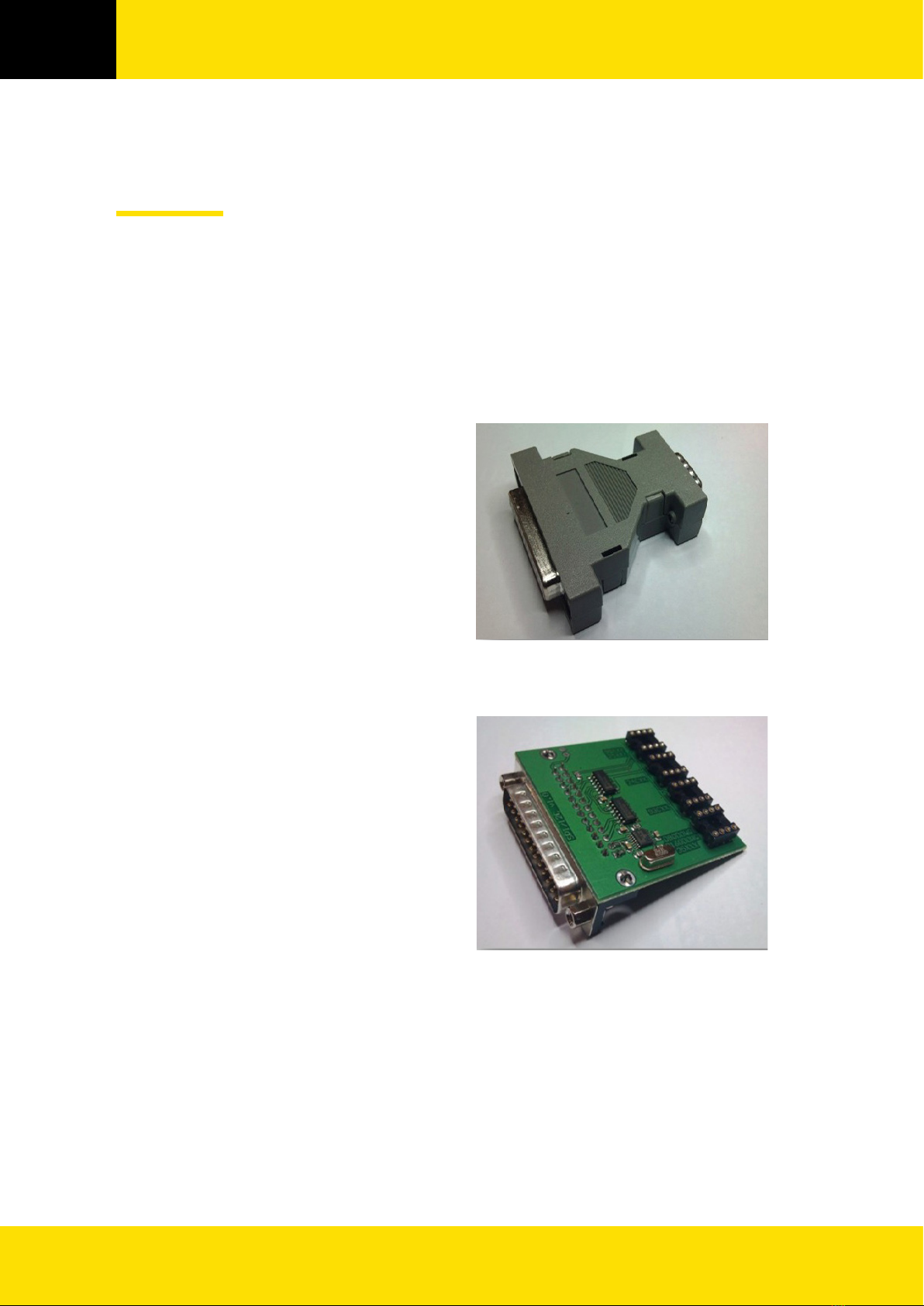
ZN030-ABPROG and ZN031-M35XXX/SPI/I2C Adapter together with ABPROG Programmer software
allows you to erase and write SPI, I2C, Micro Wire EEPROM memory (35xxx, 95xxx, 24xxx, 93xx) with and
without incremental registers, read the SSID of the NEC KEY, erase the NEC chip and then program it
again. ZN030-ABPROG and ZN031-M35XXX/SPI/I2C Adapter together should be used with ABRITES
software produced by Abrites Ltd.
ABRITES is a trade mark of Abrites Ltd.

www.abrites.com 7
www.abrites.com 7
2021 ABPROG Programmer for AVDI User Manual
1.1 Scope of the manual
This document describes software and hardware installation of kit for EEPROM and MCU memory
programming.
The basic package of kit for EEPROM and MCU memory programming:
ZN030-ABPROG
ZN031- M35XXX/SPI/I2C Adapter

www.abrites.com 8
www.abrites.com 8
2021 ABPROG Programmer for AVDI User Manual
SO8 –DIP8 Adapter
ZN032 - Adapter with socket for NEC
MCU (optional)
ZN034 - ABPROG flat cable

www.abrites.com 9
www.abrites.com 9
2021 ABPROG Programmer for AVDI User Manual
ZN055 - ABPROG EWS3 adapter
The Abrites ABPROG EWS3 Reader (ZN055 - ABPROG EWS3 adapter) is an assistance tool
designed to allow you to read the EWS3 Dump from the EWS3 cars in order to make a key for
them, this tool will be very useful when working on the BMW E46/ E53 model cars. The tool
attaches to the ABPROG programmer which attaches to the AVDI interface in order to read the EWS3
dump.
Once you have read the EWS3’s dump you will be able to save it on your computer. After you
do that you will be able to load this dump in the PROTAG software and program a key using it.
With the help of the EWS3 Adapter you will no longer need to use third party EWS3
Programmers to read the EWS dump.
1. ZN055 - ABPROG EWS3 adapter
2. Connection diagram and Boot Pin on
EWS

www.abrites.com 10
2021 ABPROG Programmer for AVDI User Manual
Table des matières
Autres manuels ABRITES Carte mère
Manuels Carte mère populaires d'autres marques

Telit Wireless Solutions
Telit Wireless Solutions SL869-3DR Manuel utilisateur

Gigabyte
Gigabyte GA-9IVDT Manuel utilisateur

Texas Instruments
Texas Instruments ADS8372EVM Manuel utilisateur

Commell
Commell MS-C73 Manuel utilisateur

IBT Technologies
IBT Technologies MB860 Manuel utilisateur

Nvidia
Nvidia TEGRA DG-04927-001_V01 Manuel utilisateur