Zycoo SC15 Manuel utilisateur


Contents
1. Preface ...................................................................................................................1
1.1 Audience ........................................................................................................... 1
1.2 Revision History ................................................................................................ 1
2. Overview ................................................................................................................2
2.1 Product Overview ..............................................................................................2
2.2 Product Specifications .......................................................................................2
3. Login the Device ................................................................................................... 3
3.1 Accessing the Web GUI .................................................................................... 3
3.2 Device Info ........................................................................................................ 4
4. SIP Settings ...........................................................................................................6
4.1 SIP Account Settings ........................................................................................ 6
4.2 P2P Account Settings ....................................................................................... 8
4.3 Audio Codecs ..................................................................................................10
4.4 Advance SIP Settings ..................................................................................... 10
5. Basic Settings ..................................................................................................... 12
5.1 Volume Settings .............................................................................................. 12
5.2 I/O Settings ..................................................................................................... 13
5.3 API Settings .................................................................................................... 16
5.4 Multicast .......................................................................................................... 17
5.5 Prompt Language ............................................................................................19
5.6 Audio Files ...................................................................................................... 19
5.7 ONVIF Settings ................................................................... 错误!未定义书签。
6. System Settings ..................................................................................................21
6.1 Network ........................................................................................................... 21
6.2 Time ................................................................................................................ 22
6.3 Account ........................................................................................................... 22
6.4 Upgrade .......................................................................................................... 23
6.5 Reboot & Reset ...............................................................................................24
7. Maintenance ........................................................................................................ 26
7.1 Diagnostic ....................................................................................................... 26
7.2 Ethernet Capture .............................................................................................26
7.3 Import/Export ...................................................................................................27

SC15 Network Ceiling Speaker User Guide
1
1. Preface
1.1 Audience
This manual is intended to provide clear operating instructions for those who will configure
and manage the SC15 Network Ceiling Speaker. By carefully reading and consulting this
guide, users could solve the setting and deployment issues of the SC15 Network Ceiling
Speaker.
1.2 Revision History
Document
Version
Applicable
Firmware Version
Update Content
Update
Date
1.2.8
1.2.8 and
2.0.4 (hardware
version 2.0 or above
ONLY)
Updated operating instructions for
software version v1.2.8/2.0.4.
Nov,2023

SC15 Network Ceiling Speaker User Guide
2
2. Overview
2.1 Product Overview
SC15 Network Ceiling Speaker is a compact high-performance SIP enabled ceiling speaker
which can be used for SIP paging, notification/tone broadcasting and streamed high
definition music playback. The high efficient, full-range drive units will provide you with a
uniquely advanced listening experience.
2.2 Product Specifications
SC15 Network Ceiling Speaker Specifications
Speaker Components
5.25" woofer unit + 1" tweeter
unit
Sensitivity
85dB / 1W / 1m
Max Sound Pressure
Level
100dB
Rated Power
8Ω 15W
Frequency Range
70Hz – 20KHz
Coverage Pattern
90°H 90°V 30m²
Amplifier
Built-in Class D Amplifier

SC15 Network Ceiling Speaker User Guide
3
3. Login the Device
3.1 Accessing the Web GUI
SC15 obtains the IP address through DHCP by default, please ensure that there is an
available DHCP server in your LAN (If DHCP fails to obtain an address, it will use a static
IP address: 192.168.1.101), or press and hold the reset button for 5 seconds and then release
it to listen to the device's IP address broadcast, and enter the IP address in the browser to
access the device's Web management interface.
Default username: admin
Default password: admin
For the safety purpose, it is recommended to change the default password on the first login,
please go to System --> Password Settings page to change the password.
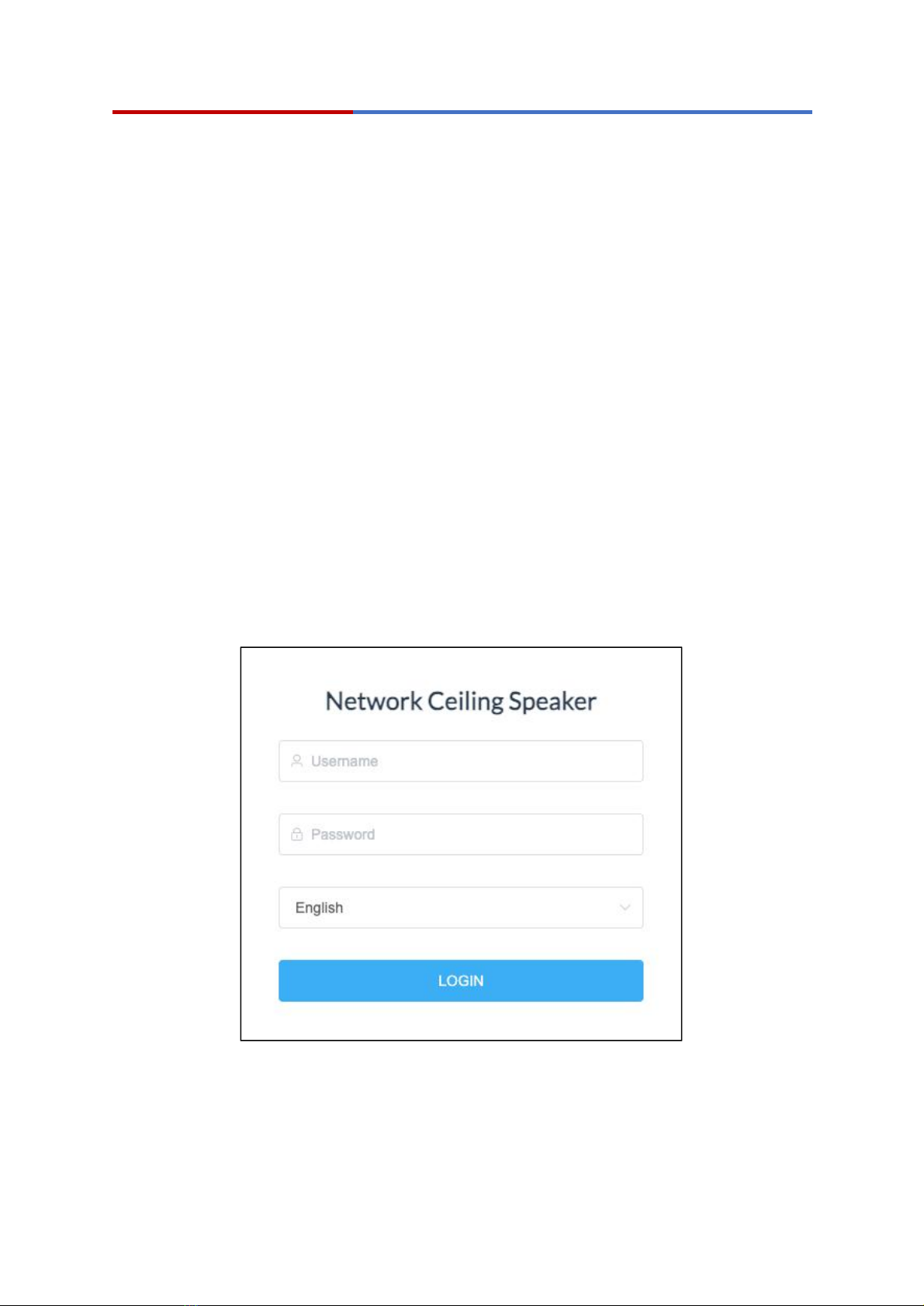
Login Interface
After entering the correct username and password, you can log in to the device's web
management interface.

SC15 Network Ceiling Speaker User Guide
4
3.2 Device Info
After successful login, you will see the information interface of the device, and you can view
the basic information of the device.
SIP Status
SIP Account: Display the SIP number configured on this device.
SIP Server: Display the SIP server (Such as ZYCOO IP Audio Center or IP
PBX) address.
Register Status: Display the SIP number registration status.

SC15 Network Ceiling Speaker User Guide
5
Device Information
Device Model: Displays the model of the device.
Hardware Version: Displays the hardware version number of the device.
Software Version: Display the system version number of the device.
Start Time: Displays the last time the device was started up.
Speaker Volume: Displays the current volume of the device.
Mic Volume: Displays the current device microphone input volume.
Device Description: Remark the device information. The description will be
displayed in a browser tab. After the Device Description is set, the description will be
displayed in the browser tab, which is convenient for distinguishing different terminals
when there are many terminal configuration pages.
Network Information
Mac Address: Display the MAC address of the current device.
Connection Mode: Display the network acquisition method of the device, DHCP
(dynamic acquisition) or STATIC (static configuration).
IP Address: The current IP address of the device.
Subnet Mask: The current subnet mask of the device.
Gateway: The gateway address currently used by the device.
Primary DNS: The primary domain name server address used by the device.
Alternative DNS: The secondary domain name server address used by the device.

SC15 Network Ceiling Speaker User Guide
6
4. SIP Settings
4.1 SIP Account Settings
There are three (3) SIP accounts under the SIP Settings, one (1) primary and two (2)
secondary for the use of different SIP accounts to proceed with various tasks. If the current
device needs to cooperate with the ZYCOO IP Audio Center, please turn on the ‘Enable
Integration with ZYCOO IP Audio Center’ option.
Please go to SIP Settings --> Primary SIP Account / Secondary SIP Account-1 /
Secondary SIP Account-2 page.
Primary SIP Account

SC15 Network Ceiling Speaker User Guide
7
Secondary SIP 1 Account
Secondary SIP 2 Account
SIP Server: Enter the IP address or domain name of the SIP server.
Autres manuels pour SC15
4
Table des matières
Autres manuels Zycoo Intervenants

Zycoo
Zycoo SH30 Manuel utilisateur

Zycoo
Zycoo SC15 Manuel utilisateur

Zycoo
Zycoo SC15 Manuel utilisateur

Zycoo
Zycoo SC10 Manuel utilisateur

Zycoo
Zycoo SW15 Manuel utilisateur

Zycoo
Zycoo SL30 Manuel utilisateur

Zycoo
Zycoo SC15 Manuel utilisateur

Zycoo
Zycoo SQ10 Manuel utilisateur

Zycoo
Zycoo SQ10 Manuel utilisateur

Zycoo
Zycoo SC10 Manuel utilisateur
Manuels Intervenants populaires d'autres marques

Bowers & Wilkins
Bowers & Wilkins 4 Manuel utilisateur

Sonance
Sonance SONOS OUTDOOR Series Manuel utilisateur

Electro-Voice
Electro-Voice EVID FM4.2 Manuel utilisateur

Pioneer
Pioneer XW-HTD630 Manuel utilisateur

Onn
Onn BWA16AA002 Manuel utilisateur

HP
HP GL313AA - USB Speakers PC Multimedia Manuel utilisateur