
WOWITEC LARK V3 EC20 Manuel utilisateur

EC20
WWW.WOWITOYS.COM
RZLWHF
w
INSTRUCTIONS FOR USE

Disclaimer & Warnings
Safety Guidelines
1
2
3
4
14
17
7
6
11
Contents
Use of Battery
4
Packing list
Drone Blades Details
Controller Functions
Download the APP
Preparation for Flight
Flying the Drone
Features
APP
8
23
24
Specification
Trouble Shooting

1
Disclaimer & Warnings
1. Please read this Disclaimer & Warning and Safety Guidelines
carefully before using our product. This product is not recommended
for people under the age of 14. By using this product, you hereby
agree to this disclaimer and signify that you have read it fully. You
agree that you are responsible for your own conduct and any damages
caused while using this product, and its consequences. You agree to
use this product only for purposes that are proper and in accordance
with local regulations,terms, and all applicable policies and guidelines.
2. When using this product, please be sure to strictly abide by the
specification requirements and safety guidelines stated in this
document. Any personal injury, property damage, legal disputes and
all other adverse events caused by the violation of the safety
instructions or due to any other factors, will not be WOWITOYS's
responsibility.
off, and ensure the drone is always flying in excess of 1.5 meters
from yourself and others
is risk of burns
rubbish, all parts should be taken to the local recycling centre
high temperature or disposed of in a fire
2
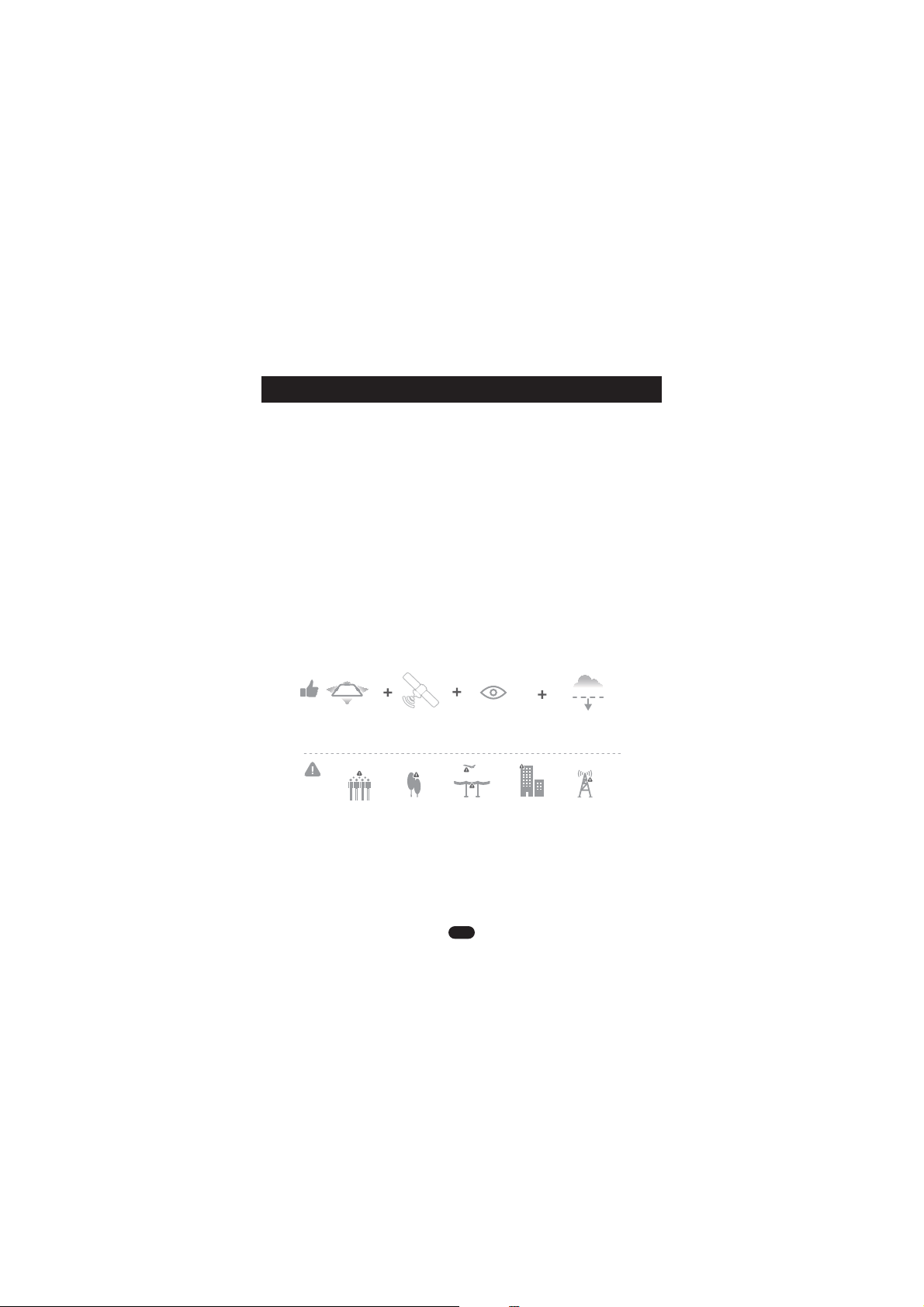
1.Check Before Use
2.Safe flight Environment
GPS signal
is good
Fly in Open Areas Maintain Line
of Sight
Fly Below
1640 feet(500 m)
Safety Guidelines
(1). This product is not a toy, it is a high precision drone that
integrates various electronic stability and control mechanisms. Please
be sure to setup this drone carefully and correctly to ensure safe,
accident-free operation.
(2). Please be sure that the batteries of the drone and controller are
clean, undamaged and have enough power.
(3). Please be sure that all the propellers are undamaged and are
installed in the right direction.
(4). Please do a thorough check of the product before each use:
Check for firmness of the parts, any signs of cracks and wear of the
propeller,battery power and effectiveness of the product until the issue
has been dealt with.
(1). Make sure the surrounding area is free of people, pets or other
obstacles before starting to fly the drone.
(2). The drone is designed for indoor and outdoor use. However, it is
not recommended to fly the drone inside if there is limited space, or
outside if there is any wind.
(3). Keep a safe playing distance from the drone at all times.

3
3. Use of Battery
(1).Ensure batteries are fitted in the correct direction as shown
in the instruction manual.
(9).Do not attempt to disassemble or modify the battery in any way.
Li-Po Battery Disposal & Recycling
Waste Lithium-polymer batteries must not be placed with household garbage.
Please contact local environmental or waste agency or the supplier of the
product or the nearest Li-Po battery recycling center.
(10).Do not use the battery if it gives off an odor, generates heat,
becomes discolored or is deformed, or appears abnormal in any
way. If the battery is in use or being charged, remove it from the
device or charger immediately and discontinue use of it.
(8).Do not connect the battery directly to wall outlets or car
cigarette-lighter sockets.
(7).It is recommended to only use the USB charging cable that comes
with the drone to charge the battery.
(6).If the device is not going to be used for an extended period of time,
remove batteries to prevent potential damage from battery leakage.
(4).Dispose used batteries carefully.
(3).Do not mix new and old batteries as this can lead to a poor
performance of the product.
(5).Keep dead batteries away from heat and fire.
(2).Avoid short circuits by fitting the batteries incorrectly, and do not
crush or squeeze the batteries as this could carry the risk of
explosion.

4
It is crucial that all the blades are installed in the correct
position (Pay attention to the letter A or B printed underneath
each blade.)
Drone’s details
Blade A
(Clockwise)
Blade A
(Clockwise)
Blade B
(Counter Clockwise)
HEAD
Camera
Blade B
(Counter Clockwise)
Packing list
USB charger x 1Controller x 1Drone x 1 Battery x 1
Blade x 4 Screwdriver x 1 User Manual x 1
5
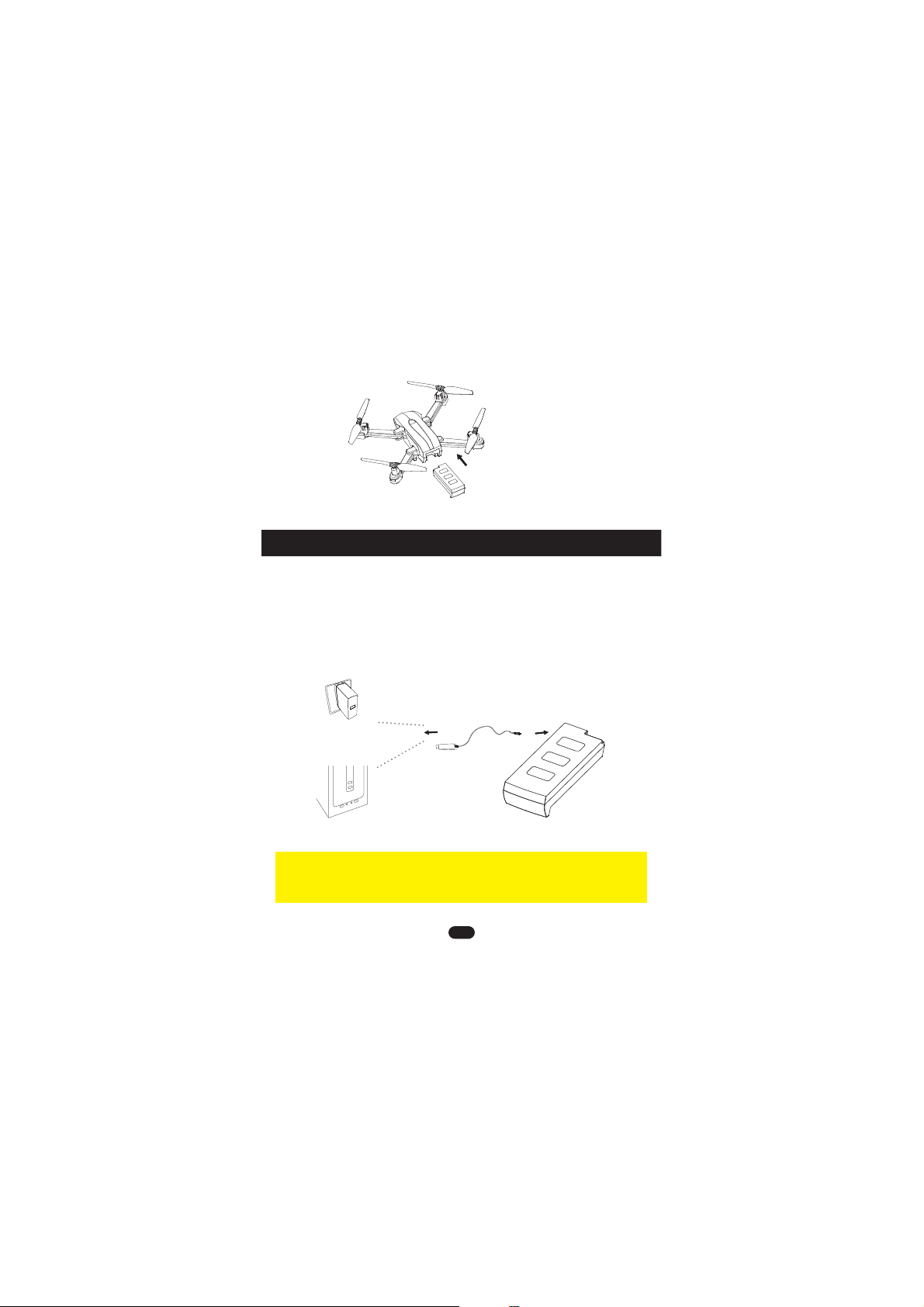
Charging the drone battery
Do not leave the battery unattended while charging & only use
the supplied battery or plug charger.
WARNING
Computer USB Port
Battery
USB Adapter
(5V/0.5-2.0A)
1. Remove the battery from the drone & insert the charging wire
into the battery charging slot
2. Connect the USB charger (square socket) to a computer, the
USB indicator will glow red
3. The red light will go out when the battery is fully charged
insert the battery
into drone

6
auto return
Home
speed-select
button
Controller functions
camera up
camera down
antenna
calibration/
emergency Stop
right stick
one key start/stop
normal/GPS mode
throttle
left stick
power switch
picture/LED
video/
headless mode
phone holder
1.Unscrew the battery cover,and insert 4xAAA batteries(not included),
make sure to insert them following the correct polarity as shown.
2.Replace the battery cover.
Always use alkaline batteries
Never mix old and new batteries
.
.
4xAAA batteries
(not included)

7
Preparation for Flight
power switch
1.Boot up
Turn on the power of the remote control; turn on the power of
the drone (long press for 2 seconds to turn on/off)
2.Pair the Drone to the Remote Control
(1).After the remote control and the drone are properly loaded with
batteries, place the drone on a horizontal surface and turn on the
remote control power switch. At this time, the remote control power
indicator flashes red. Turn on the drone, the remote control will
beep twice to indicate that it is ready to pair, at this time the front
green lights and rear red lights flash.
(2).Slowly push the left lever of the remote control up to the top and
then down to the bottom. At this time, the remote control sends
out a pairing command and the power indicator light is always
green.
power indicator

8
4.Calibration
Gyro Calibration
(1).Place the drone on a horizontal surface, push the left lever of
the remote control to the bottom, simultaneously move the right
lever of the remote control to the left and right quickly, and
release the lever when the front and rear indicators of the drone
flash simultaneously (don’t move the drone during this process).
(3).Wait for about 10 seconds, the red light on the rear of the drone
flash and turn into a steady light, which means that the drone
has received the pairing instruction and completed the self-check.
The pairing is successful.
3.Download the APP
(1).Turn on the drone.
(2). Enter the Settings menu of your mobile device.
(3). Activate WIFI connection, search for the drone's wifi network and
connect to it.
(4).Click on the ICON to open the interface of the APP, the video
image from the drone's camera is displayed on the screen.
Connect to the APP:
Search and download"WOWI FLY"
from Google Play.Or scan the QR code
on the left to download.
Search and download"WOWI FLY"
from App store.Or scan the QR code
on the left to download.
Table des matières


