
WOOX R7050 Manuel utilisateur
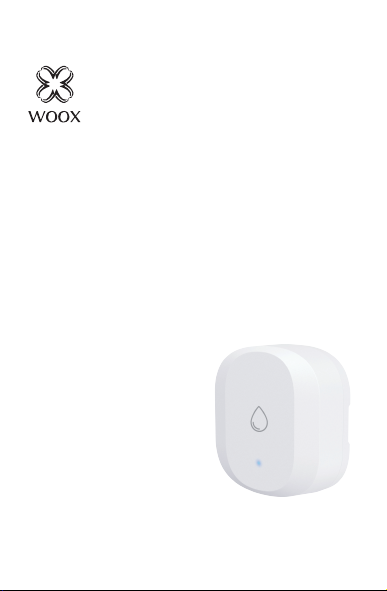
Smart
Water Leak Sensor
R7050
Version: 20200415
Quick Start Guide (EN)
Verkorte handleiding (NL)
Kurzanleitung (DE)
Guía de inicio rápido (ES)
Guide de démarrage rapide (FR)
Guida rapida (IT)
Guia de iniciação rápida (PT)
Hurtigstartsguide (DK)
Snabbstartsguide (SE)
Pikaopas (FI)
Krótki przewodnik (PL)
Rychlá příručka (CZ)
Príručka pre rýchly štart (SK)
Gyors útmutató (HU)
Ghid rapid (RO)

English
1
Indicator light
Reset button
Detecting probe,
adjustable
Specification
Battery: CR2032 x 1 (included)
Waterproof: IP67
Dimension: 62x62x21mm
Wireless connection: Zigbee 3.0
Connection distance: indoor 10-30m Frequency:
2.4-2.483GHz
Working temperature: -10℃ - 50℃
Working humidity: 0-100%RH, no condensation

2
EnglishEnglish
Introduction
The water leak sensor detects leaking and send
real-time alert to your smartphone. It also can
trigger other Woox smart products by creating
scenarios in Woox home app.
Requirement to use
1. Woox home app
2. Woox zigbee gateway (not included)
Set up the water leak sensor with Woox home
app
1. Download and install the app "WOOX Home"
from Apple App Store or Google Play Store on your
mobile device.
2. Launch the app "WOOX Home".
3. Create a new account or log in to your existing
account.
4. Tap “+” to add the device.
5. Select the applicable product type from the list of
products.
6. Select a Zigbee Gateway.
7. Ensure the indicator light is quick flashing. If the
indicator light isn't flashing: press and hold the
reset button for 5 seconds until the indicator light
starts to quick flashing.

English
3
8. Press confirm button in the Woox home app.
9. The app will now search for the device and
register is to your account.
10. Enter the device name.
TIPS
1. Take out the insulation sheet from battery
compartment of the water leak sensor before
connecting to gateway.
2. Effective range testing: short press the reset
buton of wate after connected to gateway. If the
indicator light is flashing, it means that the water
leak sensor communicate effectively with the
Zigbee gateway.
3. The detecting probe height is adjustable from
0.5mm to 5mm, the default detecting height is
0.5mm.
Support
If you need further help or have comments or
suggestions please visit www.wooxhome.com

4
Nederlands
Introductie
De waterleksensor detecteert lekken en stuurt
realtime waarschuwingen naar uw smartphone. Het
kan ook andere slimme Woox-producten activeren
door scenario's te maken in de Woox Home-app.
Vereiste om te gebruiken
1. Woox-thuisapp
2. Woox zigbee gateway (niet inbegrepen)
Stel de waterleksensor in met de Woox home-app
1. Download en installeer de app "WOOX Home" uit
de Apple App Store of Google Play Store op uw
mobiele apparaat.
2. Start de app "WOOX Home".
3. Maak een nieuw account aan of log in op uw
bestaande account.
4. Tik op "+" om het apparaat toe te voegen.
5. Selecteer het toepasselijke producttype in de lijst
met producten.
6. Selecteer een Zigbee Gateway.
7. Zorg ervoor dat het indicatielampje snel knippert.
Als het indicatielampje niet knippert: houd de
resetknop 5 seconden ingedrukt totdat het
indicatielampje snel begint te knipperen.

Nederlands
5
8. Druk op de bevestigingstoets in de Woox
home-app.
9. De app zoekt nu naar het apparaat en
registreert zich bij uw account.
10. Voer de apparaatnaam in.
TIPS
1. Haal het isolatievel van de batterij
compartiment van de waterleksensor voordat u
verbinding maakt met de gateway.
2. Effectief bereik testen: druk kort op de
resetknop van wate na verbinding met
gateway. Als het indicatielampje knippert,
betekent dit dat de waterleksensor effectief
communiceert met de Zigbee gateway.
3. De hoogte van de detectiesonde is instelbaar
van 0,5 mm tot 5 mm, de standaard
detectiehoogte is 0,5 mm.
Ondersteuning
Als u meer hulp nodig heeft of opmerkingen of
suggesties heeft, bezoek dan
www.wooxhome.com

Deutsch
6
Einführung
Der Wasserlecksensor erkennt Leckagen und
sendet einen Echtzeitalarm an Ihr Smartphone. Es
kann auch andere Woox-Smart-Produkte auslösen,
indem Szenarien in der Woox-Home-App erstellt
werden.
Voraussetzung zur Verwendung
1. Woox Home App
2. Woox ZigBee Gateway (nicht enthalten)
Richten Sie den Wasserlecksensor mit der Woox
Home App ein
1. Laden Sie die App "WOOX Home" aus dem
Apple App Store oder Google Play Store auf Ihr
Mobilgerät herunter und installieren Sie sie.
2. Starten Sie die App "WOOX Home".
3. Erstellen Sie ein neues Konto oder melden Sie
sich bei Ihrem vorhandenen Konto an.
4. Tippen Sie auf „+“, um das Gerät hinzuzufügen.
5. Wählen Sie den entsprechenden Produkttyp aus
der Produktliste aus.
6. Wählen Sie ein ZigBee-Gateway aus.
7. Stellen Sie sicher, dass die Anzeigelampe schnell
blinkt. Wenn die Anzeigelampe nicht blinkt: Halten
Sie die Reset-Taste 5 Sekunden lang gedrückt, bis
die Anzeigelampe schnell zu blinken beginnt.

Deutsch
7
8. Drücken Sie die Bestätigungstaste in der
Woox Home App.
9. Die App sucht nun nach dem Gerät und
registriert sich in Ihrem Konto.
10. Geben Sie den Gerätenamen ein.
TIPPS
1. Nehmen Sie die Isolierfolie aus der Batterie
Fach des Wasserlecksensors vor dem
Anschließen an das Gateway.
2. Effektive Reichweitentests: Drücken Sie kurz
die Reset-Taste von wate, nachdem Sie eine
Verbindung zum Gateway hergestellt haben.
Wenn die Anzeigelampe blinkt, bedeutet dies,
dass der Wasserlecksensor effektiv mit dem
ZigBee-Gateway kommuniziert.
3. Die Höhe der Erkennungssonde ist von 0,5
mm bis 5 mm einstellbar. Die
Standarderkennungshöhe beträgt 0,5 mm.
Unterstützung
Wenn Sie weitere Hilfe benötigen oder
Kommentare oder Vorschläge haben,
besuchen Sie bitte www.wooxhome.com

Espanol
8
Introducción
El sensor de fugas de agua detecta fugas y envía
alertas en tiempo real a su teléfono inteligente.
También puede activar otros productos
inteligentes de Woox al crear escenarios en la
aplicación de inicio de Woox.
Requisito de uso
1. Aplicación para el hogar Woox
2. Woox zigbee gateway (no incluido)
Configure el sensor de fugas de agua con la
aplicación para el hogar Woox
1. Descargue e instale la aplicación "WOOX
Home" de Apple App Store o Google Play Store
en su dispositivo móvil.
2. Inicie la aplicación "WOOX Home".
3. Cree una nueva cuenta o inicie sesión en su
cuenta existente.
4. Toque "+" para agregar el dispositivo.
5. Seleccione el tipo de producto aplicable de la
lista de productos.
6. Seleccione una puerta de enlace Zigbee.
7. Asegúrese de que la luz indicadora parpadee
rápidamente. Si la luz indicadora no parpadea:
mantenga presionado el botón de reinicio
durante 5 segundos hasta que la luz indicadora
comience a parpadear rápidamente.

Espanol
9
8. Presione el botón de confirmación en la
aplicación de inicio de Woox.
9. La aplicación ahora buscará el dispositivo y
se registrará en su cuenta.
10. Ingrese el nombre del dispositivo.
CONSEJOS
1. Retire la lámina de aislamiento de la batería
compartimento del sensor de fugas de agua
antes de conectar a la puerta de enlace.
2. Prueba de rango efectiva: presione
brevemente el botón de reinicio de wate
después de conectarse a la puerta de enlace. Si
la luz indicadora parpadea, significa que el
sensor de fuga de agua se comunica
efectivamente con la puerta de enlace Zigbee.
3. La altura de la sonda de detección es
ajustable de 0,5 mm a 5 mm, la altura de
detección predeterminada es de 0,5 mm.
Apoyo
Si necesita más ayuda o tiene comentarios o
sugerencias, visite www.wooxhome.com
Table des matières
Langues :
Autres manuels WOOX Accessoires


