
Winland Electronics Temp Alert TA2HL Mode d'emploi
TEMP˚ ALERT
®
ModelTA2HL
PartNo.M0010100
Installation/OwnersManual
Introduction
ThankyouforyourpurchaseoftheWinlandTemp˚Alert
® modelTA2HL.YournewTemp˚Alert
® hasbeendesignedforreliablemonitoringofareaswherehigh
andlowtemperaturelimitsarecritical.Temp˚Alert
® measurestemperaturesfrom30˚to+130˚F(34˚to+54˚C). Thisunitwillseparatelyzoneouthighand
lowtemperaturealarmsignals.Thisuniquefeatureenablesyoutoinstantlyidentifywhetheryourfacilitybeingmonitoredhasahighorlowtemperature
condition.
Simplyselectanacceptabletemperaturerangebysettingtheadjustablehighandlowlimitstops.Iftemperatureinthemonitoredareaeitherrisesorfallstothe
limitstops,thetemperatureindicatorwillcontactoneofthelimitstops.Thiscompletesthecircuitandprovidesyouwithadrycontactalarmsignal.TheTA2HL
contactsarenormallyopendrycontactsratedat50mAat12VDC.Thisoutputcanbeusedtoactivatealarmsystems,telephonedialers,orotherremote
warningdevices.Temp˚Alert
® istheidealadditionforanysecuritysystem.
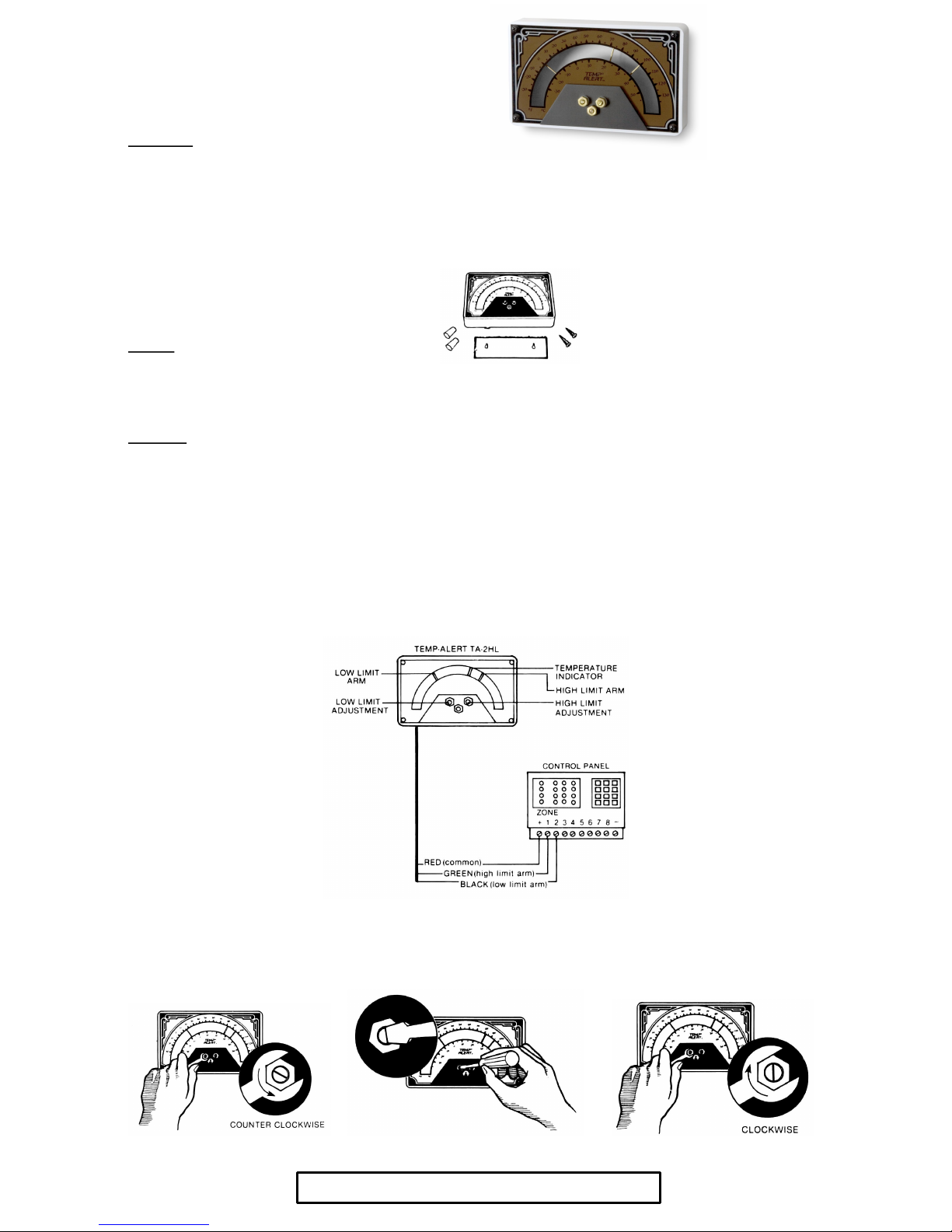
Thepackageyoupurchasedshouldcontain:
· Temp˚Alert
® unitwith15foot(4.57m)connectioncable
· Twomountingscrewsandtwoplasticwallanchors
· Mountingtemplate(attachedtothemanual)
Location
InspecifyingthelocationandnumberofTemp˚Alerts
® toinstallconsiderroomsize,effectivenessoftheventilationsystem,andcriticalmonitoringareas.Ifthe
buildingalreadyhasanenergymanagementsystem,aneasyruleofthumbtofollowistoinstallaTemp˚Alert
® neareachthermostat.Itshouldbemountedon
awallorotherverticalsurfaceintheareawheretemperatureistobemonitored.Makesureitiswellclearofwindows,doors,orheatsourcesthatcouldcause
aninaccuratereadingofairtemperature. Whenprotectingabuildingagainstfreezedamage,alwaysinstallatleastoneTemp˚Alert
® oneverylevelof
thehomeorbusiness.
Installation
Itemsneeded:
· Standardscrewdriver
· 11/32”wrench
Step#1–AttachTemp˚Alert
® toMountingSurface
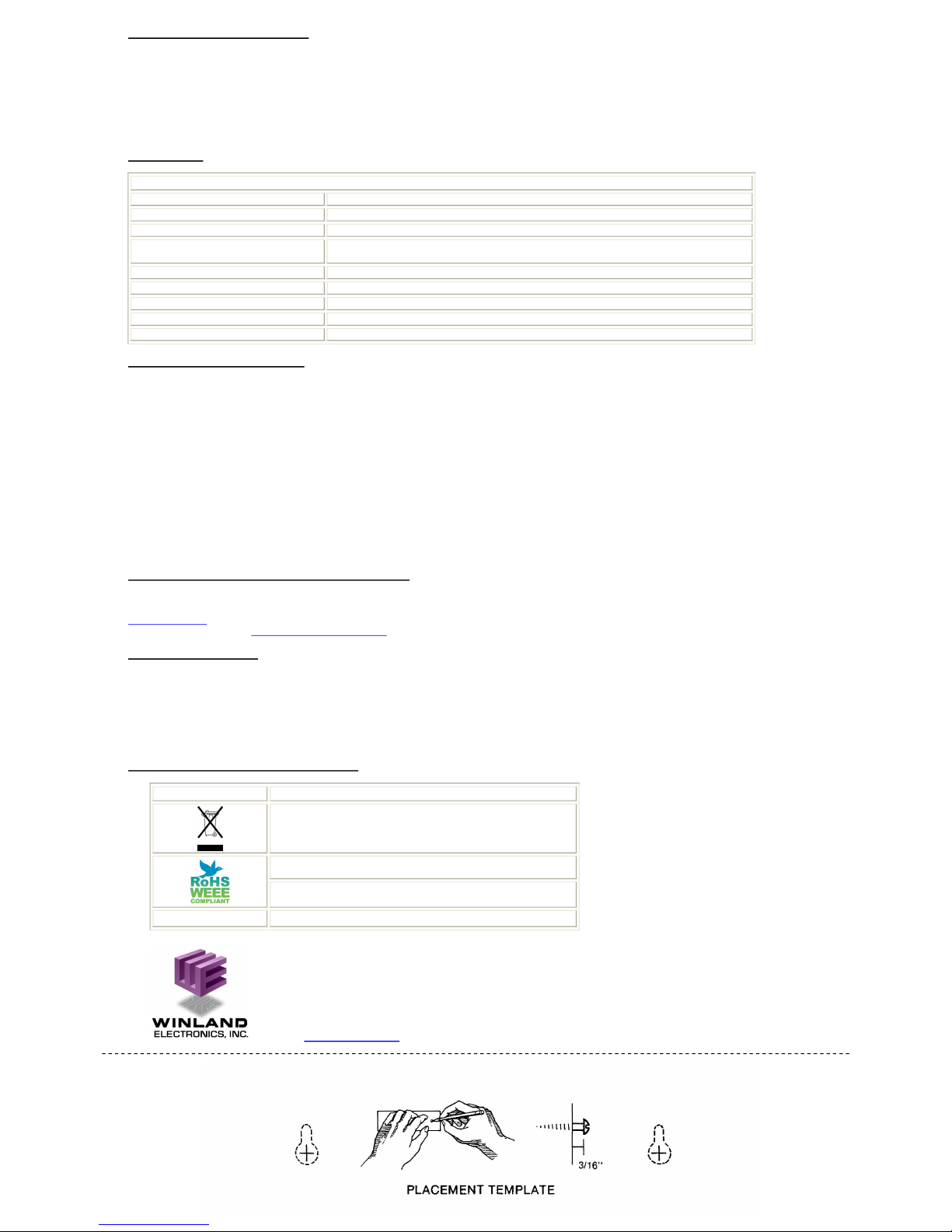
Afteryouhavedeterminedalocationforthedevicetobemounted,positiontheattachedtemplateinthemountinglocationandmarkthemountingholeswitha
penorothermarkingdevice.Dependingonthetypeofsurfaceyouaremountingto,youmayneedtopredrillholestoacceptthemountingscrewsalone,orthe
plasticanchorsandmountingscrews.Drivethescrewsintothemountingsurface,allowingapproximately3/16”betweenthescrewheadandthemounting
surface.EngagethekeyslotsonthebackoftheTemp˚Alert
® casewiththescrewheadsandpressdown.
Step#2–MakingtheWiringConnections
Attachtheconnectingcabletoanytwoopenzonesonanyalarmpanel,telephonedialer,wirelesstransmitter,etc. SeeFigure1foranexampleoftheproper
wiringsequenceutilizinganalarmsystem.
Ifdesired,thegreenandblackwiresontheconnectioncablemaybeconnectedtogetherunderasinglezone.Thisisusefulwheneveralimitednumberofopen
zonesareavailableandyoudonotwishtodifferentiatebetweenahighandlowtemperaturenotification.
Figure1
Step#3–SelectingtheHighandLowSetPoints
Eachlimitarmiscontrolledbyanadjustmentscrew.Tosetalimitarm,slightlyloosentheappropriatelocknut(turncounterclockwise)witha11/32”wrench
(SeeFigure2).Next,useascrewdrivertosetthelimitarmtothedesiredtemperaturelimit(SeeFigure3). Oncethearmisinthepropersettinglocations,
simplyretightenthelocknut(turnclockwise)(SeeFigure4).Avoidovertighteningofthelocknut. Repeatthisprocessuntilbothtemperaturelimitshavebeen
set. Makesuretoretightenthelocknutwhentemplimitshavebeenset.TheTemp˚Alert
® willnotfunctionproperlyifthelocknutisnotretightened.
Figure2 Figure3 Figure4
ImportantNote:Toinsureproperoperation,testtheunitweekly.
OperationandTestingProcedures
Forproperoperation,theTemp˚Alert
® mustbelocatedinanareawherethetemperaturerangeiswithin30˚to+130˚F(34˚to+54˚C). Tomanuallyactivate
theTemp˚Alert
® fortesting,loosenthelocknutofonelimitarmanduseascrewdrivertomovethelimitarmtowardthetemperatureindicatoruntilitmakes
contactandtemporarilytightenthelocknutnut.Ifinstalledcorrectly,thistestprocedureshouldactivatethewarningdevicetowhichtheTemp˚Alert
® is
connected.Aftertesting,loosenthelocknut,returnthelimitarmtoitsoriginalsetpointandtightenthelocknut.Thesametestprocedureshouldalsobe
repeatedwiththesecondlimitarmtoverifyproperoperation.
Important:DonotusetheTA2HLTemp˚Alert
® inacoolerorfreezer.Frostbuildupandmoisturecancausetheunittomalfunction.Forcooler&
freezerapplications,useoneoftheEnviroAlert
® products(EA20012,EA20024,EA40012,EA40024)witharemotetemperatureprobe.
Specifications
Temp˚Alert
® TA2HL(P/NM0010100)
OperatingTemperature 30˚to+130˚F(34˚to+54˚C) DONOTUSEFORMONITORINGCOOLERS&FREEZERS
TemperatureAccuracy +/3˚F(+/1.67˚C)ofindicatedtemperature
Contacts NormallyOpenDryContact GoldPlated
ContactRatings 12VDCat50mA(max)
DONOTUSEFOR110VAC,HIGHVOLTAGEORHIGHCURRENT
CaseMaterial ABS
Weight 12ounces(.34kg)
Dimensions 6.25”x3.75”x1.00”(15.88x9.53x2.54cm)
Color White
Mounting SurfaceMount–Keyholeslots2Screws
WarrantyandServiceInformation
WinlandElectronics,Inc.(“Winland”)warrantstotheenduser/purchaserthateachproductofitsmanufactureshallbefreefromdefectsinmaterialandfactory
workmanshipforaperiodofoneyearfromthedateofpurchase,whenproperlyinstalledandoperatedundernormalconditionsaccordingtoWinland’s
instruction. Winland’sobligationunderthiswarrantyislimitedtocorrecting,withoutcharge,atitsfactoryany partorpartsthereofwhichshallbereturnedtothe
factory,bytheoriginalpurchaser,transportationchargesprepaid,withinoneyearofthedateofpurchaseandwhichuponexamination,shalldiscloseto
Winland’ssatisfactiontohavebeenoriginallydefective.Correctionofsuchdefectsby repairto,orsupplyingreplacementsfor,defectivepartsshallconstitute
fulfillmentofallWinland’sobligationstopurchaserunderthislimitedwarranty.RepairserviceperformedbyWinlandafteroneyearfromdateofpurchasewillbe
forareasonableservicecharge.ThislimitedwarrantyshallnotapplytoanyofWinland’sproductswhichhavebeensubjecttomisuse,negligenceoraccidentor
whichhavebeenrepairedoralteredoutsideofWinland’sfactory. Winlandshallnotbeliableforloss,damageorexpenseresulting,directlyorindirectly,from
theuseofitsproductsoranyothercause.
THISWARRANTYISINLIEUOFALLOTHERWARRANTIES,EXPRESSORIMPLIED,INCLUDING,WITHOUTLIMITATION,ANY WARRANTIESOF
MERCHANTABILITY,FITNESSFORPARTICULARPURPOSES,NONINFRINGEMENTANDTITLE,ANDANY WARRANTIESARISINGFROMCOURSEOF
DEALING,USAGEOFTRADEOROTHERWISE.ALLOTHERREPRESENTATIONSMADETOTHEENDUSER/PURCHASERBYANYOTHERPARTYARE
ALSOEXCLUDED.WINLANDSHALLNOTBELIABLETOANYPERSONFORINDIRECT,SPECIAL,INCIDENTALORCONSEQUENTIALDAMAGESOF
ANYDESCRIPTION,WHETHERARISINGOUTOFWARRANTYOROTHERCONTRACT,NEGLIGENCEOROTHERTORT,OROTHERWISE.
UndernocircumstancesshallWinland’sliabilityunderthislimitedwarrantyexceedthepurchasepricepaidbytheenduser/purchaserfortheproduct.No
person,agentordealerisauthorizedtogivewarrantiesonbehalfofWinlandnortoassumeforWinlandanyotherliabilityinconnectionwithanyofitsproducts.
WEEEProductRecovery/RecyclingforEUCustomers
InanefforttoimprovewastemanagementintheEuropeanUnion,theEuropeanUnionhasenacteddirective2002/96/EConWasteElectricalandElectronic
Equipment(WEEEDirective).AccordingtotheWEEEDirective,thisproductmustnotbedisposedofwithotherhouseholdwaste. Fordisposalinformationgoto
www.winland.comandclickontheWEEElink. TorequestadditionalinformationregardingWinland’sRoHSandWEEEcomplianceinitiativeandhowitmight
impactyourbusiness,emailcustomerservice@winland.com.
TA2HLCertificationInfo
ApplicableDirectives
RoHSDirective2002/95/EC;WEEEDirective2002/96/EC
StatementofCompliance
WinlandElectronics,Inc.herebydeclaresthatthisdeviceisincompliancewithalltheapplicableDirectives2002/95/EC,2002/96/EC.
Note:ThisdeviceisconsideredapassiveEMdeviceandistherebyexcludedfromthescopeoftheEMCdirective(89/336/EEC)
SymbolsontheProductorManualLabeling
.
Symbol Definition
Forproductdisposal,ensurethefollowing:
•Donotdisposeofthisproductasunsortedmunicipalwaste.
•Collectthisproductseparately.
•Usecollectionandreturnsystemsavailabletoyou
WEEEWasteElectricalandElectronicEquipment
RoHSRestrictionofHazardousSubstances
TEMP˚ ALERT
®Registeredtrademark(USAonly)
ManufacturedintheU.S.A.by
WinlandElectronics,Inc.
1950ExcelDrive,Mankato,MN56001
OutsideMNPhone:18006354269
Phone:5076257231
Fax:5073872488
©WinlandElectronics,Inc.2007
www.winland.comD0110114 Rev.A
DetachHere DetachHere
Table des matières
Autres manuels Winland Electronics Régulateurs de température

Manuels Régulateurs de température populaires d'autres marques

Swegon
Swegon LUNAd MB Manuel utilisateur

Lucky Reptile
Lucky Reptile Thermo Control II Manuel utilisateur

SENSORMETRIX
SENSORMETRIX Argon 100 Manuel utilisateur

Fuji Electric
Fuji Electric PXE4 Manuel utilisateur

Yuyao gongyi
Yuyao gongyi XMT-808 series Manuel utilisateur

Selec
Selec TC544C Manuel utilisateur


