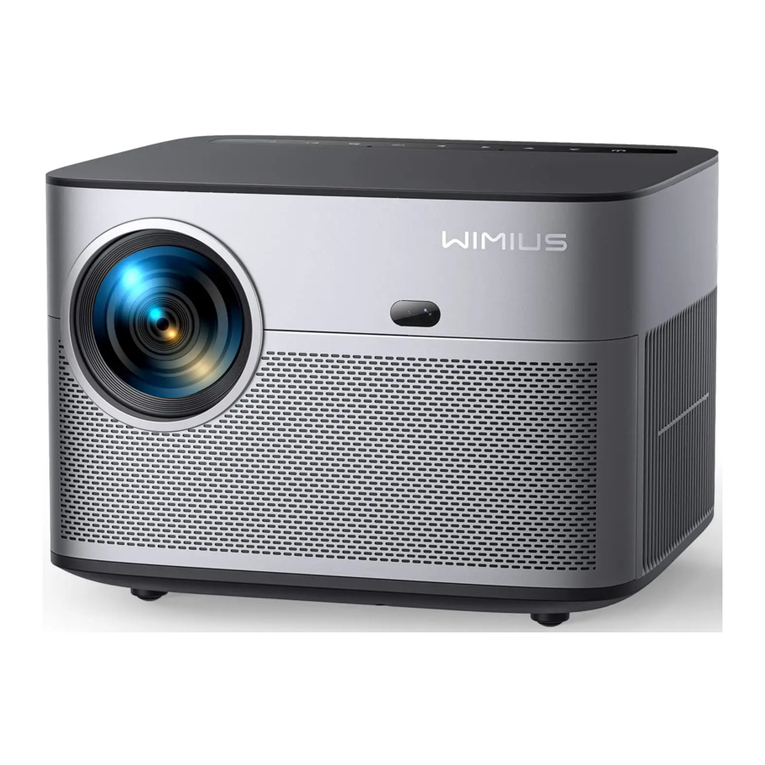
Wimius K5 Manuel utilisateur

ENENENEN 01 02 03 04 05 06 07 08 09 10 11 12 13 14 15 16 17 18
19 20 21 22 23 24 25 26 27 28 29 30 31 32 33 34 35 36
37 38 39 40 41 42 43 44 45 46 47 48 49 50 51 52 53 54
55 56 57 58 59 60 61 62 63 64 65 66 67 68 69 70 71 72
73 74 75 76 77 78 79 80 81 82 83 84 85 86 87 88 89 90
91 92 93 94 95 96 97 98 99 100 101 102 103 104 105 106 107 108
CONTENT
Warning and Safety Precautions------------------------------------------------------------
Accessory and Projector Structure---------------------------------------------------------
Remote Structure-------------------------------------------------------------------------------
Focus and Keystone Correction-------------------------------------------------------------
Connecting with WiFi---------------------------------------------------------------------------
Connect with Bluetooth Speaker------------------------------------------------------------
Other Connections------------------------------------------------------------------------------
Installing the Projector-------------------------------------------------------------------------
Main Functions of the Menu------------------------------------------------------------------
FAQ-------------------------------------------------------------------------------------------------
1
2
3
4
5
6
7
8
9
10

ENEN
01 02 03 04 05 06 07 08 09 10 11 12 13 14 15 16 17 18
19 20 21 22 23 24 25 26 27 28 29 30 31 32 33 34 35 36
37 38 39 40 41 42 43 44 45 46 47 48 49 50 51 52 53 54
55 56 57 58 59 60 61 62 63 64 65 66 67 68 69 70 71 72
73 74 75 76 77 78 79 80 81 82 83 84 85 86 87 88 89 90
91 92 93 94 95 96 97 98 99 100 101 102 103 104 105 106 107 108
Warnings
Safety Precautions
Accessories
Thank you for purchasing WiMiUS K5 wifi bluetooth video projector. Please read this
manual carefully before you use the projector.
We sincerely hope this projector can make your life more colorful.
1.High brightness lamp! Please don’t look directly into the lamp.
2.Adjusting the contrast, brightness and focal length according to different input signals is
the key to make the picture clear; otherwise, the picture will be blurred.
3.There is high voltage inside the projector. It is forbidden to open the cover and touch the
internal parts of the machine.
1. Clean
When clean this projector, please pull out the power cable. Use a wet cloth to clean, don’t
use any detergent that may damage the unit.
2. Accessory
Please use our recommended accessory. Or it will damage the projector.
3. Correct environment
Do not place the projector in a wet environment, like damp basement or near the swimming
pool, etc.
4. Ventilation
The ventilation is equipped for the projector to work stably. Do not put anything around the
vents. Or it will cause the projector heating up.
5. Power
Please make sure the power is within the required power range.
6. Thunder
For thunder day, please unplug the power cable from the projector.
7. Repair
Due to high voltage inside, please do not open or try to repair the projector by yourself.
Please ask a professional technician to repair the projector.
8. Keep away from heat device
Please make sure the projector is far away from any heat devices which will damage the
projector.
Projector*1
Projector case *1
Lens Cover*1
Remote Controller*1
Power Cable*1
AV Cable*1
Projector Support Base*1
User Manual*1

ENEN
01 02 03 04 05 06 07 08 09 10 11 12 13 14 15 16 17 18
19 20 21 22 23 24 25 26 27 28 29 30 31 32 33 34 35 36
37 38 39 40 41 42 43 44 45 46 47 48 49 50 51 52 53 54
55 56 57 58 59 60 61 62 63 64 65 66 67 68 69 70 71 72
73 74 75 76 77 78 79 80 81 82 83 84 85 86 87 88 89 90
91 92 93 94 95 96 97 98 99 100 101 102 103 104 105 106 107 108
Projector Overview
Lens IR Receiver
Power cable Socket
Projector*1 AV Cable*1 Power Cable*1
Remote Controller*1 User Manual*1 Projector Support Base*1

ENEN
01 02 03 04 05 06 07 08 09 10 11 12 13 14 15 16 17 18
19 20 21 22 23 24 25 26 27 28 29 30 31 32 33 34 35 36
37 38 39 40 41 42 43 44 45 46 47 48 49 50 51 52 53 54
55 56 57 58 59 60 61 62 63 64 65 66 67 68 69 70 71 72
73 74 75 76 77 78 79 80 81 82 83 84 85 86 87 88 89 90
91 92 93 94 95 96 97 98 99 100 101 102 103 104 105 106 107 108
1.3.5mm audio output
2.AV port
3.HDMI port
4. USB port*2
5.IR receiver
6.Speaker
7. Ventilation inlet
Control Panel
Power/Return Indicator Light
Menu/Up
Right/Volume-
OK Button
Left/Volume+
Source/Down
Keystone correction knob
Manual Focus
Note: please refer to the product appearance, this figure is for reference only.
Control Panel

ENEN
01 02 03 04 05 06 07 08 09 10 11 12 13 14 15 16 17 18
19 20 21 22 23 24 25 26 27 28 29 30 31 32 33 34 35 36
37 38 39 40 41 42 43 44 45 46 47 48 49 50 51 52 53 54
55 56 57 58 59 60 61 62 63 64 65 66 67 68 69 70 71 72
73 74 75 76 77 78 79 80 81 82 83 84 85 86 87 88 89 90
91 92 93 94 95 96 97 98 99 100 101 102 103 104 105 106 107 108
1.3.5mm audio output
2.AV port
3.HDMI port
4. USB port*2
5.IR receiver
6.Speaker
7. Ventilation inlet
Support Base thread
Tripod Stand thread
Power Button Menu
Mute
Enter
Forward
Return
Volume+
Home/Play
Backward
Arrow Keys
Source
Volume-
Remark: The adjustable support base can assure the max projection angle by
15°, The best display effect will be obtained by projection angle of 0°~ 8°.
Note:
1.While using the remote control, point it toward IR receiver.
2.The remote control doesn’t come with the battery, required 2*AAA batteries.
3.To avoid battery leakage corrision, please take the batteries out if not use it for
a long time.
Remote control

ENEN
01 02 03 04 05 06 07 08 09 10 11 12 13 14 15 16 17 18
19 20 21 22 23 24 25 26 27 28 29 30 31 32 33 34 35 36
37 38 39 40 41 42 43 44 45 46 47 48 49 50 51 52 53 54
55 56 57 58 59 60 61 62 63 64 65 66 67 68 69 70 71 72
73 74 75 76 77 78 79 80 81 82 83 84 85 86 87 88 89 90
91 92 93 94 95 96 97 98 99 100 101 102 103 104 105 106 107 108
Two steps to get clear images:
1.Adjust the keystone correction to make picture rectangle.
☆Optimum projection distance: 2.5m
Model No.: K5
Specifications
Projection size chart
Focus and Keystone Correction
Imaging System LCD
1.2-6.0m
16.8M full color
±15°
16:9 /4:3
3.5mm audio out
Projection distance
Color
Keystone Correction
Aspect Ratio
Output Interface
Light source LED
36-200”
Native 1280*720,
Support 1080P Full HD
AV\USB\HDMI
110-240V~50/60HZ
1.2kg
Projection size
Resolution
Input Interface
Power:
Projector Weight
Distance Screen size
1.2m
2.5m
3.5m
5.0m
6.0m
36’’
70’’
100’’
160’’
200’’

ENEN
01 02 03 04 05 06 07 08 09 10 11 12 13 14 15 16 17 18
19 20 21 22 23 24 25 26 27 28 29 30 31 32 33 34 35 36
37 38 39 40 41 42 43 44 45 46 47 48 49 50 51 52 53 54
55 56 57 58 59 60 61 62 63 64 65 66 67 68 69 70 71 72
73 74 75 76 77 78 79 80 81 82 83 84 85 86 87 88 89 90
91 92 93 94 95 96 97 98 99 100 101 102 103 104 105 106 107 108
2.Adjust the focus ring to make the picture clear.
Focus
Keystone Correction
Focus ring
Incorrect installation Incorrect installationCorrect installation

ENEN
01 02 03 04 05 06 07 08 09 10 11 12 13 14 15 16 17 18
19 20 21 22 23 24 25 26 27 28 29 30 31 32 33 34 35 36
37 38 39 40 41 42 43 44 45 46 47 48 49 50 51 52 53 54
55 56 57 58 59 60 61 62 63 64 65 66 67 68 69 70 71 72
73 74 75 76 77 78 79 80 81 82 83 84 85 86 87 88 89 90
91 92 93 94 95 96 97 98 99 100 101 102 103 104 105 106 107 108
Note: It is normal when sharpness in the central, blur in the 10% edge for the lcd
projector, due to the keystone correction function.
Before using the projector to play videos, please press“S”through remote control
and choose the corresponding signal source to confirm.
Wireless Connection
PS:
1.The fluency of screen mirroring with wireless connection will be affected by the
network environment. A bandwidth of 100Mbit or more is recommended when
using screen mirroring. Make sure your mobile device is closed to the projector
when using wireless connection. A distance within 1 meter is recommended.
2.Because of HDCP limit, when connecting with smartphone, it can’t display
netflix, hulu and disney.
Connecting with Smartphones and Ipad
Signal source menu operation
Trapezoid correction

ENEN
01 02 03 04 05 06 07 08 09 10 11 12 13 14 15 16 17 18
19 20 21 22 23 24 25 26 27 28 29 30 31 32 33 34 35 36
37 38 39 40 41 42 43 44 45 46 47 48 49 50 51 52 53 54
55 56 57 58 59 60 61 62 63 64 65 66 67 68 69 70 71 72
73 74 75 76 77 78 79 80 81 82 83 84 85 86 87 88 89 90
91 92 93 94 95 96 97 98 99 100 101 102 103 104 105 106 107 108
Method 1: Setting with cellular data
1.Turn on the projector, select “Screen Mirroring” as the input source.
It will enter the interface of Screen Mirroring for iOS system. See below.
2.Go to the settings of your iOS mobile device and connect it to the Wi-Fi of
RKcast-XXXXXX (password: 12345678). Please ignore the exclamation mark before it.
3.Swipe up the screen of your iOS mobile device, then tap Screen
Mirroring/AirPlay Mirroring and search for the projector.
For iOS system
192.168.XX.XX DIVICE RKcast-XXXXXX
Autres manuels pour K5
1
Table des matières
Autres manuels Wimius Projecteur

Wimius
Wimius K1 Manuel utilisateur

Wimius
Wimius S26 Manuel utilisateur

Wimius
Wimius T6 Manuel utilisateur

Wimius
Wimius P62 Manuel utilisateur

Wimius
Wimius T3 Manuel utilisateur

Wimius
Wimius P60 Manuel utilisateur

Wimius
Wimius Q2 Manuel utilisateur

Wimius
Wimius K7 Manuel utilisateur

Wimius
Wimius K8 Manuel utilisateur

Wimius
Wimius P62 Manuel utilisateur
Manuels Projecteur populaires d'autres marques

Panasonic
Panasonic PTL735NTU - LCD PROJECTOR-NETWORK IB Manuel utilisateur

NEC
NEC NP600S EDU Manuel utilisateur

BenQ
BenQ SH753P Manuel utilisateur

Eiki
Eiki EK-623U series Manuel utilisateur

Epson
Epson PowerLite Pro Cinema 6020UB Manuel utilisateur

Epson
Epson PowerLite Home Cinema 705HD Manuel utilisateur