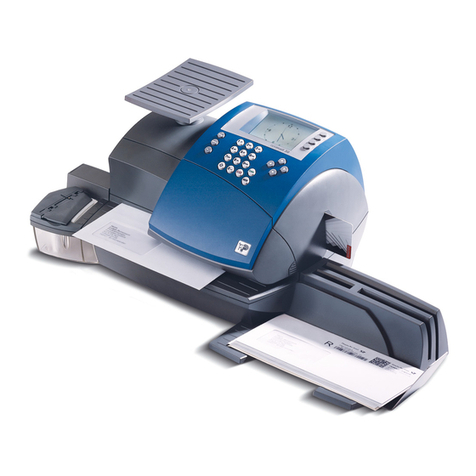
Welltec System postmate 3 Manuel utilisateur

User’s Manual
User’s Manual
Postmate 3 User’s Manual
Rev. 070514
Postmate 3
3

- 1 -
Postmate 3 User’s Manual
Greeting
Thank you for purchasing Welltec System’s product.
This manual is prepared to provide guidelines on how to properly operate and maintain
Postmate 3.
Copyright
Any of the contents should not be copied, re-printed or translated by other languages
without Welltec System’s approval.
Postmate is the registered trademark of Welltec System.
Notice
Caution : Physical injury and serious mechanical damage will occur when
disregarding this information.
Important : This information is contained with useful information and guidance.
Reference : This information guides the chapter which detailed contents.

Postmate 3 User’s Manual
- 2 -
Table of Contents
Chapter 1 - Installation
1-1 Installation Environment
1-2 Unpacking
1-3 Removing Safety Tapes and Styrofoam
1-4 Power Connection
Chapter 2 - Before Operating
2-1 Identifying Parts
Chapter 3 - Operation
3-1 Paper Size
3-2 Paper Feeding
3-3 Setting of Paper and Fold Type
3-4 Setting of Count
3-5 Fine Setting of Fold Position
3-6 Memorizing Present Fold Set-Up
3-7 Memorized Fold Set-Up
3-8 Setting Alarm Function
3-9 “Auto Start” Function
3-10 Thickness Sensor
3-11 “Jam Free” Function
Chapter 4 - Handling Errors
4-1 Understanding Error Message
4-2 Handling Paper Jams
Chapter 5 - Maintenance
5-1 Feed Roller Assembly Exchange
5-2 Cleaning Rollers
Chapter 6 - Troubleshooting
6-1 Pewer Off
6-2 Incorrect Folding
6-3 Power on but No Start
6-4 Frequent Double or More Feeding
6-5 ‘Not Available’ Shown on Panel

- 3 -
Postmate 3 User’s Manual
Chapter 1 - Installation
1-1 Installation Environment
1. Input power : 100~110V (5A), 220~240V (3A)
2. Machine size(mm) : 415 x 600 x 385 (without conveyor)
3. Machine weight : 45kg
- Since the weight of a product is heavy, please use appropriate table for putting it on.
- Please use grounded power cable.
1-2 Unpacking
Please check if all of the following parts are included in the box.
- Main body, power cord, user’s manual and jam removal handle.
1-3 Removing Safety Tape and Styrofoam Location
Please remove all safety tapes and styrofoam before operation.
2
1
3
4
1. Safety cover of feeding unit (2ea)
2. Safety cover of upper cassette (2ea)
3. Lower cassette cover (2ea)
4. Upper cassette (1ea)
5
66
5. Paper tray (upper/1ea)
6. Paper tray (lower/2ea)
7
7. Upper cassette (1ea)
1-4 Power Connection
Please refer to the label for electric information which is located at the back side of the machine. When the
power cable is properly connected, please switch the machine on and check whether ‘Ready’ sign is dis-
played on the display panel. If not, please contact your local dealer for service.

Postmate 3 User’s Manual
- 4 -
Chapter 2 - Before Operating
2-1 Identifying Parts and Functions
1. Feeding Unit Safety Cover
2. Upper Fold Cassette Safety Cover
3. Lower Fold Cassette Door
4. Control Panel
5. Conveyor (option)
3
12
5
4

- 5 -
Postmate 3 User’s Manual
3
1. Feed Assist Hanger
2. Feed Guide (Left)
3. Feed Guide (Right)
4. Locking Knob
5. Infeed Roller
1
2
5
2
1
3
1. Lower Cassette
2. Stopper
3. Stopper Adjustment Knob
4. Folding Scale Label
5. Stopper Locking Knob
3
2
1
1. Folding Scale Label
2. Stopper Adjustment Knob
3. Stopper Locking Knob
4. Fold Position Marker
5
4
Large Capacity Tray
Lower Cassette
Upper Cassette
4
4

Postmate 3 User’s Manual
- 6 -
1. Power Switch
2. Main Power Socket
3. Conveyor Power Socket
4. Lower Press Roller Cover
5. Upper Press Roller Cover
Outfeed Unit
5
4
3
2
1

- 7 -
Postmate 3 User’s Manual
1
3
2
8
7
6
10 12 11
4
13
5
9
Name and Function of Each Button (Postmate 3 L)
-
+
1. Display Panel : shows the setting condition and working of the machine.
2. Start/Stop button : starts and stops the machine. If you press during setting, it returns to the prior
condition.
3. Set/Store button : sets and stores the selected function.
4. Mem button : memorizes the present selected fold type and call the memorized setting fold type.
5. Paper setting button : set the length of sheet. (ex: A4, Letter, etc.)
6. Folding type setting button : sets the folding type.
7. Fine adjustment button for fold cassette : adjusts the position of folding cassette stopper.
8. Count setting button : sets the job volume in order to process.
9. No/Yes (- / +) button : selects yes/no or increase/decrease numerical value when you set.
10. Function button for sensing double feeding : protects the double or multiple feeding by sensing the
characteristics of paper by digital sensor.
11. Alarm setting button : notifies the error or setting with alarm.
12. Jam free button : automatic removal of paper jam at folding roller or press roller.
13. Auto start button : re-starts the process after selected time when the job reaches preset count.

Postmate 3 User’s Manual
- 8 -
2
1
3
10
9
8
7
4
6
5
Name and Function of Each Button (Postmate 3 M)
1. Display Panel : showing the setting condition and working of the machine.
2. Start/Stop button : starts and stops the machine. If you press during setting, it returns to the prior
condition.
3. Set/Store button : sets and stores the selected function.
4. Mode button : enters to mode function.
5. Batch counter button : enables you to set the number of forms that you wish to process and have the
machine stop automatically until you press the start button. For example, if you
set the batch counter at 100, after 100 forms are processed, the machine will not
start until you press the start button.
- Press the batch counter button and the light will blink.
- Change the displayed value by using select button and when ready, press the set button.
- When changing the value, press the batch counter button to increase the value by 50 up to
500.
- This setting is not stored after rebooting the machine.
6. Select button : selects yes/no or increase/decrease numerical value when you set.
7. Count reset button : clears the count on the display panel.
8. Function button for sensing double feeding : protects the double or multiple feeding by sensing the
characteristics of paper by digital sensor.
9. Auto start button : re-starts the process after selected time when the job reaches preset count.
10. Jam free button : automatic removal of paper jam at folding roller or press roller.

- 9 -
Postmate 3 User’s Manual
148
210
357
264
Chapter 3 - Preparing for operation
3-1 Paper Size
Postmate 3 handles any form that is larger or smaller than the following forms.
Reference
- Using forms that do not fall under the specified size may result in paper
jam or machine damage.
Important
- Please check whether any forms are stapled. Staples will seriously damage
the machine.
3-2 Paper Feeding
1. Before loading the forms onto the machine, please make sure all forms are aligned and
fanned. Please refer to the images below.
Good
Bad
If the condition of forms are not good as the picture above (Bad), place appropriate quan-
tity of forms, unless forms will be jammed.
Table des matières