
Weidmüller MultiMark Manuel utilisateur
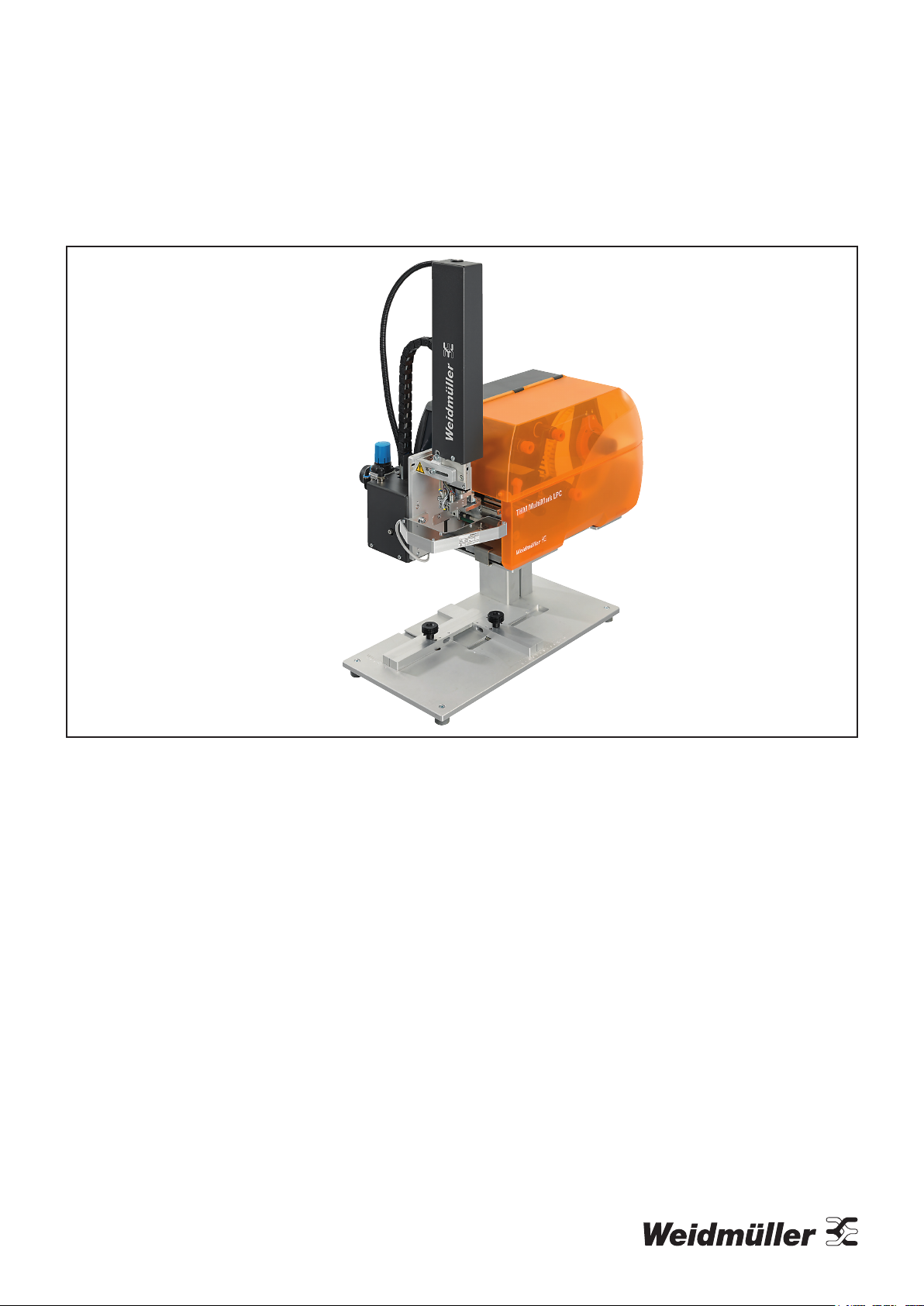
MultiMark
THM MultiMark LPC
Original operating instructions

2903400000/00/09.20222
Manufacturer
Weidmüller Interface GmbH & Co. KG
Klingenbergstraße 26
32758 Detmold, Germany
T +49 5231 14-0
F +49 5231 14-292083
www.weidmüller.com
Document no. 2903400000
Revision 00/September 2022

32903400000/00/09.2022
Contents
1 About this documentation 4
2 Safety 5
2.1 General safety notes 5
2.2 Intended use 5
2.3 Safety marking 6
2.4 Personnel 6
3 Device description 7
3.1 Label printer 8
3.2 Mounting foot 9
3.3 Applicator 10
3.4 Technical data 11
3.5 Type plate 12
4 Unpacking and installing devices 13
4.1 Fitting the printer on the mounting foot 13
4.2 Fitting the applicator on the printer 14
4.3 Connecting the devices 14
4.4 Switching on the system 14
5 Operating software 15
5.1 Touch display 15
5.2 Start screen 15
5.3 Menu navigation 17
6 Setting up the printer 18
6.1 Positioning the material reel on the reel holder 18
6.2 Placing labels in the print head 18
6.3 Inserting the transfer foil 19
6.4 Adjusting the head locking system 19
6.5 Adjusting the transfer foil run 20
7 Printing 21
7.1 Synchronising the paper run 21
8 Cleaning 22
8.1 Cleaning the print roller 22
8.2 Cleaning the print head 22
8.3 Cleaning the label light barrier 23
9 Troubleshooting 24
9.1 Error display 24
9.2 Printer error messages 25
9.3 Printer problem solving 27
10 SQ laser applicator 28
10.1 Conguration 28
10.2 Test mode without print job 30
10.3 Test mode with pending print job 30
10.4 Normal operation 31
10.5 Applicator error messages 32
11 Setting up the laser pointer 34
12 Decommissioning and disposing of the system 36
12.1 Decommissioning the system 36
12.2 Disposing of the system 36
13 Annex 37

2903400000/00/09.20224
The warnings in this documentation are designed accord-
ing to the severity of the danger.
WARNING
Possible danger to life!
Notes with the signal word “Warning” warn
you of situations that may result in serious
injury or death if you do not follow the instruc-
tions given in this manual.
CAUTION
Danger of injury!
Notes with the signal word “Caution” warn
you of situations that may result in injury if
you do not follow the instructions given in this
manual.
ATTENTION
Material damage!
Notes with the signal word “Attention” warn you of haz-
ards which may result in material damage.
The situation-dependent warnings may contain the follow-
ing warning symbols:
Icon Meaning
Warning of dangerous electrical voltage
Warning of hot surfaces
Warning of automatic startup
Work must only be carried out by a qualied
electrician.
Carry out work only with personal protective
equipment
Notes on the documentation/
Observe the instructions for use
Additional formatting is used in the text, with the following
meaning:
Texts next to this arrow are notes which are not
relevant to safety, but provide important informa-
tion about proper and eective work procedures.
►You can recognise handling instructions from the black
triangle in front of the text.
– Lists are marked with a tick.
1 About this documentation

52903400000/00/09.2022
2 Safety
2.1 General safety notes
Electricity
– The enclosures of all system components must not be
opened.
– Unauthorised work or modications to the device may
place the operational reliability at risk.
– Installation work and disassembly of the system may
only be carried out if the printer is disconnected from the
mains and the compressed air supply is blocked.
– The system is designed for electricity grids with AC volt-
age of between 100 V and 240 V.
– The system may only be connected to sockets with a
protective earth contact.
– The system may only be connected to devices that con-
duct safety extra-low voltage.
Moving parts
– When operating the applicator, moving parts are acces-
sible when the stamp is moved between the home and
labelling position. Do not reach into this area during op-
eration and keep hair, loose clothing and jewellery and
the like out of this area. The compressed air supply must
be closed when working in this area.
– If the printer is operated with an open cover, make sure
that hair, loose clothing, jewellery and the like do not
come into contact with exposed, rotating parts.
Installation site
– The system is a class A installation. The installation
can cause radio interference in residential areas. In this
case, the operator may be asked to implement adequate
protective measures.
– The system may only be operated in a dry environment
and must not be exposed to moisture (spray water, mist,
etc.).
– The system must not be operated in potentially explo-
sive atmospheres.
– The system must not be operated near high-voltage
lines.
Personnel, activities
– Only carry out the actions described in these instruc-
tions. Additional work may only be carried out by trained
personnel or service technicians.
– Improper intervention in electronic assemblies and their
software can cause faults.
– Service activities must be carried out in a qualied work-
shop that has the necessary expertise and tools to per-
form the necessary work.
2.2 Intended use
The labelling system is exclusively intended for printing
and applying labels. The system may only be used to pro-
cess materials approved for the labelling system, see the
Weidmüller online catalogue. Any other use or use above
and beyond these instructions is considered incorrect use.
Observance of the documentation, including the mainte-
nance recommendations, is also part of the intended use.
The system may only be operated if it is technically intact.
The system is manufactured based on the state of the art
and the recognised safety rules. However, the use of the
system may pose a danger to life and limb for the user or
third parties and the device and other property may be im-
paired if the safety notes are not observed.

Safety
2903400000/00/09.20226
2.3 Safety marking
Various warning symbols are attached to the labelling
system. These symbols must not be removed and must
always be legible.
1
2
Image 2.1 Warning symbols on the device
1Cylinder under pressure, residual energy is
possible even when switched o!
2Risk of crushing due to the movement of the
stamp!
2.4 Personnel
Only trained personnel may operate the labelling system and
carry out maintenance work. They must also have read the
operating instructions in their entirety.
Repairs may only be carried out after consul-
tation with Weidmüller Service and only by a
qualied electrician.
Please keep the operating instructions
where they can be viewed by the operating
personnel at all times.
All documents can also be downloaded from
the Weidmüller website.

72903400000/00/09.2022
2
5
3
4
1
Image 3.1 Overview of the labelling system
1 Type plate
2 Label printer
3 Applicator with laser pointer
4 Mounting foot
5 Foot switch
The printer is equipped with a wide-range power supply
unit. Operation with a power supply of 230 V~/50 Hz or 115
V~/60 Hz is possible without any intervention in the device.
The applicator with the laser pointer is supplied with volt-
age by the printer.
3 Device description

Device description
2903400000/00/09.20228
3.1 Label printer
2
3
5
6
7
8
4
1
9
10
Image 3.2 Overview of the label printer
1 Cover
2 Margin stop 1
3 Margin stop 2
4 Reel holder
5 Transfer foil unwinder
6 Transfer foil winder
7 Internal winder
8 Printing assembly
9 Touch display
10 Operating status LED
11
12
18
13
14
15
16
18
17
19
20
21
Image 3.3 Detail view of the printing assembly
11 Deflection for transfer foil
12 Head bracket with print head
13 Labelling light barrier
14 Hexagon key
15 Lever to lock the print head
16 Print roller
17 Adjusting knob for guides
18 Guide
19 Dispensing edge
20 Deflection roller
21 Locking system

92903400000/00/09.2022
Device description
22
23
26
24
25
28
27
29
30
Image 3.4 Connections
22 Mains switch
23 Power socket
24 Slot for SD card
25 USB interfaces for keyboard, scanner, USB stick, Bluetooth
adapter or service key
26 USB Full Speed interface
27 Ethernet 10/100 Base-T
28 RS-232 interface
29 I/O interface
30 USB interface for keyboard, scanner, USB stick, Bluetooth
adapter or service key
3.2 Mounting foot
1
4
2
3
5
6
7
8
910
Image 3.5 Mounting foot
1 Guide pins to position the printer on the mounting plate
2 Mounting plate
3 Clip to fasten the printer on the mounting plate
4 Profile
5 Base plate with adjustable feet and positioning aids for labelling
6 Locking screw to fasten the stop (7)
7 Stop as a positioning aid in the printing direction
8 Area for object placement
9 Locking screw to fasten the stop (10)
10 Stop as a positioning aid transverse to the printing direction

Device description
2903400000/00/09.202210
3.3 Applicator
1
2
3
4
5
6
7
8
9
10
4
8910
11 12 13 14
15
16
17
3
Image 3.6 Front and rear
1 Spiral hose
2 Energy chain
3 Compressed-air maintenance unit
4 Knurled screw to fasten the applicator on the printer
5 Main cylinder
6 Cylinder assembly cover
7 Mini slide
8 Stamp
9 Blowpipe for support air
10 Laser pointer
11 Interface to the printer
12 Locking pins
13 Coupling for the compressed-air connection
14 Shut-off valve
15 Pressure gauge for the working pressure
16 Throttle valve for support air
17 Throttle valve for vacuum
Table des matières
Autres manuels Weidmüller Imprimante


