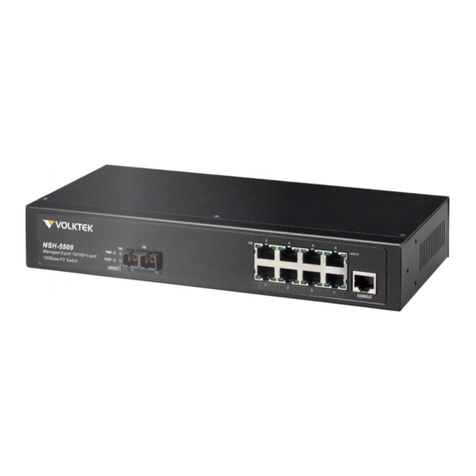
VOLKTEK INS-806 Manuel utilisateur

8-port 10/100Base-TX
Switch
(INS-806)
User’s Guide

COPYRIGHT
All rights reserved. No part of this publication may be reproduced,
stored in a retrieval system, or transmitted in any form or by any means,
whether electronic, mechanical, photo copying, recording or otherwise,
without the prior written permission of the publisher.
FCC WARNING
This equipment has been tested and found to comply with the
limits for class A device, pursuant to part 15 of FCC rules.
These limits are designed to provide reasonable protection against
harmful interference in a commercial installation. This equipment
generates, uses and can radiate radio frequency energy and, if not
installed and used in accordance with the instructions, may cause
harmful interference to radio communication. Operation of this
equipment in a residential area is likely to cause harmful interference, in
which case, the user will be required to correct the interference at the
user’s own expense.
CE
This is a Class A product. In a domestic environment, this
product may cause radio interference in which case the user
may be required to take adequate measures.
Take special note to read and understand all content giving in the
warning boxes Warning

TABLE OF CONTENTS
ABOUT THIS GUIDE............................................................ 4
TERMS/USAGE ....................................................................... 4
INTRODUCTION................................................................... 5
INDUSTRIAL ETHERNET TECHNOLOGY................................... 5
SWITCHING TECHNOLOGY ..................................................... 5
FEATURES.............................................................................. 6
INS-806 INDUSTRIAL SWITCH UNPACKING AND
SETUP .................................................................................... 8
UNPACKING ........................................................................... 8
LAYOUT OF THE INS-806....................................................... 9
DIN RAIL MOUNTING OF THE INS-806................................ 11
REDUNDANT POWER INPUTS................................................ 12
CONFIGURING DC POWER INPUTS........................................ 12
ETHERNET CONNECTIONS.................................................... 14
LED INDICATORS ................................................................ 15
EXTERNAL ALARM CONTACT.............................................. 16
DIP SWITCH SETTINGS ........................................................ 17
AUTO-NEGOTIATION ............................................................ 18
SWITCHING,FILTERING,AND FORWARDING ........................ 18
PORT SPEED &DUPLEX MODE ............................................ 19
TECHNICAL SPECIFICATIONS...................................... 19
APPENDIX ........................................................................... 21

4
ABOUT THIS GUIDE
The INS-806 Industrial Series Switch is a hardened, 8-port
Ethernet Switch with redundant DC power inputs to provide a
reliable and economical solution for your industrial Ethernet
environment. With its dry contact smart alarm, the INS-806
issues an alarm function on the factory floor in the event of any
malfunction. The INS-806 has a wide operating temperature
range, from 0°C to 70°C, and is designed to sustain higher than
normal degrees of vibration and shock, making is suitable and
safe for harsh industrial environments.
This manual discusses how to install the INS-806 Industrial Fast
Ethernet Switch.
Terms/Usage
In this guide, the term “Switch” (first letter upper case) refers to
the INS-806 Industrial Fast Ethernet Switch, and ”switch” (first
letter lower case) generically refers to all other Ethernet
switches.

5
INTRODUCTION
This chapter describes the features of the Switch and
some background information about Ethernet/Fast
Ethernet switching technology.
Industrial Ethernet Technology
The growing importance of Ethernet has extended to the factory
floor and industrial environments before it has become too
harsh for typical commercial grade networking equipment.
VOLKTEK has created the Industrial Series of Switches and
interconnect devices specifically for the purpose of extending
Ethernet to the factory floor and industrial environments. All of
our Industrial Series devices are delivered in a rugged,
hardened case and with components able to withstand a high
degree of vibration and shock and temperatures as high as
70°C. Not an ordinary office switch by any means. The INS-
806 is engineered and designed especially for the harsh,
industrial type environments commonly encountered in heavy
industry. With its redundant DC power inputs and high
performance components, the INS-806 is perfectly suited for an
industrial Ethernet deployment.
Switching Technology
Another approach to pushing beyond the limits of Ethernet
technology is the development of switching technology. A
switch bridge Ethernet packets at the MAC address level of the
Ethernet protocol transmitting among connected Ethernet or
Fast Ethernet LAN segments.

6
Switching is a cost-effective way of increasing the total network
capacity available to users on a local area network. A switch
increases capacity and decreases network loading by dividing a
local area network into different segments, which don’t compete
with each other for network transmission capacity.
Features
The Switch was designed for easy installation and high
performance in an industrial environment where vibration, shock,
heat, and RF interference may be commonplace.
The Switch, with its small, compact size, was specifically
designed for easy DIN rail mounting and can be installed where
space is limited.
The Switch is ideal for deployment with multiple high-speed
servers for shared bandwidth 10Mbps or 100Mbps workgroups.
With the highest bandwidth 200Mbps (100Mbps full duplex
mode), any port can provide workstations with a congestion-free
data pipe for simultaneous access to the server.
The Switch is expandable by cascading two or more switches
together in a ‘daisy-chain’ fashion. As all ports support
200Mbps, the Switch can be cascaded from any port and to any
number of switches.
The Switch combines dynamic memory allocation with store-
and-forward switching to ensure that the buffer is effectively
allocated for each port, while controlling the data flow between
the transmit and receive nodes to guarantee against all possible
packet loss.
The Switch is an unmanaged 10/100Mbps Fast Ethernet Switch
that offers solutions in accelerating small Ethernet workgroup

7
bandwidth. Other key features are:
oEight (8) 10/100Base-TX
oRugged, hardened IP30 Case
oVibration/Shock operational
oPower terminal block
oWide voltage range: 9-48V
oDIP Switch to enable or disable alarm functions
oPower input polarity protection function
oUnder power and over power detection function
oWide operating temperature: 0°C - 70°C
oStore and forwarding
oAuto-negotiation at all ports

8
INS-806 INDUSTRIAL SWITCH
UNPACKING AND SETUP
This section and the following sections explain the setup
and installation of the VOLKTEK INS-806 Industrial
Switch.
Unpacking
Open the box of the Switch and carefully unpack it. The
box should contain the following items:
9One INS-806 8-port 10/100M Industrial Fast Ethernet
Switch
9One DIN rail bracket
9Protective caps for unused ports
9Quick Installation Guide
9This User’s Guide CD
If any item is found missing or damaged, please contact
your local reseller for replacement.

9
Layout of the INS-806
Front View of Switch
1
2
3
5
4
1. Primary Power LED
2. Redundant Power LED
3. Alarm LED
4. TX port 100Mbps LED
5. TX port LNK/ACT LED

10
TOP View of Switch
Back View of Switch
Din Rail
Bracket
Screws
Grounding
Screw
Terminal block for
power input
(PWR/RPS), and alarm
dry contact
DIP Switches
Table des matières
Autres manuels VOLKTEK Changer

VOLKTEK
VOLKTEK INS-801W Manuel utilisateur

VOLKTEK
VOLKTEK IEN-8428P-24V Manuel utilisateur

VOLKTEK
VOLKTEK NSH-2926 Manuel utilisateur

VOLKTEK
VOLKTEK NSH-5632 Manuel utilisateur

VOLKTEK
VOLKTEK INS-8424P Manuel utilisateur

VOLKTEK
VOLKTEK INS-802 Manuel utilisateur

VOLKTEK
VOLKTEK NSH-9309 Manuel utilisateur

VOLKTEK
VOLKTEK HNS-8415P Manuel utilisateur

VOLKTEK
VOLKTEK NSH-5509 Manuel utilisateur

VOLKTEK
VOLKTEK NSH-9308P Manuel utilisateur