
Victron energy Smart BMS CL 12/100 Manuel utilisateur


Table of Contents
1. Safety precautions ................................................................................................................... 1
2. Introduction ........................................................................................................................... 2
2.1. General description ......................................................................................................... 2
2.2. Features and functionality .................................................................................................. 2
2.3. What's in the box ............................................................................................................ 3
3. Installation and configuration ..................................................................................................... 4
3.1. Important warning ........................................................................................................... 4
3.2. Things to consider ........................................................................................................... 4
3.2.1. Controlling DC loads via Load disconnect ...................................................................... 4
3.2.2. Controlling DC loads with a BatteryProtect ..................................................................... 4
3.2.3. Controlling a battery charger via Charge disconnect .......................................................... 5
3.2.4. Multiple batteries in parallel configuration ...................................................................... 5
3.3. System examples ............................................................................................................ 6
3.4. Installation .................................................................................................................... 8
3.5. Configuration ................................................................................................................. 9
3.5.1. Smart BMS settings ............................................................................................... 9
3.5.2. VictronConnect status display ................................................................................. 10
4. Specifications ....................................................................................................................... 11
5. Appendix ............................................................................................................................. 12
5.1. Appendix A ................................................................................................................. 12
5.2. Appendix B ................................................................................................................. 14
5.3. Appendix C ................................................................................................................. 15
5.4. Dimensions Smart BMS CL 12-100 ..................................................................................... 16
Smart BMS CL 12-100
1. Safety precautions
• Installation must strictly follow the national safety regulations in compliance with the enclosure, installation,
creepage, clearance, casualty, markings and segregation requirements of the end-use application.
• Installation must be performed by qualified and trained installers only.
• Carefully study the product manuals of all connected devices before installing them.
• Switch off the system and check for hazardous voltages before altering any connection.
• Do not open the lithium battery.
• Do not discharge a new lithium battery before it has been fully charged first.
• Charge a lithium battery only within the specified limits.
• Do not mount the lithium battery upside down or on its sides.
• Check if the lithium battery has been damaged during transport.
Smart BMS CL 12-100
Page 1 Safety precautions
2. Introduction
2.1. General description
The Smart BMS CL 12-100 is an all-in-one battery management (BMS) system for Victron Lithium Battery 12,8V Smart batteries.
It has been specifically designed for 12V systems with a 12V alternator such as in vehicles and boats and supports up to 5
batteries in parallel (BTVs are simply daisy-chained).
It monitors and protects each individual battery cell within the battery (or battery bank) and will disconnect the alternator, charge
sources or DC loads in case of low/high battery cell voltage, or high temperature.
A dedicated alternator input provides current limiting and one-way traffic from the alternator into the battery, this so any size
alternator (and starter battery) can be safely connected to the lithium battery. The Charge Current Limiter protects the alternator
against overload.
The BMS is also equipped with a remote on/off terminal to turn the BMS (and the system) off via a remote switch, and a pre-alarm
contact to give a warning signal before the BMS will disconnect the batteries from the system. Configuration and control is done
via Bluetooth and the VictronConnect app.
2.2. Features and functionality
Alternator/Starter Batt+ port alternator and battery protection
The input current on the Alternator/Starter Batt+ port is electronically limited to approximately 90% of the fuse rating. A 100A fuse,
for example, will therefore limit the input current to approximately 90A. (For fuse ratings and corresponding current limit please
see the table in the Installation chapter [8]).
Current can flow to the lithium battery only if the input voltage (corresponds to the voltage of the starter battery) exceeds 13V.
In addition, no current can flow back from the lithium battery to the starter battery, which prevents the lithium battery from being
deeply discharged.
Choosing the right fuse will also:
1. Protect the lithium battery against excessive charge current (important in case of a low capacity battery).
2. Protect the alternator against overload in case of a high capacity lithium battery bank (most 12V alternators will overheat and
fail if running at maximum output during more than 5 minutes).
Remote on/off terminal
• The remote on/off terminal can be used to disable alternator charging while the BMS functionality will remain active regardless
of the remote on/off state.
• Depending on the Remote on/off function setting made via the VictronConnect app, it can also be used as system on/off switch
(Charge and Load disconnect port will also be disabled) either by using a physical switch or a relay contact between L and
H terminal or by using the soft switch in the VictronConnect app. Alternatively, terminal H can be switched to battery plus, or
terminal L can be switched to battery minus.
Note that it is mandatory to install either an on/off switch between L and H of the remote on/off terminal
or the wire loop (default) for correct operation. Alternatively, terminal H can be switched to battery plus or
terminal L to battery minus.
LED indicators
• The BMS has a number of LED indicators that show the status of the BMS and the various inputs and outputs. See Appendix
C [15] for a complete overview of all LED indicators.
Lithium battery protection
• Excessive input voltage and transients are regulated down to a safe level.
• The Smart BMS will stop charging in case of cell over voltage or over temperature.
• It has three outputs, similar to the smallBMS:
Smart BMS CL 12-100
Page 2 Introduction
1. Load disconnect
• Can be used to control the remote on/off input of a BatteryProtect, inverter, DC-DC converter or other loads that have
remote on/off port functionality.
• Normally the Load disconnect output is high and becomes free-floating when cell undervoltage is imminent (default 2.8V,
adjustable in battery). Maximum current: 10mA
2. Pre-alarm
• The pre-alarm output can be used to issue a visible or audible warning when the battery voltage is low and will trip with a
minimum delay of 30 seconds before the Load disconnect output is disabled due to cell undervoltage.
• The output may be used to drive a relay, LED or Buzzer and can be configured as continuous or intermittent signal.
• Its output is normally free floating and becomes high in case of imminent cell undervoltage (default 3,1V, adjustable in
battery). Maximum current: 1A (not short circuit protected).
3. Charge disconnect
• The Charge disconnect output can be used to control the remote on/off port of a charger, such as the Phoenix Smart
Charger IP43, a Cyrix-Li-Charge relay, a Cyrix-Li-ct Battery Combiner or a BatteryProtect. Note that the Charge disconnect
output is not suitable to power an inductive load such as a relay coil.
• The output is normally high and becomes free floating in case of imminent cell overvoltage or overtemperature. Maximum
current: 10mA
In some cases an interface cable such as a non-inverting or inverting on/off cable may be required, see
Appendix A [12].
2.3. What's in the box
• Smart BMS CL 12-100
• Ground wire with 10mm eye terminal
• 2-pin plug with pre-installed wire loop
• 3-pin plug for load/charge disconnect and pre-alarm
• Megafuse 100A pre-installed
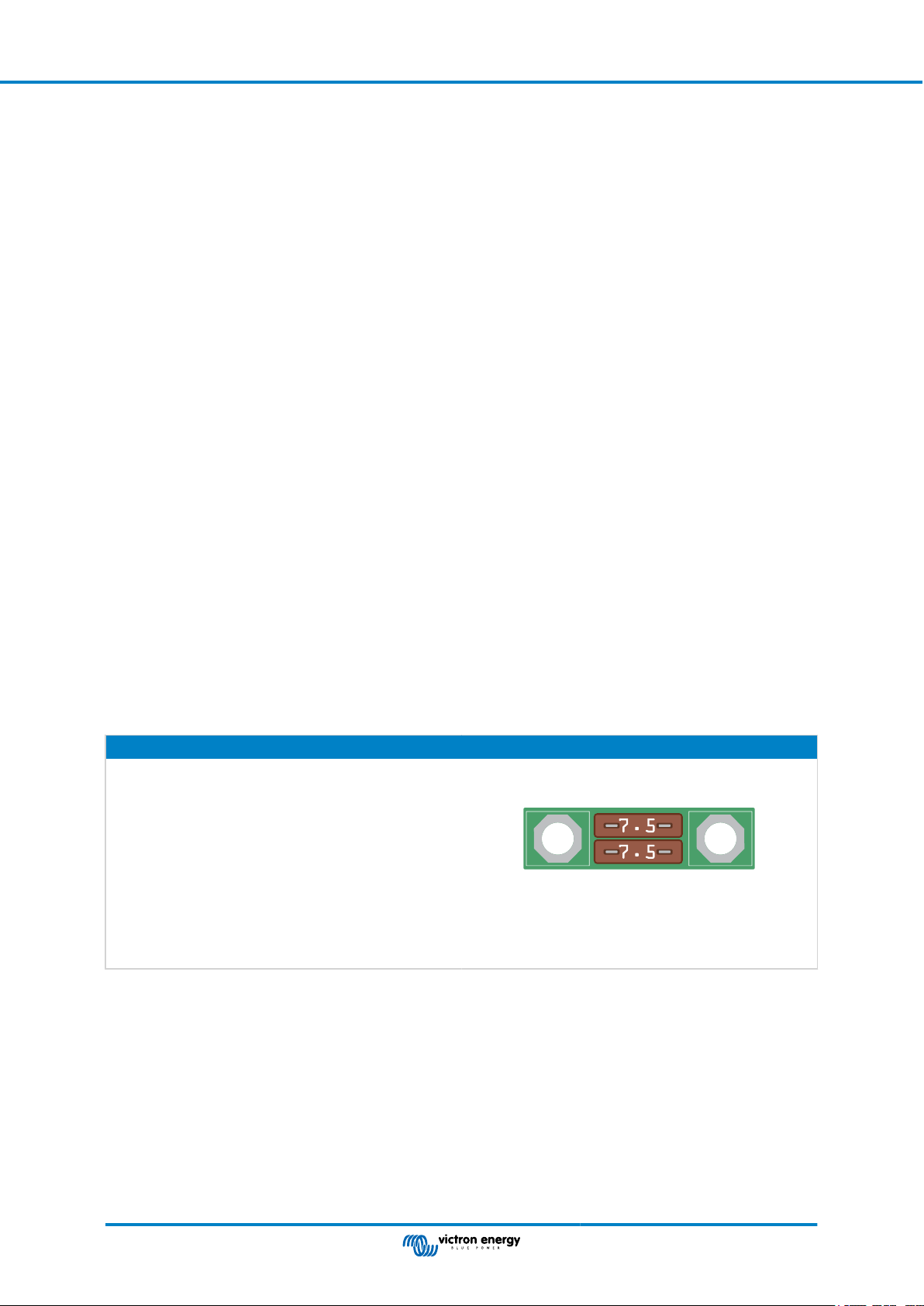
• ATO fuse holder with 2x 7.5A fuse
Smart BMS CL 12-100
Page 3 Introduction

3. Installation and configuration
3.1. Important warning
Lithium batteries are expensive and can be damaged due to over discharge or over charge.
The shutdown due to low cell voltage by the BMS should always be used as a last resort to be on the safe
side at all times. We recommend not letting it get that far in the first place and instead either shutting down the
system automatically after a defined state of charge (this can be done with a BMV whose relay can control the
remote on/off port of the BMS via an adjustable SoC value) so that there is always enough reserve capacity in
the battery, or to use the remote on/off function of the BMS as a system on/off switch.
Damage due to over discharge can occur if small loads (such as: alarm systems, relays, standby current of
certain loads, back current drain of battery chargers or charge regulators) slowly discharge the battery when
the system is not in use.
In case of any doubt about possible residual current draw, isolate the battery by opening the battery switch,
pulling the battery fuse(s) or disconnecting the battery plus when the system is not in use.
A residual discharge current is especially dangerous if the system has been discharged completely and
a low cell voltage shutdown has occurred. After shutdown due to low cell voltage, a capacity reserve of
approximately 1Ah per 100Ah battery capacity is left in the battery. The battery will be damaged if the
remaining capacity reserve is drawn from the battery, for example, a residual current of just 10mA can
damage a 200Ah battery if the system is left discharged for more than 8 days.
Immediate action (recharge the battery) is required if a low cell voltage disconnect has occurred.
3.2. Things to consider
3.2.1. Controlling DC loads via Load disconnect
• DC loads must be switched off or disconnected if there is a risk of cell undervoltage in order to prevent deep discharge. The
Load disconnect output of the Smart BMS can be used for this purpose.
• The Load disconnect output is normally high (equal to battery voltage) and becomes free floating (= open circuit) in case of
imminent cell undervoltage.
• DC loads with a remote on/off terminal that switches the load on when the terminal is pulled high (to battery plus) and switches
it off when the terminal is left free floating can be controlled directly with the Load disconnect output. See Appendix A [12] for a
list of Victron products with this behavior.
• For DC loads with a remote on/off terminal that switches the load on when the terminal is pulled low (to battery minus) and
switches it off when the terminal is left free floating, the Inverting remote on-off cable can be used. See Appendix A [12].
Note: please check the residual current of the load when in off state.
3.2.2. Controlling DC loads with a BatteryProtect
A BatteryProtect will disconnect the load when:
• The input voltage (= battery voltage) has fallen below a preset value (adjustable in BatteryProtect) or when
• the remote on/off terminal is pulled low. The Smart BMS can be used to control the remote on/off terminal of a BatteryProtect.
Smart BMS CL 12-100
Page 4 Installation and configuration

3.2.3. Controlling a battery charger via Charge disconnect
• Battery chargers must interrupt the charging process in case of imminent overvoltage or overtemperature of the cells. The
Charge disconnect output of the Smart BMS can be used for this purpose.
• The Charge disconnect is normally high (equal to battery voltage) and switches to open circuit state in case of imminent cell
overvoltage.
• Battery chargers with a remote on/off terminal that activates the charger when the terminal is pulled high (to battery plus)
and deactivates when the terminal is left free floating can be controlled directly with the Charge disconnect output. See the
Appendix A [12] for a list of Victron products with this behavior.
• Alternatively, a Cyrix-Li-Charge can be used. The Cyrix-Li-Charge is a unidirectional combiner that inserts in between a battery
charger and the lithium battery. It will engage only when charge voltage from a battery charger is present on its charge-side
terminal. A control terminal connects to the Charge disconnect of the Smart BMS.
3.2.4. Multiple batteries in parallel configuration
• In case of multiple batteries in parallel configuration, the two M8 circular connector cord sets of each battery must be connected
in series (daisy chained). Connect the two remaining cords to the BMS port.
Smart BMS CL 12-100
Page 5 Installation and configuration

3.3. System examples
Below you will find a selection of system examples. Note that there are many other possibilities. It is mandatory to study
Appendix A [12] as there can be different types of cable interfaces within a product group to control chargers, inverters and
inverter/chargers from the Load and Charge disconnect outputs of the BMS.
Alternator
CHASSIS
Relay
DC buzzer
Led
Alarm
Starter Battery CHASSIS
CHASSIS
DC load
CHASSIS
Smart
BatteryProtect
Fuse
Fuse
Lithium Battery Smart
CHASSIS
Remote on/off
CHASSIS
Fuse
SmartShunt
Application example for a vehicle or boat with Smart BatteryProtect
A Smart BatteryProtect protects the lithium battery from further discharge by DC loads when the cell voltage is low. It is controlled
via the Load disconnect output of the BMS. The state of charge of the lithium battery can be monitored via a SmartShunt.
Alternator
CHASSIS
Relay
DC buzzer
Led
Alarm
Starter Battery CHASSIS CHASSIS
Fuse
Lithium Battery Smart
CHASSIS
Remote on/off
CHASSIS
Fuse
CHASSIS
VE.Direct non-
inverting remote
on/off cable
SmartSolar MPPT 75/15
75 |15
DC Circuit Breaker
Fuse
Phoenix Inverter VE.Direct
SmartShunt
Application example with MPPT and Phoenix inverter
In this example, a SmartSolar MPPT 75/15 is controlled via a VE.Direct non-inverting remote on/off cable from the Charge
disconnect output of the BMS. The Load disconnect output of the BMS, on the other hand, controls the remote H input of a
Phoenix VE.Direct inverter and deactivates further discharging of the lithium battery if the cell voltage is too low. The SmartShunt
monitors the state of charge of the lithium battery.
Smart BMS CL 12-100
Page 6 Installation and configuration

Alternator
CHASSIS
Relay
DC buzzer
Led
Alarm
Lithium Battery Smart
CHASSIS
Remote on/off
CHASSIS
Fuse
Fuse
Inverting remote
on/off cable
Starter Battery CHASSIS
CHASSIS
AC load
SmartShunt
Application example with Phoenix VE.Bus Inverter rated at 3kVA and more
This VE.Bus Inverter needs an inverting remote on/off cable to be controlled by the Load disconnect output of the BMS. The
SmartShunt provides information about the state of charge of the lithium battery.
Alternator
CHASSIS
Relay
DC buzzer
Led
Alarm
Lithium Battery Smart
CHASSIS
Remote on/off
CHASSIS
Fuse
Fuse
Inverting remote
on/off cable
Starter Battery CHASSIS
CHASSIS
AC load
MultiPlus 12/3000 1 2
1
2
SmartShunt
Application example with 3kVA Multi of a recent type that has auxiliary inputs
Larger inverter/chargers, like this MultiPlus 12/3000, require two inverting remote on/off cables, one to control the Multi's charging
function via the Charge disconnect output and one to control the Multi's inverter via the Load disconnect output of the BMS. For
the above system, the Multi must be of a newer type that has auxiliary inputs. This requires additional configuration. For more
information please see the document Manual connecting lithium battery systems to Multis.
Smart BMS CL 12-100
Page 7 Installation and configuration
3.4. Installation
Before installation, make proper system design considerations to avoid unnecessary connections and to keep cable lengths as
short as possible. See also the System examples [6] chapter.
1. Preferably mount the Smart BMS on a vertical surface for optimal cooling.
2. Determine the rating of Alternator/Starter Bat+ port fuse. The fuse doubles as a shunt, thus the Smart BMS will limit the input
current according to the rating of this fuse. For fuse and corresponding current limit please see the table below.
3. Choosing the right fuse will prevent overheating of the alternator and/or DC cabling.
4. Disconnect the cabling from the minus pole of the starter battery.
5. Pull off the remote on/off connector to prevent unwanted switching of the Smart BMS.
6. Install and connect fuses and all electrical wiring, leaving the negative poles of the lithium batteries and the starter battery
disconnected. Connect the starter battery positive to the Alternator/Starter Bat+ terminal and the lithium battery positive to the
Li-Ion+ terminal. Make sure the M8 nuts of the fuse are tight (mounting torque: 10 NM).
7. Daisy chain the battery control cables between the lithium batteries and connect the ends to the BMS port. To extend the
communication cables between a Lithium Battery Smart and the BMS, use the M8 circular connector Male/Female 3 pole
cable extensions.
8. Connect the supplied GND cable to the negative of the lithium battery and the starter battery. Note that the supplied GND
cable must be protected accordingly. Depending on the application a fuse between 300mA and 1.3A is required. Use the
specifications [11] to determine the expected power consumption of the Smart BMS using Load and Charge disconnect
and the pre-alarm output. This value multiplied by 1.25 determines the value of the fuse to be used. Example: Current
consumption 16mA + Load disconnect output 10mA + Charge disconnect output 10mA + pre-alarm output 1A = 1036mA x
1.25 = 1.3A fuse rating.
9. Reinsert the remote on/off connector on the Smart BMS. It is mandatory to install either an on/off switch between L and H of
the remote on/off terminal or the wire loop (default) for correct operation.
10. The Smart BMS is now ready for use.
Fuse rating Max alternator charge current
125A 100A
If the required alternator charge current is less than
40A, please use the supplied ATO fuse holder with an
appropriate ATO fuse pair according to the table.
100A 90A
80A 60A
60A 50A
2 x 30A 40A
2 x 20A 25A
2 x 15A 20A
2 x 10A 12A
2 x 7.5A 9A
Smart BMS CL 12-100
Page 8 Installation and configuration
Autres manuels pour Smart BMS CL 12/100
2
Table des matières
Autres manuels Victron energy Système de contrôle


