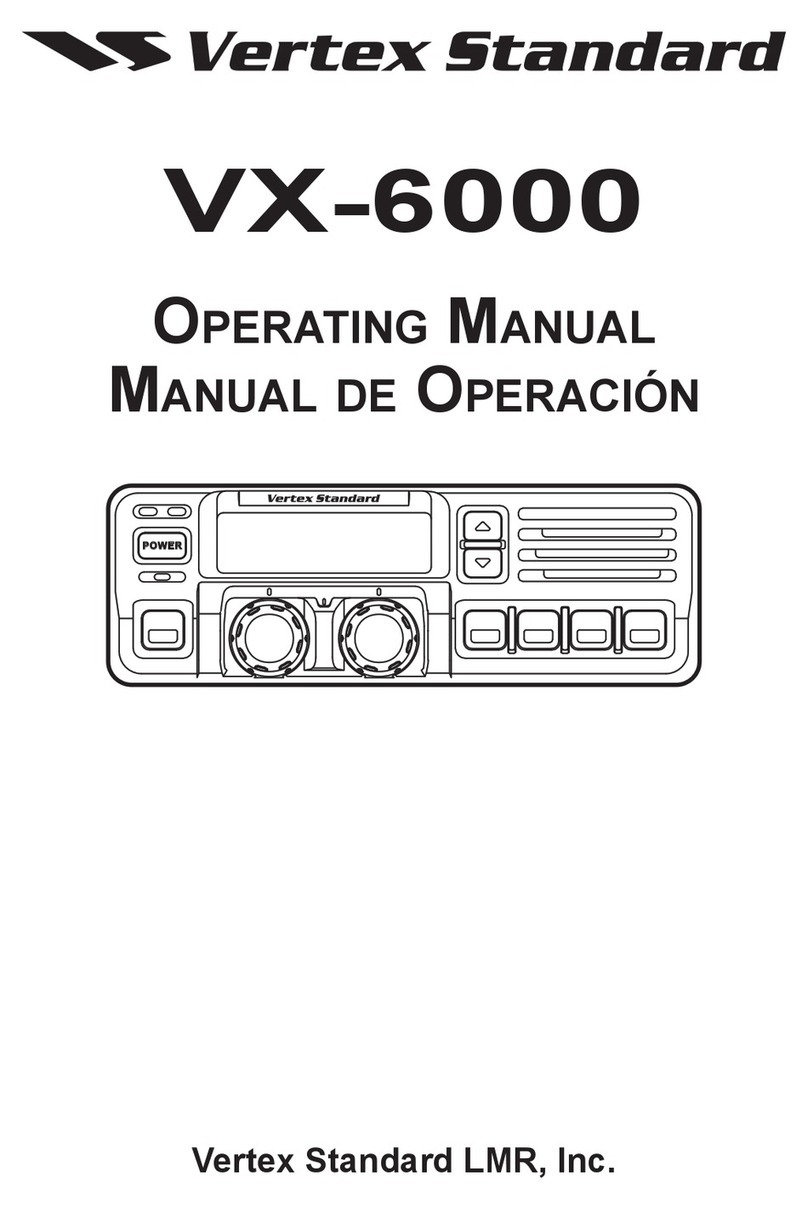
Vertex VX-5500 Manuel utilisateur
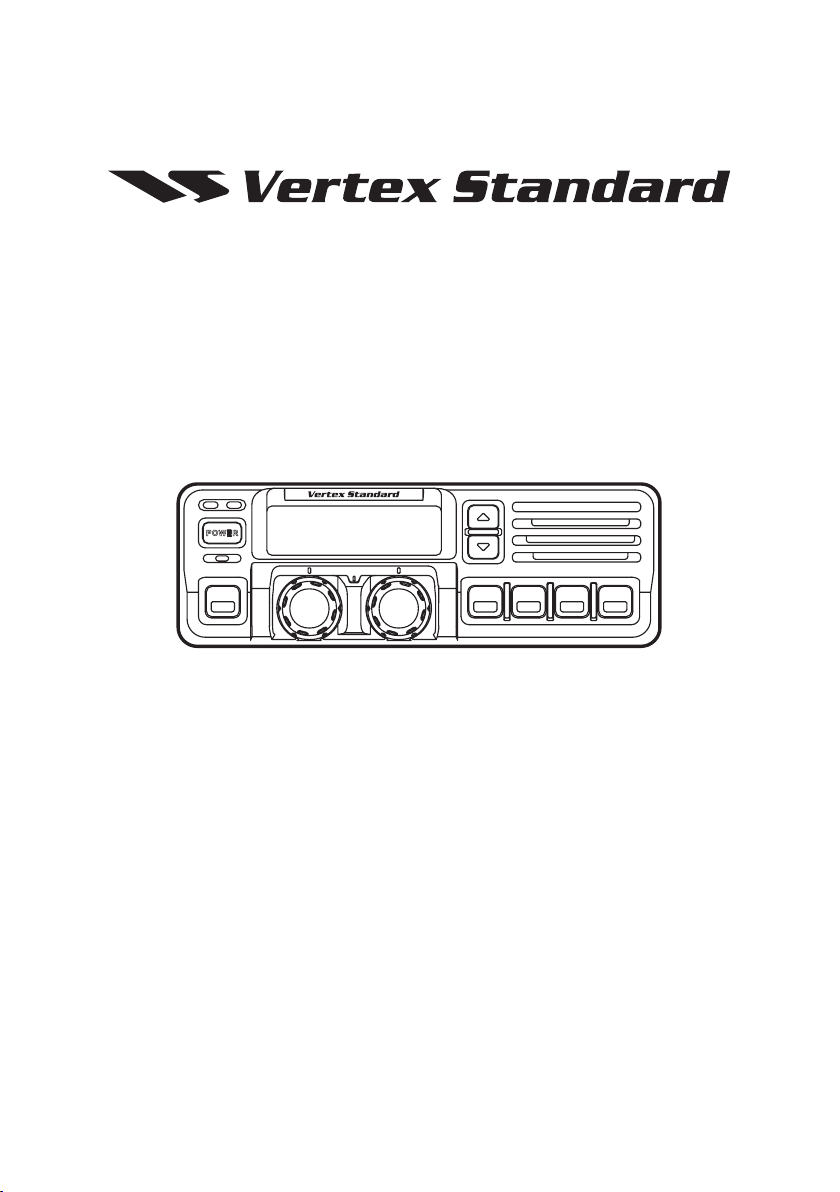
VX-5500
Operating Manual
Vertex Standard LMR, Inc.
PO WE R
Congratulations!
You now have at your ngertips a valuable communications tool - a Vertex Standard
two-way radio! Rugged, reliable and easy to use, your Vertex Standard radio will keep
you in constant touch with your colleagues for years to come, with negligible mainte-
nance down time.
Please take a few minutes to read this manual carefully. The information presented
here will allow you to derive maximum performance from your radio. After reading it,
keep the manual handy for quick reference, in case questions arise later on.
We’re glad you joined the Vertex Standard team. Call on us any time, because our
business is communications. Let us help you get your message across.
NOTICE
There are no user-serviceable points inside this transceiver. All service jobs
must be referred to your Authorized Service Center or Network Administrator.
Safety / Warning Information
WARNING - DO NOT operate the VX-5500L/V/U radio when someone (by-
standers) outside the vehicle is within following range.
Safety Training information:
Antennas used for this transmitter must not exceed an antenna gain of 0 dBd.
The radio must be used in vehicle-mount congurations with a maximum oper-
ating duty factor not exceeding 50%, in typical Push-to-Talk congurations.
This radio is restricted to occupational use, work related operations only where
the radio operator must have the knowledge to control the exposure conditions
of its passengers and bystanders by maintaining the minimum separation dis-
tance of following range.
Failure to observe these restrictions will result in exceeding the FCC RF expo-
sure limits.
Antenna Installation:
For rear deck trunk installation, the antenna must be located at least the follow-
ing range away from rear seat passengers and bystanders in order to comply
with the FCC RF exposure requirements.
For roof top installation, the antenna must be placed in the center of the roof.
Radiated frequency and Distance
VX-5500L (B)VX-5500V (C)VX-5500U (D)
3.87 ft (1.08 m)3.28 ft (1.0 m)2.54 ft (0.77 m)
Page 1VX-5500 Operating Manual
VX-5500 Operating Manual
The VX-5500 Series are full-featured FM transceivers designed for flexible mobile
and base station business communications in the VHF Low-Band (70/30 Watts: pro-
grammable), VHF High-Band (50/25 Watts: programmable) and UHF (45/25 Watts:
programmable) Land Mobile Bands. Each model is designed for reliable business com-
munications in a wide variety of applications, with a wide range of operating capability
provided by its leading-edge design.
The 250-channels memories can each be programmed with a 8-character channel name.
Important channel frequency data is stored in EEPROM and flash memory on the
CPU, and is easily programmable by dealers using a personal computer and the
Vertex Standard CT-71 Programming Cable and CE49 Software.
The pages which follow will detail the many advanced features provided on the VX-
5500 transceiver. After reading this manual, you may wish to consult with your Net-
work Administrator regarding precise details of the conguration of this equipment for
use in your application.
For North American Users Regarding 406 MHz Guard Band
The U.S. Coast Guard and National Oceanographic and Atmospheric Admin-
istration have requested the cooperation of the U.S. Federal Communications
Commission in preserving the integrity of the protected frequency range 406.0
to 406.1 MHz, which is reserved for use by distress beacons. Do not attempt to
program this apparatus, under any circumstances, for operation in the frequency
range 406.0 - 406.1 MHz if the apparatus is to be used in or near North America.
PO WE R
Page 2 VX-5500 Operating Manual
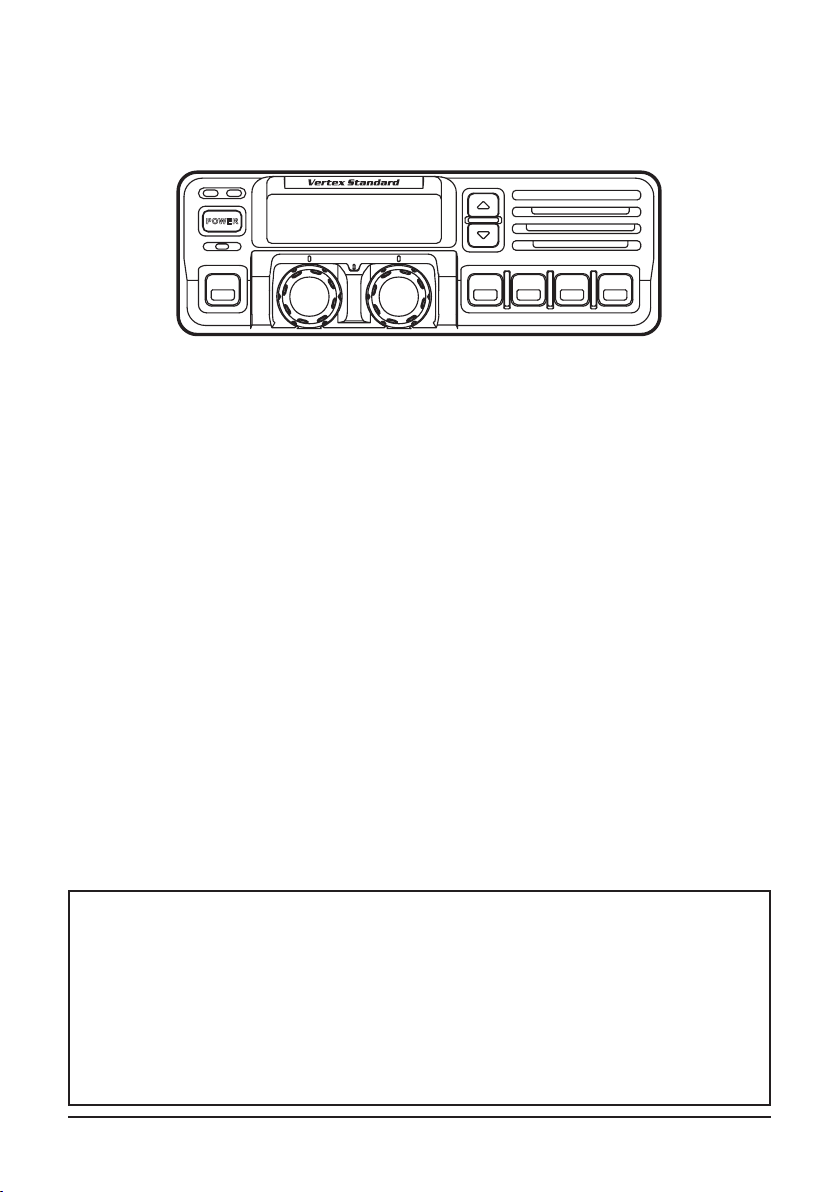
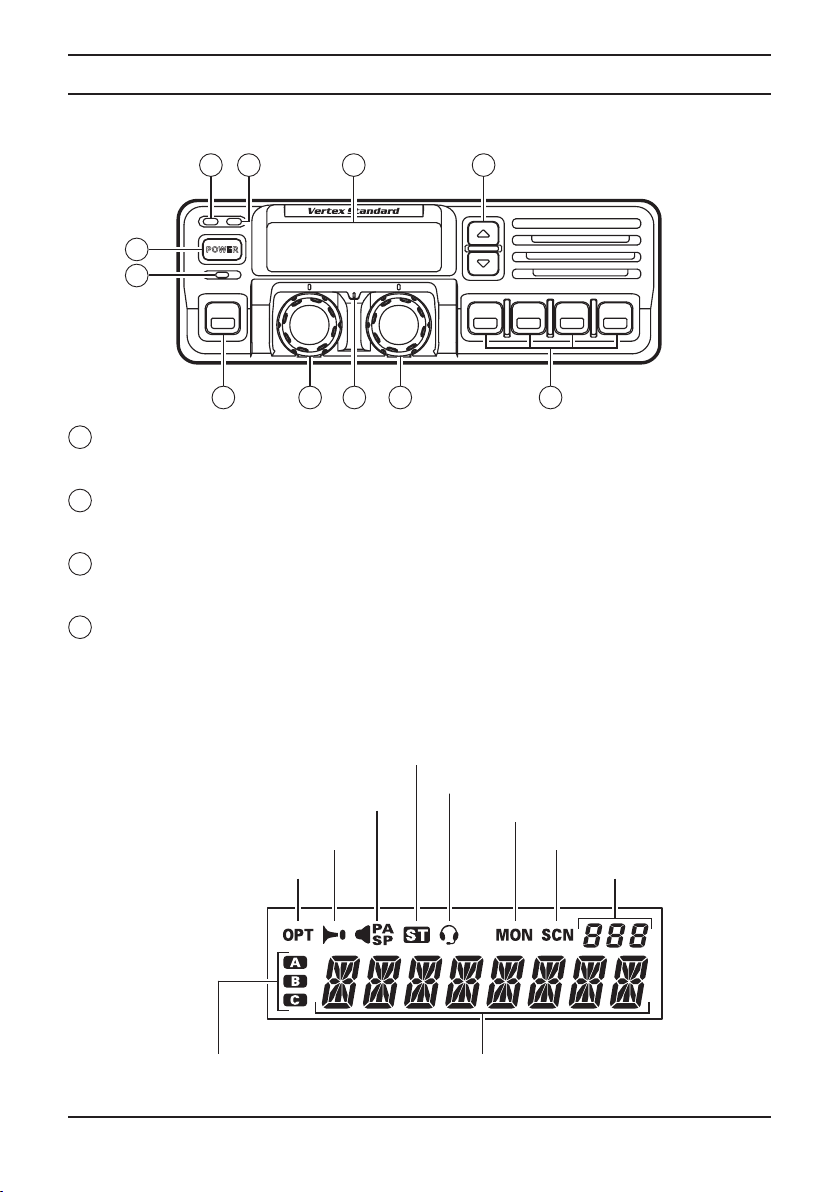
Controls & ConneCtors
Front Panel
1
POWER Button
Press the button to turn the transceiver ON and OFF.
2
TX Indicator
This lamp glows red when the radio is transmitting.
3
BUSY Indicator
This lamp glows green when the channel is busy.
4
Liquid Crystal Display
The display include an 8-character alpha-numeric section showing channel and
group names, status and identity information, and error messages. Additional indi-
cators on the display show priority channel assignments and scan include/exclude
selection.
PO WE R
11
10
9
8
7
6
5
4
3
2
1
8 Character Alpha-numeric Display
Channel Group Number
This channel on “Intercom” List
This channel on “Selectable tone” List
This channel on “Scan” List
Receiver Monitor
This channel on “Public address”
or “sPeaker” List
This channel on “Horn alert” List
This channel on “oPtion” List
This channel on “auX a/b/c” List
Page 3VX-5500 Operating Manual
Controls & Connectors
5
p/ Button
Pressing these buttons changes the current group (and displayed group number or
name). Holding this button for more than 1/2 second causes the function to repeat.
6
SQC Indicator
This lamp glows orange when incorrect position at the setting of CE49.
7
Programmable Function Button (PF button)
This button can be set up for special applications, such as high/low power selection,
monitor, dimmer, talk-around, and call alert function, as determined by your net-
work requirements and programmed by your Vertex Standard dealer.
8
VOLUME Knob
This knob sets the volume of the receiver.
9
EMERGENCY Microphone
The emergency microphone is located behind this small slit. When the emergency
feature is activated, this Microphone is enabled.
10 CHANNEL Selector Knob
This knob select the operating channel.
11
Programmable Function Button (PF button)
This button can be set up for special applications, such as high/low power selection,
monitor, dimmer, talk-around, and call alert function, as determined by your net-
work requirements and programmed by your Vertex Standard dealer.
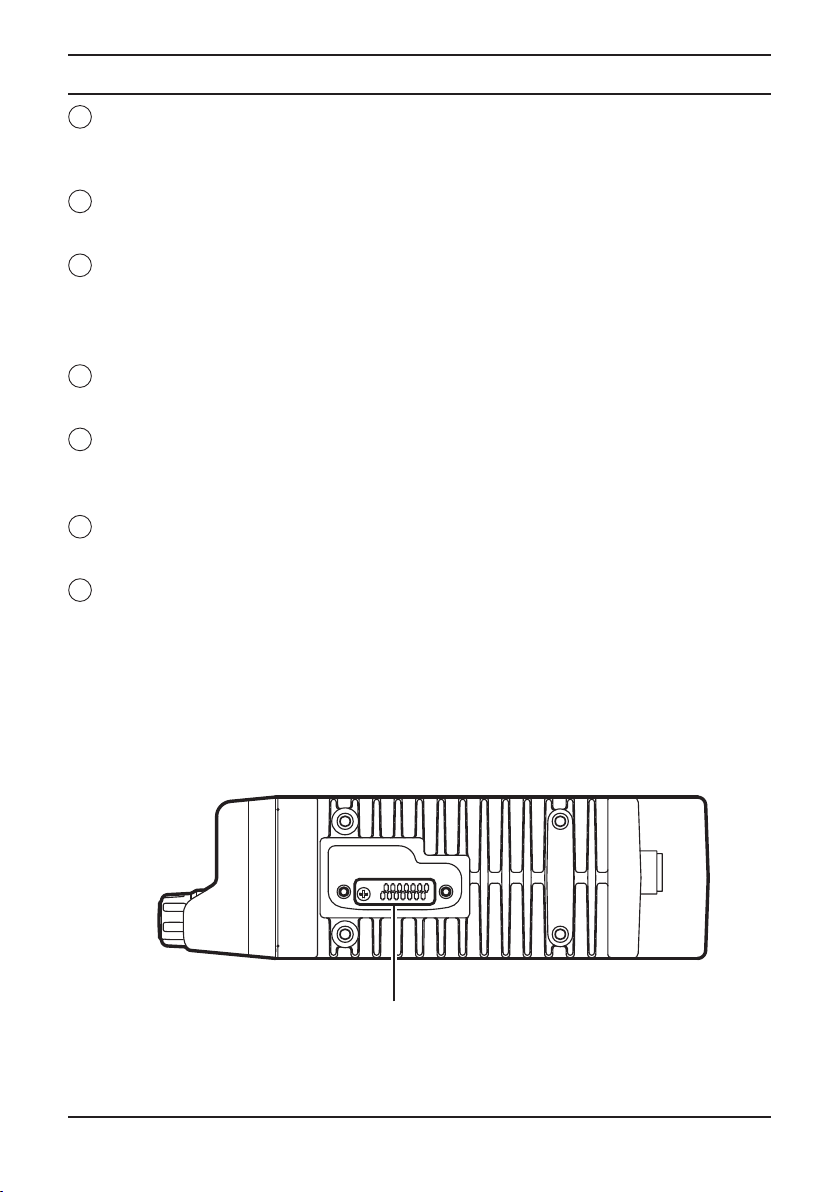
Side Panel
Microphone Jack (It is on both sides.)
Connect the microphone plug to this jack.
Microphone Jack
Page 4 VX-5500 Operating Manual
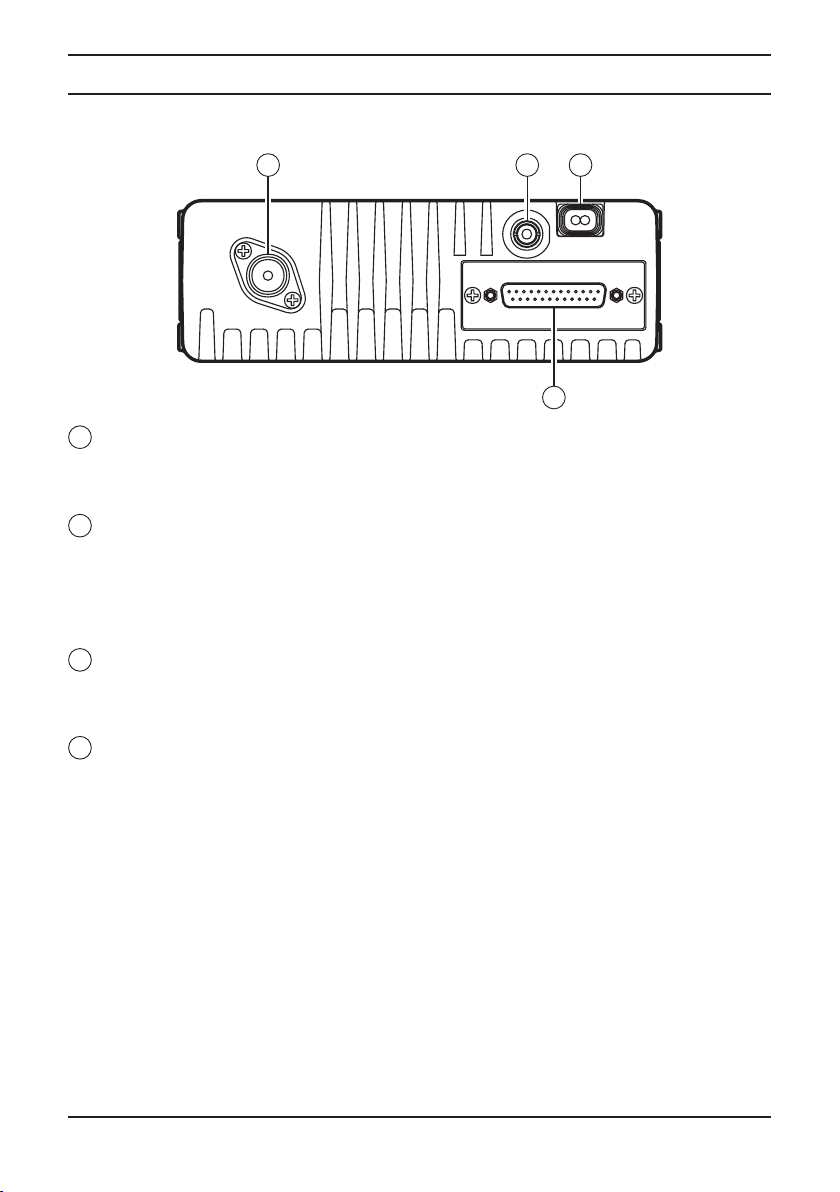
REAR (Heatsink)
1
Antenna Socket
The 50-ohm coaxial feedline to the antenna must be connected here, using a type-M
(PL-259) plug.
2
External Speaker Jack
An external loudspeaker may be con nected to this 2-contact, 3.5-mm mini-phone
jack.
Caution: Do not connect this line to ground, and be certain that the speaker has ad-
equate capability to handle the audio output from the VX-5500.
3
13.8-V DC Cable Pigtail w/Connector
The supplied DC power cable must be connected to this 2-pin connector. Use only
the supplied fused cable, extended if necessary, for power connection.
4
DSUB 25-Pin Accessory Connector
External TX audio line input, PTT (Push To Talk), Squelch, and external RX audio
line output signal may be obtained from this connector for use with accessories such
as data transmission/reception modems, etc.
Controls & Connectors
4
3
2
1

Page 5VX-5500 Operating Manual
BasiC operation of the transCeiver
Important! - Before turning on the radio the rst time, conrm that the power connec-
tions have been made correctly and that a proper antenna is connected to the antenna
jack.
Switching Power ON/OFF
Push the POWER switch turn on the radio. The display will become illuminated.
The radio will start up on the last channel used prior to shut-down during the previ-
ous operating session.
Turn the CHANNEL selector knob to choose the desired operating channel. A chan-
nel name will appear on the display. If you want to select the operating channel
from a different Memory Channel Group, press the UP (p) or DOWN () button
to select the Memory Channel Group you want before selecting the operating chan-
nel.
Setting the Volume
Turn the VOLUME knob clockwise to increase the volume, and counterclockwise to
decrease it. If no signal is present, press and hold in the MON button more than 1/2
seconds; background noise will now be heard, and you may use this to set the VOL-
UME knob for the desired audio level. Press and hold the MON button more than
1/2 seconds to quiet the noise and resume normal (quiet) monitoring.
Transmitting
To transmit, wait until the “BUSY” indicator is off (the channel is not in use), and
press the PTT (Push-To-Talk) switch on the side of the microphone (the “TX” in-
dicator will appear or the “TX” indicator will glow red). While holding in the PTT
switch, speak across the face of the microphone in a clear, normal voice level, and
then release the PTT switch to receive.
Selecting Groups and Channels
Press the UP (p) or DOWN () button (repeatedly, if necessary) to select a
different group of channels.
Turn the CHANNEL selector knob to select a different channel within the cur-
rent group.
Automatic Time-Out Timer
If the selected channel has been programmed for automatic time-out, you must limit
the length of each transmission. While transmitting, a beep will sound ve seconds
before time-out. Another beep will sound just before the deadline; the “TX” indica-
tor will disappear and transmission will cease soon thereafter. To resume transmit-
ting, you must release the PTT and wait for the “penalty timer” to expire (if you
press the PTT before this timer expires, the timer restarts, and you will have to wait
another “penalty” period).

Page 6 VX-5500 Operating Manual
ARTS™ (Auto Range Transpond System)
This system is designed to inform you when you and another ARTS™-equipped sta-
tion are within communication range.
During ARTS™ operation, your radio automatically transmits for about 1 second
every 25 (or 55) seconds (the interval is programmed by Dealer) in an attempt to
Shake hands with the other station.
If you move out of range for more than one minutes, your radio senses that no sig-
nal has been received, a ringing beeper will sound. If you subsequently move back
into range, as soon as the other station transmits, your beeper will sound.
advanCed operation
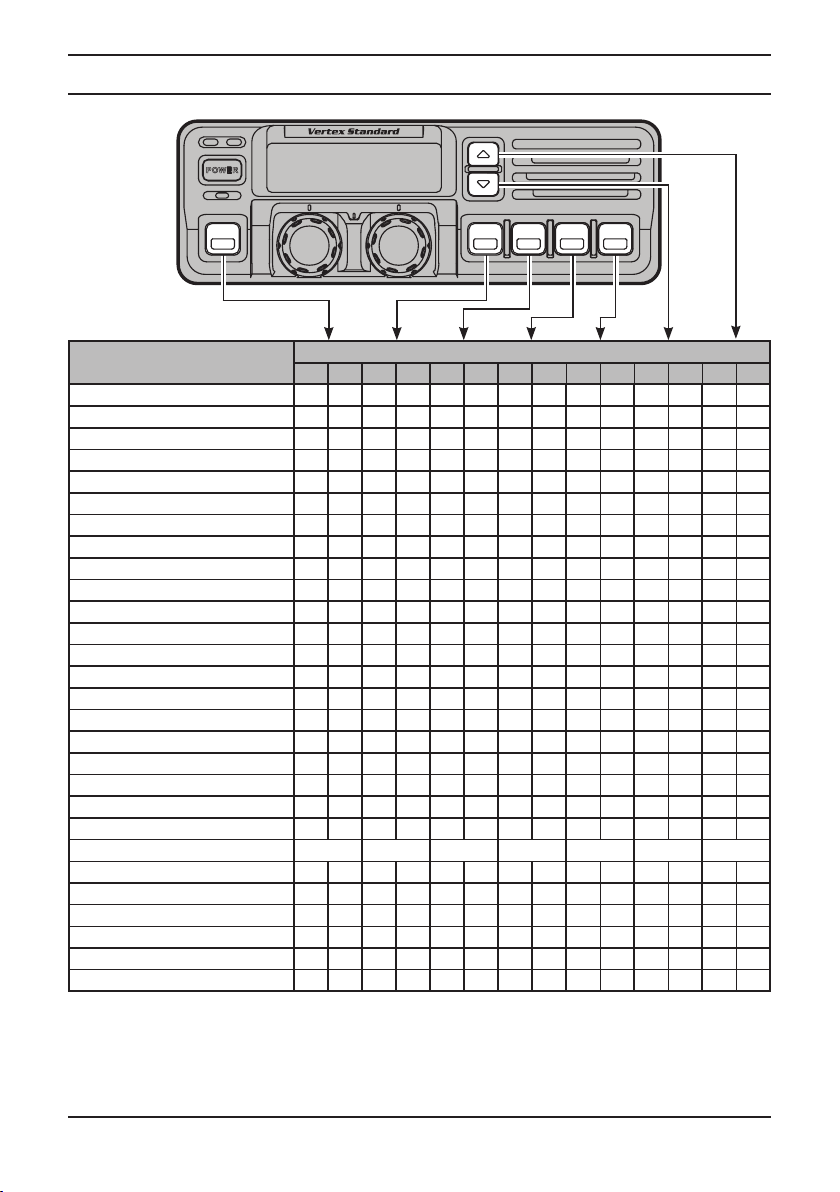
Programmable Function Button (PF button)
The VX-5500 includes the seven Programmable Function Buttons (PF button).
The PF
button functions can be customized, via programming by your
Vertex Standard dealer, to
meet your communications/network requirements. Some features may require the pur-
chase and installation of optional internal accessories.
To activate the primary Accessory function, press the PF button momentarily. To access
the secondary Accessory function (which may include the Alarm), press and hold the
PF button for 1.5 seconds or longer.
The possible PF button programming features are illustrated at the next page, and their
functions are explained on page 8.
For further details, contact your Vertex Standard dealer. For future reference, check the
box next to each function that has been assigned to the PF button on your particular ra-
dio, and keep it handy.
BasiC operation of the transCeiver
Page 7VX-5500 Operating Manual
advanCed operation
Functions Programmable Function Button (PF Button)
<1.5 sec >1.5 sec <1.5 sec >1.5 sec <1.5 sec >1.5 sec <1.5 sec >1.5 sec <1.5 sec >1.5 sec <1.5 sec >1.5 sec <1.5 sec >1.5 sec
None
Channel Scan (SCN)
Dual Watch
Call/Reset
Noise Blanker (NB)ø1
Talk-Around (TA)
Alpha Numeric (A/N)
DIMMER (DIM)
Emergency (EMG)
Horn Alert (HA)
Home Channel (HOM)
Intercom (IC)
Low Power (LOW)
Group Up (GRP UP)
Group Down (GRP DWN)
Channel Up (CH UP)
Channel Down (CH DWN)
AUX A
AUX B
AUX C
Public Address (PA)
Monitor (MON)
Channel Recall (RCL)
Selectable Tone (ST)
Speaker (SP)ø2
Squelch Level (SQL)
Compander (COMP)
Encryption (OPT)ø3
ø1: for VX-5500L
ø2: requires RMK-4000
ø3: requires Encryption Unit
PO WE R

Page 8 VX-5500 Operating Manual
Channel Scan (SCN)
The Scanning feature is used to monitor multiple signals programmed into the trans-
ceiver. While scanning, the transceiver will check each channel for the presence of a
signal, and will stop on a channel if a signal is present.
To activate scanning:
¦Press the assigned PF button of the “Scan” momentarily to activate scanning.
¦The scanner will search the channels, looking for active ones; it will pause each
time it nds a channel on which someone is speaking.
To stop scanning
¦Press the assigned PF button of the “Scan”.
¦Operation will revert to the channel to which the CHANNEL selector knob is set.
Note: Your dealer may have programmed your radio to stay on one of the
following channels if you press the PTT switch during scanning pause:
r Current channel (“Talk Back”)
r “Last Busy” channel
r “Priority” channel
r “Home” channel
r “Scan Start” channel
Dual Watch
The Dual Watch feature is similar to the Scan feature, except that only two channels
are monitored:
rThe current operating channel; and
rThe “Priority” channel.
To activate Dual Watch:
Press the assigned PF button of the “Dual Watch”.
The scanner will search the two channels; it will pause each time it nds a chan-
nel on which someone is speaking.
To stop Dual Watch:
Press the assigned PF button of the “Dual Watch”.
Operation will revert to the channel to which the CHANNEL selector knob is set.
Call/Reset
When this feature is programmed and a selective call has been received, momentari-
ly press the assigned PF button of the “Call/Reset” to reset the ashing indicator
and mute the receiver, otherwise press the assigned PF button of the “Call/Reset”
to sent your radio’s identication code (ANI) to the dispatcher.
Noise Blanker (NB)
Because local noise can be particularly troublesome in the VHF Low-Band fre-
quency spectrum, the Low-Band version of the VX-5500 includes a Noise Blanker
feature, which may be toggled on and off by pressing the assigned PF button of the
“Noise Blanker” for the appropriate length of time.
advanCed operation
Table des matières
Autres manuels Vertex Radio bidirectionnelle