URC Total Control TKP-8600 Manuel utilisateur

TKP-8600
Owner’s Manual
Total Control TKP-8600
Owner’s Manual

Total Control TKP-8600
Owner’s Manual
Rev 1.5
Table of Contents
Introducing the TKP-8600
Thank you for purchasing URC’s TKP-8600 In-Wall Net ork Keypad. Its easy and
intuitive use helps to simplify your life hile adding control of more things than you
thought possible.
Online upport:
Total Control is sold direct only and must installed/program by a certied
custom integrator.
End-User upport:
Visit the URC Home Page for product information, o ner’s manuals, and
support contact information.
Contact upport:
Total Control is a URC product sold direct only. For questions or assistance contact
your Custom Installer/Programmer.
My Installer/Programmer
Technical Suppor t
Toll Free: 800-904-0800
Main: 914-835-4484
techsupport@urc-automation.com
H o u r s : 9 : 0 0 a m - 5 : 0 0 p m E S T M - F
Features and Benefits......................................................................................................1
Amazon Alexa/Audio-Video Interface................................................................... 1
Proximity ensor/Flexible Orientation.................................................................. 2
Parts List ............................................................................................................................3
Installation.........................................................................................................................4
The TKP-8600.....................................................................................................................5
Alexa Features..................................................................................................................6
ettings Menu...................................................................................................................7
leep ettings............................................................................................................ 8
General........................................................................................................................ 9
ound/Brightness.................................................................................................... 10
Proximity ensor ..................................................................................................... 11
ystem Information ................................................................................................. 12
Network .................................................................................................................... 13
Voice Assistant ........................................................................................................ 14
Alexa Voice Assistant ...................................................................................................15
Login .......................................................................................................................... 15
Logout ........................................................................................................................ 19
Audio ettings.......................................................................................................... 21
Language................................................................................................................... 23
Wake Type ................................................................................................................ 24
Factory Default......................................................................................................... 25
Removing the TKP-8600 from an Amazon Account ..................................................26
pecifications/Limited Warranty tatement.............................................................28

1
Total Control TKP-8600
Owner’s Manual
Features and Benefits
The TKP-8600 In-Wall Net ork Keypad is one of URC’s most advanced devices that is
optimized for usage ith Total Control.
Enjoy these key features:
Amazon Alexa
This keypad is capable of integrating ith Amazon Alexa devices, bringing voice
control to home automation solutions.
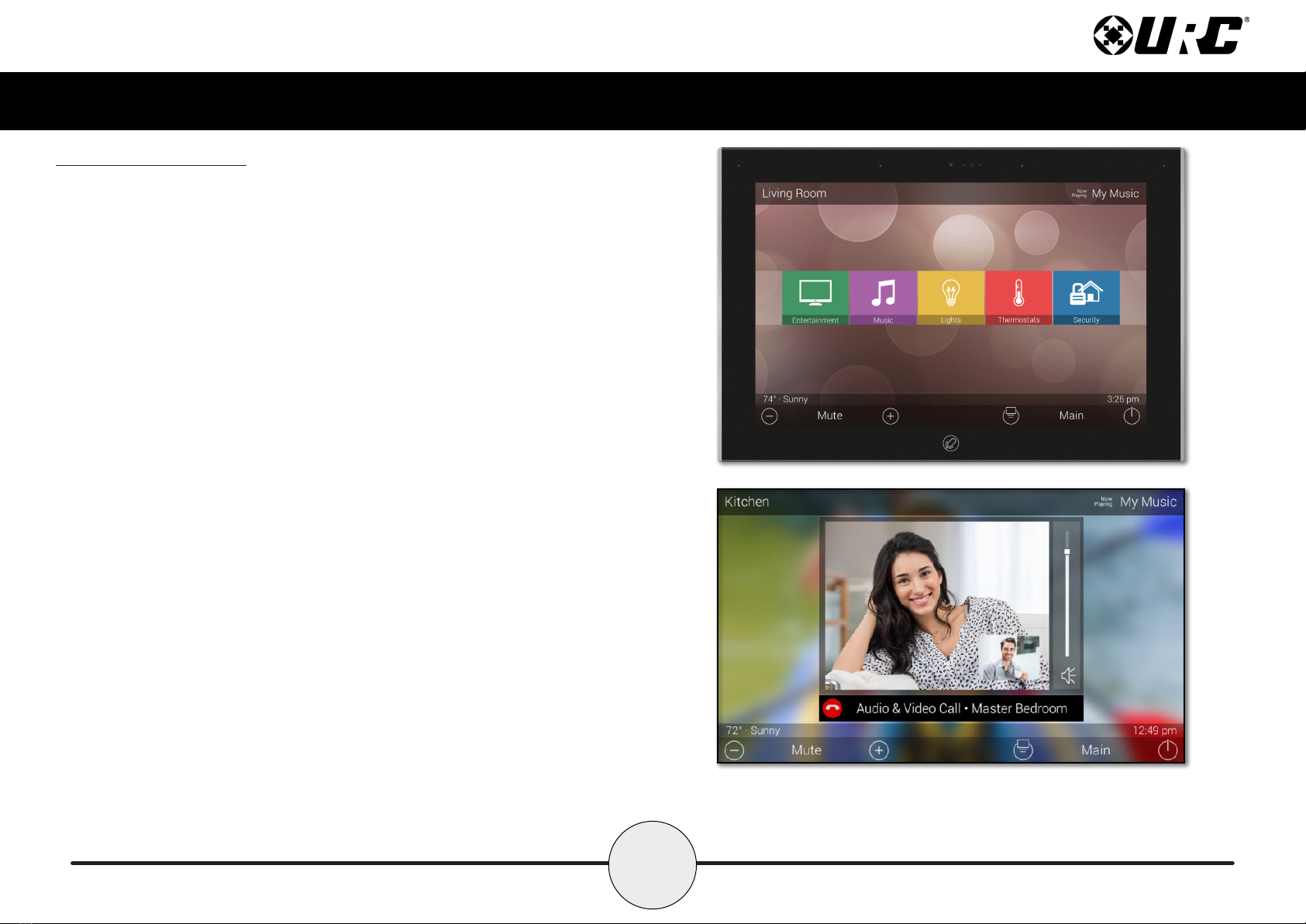
Audio-Video Interface
Communicate ith any other URC Intercom-Enabled device in the system ith this
feature. The end-user can make Audio-Video, Audio, or Audio Broadcast calls
directly from the TKP-8600.

2
Total Control TKP-8600
Owner’s Manual
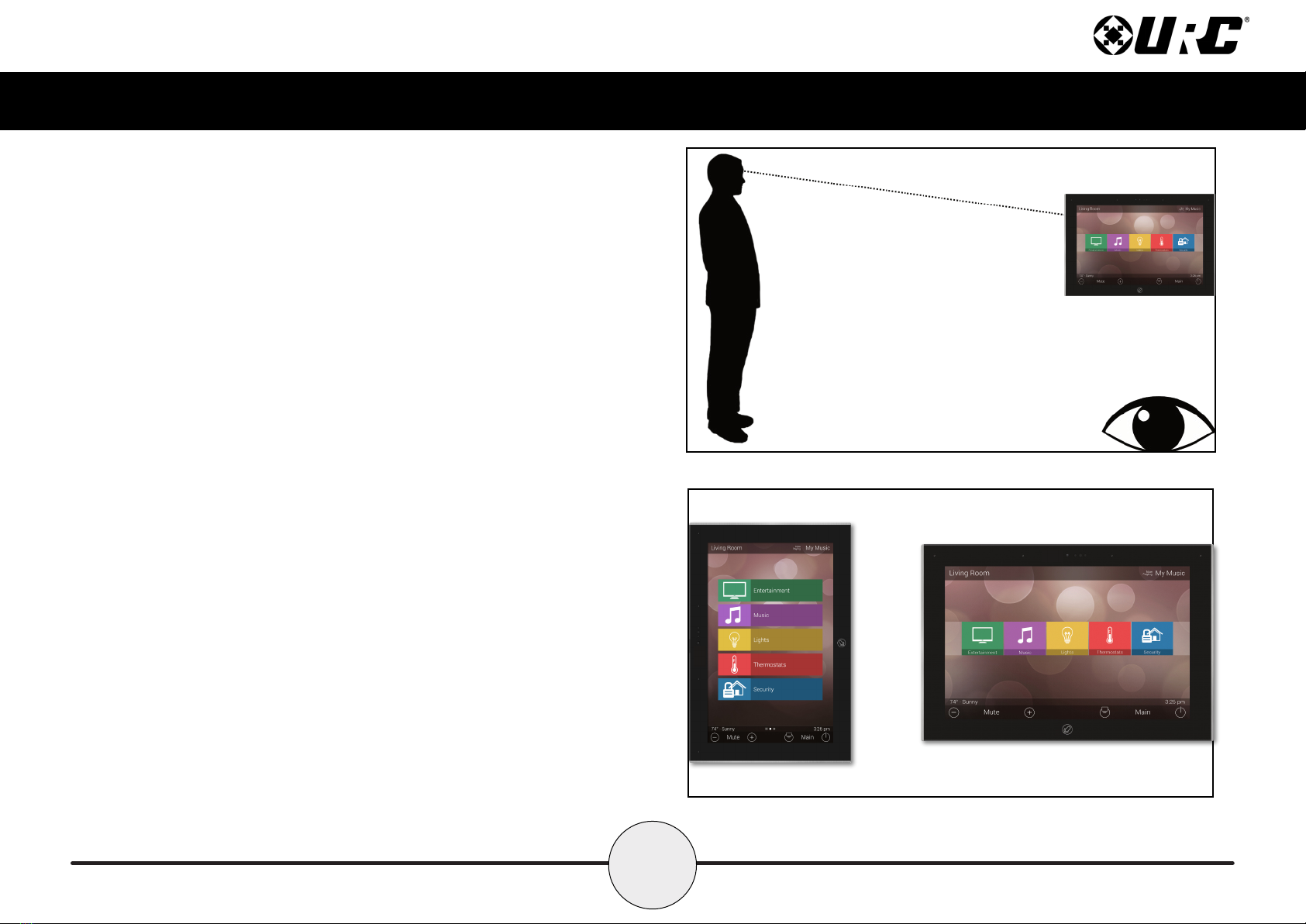
Proximity ensor
This feature allo s the TKP-8600 to spring into action automatically. Utilizing its
proximity sensor, the keypad can detect distances from up to three (3) feet
a ay. This setting can be adjusted in the device’s Settings menu.
Flexible Orientation
The TKP-8600 offers the ability to display the device in either portrait or
landscape mode making it the perfect keypad for almost any room. This feature
can only be set from ithin the Total Control soft are, speak to a custom
home professional prior to installation.

3
Total Control TKP-8600
Owner’s Manual
Parts List
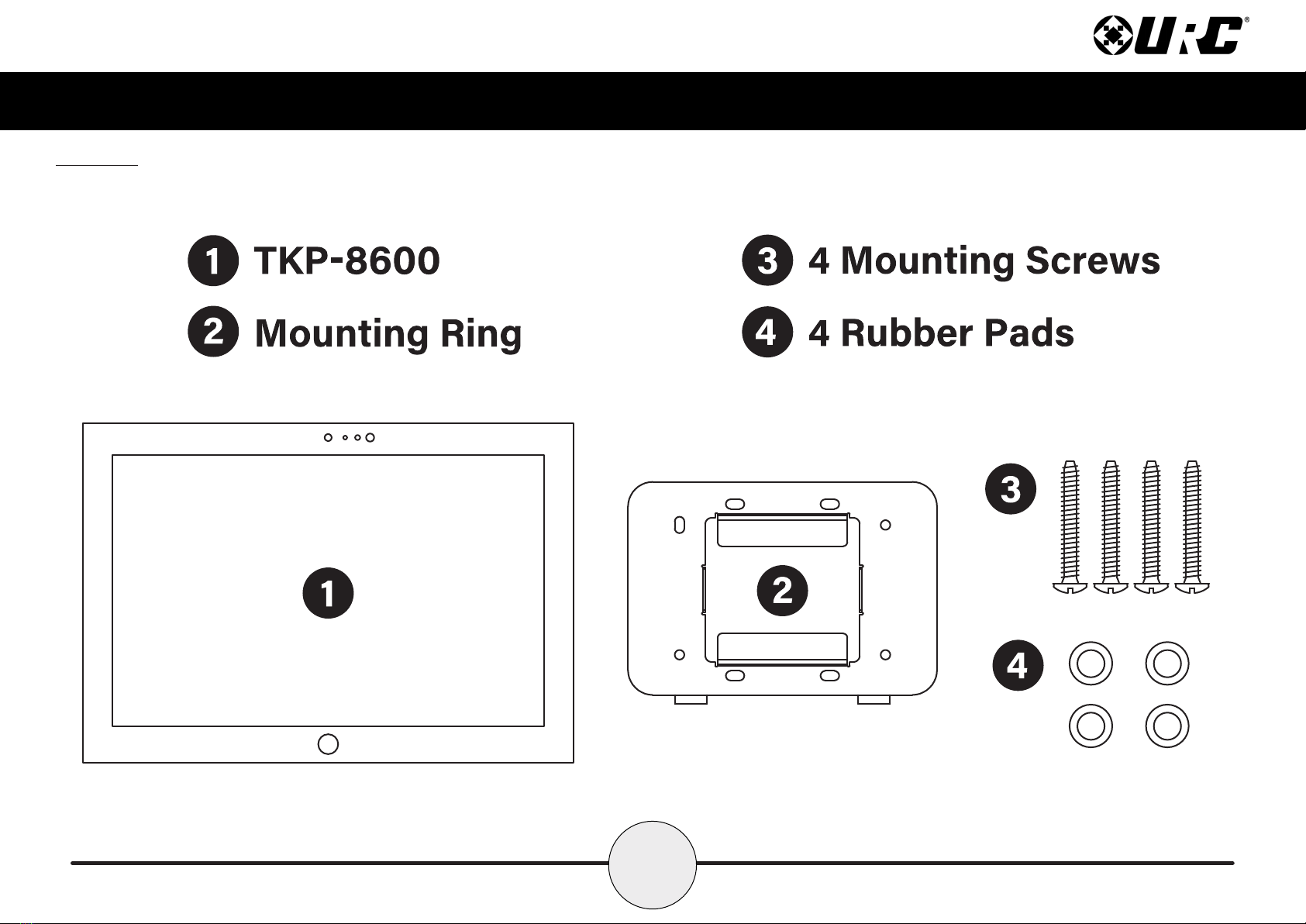
The follo ing is included in the box:

4
Total Control TKP-8600
Owner’s Manual
Installation
The TKP-8600 fits into any 2-Gang LV Bracket. Ho ever, there are certain
aspects of the installation that must be highlighted.
1. Measure the 2-gang bracket and mark the installation area. Using
your preferred cutting tool, cut a hole in the wall that
matches the measurements.
2. Install the 2-gang bracket into the cut out and
securely tighten all the necessary screws.
3. Align the mounting bracket ith the appropriate slots on the 2-gang box.
Using the supplied screws, securely tighten the mounting bracket
onto the 2-gang bracket.
4. Connect the POE RJ45 cable and install the TKP-8600 onto the mounting
bracket. The TKP-8600 is equipped with magnets that make the
installation process easier and more secure.
Wall
2-Gang LVBracket
MOUNTINGBRACKET

5
Total Control TKP-8600
Owner’s Manual
The TKP-8600
A. Microphone Array: Four (4) microphones are built into the top of the
keypad, allo ing for exceptional audio capture hen using Alexa or
intercom features.
B. Camera: A single camera is used for all video functions.
C. Camera Light: URC has included a privacy feature for the TKP-8600’s
camera. A small blue light activates hen the camera is in use.
D. Proximity ensors: These dual sensors allo the keypad to sense
users ithin close proximity to it.
E. Microphone Button: This is used for accessing voice control. Amazon Alexa
can also utilize the “Alexa” ake ord for hands free interaction.
F. Reset Button: Along the bottom of the keypad, directly beneath the
microphone button, is the reset button. A single press po er cycles the
keypad. Holding the button for t enty (20) seconds Factory Defaults
the keypad.
A
B
C
D
E
F
A

6
Total Control TKP-8600
Owner’s Manual
Alexa Features
When integrated ith Amazon’s Alexa Voice Assistant, an end-user is able to take
advantage of it’s various features and services ithin their Total Control system.
• “Alexa”: Use Alexa’s ake ord to speak to Alexa.
• Microphone Button: Press and hold the microphone button on the
TKP-8600 to speak to Alexa. Double-tap the button to turn on or off
the microphone.
• Microphone Button Notification Colors: Alexa notications are reected
on the TKP-8600 through the Microphone Button. It is able to glo several
different colors, informing the user of package deliveries, ne deals, and
various other information.
■Blue: The microphone is enabled.
■Cyan: Announcements.
■Purple: Do Not Disturb is enabled.
■Red: Microphone is off.
■Yellow: Messages/notications.
The TKP-8600 settings allo the
user to enable or disable the
Alexa ake ord or the press
and hold to talk function.

7
Total Control TKP-8600
Owner’s Manual
ettings Menu
Access the Settings Menu by sliding the Title Bar do n and selecting the Settings
button. Most settings do NOT require interaction ith the end-user. Changing settings
may cause issues ith the Total Control system, only do so hen instructed to by
URC Technical Support.
●leep ettings: Manage hen the LCD screen turns OFF.
●General: Contains all the general settings for the TKP-8600. Allo s
from the adjustment of Date, Time, and Temperature Scale.
●ound: Adjust the volume of the audio feedback hen pressing buttons
on the interface.
●Brightness: Allo s for the adjustment of the LCD screen’s brightness.
●Proximity ensor: Allo s for the adjustment of the proximity level.
●ystem: Provides general information such as memory used, current
version, and version details.
●Network: Allo s for the setting of a Dynamic or Static IP address for
the TKP-8600 and also gives general info about the net ork.
●Voice Assistant: Settings for Amazon Alexa.
●Factory Default: Allo s the TKP-8600 to be reset to its factory state.

8
Total Control TKP-8600
Owner’s Manual
leep ettings
Belo are the setting choices available in this menu:
1. LCD creen is Always On: When selected, the TKP-8600’s display
never turns off.
2. LCD creen will Turn Off: When selected the Turn Off After section
is selectable. Choose from a 20 second, 30 second, or one (1) minute
time out.
3. LCD creen will Display a Night Mode: When selected the Start
After and Duration option become active.
• tart After: The TKP-8600 times out based on the value entered
here and goes into Night Mode.
• Duration: The TKP-8600 turns off Night Mode after the
value entered here.
Autres manuels pour Total Control TKP-8600
1
Table des matières
Autres manuels URC Clavier

URC
URC ccGen2 KP-1 Manuel utilisateur

URC
URC TKP-100 Manuel utilisateur

URC
URC TKP-7600 Manuel utilisateur

URC
URC Total Control TDC-7100 Manuel utilisateur

URC
URC TKP-2000N Manuel utilisateur

URC
URC Total Control 2.0 TKP-9600 Manuel utilisateur

URC
URC TKP-2000 Manuel utilisateur

URC
URC URCTKP7600 Manuel utilisateur

URC
URC TKP-5500 Manuel utilisateur

URC
URC TKP-2000 Manuel utilisateur