
ubiquoss E3208E Manuel utilisateur

PON
O
N
U
E3208E
Installation Guide
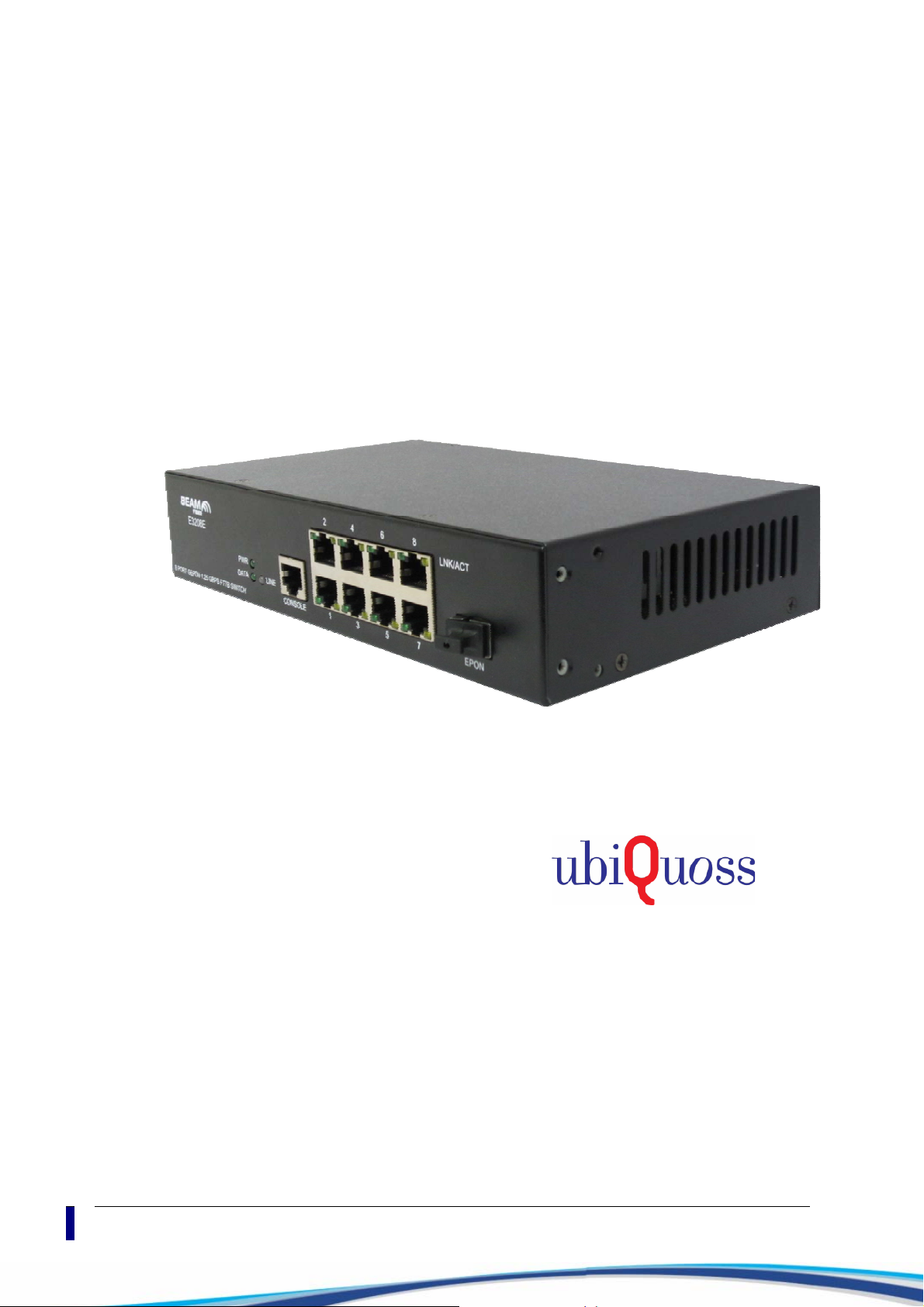
E3208E
Installation Guide
II
.
ubiQuoss Inc.
24F Millennium B/D, 467-12 Dogok-Dong
Gangnam-Gu, Seoul 135-700 Korea
TEL: +82-70-8666-5000
FAX: +82-2-2190-3201
E-mail: oversea.team@ubiQuoss.com
www.ubiQuoss.com

PON
O
N
U
Preface
This preface provides the overview of E3208E installation guide, which describes guide
conventions, and lists other publications that may be useful.
Introduction
This manual is to describe how to install ubiQuoss E3208E Switch.
This manual is the hardware installation guide for installing and connecting E3208E
Switch.
Chapter 1 describes the name and function of each part of the product, and chapter 2
describes the requirements for installation of the product and the cautions. Please read
chapter 1 and chapter 2 before starting installation of the product to install and use the
product safely.
The user manual, command manual, and configuration manual that come with this
installation guide covers the functions, usage, and settings more in detail.
The audience of this installation guide is technicians who have experiences in installing
and managing network equipments. Therefore for the technical terms not mentioned in
this installation guide, please refer to other network related materials.
Related Documents
For additional information on this equipment, refer to the following manuals.
Manual Contents
User Guide
Operating configuration for services
System operation, administration and maintenance
Trouble Shooting
Product Name
The ONU described in this manual use the following product name.
E3208E ONU
History of Document
Date Version
2012. 06 First Edition
E3208E Installation Guide III

Preface
PON
O
N
U
Symbols in this Guide
The symbols below are used to indicate the product names and notes in the user guide.
Description of Symbols
The installation guide uses the following icons and fonts to indicate special messages for the
reader.
Note Presents the useful contents related to the user guide, the references
and data related to the product use, etc.
Caution Describes the situation that data loss and incorrect product operation
can occur, and provides the proper actions to take in the situation.
Warning Describes the situation that product damage and the user’s injury can
occur, and provides the proper actions to take in the situation.
Warning Invisible laser radiation may be emitted from disconnected fibers or
connectors. Do not stare into beams or view directly with optical
instruments.
Warning Do not disassemble or assemble the product.
The user must not remove/attach the product cover or
disassemble/assemble the product when the power is on. Otherwise, it
can cause personal injury or property loss.
Introduction
IV

PON
O
N
U
Organization
The installation guide consists of four chapters and two appendices. The summary of each
part is described below.
Chapter 1. Introduction
This chapter describes the types and features of E3208E and explains the name and
function of each part.
Chapter 2. Installation Preparation
This chapter describes the necessary items to install E3208E Switch and the notes to
take about installing and using the product. The user should fully understand the notes in
this chapter before installing the product to prevent any problem from occurring during
the product installation.
Chapter 3. Installation
This chapter describes how to install E3208E Switch on a rack and connect each port of
the switch.
Chapter 4. Troubleshooting
This chapter describes the troubles that may occur during installation or use of E3208E,
and explains how to solve the problems.
Appendix A. Product Specification
Appendix A describes the product specifications of E3208E.
Appendix B. Cable Spec
Appendix B describes the specification of cables used to connect the ports of E3208E in
detail.
E3208E Installation Guide V

Table of Content
PON
O
N
U
Table of Content
Preface.......................................................................................................................... III
Introduction...................................................................................................................... III
Related Documents ......................................................................................................... III
Product Name.................................................................................................................. III
History of Document ........................................................................................................ III
Symbols in this Guide......................................................................................................IV
Organization .................................................................................................................. V
Table of Content............................................................................................................ VI
List of Figure and Table .............................................................................................. VIII
List of Figure ................................................................................................................. IX
Chapter 1. Introduction...........................................................................11
Overview...................................................................................................................... 12
Features....................................................................................................................... 13
Front View ......................................................................................................................13
Rear View.......................................................................................................................16
Side View........................................................................................................................ 17
Chapter 2. Installation Preparation ........................................................18
Pre-installation Checklist ............................................................................................. 19
Do not disassemble the product ..................................................................................... 19
Place Requirements for Installation ................................................................................ 19
Complying with operation environment condition ........................................................... 19
Preventing Static Electricity ............................................................................................ 19
Requirements for handling Power .................................................................................. 20
Grounding.......................................................................................................................21
Lightening....................................................................................................................... 21
Preventing Overheating.................................................................................................. 21
Notes for Cleaning.......................................................................................................... 21
Other Notes .................................................................................................................... 21
Working with Lasers ....................................................................................................... 21
Items Required for Installation..................................................................................... 22
Contents of Package ...................................................................................................... 22
Chapter 3. Installation.............................................................................23
Installation Procedure .................................................................................................. 24
Selecting Installation Place............................................................................................. 24
Connecting Power .......................................................................................................... 24
Battery Operating ........................................................................................................... 25
Connecting Console Terminal......................................................................................... 25
Connecting EPON Up-Link port................................................................................... 27
Connecting EPON Up-Link port...................................................................................... 27
Chapter 4. Troubleshooting....................................................................29
Troubleshooting Case.................................................................................................. 30
Appendix A. Product Specification ........................................................32
Introduction
VI

PON
O
N
U
Specification....................................................................................................................32
Appendix B. Cable Spec..........................................................................33
Ethernet cable.................................................................................................................34
Optical cable ...................................................................................................................34
Console cable .................................................................................................................35
E3208E Installation Guide VII

List of Figure and Table
PON
O
N
U
List of Figure and Table
Table 1 Console port Specification......................................................................... 14
Table 2 System status LED....................................................................................15
Table 3 Port status LED .........................................................................................15
Table 4 List of Package Items ................................................................................ 22
Table 5 Specification .............................................................................................. 32
Table 6 Configuration of terminal mode .................................................................35
Introduction
VIII

E3208E Installation Guide IX
PON
O
N
U
List of Figure
<Figure 1> E3208E ONU Front View.................................................................. 13
<Figure 2> E3208E ONU Up-Link Port Front Feature........................................... 13
<Figure 3> LEDs and Console Port....................................................................... 14
<Figure 4> Console Port Pin numbers .................................................................. 14
<Figure 5> System Status LED ............................................................................. 15
<Figure 6> Fast Ethernet 8 Ports .......................................................................... 15
<Figure 7> E3208E ONU Real Panel.................................................................... 16
<Figure 8> RST button .......................................................................................... 16
<Figure 9> E3208E ONU Right / Left Side............................................................ 17
<Figure 10> Connecting AC power cable, DC power lines, and Grounding Cable.25
<Figure 11> Diagram of Console Cable ................................................................ 35

Table des matières


