
Triax TDX Manuel utilisateur
Contents
1
User guide
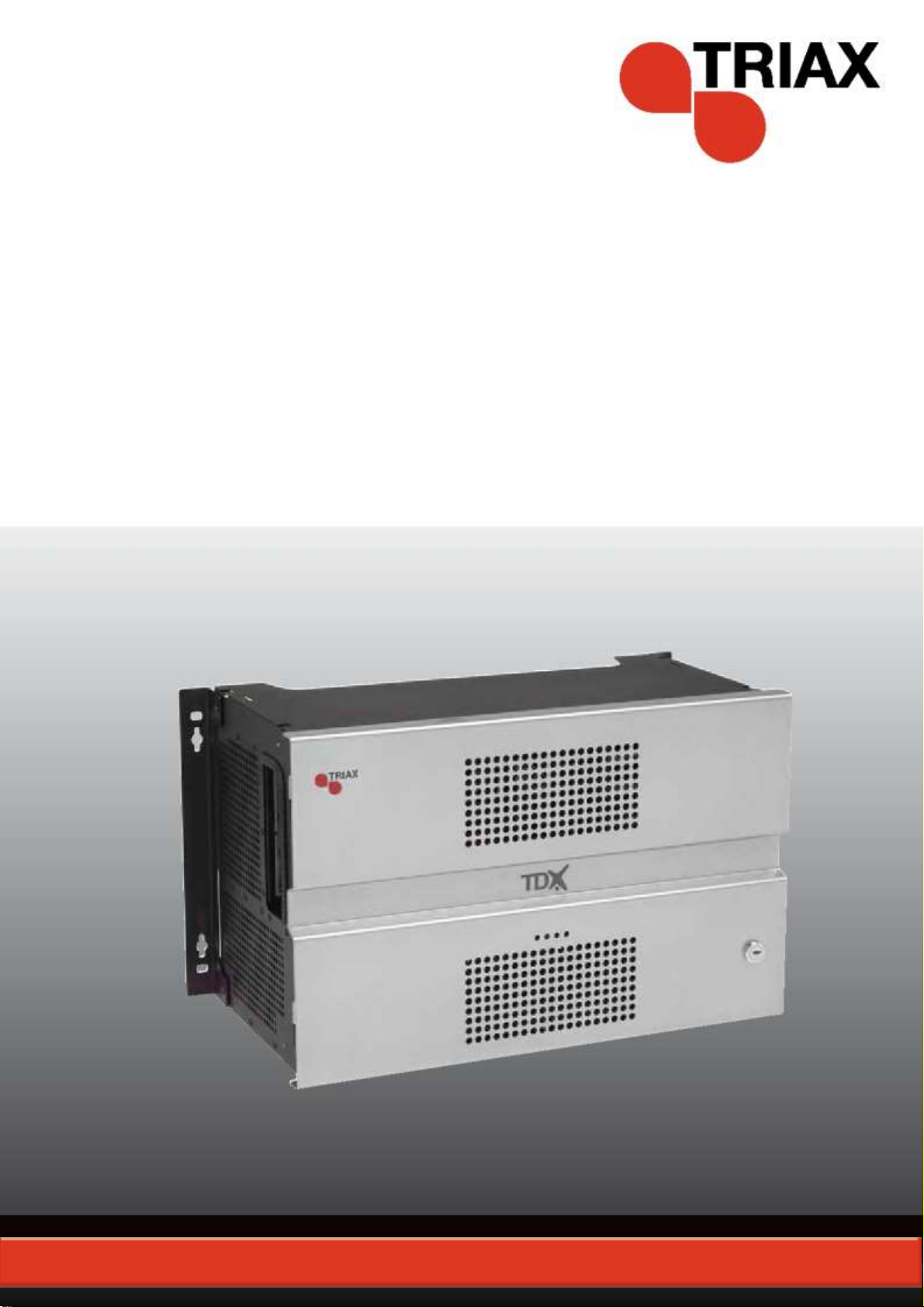
TDX Headend Unit - Art. No. 492090
891072I
│EN│

Contents
2
Contents
SAFETY PRECAUTIONS...................................................................................................................................................4
Environment ...............................................................................................................................................................4
Power supply..............................................................................................................................................................4
Weight ........................................................................................................................................................................4
Earth...........................................................................................................................................................................4
Disposal......................................................................................................................................................................4
INTRODUCTION.................................................................................................................................................................5
BOX CONTENTS.................................................................................................................................................................5
HEADEND OVERVIEW......................................................................................................................................................6
EXTERIOR.........................................................................................................................................................................6
INTERIOR..........................................................................................................................................................................7
SINGLE HEADEND INSTALLATION ................................................................................................................................8
MOUNTING........................................................................................................................................................................8
VENTILATION REQUIREMENTS ............................................................................................................................................8
POWER/EARTH .................................................................................................................................................................9
ID SWITCH........................................................................................................................................................................9
MULTI HEADEND INSTALLATION.................................................................................................................................10
VENTILATION REQUIREMENTS ..........................................................................................................................................10
Horizontal installation ...............................................................................................................................................10
Vertical installation ...................................................................................................................................................10
CONNECTING UNITS –DIRECT CONNECTION .....................................................................................................................11
1xMain –1xSub........................................................................................................................................................11
1xMain –2xSub........................................................................................................................................................12
RF OUTPUT ....................................................................................................................................................................13
POWER...........................................................................................................................................................................13
CONNECTING UNITS –SWITCH CONNECTION.....................................................................................................................13
MULTI HEADEND INSTALLATION –FIBER OPTIC..................................................................................................................14
RESETTING IP ADDRESS..................................................................................................................................................14
INPUT MODULES..............................................................................................................................................................15
Input module types...................................................................................................................................................15
Inserting input modules............................................................................................................................................16
Attaching cables.......................................................................................................................................................16
Looping cables .........................................................................................................................................................17
Removing input modules..........................................................................................................................................17
Moving input modules ..............................................................................................................................................17
OUTPUT MODULES ..........................................................................................................................................................18
Output module types ................................................................................................................................................18
Inserting output module............................................................................................................................................19
Removing output module .........................................................................................................................................19
Auxiliary Modules .....................................................................................................................................................19
Module status - LED.................................................................................................................................................19
SYSTEM MONITORING...................................................................................................................................................20
LEDS.............................................................................................................................................................................20

Contents
3
SERVICE TOOL ...............................................................................................................................................................23
SYSTEM REQUIREMENTS .................................................................................................................................................23
Computer minimum requirements............................................................................................................................23
Static IP address ......................................................................................................................................................23
Physical connection to headend...............................................................................................................................23
Starting Service tool .................................................................................................................................................24
OVERVIEW......................................................................................................................................................................25
ADMINISTRATION...........................................................................................................................................................27
LANGUAGE .....................................................................................................................................................................27
LOCATION.......................................................................................................................................................................28
SECURITY.......................................................................................................................................................................30
LICENCES.......................................................................................................................................................................31
IP ADDRESSES................................................................................................................................................................32
SNMP SETTINGS ............................................................................................................................................................35
REBOOTING....................................................................................................................................................................36
VIEWING SYSTEM LOG .....................................................................................................................................................37
FIRMWARE......................................................................................................................................................................39
Updating...................................................................................................................................................................39
Cleaning up ..............................................................................................................................................................42
SYSTEM INFORMATION.................................................................................................................................................43
VIEWING SYSTEM INFORMATION.......................................................................................................................................43
DUPLICATED PIDS..........................................................................................................................................................44
MANAGING CONFIGURATION FILES ...........................................................................................................................45
CREATING ......................................................................................................................................................................45
ACTIVATING....................................................................................................................................................................45
DELETING.......................................................................................................................................................................45
SAVING...........................................................................................................................................................................45
UPLOADING ....................................................................................................................................................................46
IP INPUT CONFIGURATIONS.........................................................................................................................................48
CREATING ......................................................................................................................................................................49
MODIFYING.....................................................................................................................................................................53
DELETING.......................................................................................................................................................................53
IP OUTPUT CONFIGURATIONS.....................................................................................................................................54
CREATING ......................................................................................................................................................................54
License limitations....................................................................................................................................................57
MODIFYING.....................................................................................................................................................................57
DELETING.......................................................................................................................................................................57
EIT/EPG OUTPUT ............................................................................................................................................................58
EIT –EVERY IP SERVICE.................................................................................................................................................58
EIT –BARKER CHANNEL..................................................................................................................................................59
SNMP TRAPS...................................................................................................................................................................61

Safety
4
Safety Precautions
Environment
Operating temperature -10 C to +50 C.
Storage temperature -20 C to + 70 C.
Max. Operating humidity 80% (RH).
Max. Storage humidity 90% (RH).
Power supply
The input voltage must be 190-264 VAC. ~ 45/65 Hz / 280 W (Max).
Use only power connections installed by professionals.
Weight
Minimum weight 10.5 kg
Maximum weight 13.8 kg*
Earth
Headend units must be correctly earthed according to applicable
national regulations.
Disposal
This product may not be disposed of with general household
waste.
Follow applicable national legislation when disposing of this
product.

Headend Overview
5
Introduction
The TDX cabinet is designed to accommodate up to 16 input modules
and 6 quad output modules. Up to three TDX headends can be
combined as one system of up to 48 input muxes and 72 output
channels.
The TDX headend system accommodates up to 490 services.
All incoming signals from input modules initially arrive in the TDX
service-pool, where conversion to defined output signals occurs, after
which the converted signals are fed to output modules.
Box contents
TDX headend unit,
1 x TDX Key 775310
2 x Mounting brackets 775285
4 screws (M4 x 8 hexagon ISO 7380) 840200)
1 x Torx® key (2.5 mm) 848603
1 x Power cord
User guide.

Headend Overview
6
Headend overview
Exterior
A
Input module area
B
Output module area
C
Mounting brackets
D
Lock
E
Headend status LEDs
C
D
A
B
C
E

Headend Overview
7
Interior
A
Input slots (16 in total)
B
Extractor fans
C
Earth terminal
D
Power input
E
RF output
Distributes the RF channels
from the output modules using
an F-connector.
F
Test point -20 dB
RF test point of output (-20 dB).
G
Configuration port
Ethernet configuration port for
setting up the headend unit.
H
AUX 1 & 2
Distributes services from IP
output modules.
J
Link 1 & 2
Connects the main unit with
subunits 1 and 2. Can also be
used in connection with IP input
and output.
K
ID switch
Switch for setting the ID of the
main unit and the two subunits.
M
Slot 1 & 2 for auxiliary boards
Auxiliary boards are used in connection with IP output modules.
N
Secure Digital (SD) card
Memory card for storage of the system configuration (behind panel).
L
Output slots (6 in total)
A
A
C
D
E
L
L
K
F
G
H
J
M
B
N

Headend Installation
8
Single headend installation
Mounting
The headend can be mounted either on a system rack or directly onto
a wall.
Rack installation
Wall installation
1. Attach the mounting brackets to the headend with the supplied
screws.
Installation
Bracket position
Rack
At the front of a headend.
Wall
At the rear of a headend.
2. Attach the headend to the wall or onto a system rack.
Ventilation
requirements
1. Ensure that min. 10cm ventilation space is available on both
sides and the front of the headend.
2. Insert the key into the headend.
3. Open the door.
4. Lift the door off its hinges (optional).
5. Remove the top cover (optional).

Headend Installation
9
Power/Earth
1. Connect an earth cable to the Earth terminal.
2. Attach the other end of the earth cable to an approved „earth‟
connection point.
3. Insert the supplied cable into the Power Input port.
ID switch
Confirm that the ID Switch is set to "0".

Headend Installation
10
Multi headend installation
Up to three headends can be combined to further increase the number of
services provided.
The headends are physically installed as per installation of single
headend, i.e. by using the supplied brackets described above.
Ventilation
requirements
Ensure that the following ventilation requirements are met:
Horizontal
installation
Min. 20cm ventilation space must be available between headends.
Min. 10cm ventilation space must be available outside the end
headends.
Min. 10cm ventilation space must be available from the front of
each headend.
Vertical installation
10cm ventilation space must be available on both sides of each
headend.
10cm ventilation space must be available from the front of each
headend.
Autres manuels pour TDX
1
Table des matières
Autres manuels Triax Matériel réseau


Manuels Matériel réseau populaires d'autres marques

Matrix Switch Corporation
Matrix Switch Corporation MSC-HD161DEL Manuel utilisateur

B&B Electronics
B&B Electronics ZXT9-IO-222R2 Manuel utilisateur

Yudor
Yudor YDS-16 Manuel utilisateur

D-Link
D-Link ShareCenter DNS-320L Manuel utilisateur

Samsung
Samsung ES1642dc Instructions d'utilisation

Honeywell Home
Honeywell Home LTEM-PV Instructions de montage


