TempControl |76 |TempControl
Installation
WALL MOUNT
1. Drill four holes in the wall, according to the template and insert
the wall plugs
2. Remove the Front Lid by unscrewing two screws
3. Disconnect the modules
4. Separate the front cover by unscrewing two screws
5. Remove the required knock outs from Back Box for the cables
to pass through (always separate front cover before removing
the knock outs)
6. Insert the cable glands
7. Screw in the Back Box to the wall
8. Pass the cables through the glands
9. Mount the Front Cover on the Back Box
10. Insert the modules
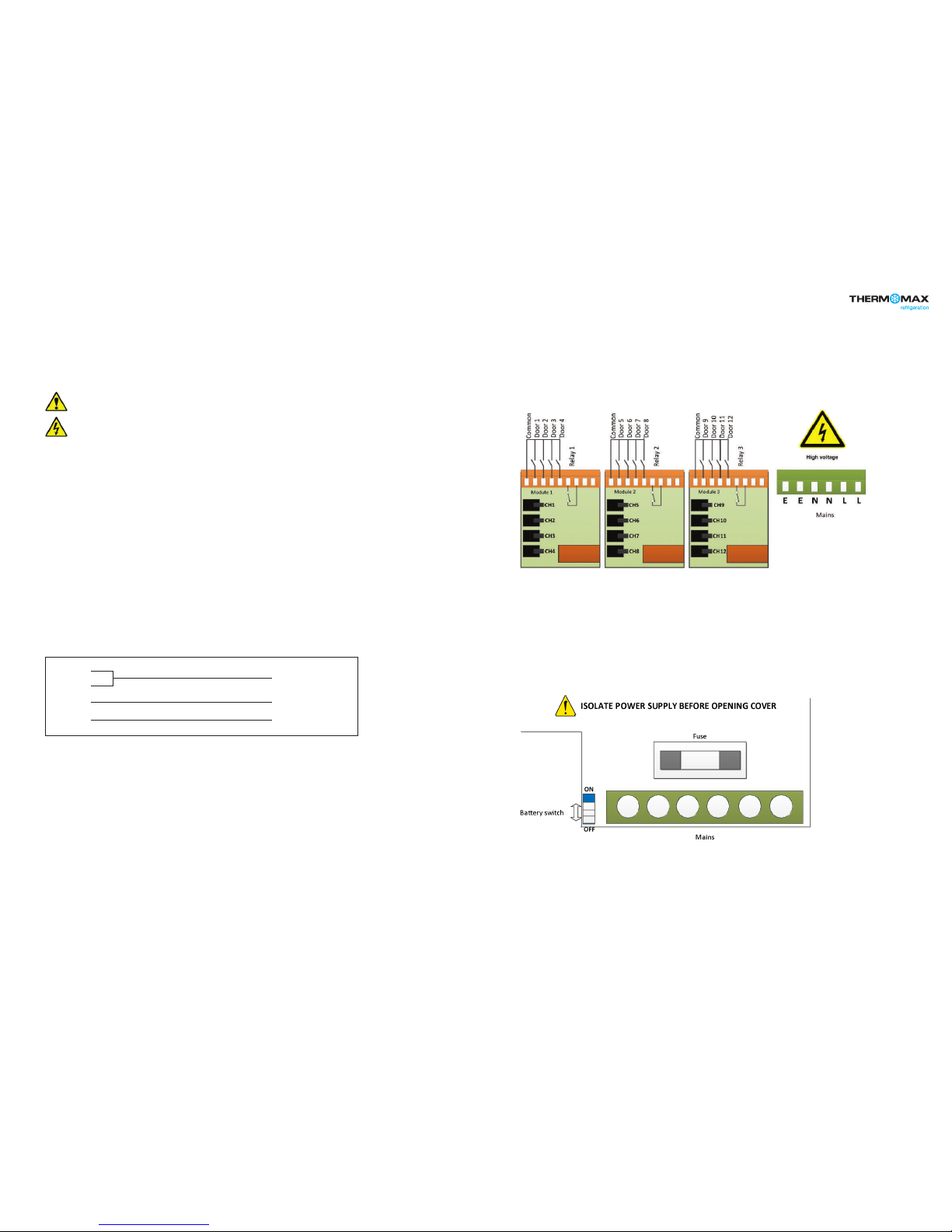
11. Connect the power supply cable and sensors
12. Tighten the cable glands
13. Mount the front lid
- An inlet or insulating liner with a smooth rounded opening
- A cord guard made from an insulating material should be firmly
attached to the device. The insulating material should extend
beyond the inlet by at least five times the overall diameter of
the cord with the largest cross-sectional area that can be
used to supply the device. Where the conductors are
connected inside the device, the cord anchorage will relieve
the conductors of the cord from excessive strain, this includes
twisting. The anchorage must also protect the insulation of
conductors from abrasion. The protective earth conductor
must be the last suffer from any strain in the event the cord
should slip in its anchorage. The anchorage must provide relief
from a pull force of 30 Newton and a twisting or torque force
of 0.10 Newton metres. Cord anchorage shall meet the
following requirements.
WARNING: TO PROTECT THE MAINS SUPPLY LEAD FROM ABRASION AND SHARP BENDS AT THE POINT WHERE
THE LEAD ENTERS THE DEVICE, ONE OF THE TWO FOLLOWING METHODS MUST BE EMPLOYED:
- A screw that comes into direct contact with the cord will not
be used to clamp down the cord.
- The cords will not have any knots tied in it.
- It will not be possible to push the cord into the device to such
an extent that it will cause a hazard.
- Should the cord insulation fail in an anchorage that has metal
parts, none of the exposed conductive material of the device
will become live.
- A compression bushing will not be used as cord anchorage
unless it is capable of accommodating all sizes and types of
mains supply cord that meet the requirements in point (2) and
are suitable for connection to the terminals of the device, or
the bushing has been designed to terminate a screened
mains supply cord.
- The cord anchorage will be designed in such a way that cord
replacement does not cause a hazard and will be clear how
strain relief is provided.
PANEL MOUNT (required panel mount kit)
1. Cut a hole in the panel with the described dimensions,
(see page 7)
2. Remove the Front Lid unscrewing two screws
3. Disconnect the modules
4. Separate the front cover by unscrewing two screws
5. Remove the required knock outs from Back Box for the cables
to pass through (always separate front cover before removing
the knock outs). Ethernet cable can be passed through the
hole which is under the label on the front cover (see picture
below)
6. Attach the Panel Mount Seal, ensure that it is on the right position
7. Insert the Back Box into the panel cut out
8. Attach the four Panel Mount Fixing Clips (supplied), to the four
studs at either side of the unit, (see page 7).
9. Tighten the four Panel Mount Fixing Screws
10. Insert the cable glands
11. Pass the cables through the glands
12. Mount the Front Cover on the Back Box
13. Insert the modules
14. Connect the power supply cable and sensors
15. Tighten the cable glands
16. Mount the front lid
Installation
296mm
50mm 50mm
169mm
177mm177mm 168mm 168mm
Right side view
Panel mount xing clip
Panel mount xing clip
Left side view
Panel mount xing clip
Panel mount xing clip
Panel mount
xing screw
Panel mount
xing screw
Panel mount
xing screw
Panel mount
xing screw
Area required to be cut out for panel mount