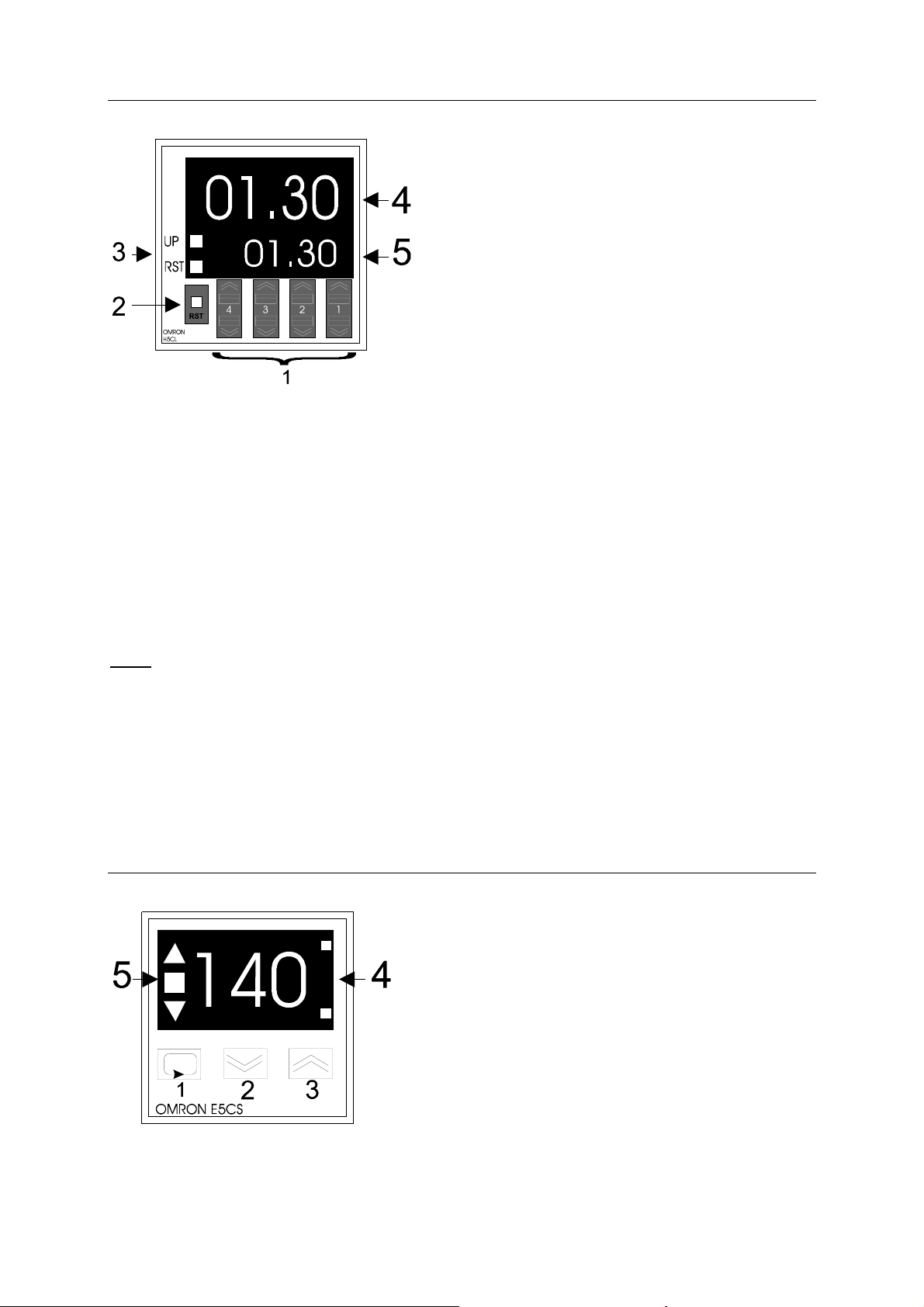
1 Temperature setting: press 1 , than 2 or 3 key to increase or decreased temperature
to be programmed.
2 Temperature decrease (press button 1 first )
3Temperature increase (press button 1 first )
4 The upper light on means that the heating elements of the corresponding platen are
working. The lower light is not used here. .
5Shows the temperature difference. The light is on when actual temperature is different
from programmed one.
PRESSURE SETTING
According to the material placed between the press platens, cooking pressure should be set
at the time of the first cycle.
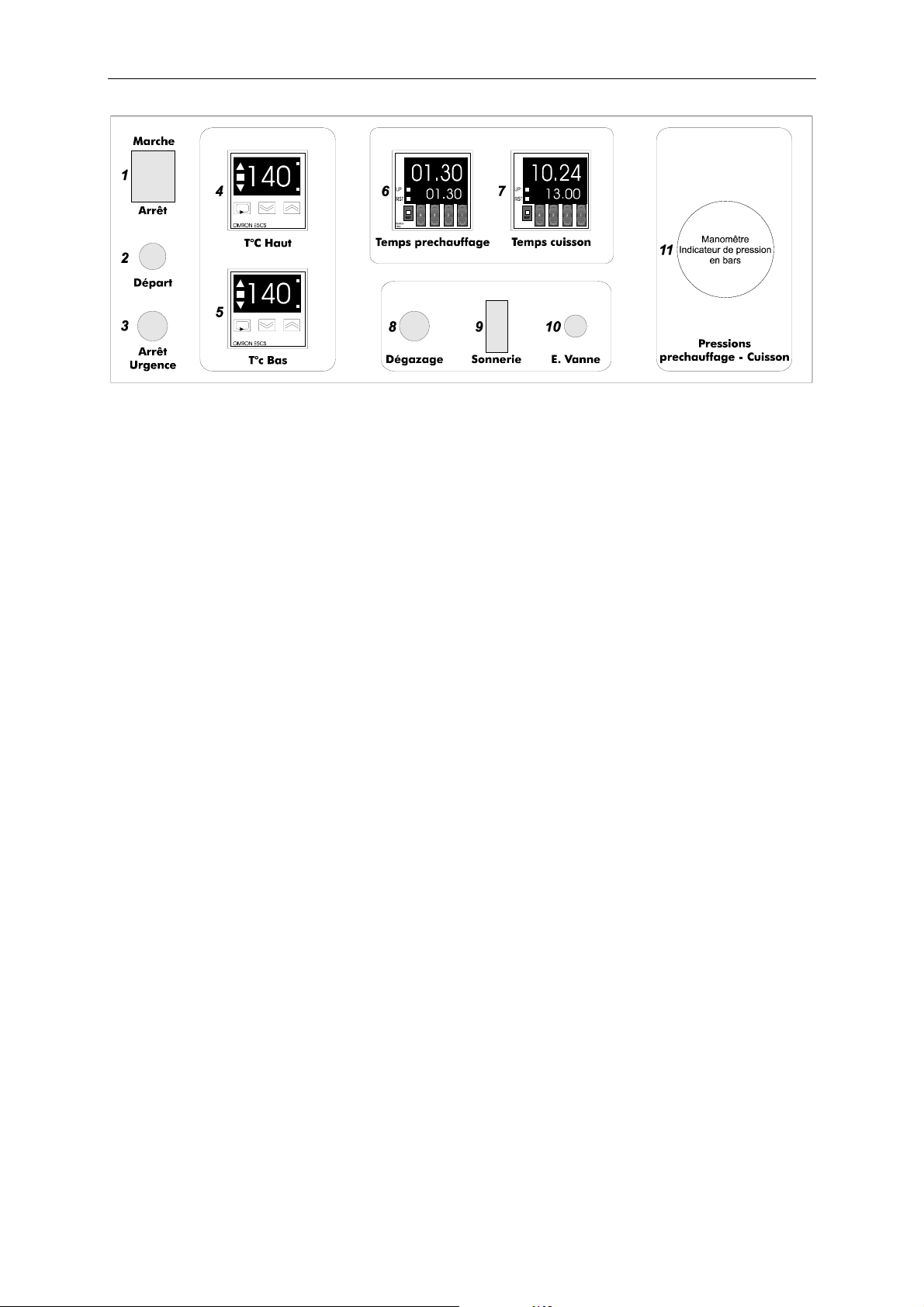
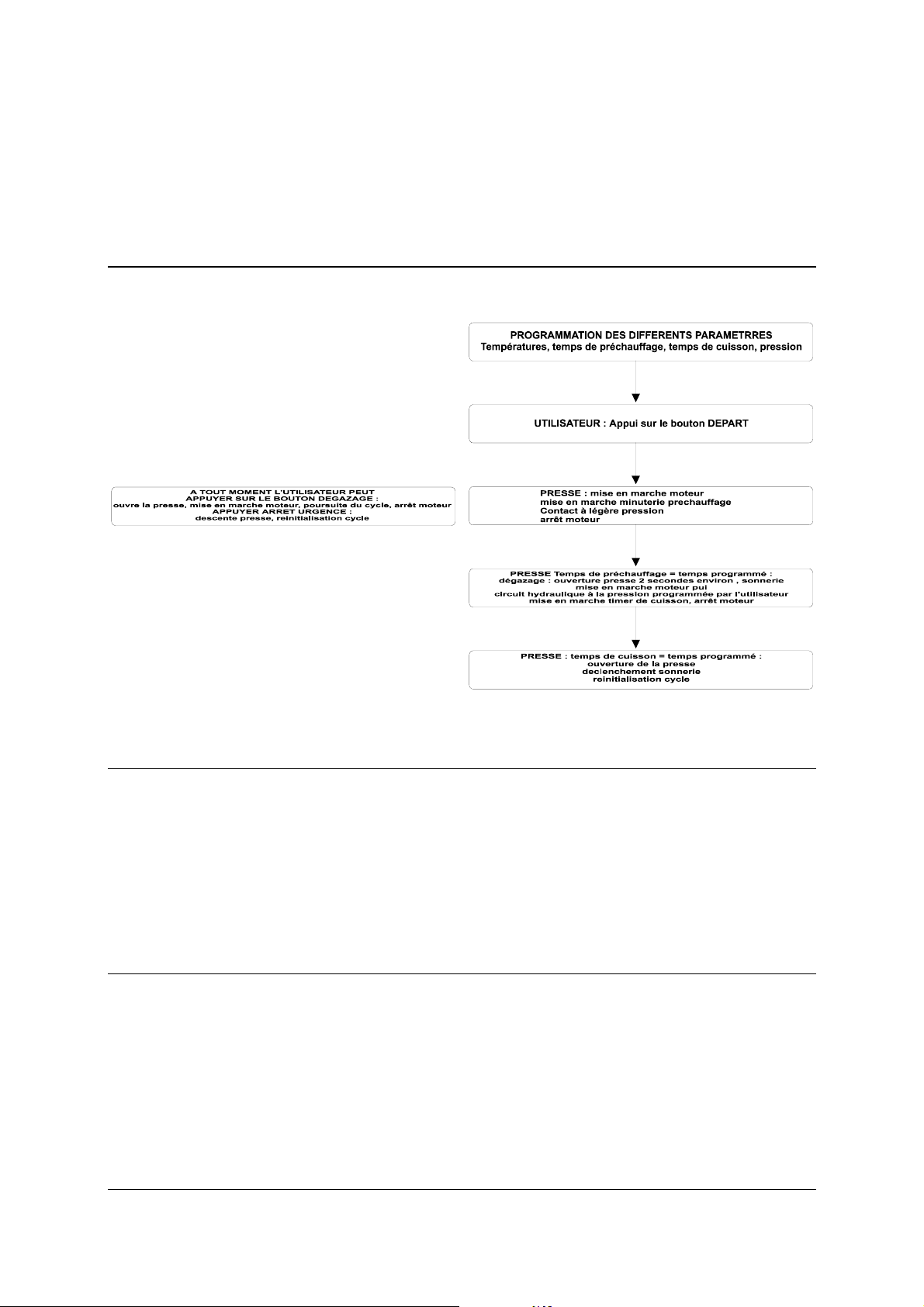
When the cycle is started (pushing « DEPART » switch), and when preheating is over, the
press opens for 2 seconds or so, then the motor starts and lifts the jack. Cooking timer is
started.
As long as the motor is running, pressure inside the hydraulic circuit can be changed by
means of the pressure control device, on the lower part of the machine. Pressure in bars is
shown by the manometer.
When motor stops, pressure is maintained inside the circuit (a very small decrease results of
material softening and circuit stabilization)
Should setting be improved, user can push « DEGAZAGE » switch, which opens the press,
re-engages motor and thus allow to set pressure.
Once the necessary pressure is set for the material to be processed, acting on the pressure
control device is not necessary. For each cooking cycle, pressure inside the hydraulic circuit
will come to the programmed value.
TO PRESS PHOTOPOLYMER PLATE INSIDE MATRIX BOARD
(see directions for use of the product)
1 Set preheating time to 1min 30s
Set cooking time to 13min
Set upper and lower platen temperatures to 140°C or 155 °C.
Check pressure value.
Switch on ringing
2Place matrix board and photopolymer plate between proper bearer bars inside the
press.
Push « DEPART » switch
3When the cycle is over, the press opens and rings during 20 sec or so.