56046902 7 © 2014 Telular Corporation
Note: Optimum performance can usually be found at the highest point within
a building with the fewest number of walls between the Telguard’s antenna
and the outside of the premises. Avoid mounting the Telguard’s antenna near
other electronic devices to avoid interference.
Step 3: Program, Activate & Transmit Alarms
When powered on, the Telguard will attempt to get provisioned by the CDMA
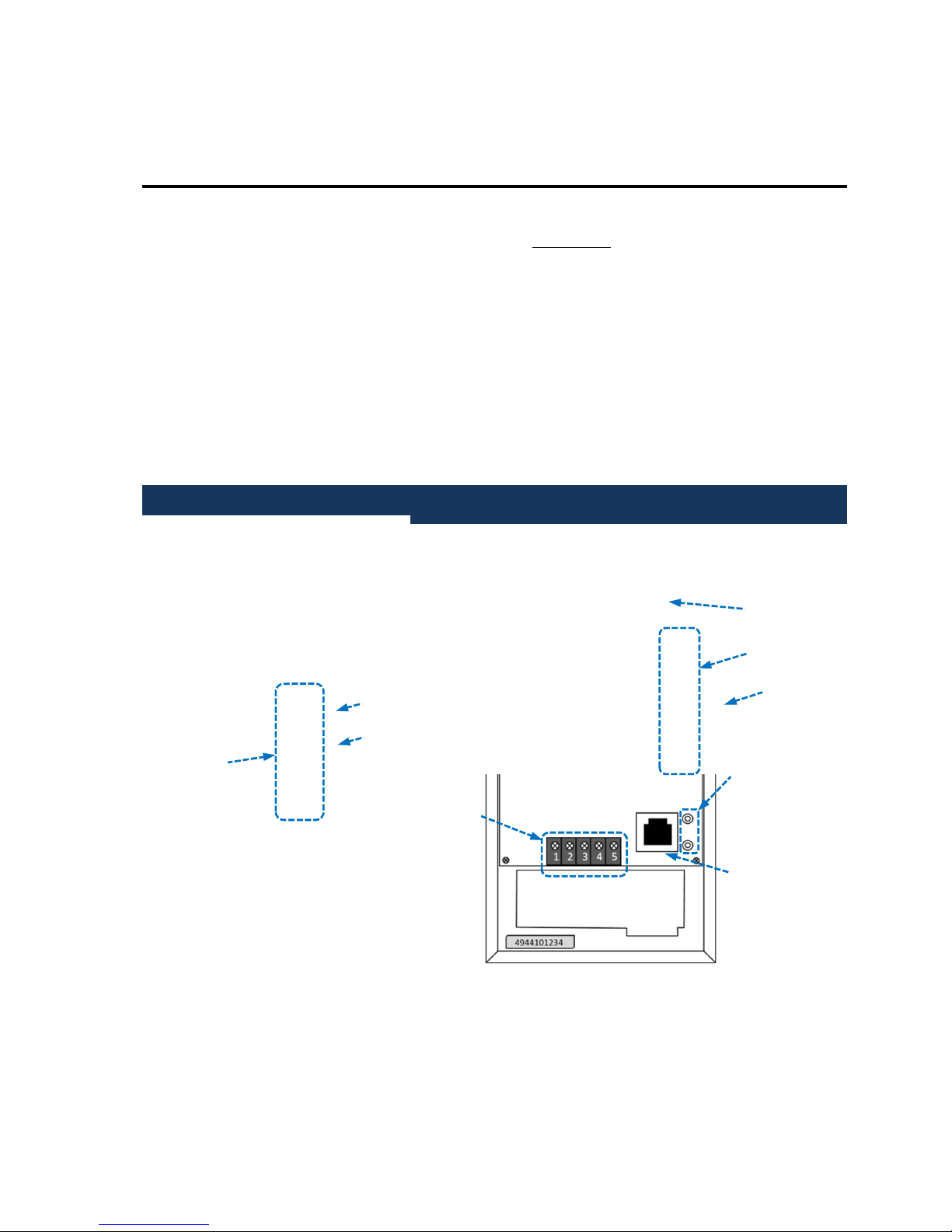
network. During this process, LED #5 will go into a fast flashing pattern, which could
last up to 60 seconds. Confirm the Telguard has been provisioned by the CDMA
network by verifying LED #5 is off. If instead of turning off, LED #5 begins to slow
flash, the provisioning process has failed.
Installation Tip: To reattempt the Cellular provisioning, press and hold the
RSSI button for five seconds until you see the fast flashing pattern on LED #5.
If the unit continues to fail provisioning, call Telguard Technical Support.
After the unit is provisioned by the Cellular network, it will be ready for activation.
From the panel, initiate a signal to be transmitted by the TG-1 Express CDMA. During
the processing of the first alarm signal the Telguard will transmit all of the necessary
parameters to the Telular Communication Center (TCC). Upon validation by the TCC,
the unit will activate. Once the unit activates it will begin operating in normal mode;
LED #1 will be on solid.
The first alarm is used only to activate the Telguard unit. The first alarm will NOT be
transmitted to the central station. Trip several alarms on the alarm panel and verify
that the central station received them by calling the central station operator.
Step 4: Connect the Supervisory Trip Output
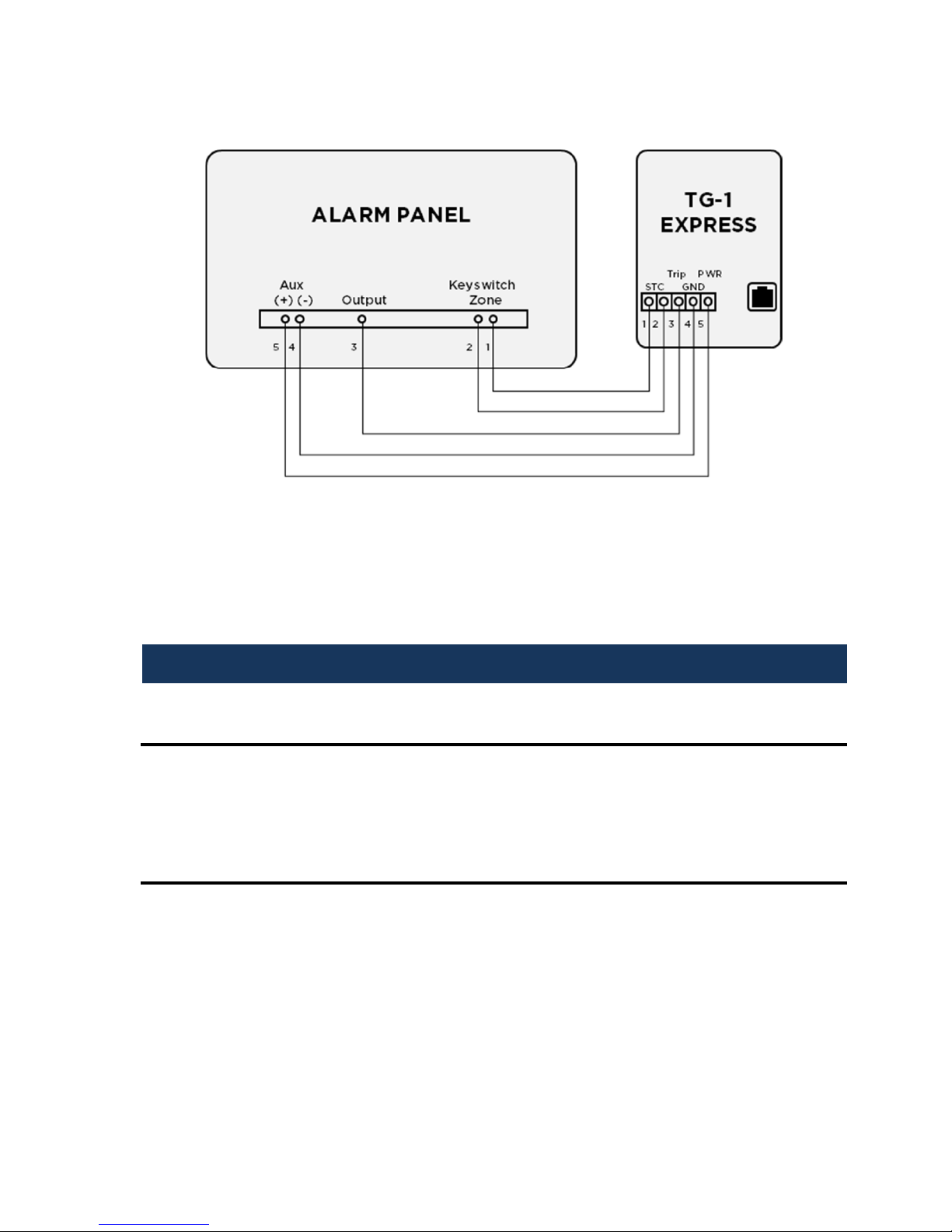
The Telguard provides the host alarm panel with one supervisory trip output for
reporting a Telguard system trouble code to the central station. The supervisory trip
outputs are programmable remotely via the www.telguardonline.com site or locally
with a butt-set.