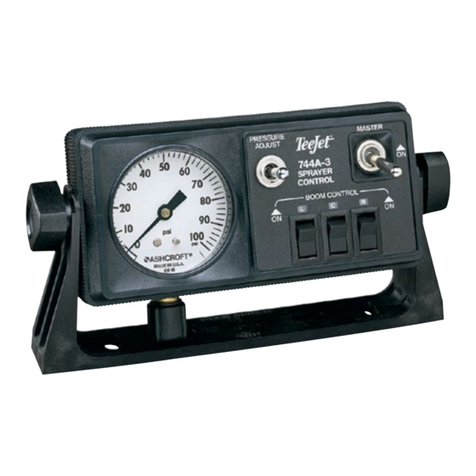
TeeJet DYNAJET FLEX 7140 Manuel utilisateur

DYNAJET®FLEX 7140
INSTALLATION, SETUP AND USER GUIDE
Software version 1.03
with Optional Dual Nozzle Mode

Copyrights
© 2019 TeeJet Technologies. All rights reserved. No part of this document or the computer programmes described in it may be reproduced,
copied, photocopied, translated, or reduced in any form or by any means, electronic or machine readable, recording or otherwise, without prior
written consent from TeeJet Technologies.
Trademarks
Unless otherwise noted, all other brand or product names are trademarks or registered trademarks of their respective companies or
organisations.
Limitation of Liability
TEEJET TECHNOLOGIES PROVIDES THIS MATERIAL “AS IS” WITHOUT WARRANTY OF ANY KIND, EITHER EXPRESSED OR IMPLIED.
NO COPYRIGHT LIABILITY OR PATENT IS ASSUMED. IN NO EVENT SHALL TEEJET TECHNOLOGIES BE LIABLE FOR ANY LOSS OF
BUSINESS, LOSS OF PROFIT, LOSS OF USE OR DATA, INTERRUPTION OF BUSINESS, OR FOR INDIRECT, SPECIAL, INCIDENTAL,
OR CONSEQUENTIAL DAMAGES OF ANY KIND, EVEN IF TEEJET TECHNOLOGIES HAS BEEN ADVISED OF SUCH DAMAGES ARISING
FROM TEEJET TECHNOLOGIES SOFTWARE.

APPENDIX
DynaJet®Flex 7140
OPERATION INITIAL STARTUPMENU OPTIONS INTRODUCTION
i
98-05345-EN R2
Table of Contents
IMPORTANT SAFETY INFORMATION III
GENERAL WARNINGS AND PRECAUTIONS III
CHAPTER 1 – INTRODUCTION & INSTALLATION 1
SYSTEM COMPONENTS 1
DynaJetFlex Console ...................................................................................................................................................................................1
Standard Installation System Components ..........................................................................................................................................2
INSTALLATION 4
CHAPTER 2 – INITIAL START-UP & CALIBRATIONS 5
NO. 1 BASIC SCREEN USE 5
NO. 2 SETUP UP MACHINE 6
NO. 3 SETUP UP AND SELECT NOZZLE 6
NO. 4 GET TO KNOW THE CONTROL MODES 7
NO. 5 PREFORM SYSTEM FUNCTIONAL TEST 8
NO. 6 CALIBRATE THE RATE CONTROLLER REGULATION 8
NO. 7 CALIBRATE THE DYNAJETFLEX SYSTEM 9
CHAPTER 3 – OPERATION 11
Screen Indicators ......................................................................................................................................................................................... 11
WORK MODES 12
Nozzle Mode (Pressure)............................................................................................................................................................................. 12
Manual Mode (PWM).................................................................................................................................................................................. 12
NOZZLE MODES 13
Dual/Single Nozzle Mode ......................................................................................................................................................................... 13
Single Nozzle Mode .................................................................................................................................................................................... 13
CONTROL ERRORS & ALERTS 14
CHAPTER 4 – MENU OPTIONS 15
FAVOURITES 15
MAIN SETUP 16
NOZZLE SELECTION 18
DIAGNOSTICS 18
Driver and Nozzle Information ............................................................................................................................................................... 20
Error Warnings .............................................................................................................................................................................................. 20

DynaJet®Flex 7140
OPERATIONINITIAL STARTUP MENU OPTIONSINTRODUCTION APPENDIX
ii www.teejet.com
SETUP OPTIONS FOR SOFTWARE V1.03 22
USER SETTINGS............................................................................................................................................................................................. 22
OEM .................................................................................................................................................................................................................. 22
APPENDIX A – E-CHEMSAVER® MAINTENANCE INSTRUCTIONS 23
55295 E-CHEMSAVER® 23
General disassembly and reassembly.................................................................................................................................................. 23
115880 E-CHEMSAVER® 24
General Disassembly and Reassembly................................................................................................................................................. 24
APPENDIX B – DYNAJET APPLICATION CHARTS 25
DYNAJETFLEX NOZZLE SELECTION 25
Application Rates Available at Given Speed and Nozzle Capacity ............................................................................................ 27
Application Rates Available at Given Speed and Tip Capacity.................................................................................................... 29
Speed Range Available at Given Nozzle Size and Application Rate.......................................................................................... 31
Speed Range Available at Given Tip Size and Application Rate ................................................................................................. 33

TeeJet®Technologies
98-01556-EN R0
IMPORTANT SAFETY INFORMATION
All safety related and operating instructions should be read before the system is operated. Safe operation of machinery is the operators
responsibility. Safety procedures must be posted close to the equipment and clearly visible to and legible by the operator. Safety
procedures should meet all company and local regulations, as well as MSDS-requirements. For assistance, contact a local dealer.
Safety Alert Symbol Definitions:
DANGER! This symbol is reserved for the most extreme situations where serious personal injury or death is imminent.
WARNING! This symbol indicates a hazardous situation that could result in serious personal injury or death.
CAUTION! This symbol indicates a hazardous situation that could result in minor or moderate personal injury.
NOTE: This symbol addresses practices in which the operator should be aware.
GENERAL WARNINGS AND PRECAUTIONS
DANGER!
• Read and follow instructions. If instructions are unclear after reading the manual, please contact a local dealer.
• Keep children away from equipment.
• Do not operate machinery under the inuence of alcohol or any illegal substance.
• Some systems include a fan heater. Never cover the heater otherwise there will be a serious danger of re!
WARNING! ELECTRICAL / SHOCK HAZARDS
• Before working on any particular component, make sure that all power supplies have been switched off and cannot
be accidentally switched on.
• Disconnect power leads before using an arc welder on equipment or anything connected to the equpment.
• Systems including frequency drives have a risk of electric shock due to residual voltage. It is not permissible to open
the equipment neither to disconnect the system or any quick connection until 5 minutes after the power has been
removed.
• Only operate the system from the power source indicated in the manual. If you are not sure of the power source,
consult qualied service personnel.
• Do not use a high pressure cleaner to clean electrical components. This could damage electrical components and
subject the operator to risk of electrical shock.
• The electrical supply to the equipment must be properly routed and connected to the equipment. All connections
must meet the specied requirements.

TeeJet®Technologies
www.teejet.com
WARNING! PRESSURISED HYDRAULIC SYSTEMS
• Always wear personal protective equipment (PPE) when performing work on hydraulic systems.
• Adhere to the machine manufacture’s approved maintenance instructions when working on the hydraulic system.
• Always turn equipment off when working on the hydraulic system. Take appropriate precautions when opening
systems that have been previously pressurised.
• Be aware that hydraulic oil may be extremely hot and under high pressure.
WARNING! CHEMICAL HANDLING
• Always wear PPE when handling any chemical substance.
• Always follow safety labels and instructions provided by the chemical manufacturer or supplier.
• The operator should have full information on the nature and the quantity of the material to be distributed.
• ADHERE TO FEDERAL, STATE AND LOCAL REGULATIONS REGARDING THE HANDLING, USE OR
DISPOSAL OF AGRICULTURAL CHEMICALS.
WARNING! PRESSURISED SPRAY SYSTEM
• It is important to recognise proper safety precautions when using a pressurised spray system. Fluids under pressure
can penetrate skin and cause serious personal injury.
• The system pressure should never exceed the lowest rated component. Always know your system and all
component capabilities, maximum pressures and ow rates.
• Filters can only be opened when the manual valves in front of and behind the lter are in closed position. If any
appliance has to be taken out of the piping, manual valves in front of and behind this appliance have to be in closed
position. If they are reinstalled, make sure that this happens correctly, that this apparatus is well aligned, and that all
connections are tight.
• The plumbing supply to the equipment should meet all company and local regulations and must be properly routed
and connected to the equipment. All connections must meet the specied requirements
• It is advised to drain and purge the liquid train when the equipment shall not be used for a longer period of time.
WARNING! AUTO STEERING SAFETY
• To prevent serious personal injury or death from being run over by the vehicle or automated motion of the steering
system, never leave the vehicles operator seat with the system engaged.
• To prevent serious personal injury or death from being run over by the vehicle or automated motion of the steering
system, verify the area around the vehicle is clear of people or obstacles before startup, calibration, tuning or
engaging the system.
• Make sure equipment is tightly secured to the proper components.
• Never drive on public roads with system engaged.
CAUTION! EQUIPMENT SAFETY, MAINTENANCE, AND SERVICE
• The equipment should be operated only by properly trained, qualied personnel. They must have proven their skills
in the operation of the equipment.
• Before using the equipment, the operator has to check if the equipment is in good condition and can be used safely.
If not, the equipment cannot be used.
• All necessary PPE must be readily available to the operator at all times.
• Routinely check the system and components for wear and damage. Replace or repair when necessary.
• Only qualied authorised experts are allowed to repair or maintain the installation. The maintenance and operating
instructions shall be rigidly observed and followed.
• A complete manual for the equipment must be available to the operator or maintenance technician at all times.

TeeJet®Technologies
98-01556-EN R0
CAUTION! HARNESS CABLE AND HOSE SAFETY
• Routinely check all harness cables and hoses for damage or wear. Replace or repair when necessary.
• Do not route harness cables and hoses with sharp bends.
• Do not strap harness cables and hoses to lines with high vibration or spikes in pressure.
• Do not strap harness cables and hoses to lines transporting hot uids.
• Protect harness cables and hoses from sharp objects, equipment debris, and material buildup.
• Allow sufcient length for harness cables and hoses to have free movement on sections that move during operation,
and be sure that harness cables or hoses do not hang below the equipment.
• Allow sufcient clearance for harness cables and hoses from implement and machine operational zones.
• When cleaning equipment, protect harness cables from high pressure wash.
NOTE: TOUCH SCREEN CARE
• Keep sharp objects away from the touch screen device. Touching the screen with a sharp object could result in
damage to the display.
• Do not use harsh chemicals to clean the console/display. The correct way to clean a console/display is to use a soft
damp cloth or anti-static wipe, similar to cleaning a monitor on a computer.
NOTE: RECOMMENDED REPLACEMENT PARTS
• The system has been designed with components that work together to provide the best system performance. When
the system requires replacement parts, only TeeJet recommended components should be use to maintain proper
system operation and safety.


APPENDIX
DynaJet®Flex 7140
OPERATION INITIAL STARTUPMENU OPTIONS
1
98-05345-EN R2
INTRODUCTION
CHAPTER 1 – INTRODUCTION & INSTALLATION
The DynaJet Flex controller works in conjunction with an existing rate controller that regulates ow via a control valve or pump regulation
to achieve a target application rate while maintaining target droplet size(s) when a speed change occurs. This system only works
with automatic rate controllers that use ow based monitoring systems and not pressure based monitoring systems. Automatic rate
controllers equipped for both ow and pressure based control should have the pressure-based system disabled to work in conjunction
with DynaJet Flex.
The independent automatic rate controller loop performs the same as it would if the DynaJet Flex controller were not present. The
DynaJet Flex controller changes ow output to each individual nozzle based upon input provided from the operator about the optimum
droplet size (pressure) for the application.
SYSTEM COMPONENTS
DynaJetFlex Console
The DynaJet Flex console is designed to provide years of service under typical agricultural and turf operating conditions. A tight tting
enclosure means that typical dusty environments will not cause operational problems. While occasional splashing of water will not
damage the unit, the DynaJet Flex console is not designed for direct exposure to rain. Take care not to operate the DynaJet Flex console
in wet conditions.
Figure 1-1: DynaJet Flex 7140 Console Front and Back
to DynaJet Flex Interface
Harness Connection
Power Switch
USB Port
Standard RAM Bracket
Bright Touch Screen

DynaJet®Flex 7140
OPERATIONINITIAL STARTUP MENU OPTIONS APPENDIX
2www.teejet.com
INTRODUCTION
Standard Installation System Components
Item Part # Description Illustration
A90-02887 DynaJet Flex 7140 console
B45-05900: 5' / 1.5 m
45-05901: 10' / 3 m
45-05902: 20' / 6 m
45-05903: 40' / 12 m
Console extension cable
C45-10193 DynaJet Flex interface harness
D78-05123 DynaJet Flex interface
E45-04006-03: 3' / 1 m
45-04006-07: 7' / 2 m
45-04006-13: 13' / 4 m
45-04006-20: 20' / 6 m
CAN extension cable
F78-05124 DynaJet Flex driver
G16-05015 Pressure sensor
H45-10178 to IC18
45-10179 to Raven 440
45-10181 to Raven Envizio
45-10186 to 15 Section Boom Harness
Boom harness
I45-05855 CAN terminator-START
J45-05856 CAN terminator-END
K45-05887: 3' / 1 m
45-05886: 25' / 7.6 m
Pressure sensor cable
L45-04005-06-20: 6 nozzle, 20" / 50 cm spacing
45-04005-06-20-END: 6 nozzle, 20" / 50 cm spacing w/termination
45-04005-06-20-START: 6 nozzle, 20" / 50 cm spacing w/termination
45-04005-08-20: 8 nozzle, 20" / 50 cm spacing
45-04005-08-20-END: 8 nozzle, 20" / 50 cm spacing w/termination
45-04005-08-20-START: 8 nozzle, 20" / 50 cm spacing w/termination
Driver harness
M45-04001-40: 40" / 1 m
45-04001-80: 80" / 2 m
Nozzle extension
Table des matières
Autres manuels TeeJet Système de contrôle