-
contents
Table of contents
Chapter 1 Introduction to TSR2900-10 ............................................................................................................1
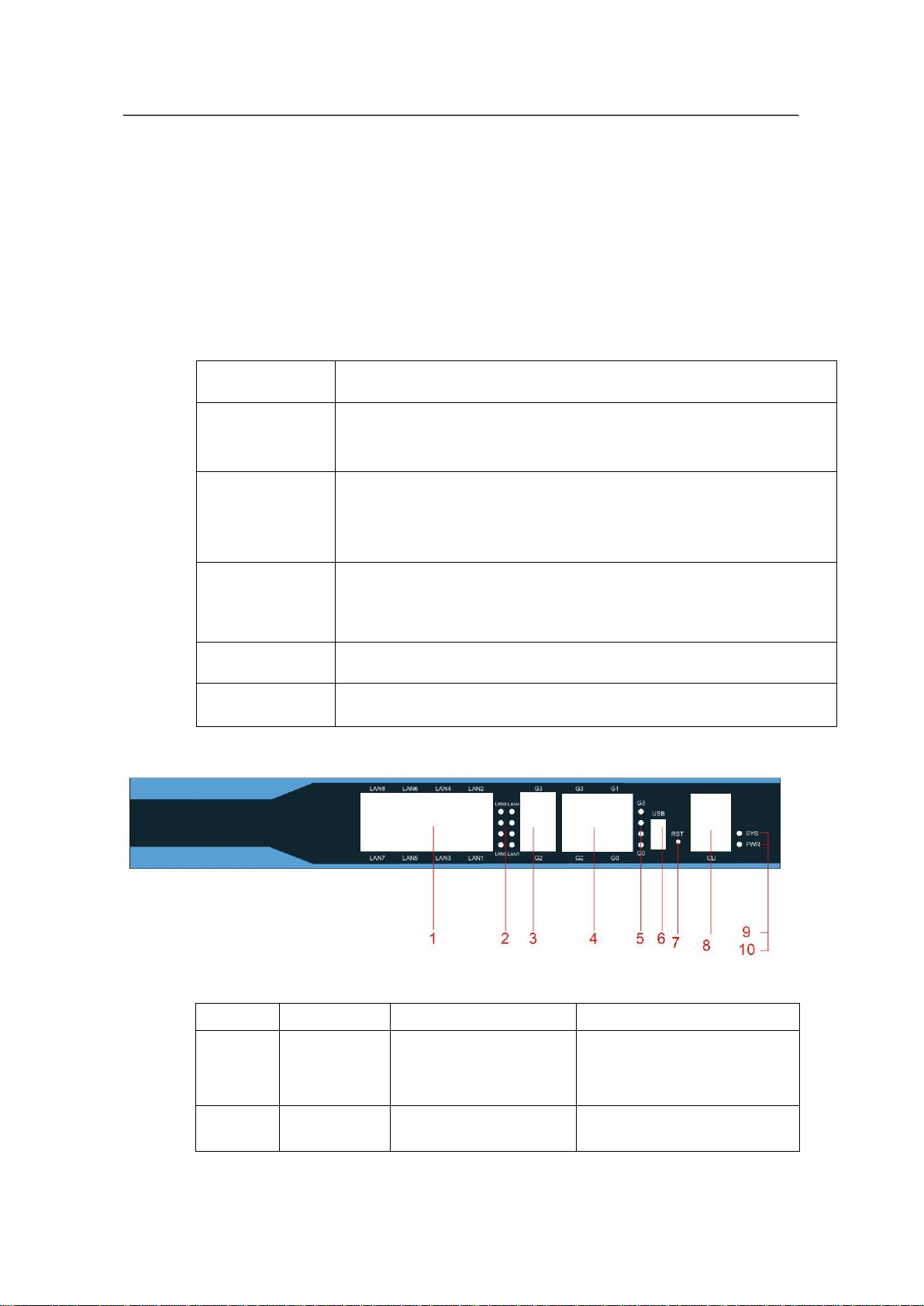
1.1 Appearance Description for Standard Configuration .........................................................................1
1.2 Systematic Characteristic Parameters.................................................................................................3
1.3 ROHS Description..............................................................................................................................4
Chapter 2 Installation Preparation ....................................................................................................................4
2.1 Caution of Usage................................................................................................................................4
2.2 Safety Advice .....................................................................................................................................5
2.3 Requirements for Common Locations................................................................................................6
2.3.1 Environment.......................................................................................................................6
2.3.2 Location Configuration Prevention....................................................................................6
2.3.3 Cabinet Configuration........................................................................................................6
2.3.4 Power Requirements ..........................................................................................................7
2.4 Installation Tools and Device.............................................................................................................7
Chapter 3 Installing TSR2900-10.....................................................................................................................7
3.1 Installation Flow of TSR2900-10.......................................................................................................8
3.2 Installing the Machine Box of the Router ..........................................................................................8
3.2.1 Installing the Machine Box on the Desk.................................................................................8
3.2.2 Installing the Machine Box on the Cabinet.............................................................................8
3.3 Connecting the Port............................................................................................................................9
3.3.1 Connecting the Console Port ..................................................................................................9
3.3.2 Connecting Gigabit Ethernet Ports .......................................................................................11
3.3.3 Connecting Gigabit Ethernet SFP Ports................................................................................12
3.3.4 Connecting the USB port......................................................................................................13
Chapter 4 Maintaining Router ........................................................................................................................13
4.1 Opening the Machine Box................................................................................................................13
4.2 Closing the Machine Box.................................................................................................................14
Chapter 5 Hardware Fault Analysis................................................................................................................15
5.1 Fault Separation................................................................................................................................15
5.1.1 Faults Relative with Power and Cooling System..................................................................15
5.1.2 Faults Relative with Port, Cable and Connection .................................................................15
5.2 Indicator Description........................................................................................................................15
I