
Techlogix TL-FO-USB3-01 Manuel utilisateur
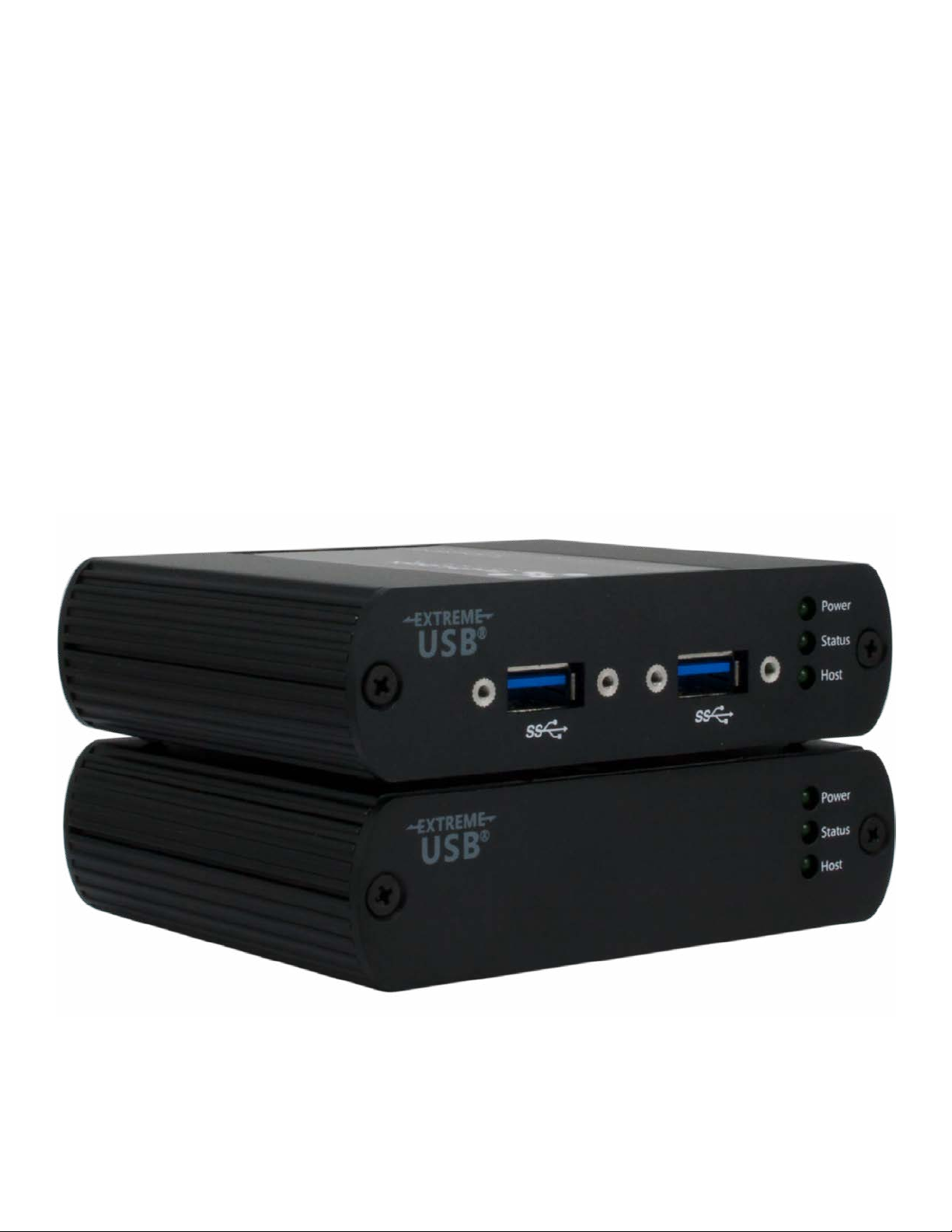
TL-FO-USB3-01
USB 3.0 Over Fiber Opc Extender
User Guide

2
Thank you for purchasing the TechLogix TL-FO-USB3-01.
Please read this guide thoroughly.
FCC Radio Frequency Interference Statement Warning
This device complies with Part 15 of the FCC rules. Operaon is subject to the following two condions:
(1) this device may not cause harmful interference, and (2) this device must accept any interference received
including interference that may cause undesired operaon.
CE Statement
We, TechLogix Networx, LLC, declare under our sole responsibility that the TechLogix TL-FO-USB3-01, to which
this declaraon relates, is in conformity with European Standard EN 55022, EN 61000 and EN 55024.
IC Statement
This Class B digital apparatus complies with Canadian ICES-003.
WEEE Statement
The European Union has established regulaons for the collecon and recycling of all waste electrical and
electronic equipment (WEEE). Implementaon of WEEE regulaons may vary slightly by individual EU member
states. Please check with your Host and state government guidelines for safe disposal and recycling or contact
your naonal WEEE recycling agency for more informaon.
Product Operaon and Storage
Please read and follow all instrucons provided with this product, and operate for intended use only.
Do not aempt to open the product casing as this may cause damage and will void warranty. Use only the power
supply provided with this product. When not in use, product should be stored in a dry locaon between -20°C
and 70°C.

3
Contents
Introducon..................................................................................................................................................................................... 4
TL-FO-USB3-01 Product Contents ..........................................................................................................................................4
About the TechLogix TL-FO-USB3-01......................................................................................................................................4
Device Overview............................................................................................................................................................................. 5
Host Extender ..............................................................................................................................................................................5
Client Extender ............................................................................................................................................................................ 6
Installaon Guide ........................................................................................................................................................................... 7
Example Applicaon ...................................................................................................................................................................7
Requirements ...............................................................................................................................................................................7
Fiber Opc Link Cabling .............................................................................................................................................................7
Installing the TL-FO-USB3-01 System .....................................................................................................................................8
Preparing Your Site ........................................................................................................................................................... 8
Preparing Your Computer................................................................................................................................................ 8
Windows (7/8/8.1/10).................................................................................................................................................... 8
OS X/macOS................................................................................................................................................................... 10
Linux (Ubuntu 14.04).................................................................................................................................................... 11
Install Device and Drivers on Host PC.......................................................................................................................12
Windows (7/8/8.1/10)................................................................................................................................................. 12
OS X/macOS................................................................................................................................................................... 12
Linux (Ubuntu 14.04).................................................................................................................................................... 12
Install the Host Extender Unit......................................................................................................................................12
Install the Client Extender Unit....................................................................................................................................13
Compability............................................................................................................................................................................. 13
Checking the Installaon......................................................................................................................................................... 14
Windows (7/8/8.1/10) ..................................................................................................................................................14
OS X/macOS ....................................................................................................................................................................15
Linux (Ubuntu 14.04) .....................................................................................................................................................15
USB Extender Mounng...........................................................................................................................................................16
Troubleshoong ............................................................................................................................................................................17
Specicaons ................................................................................................................................................................................ 19
Technical Glossary........................................................................................................................................................................ 20
USB Cables ................................................................................................................................................................................ 20
Duplex LC Crossover ................................................................................................................................................................ 20

4
Introducon
This guide provides product informaon for the TL-FO-USB3-01, installaon instrucons, and troubleshoong
guidelines.
The instrucons in this guide assume a general knowledge of computer installaon procedures, familiarity with
cabling requirements, and some understanding of USB devices.
Your TL-FO-USB3-01 is packaged with:
• Host Extender
• Client Extender
• Client Extender Locking AC power adapter
• USB 3.0 cable
• Country specic power cable
• Quick Start Guide
The TL-FO-USB3-01 includes the ExtremeUSB® suite of features:
• Transparent USB extension
• True plug and play; no soware drivers required
• Works with all major operang systems: Windows®, OS X®, and Linux®
The TL-FO-USB3-01 incorporates Icron’s patented ExtremeUSB® technology, enabling users to extend beyond
the approximate 3m cable limit for USB 3.0 peripheral devices. With the TL-FO-USB3-01, USB 3.0 devices can be
located up to 100 meters from the computer. This extender system is composed of two individual units: the Host
Extender unit and the Client Extender unit.
TL-FO-USB3-01 Product Contents
About the TechLogix TL-FO-USB3-01
NOTE: Notes provide addional informaon that could be useful.
CAUTION: Cauons provide important informaon about an operaonal requirement.
CAUTION: The TL-FO-USB3-01 supports only USB 3.0 devices. USB 2.0 and 1.1 devices will not
funcon with this extender.

5
Device Overview
Host Extender
Power
Status
Host
1
2
3
54
Front
Rear
Item Type Descripon
1
Power ON Unit is powered properly.
Power OFF Unit is not powered or not powered properly.
2
Status Blinking Waing for connecon to Remote Extender.
Status ON Local/Remote Extender are linked and operang normally.
Status OFF Fault detected; power cycle required.
3
Host ON SuperSpeed Host detected on upstream facing port.
Host OFF SuperSpeed Host not detected.
Host Blinking SuperSpeed Host is suspended.
4USB 3.0 Type B port
Used to connect the Host Extender to the host computer. Port accepts locking or
non-locking USB 3.0 Type B connectors. (Read the message on the white scker
and remove scker from the back of Local Extender before usage.)
5Link Port (Duplex LC) Extension link Duplex LC ber opc transceiver port.

6
Client Extender
1
2
3
65
4 4
Front
Rear
Power
Status
Host
24V 1A
Item Type Descripon
1 USB 3.0 Type A ports Used to connect USB 3.0 device(s) to the Client Extender unit. Ports accept locking
or non-locking USB 3.0 Type A connectors.
2
Power ON Unit is powered properly.
Power OFF Unit is not powered or not powered properly.
3
Status Blinking Waing for connecon to Local Extender.
Status ON Local/Remote Extender are linked and operang normally.
Status OFF Fault detected; power cycle required.
4
Host ON SuperSpeed Host detected on upstream facing port.
Host OFF SuperSpeed Host not detected.
Host Blinking SuperSpeed Host is suspended.
5 Power Port Connects to the locking AC power supply. Required on Client Extender for proper
operaon.
6 Link Port (Duplex LC) Extension link Duplex LC f iber opc transceiver port.

7
Installaon Guide
Example Applicaon
Requirements
Fiber Opc Link Cabling
USB 3.0 Cameras
Client Extender
Assembly Line
Computer & Monitor
USB 3.0 up to 100m
over mulmode fiber
Host Extender
To complete installaon of the TL-FO-USB3-01, you will also require the following items that are not included
with the product:
• USB 3.0 compable computer (host computer) with a USB 3.0 compliant operang system
• USB 3.0 compable device
• 2-strand 50/125μm mulmode (MMF) ber opc cable with Duplex LC connectors
The Host and Clent Extender units are interconnected by ber opc cabling. This cabling must be:
• 50/125μm mulmode ber (MMF)
• Terminated with Duplex LC connectors
The following maximum distances are achievable depending upon the applicaon and cabling standard:
Mulmode
Fiber Class Cameras Storage
OM2 50m 50m
OM3 100m 50m
If premise cabling will be used for the installaon, then the distances provided above must be met when measuring
from the Host to the Client Extender unit, inclusive of the premise cabling and the patch cables. All cables must
meet the rangs specied. Patch cables must be terminated with Duplex LC connectors.
Up to 50m with USB 3.0 storage type devices and up to 100m is achievable when
using USB 3.0 bulk trac cameras. For Microso Kinect applicaons, please use an
acve extension cable.

8
Installing the TL-FO-USB3-01 System
Preparing Your Site
Preparing Your Computer
Windows (7/8/8.1/10)
Before you can install the TL-FO-USB3-01, you need to prepare your site:
1. Determine where the computer is to be located and set up the computer.
2. Determine where you want to locate the USB device(s).
3. Ensure ber opc cabling is in place, prepared, properly terminated, and within the maximum distances as
dened for the cabling standard used.
1. Open Control Panel.
2. Open Power Opons.
The TL-FO-USB3-01 does not support suspend modes of operaon. As such, your computer should be congured
to not go into “suspend mode” or to “suspend” the USB ports. Please refer to the instrucons for your operang
system listed below.

9
3. Click on Change Plan Sengs.
4. Select “Never” for “Put the computer to sleep” for all the conguraons presented.
5. Click Change advanced power sengs.
6. Expand “USB sengs”
7. Expand “USB selecve suspend seng”
8. Select “Disabled”.

10
OS X/macOS
1. Open System Preferences.
2. Select Energy Saver.
3. For both Baery and Power Adapter power sengs, move slider bar to “Never” for “Computer Sleep”.
Table des matières
Autres manuels Techlogix Extenseur

Techlogix
Techlogix TTL-TP50-HDIR Manuel utilisateur

Techlogix
Techlogix TL-FO-USB3-02 Manuel utilisateur

Techlogix
Techlogix TL-TP100-HDC2 Manuel utilisateur

Techlogix
Techlogix TL-TP40-HDC2 Manuel utilisateur

Techlogix
Techlogix TL-TP70-HDC Manuel utilisateur

Techlogix
Techlogix TL-TP100-HDC Manuel utilisateur

Techlogix
Techlogix TL-TP70-HD2ARC Manuel utilisateur

Techlogix
Techlogix TL-TP50-HDIR Manuel utilisateur

Techlogix
Techlogix TL-FO-HD Manuel utilisateur

Techlogix
Techlogix TL-FO2-HDC Manuel utilisateur


