5
2) Powering OFF
Press and hold button until the LED is off, indicating that the detector has been
turned off.
3) Alarm Function
When we turn on the detector, move the detector. When the detector is close to the
metal target, the buzzer will start to sound, and the detector will start to vibrate. The
closer the detector is to the target, the higher the frequency of the buzzer and vibration.
The detector has two alarm devices, a buzzer and vibration, we can choose the alarm
method.
•After booting, the default alarm mode of the system is vibration plus buzzer
alarm.
•Press and release the button . The detector vibrates, and the detector
alarm mode becomes a vibration alarm.
•Press button again, the buzzer will sound, and the detector alarm mode
will change to buzzer alarm.
•Press button again, the buzzer will make a sound, and the device will
vibrate. At this time, the alarm mode is the way the buzzer is added to the
vibration, and so on.
4) Low battery alarm
When the detector is depleted, the detector will give a two-tone alarm to remind you
that you need to replace the battery. You will need to replace the battery as soon as you
hear this alert.
5) Battery Replacement
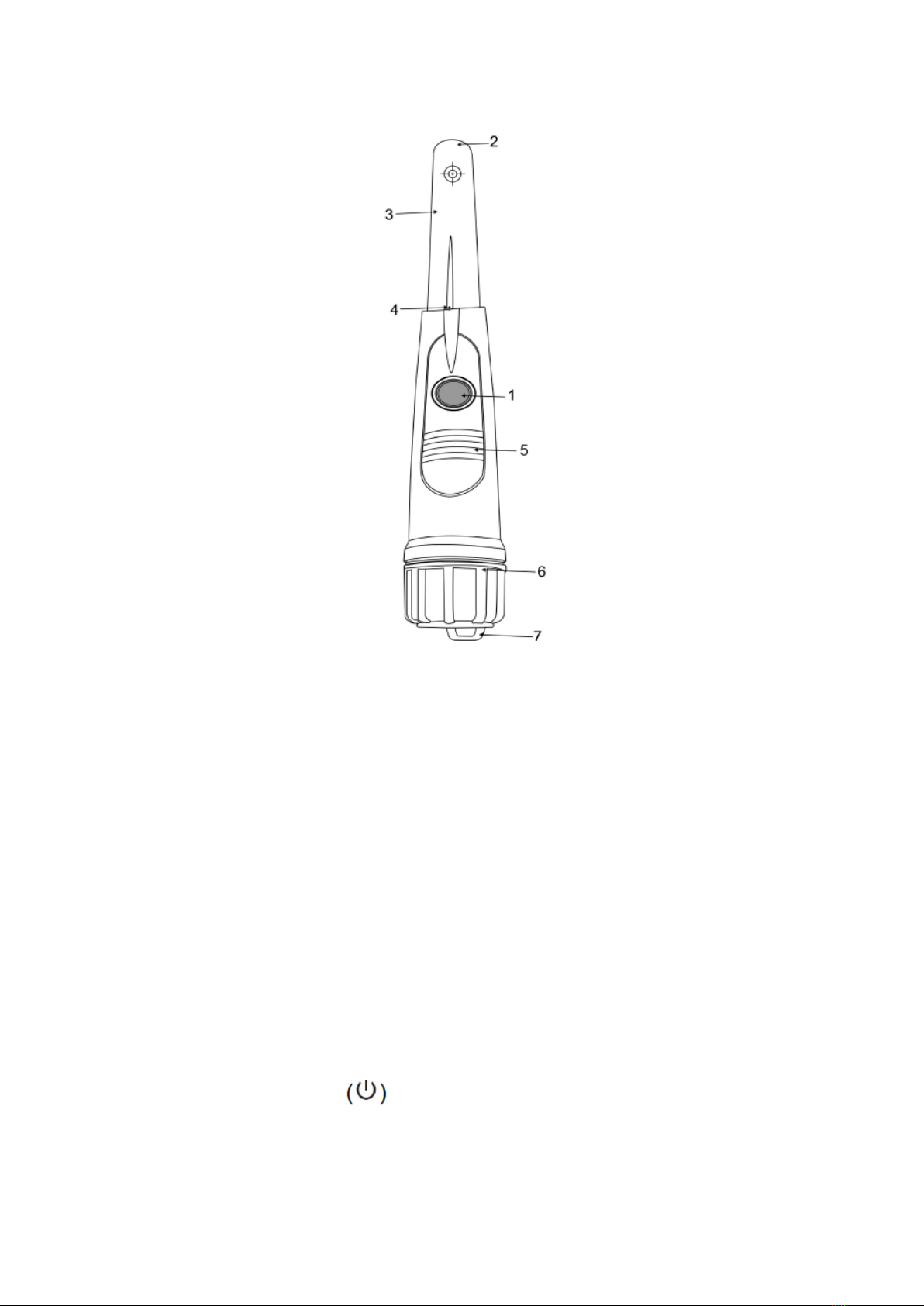
When it is necessary to replace the battery, we only need to twist the battery cover
counter clockwise to open the battery compartment, then remove the battery and load
the new battery. A 9V battery. When loading, you need to pay attention to the positive
and negative poles of the battery. The judgment of the positive and negative electrodes
of the battery needs to be determined by the size of the hole in the battery
compartment. After the battery is installed, tighten the battery cover clockwise.
NOTE: When you do not use the instrument for a long time, please take out the battery
to avoid the battery corrosion of the instrument host.