If SJ2 is closed, be careful about powering up the Servo Trigger when
the input is not connected to anything. When the input is floating, it
can randomly jump between active and inactive and may cause the
motor to behave unpredictably.
A note about nomenclature: since the input polarity can be swapped, it can
be hard to talk about – the voltage might be high, but when the sense is
inverted, it indicates that the input isn’t being actuated. To help navigate
this, the polarity-neutral terms active or asserted are used to describe
when the input is being used, and inactive or deasserted to describe the
default state.
More components
The servo trigger can be used with a wider variety of external components
than used in the example above. We used a standard size continuous
rotation servo, though we also offer a micro size one.
You can also use different switches, such as micro switches or foot pedals.
Power Notes
Compared to a servo motor, the Servo Trigger board draws very little
current – roughly 5 mA.
The motor draws significantly more – a quick bench test using a small
servo, with only a lightwieght horn attached, shows the motor draws 10 mA
sitting idle, and about 70 mA while moving. Grabbing the horn and twisting
causes the controller to apply current to the motor, counteracting the twist.
It drew 700 mA during this test – a larger servo could draw even more!
These currents can get surprisingly high as you add more motors to the
system – you’ll need to select a power supply with adequate capacity. An
Ampere per motor is a reasonable guideline. For more information about
powering servos, please see the powering a servo section of our Servo
Tutorial.
When in doubt, grab a multimeter, measure the current consumed, and
check whether VCC at the board input is falling below the expected voltage
when the servos are turning.
Troubleshooting
If there’s no change when you actuate the input, first check that A and B
are not set to the same position, otherwise there’s no speed change!
If you’re feeding the input with a logic signal from an external device, be
sure to drive the signal for more than 50 milliseconds. The PWM signal is
updated every 50 mSec, and events shorter than that may be missed.
If the servo only turns on one direction, doublecheck that the trimpot on the
servo is near the center of its range. If it’s near one end or the other, the
servo will go from full speed to stopped, but not reverse.
For additional servo troubleshooting ideas, please consult the Servo
Turorial.
Example Project
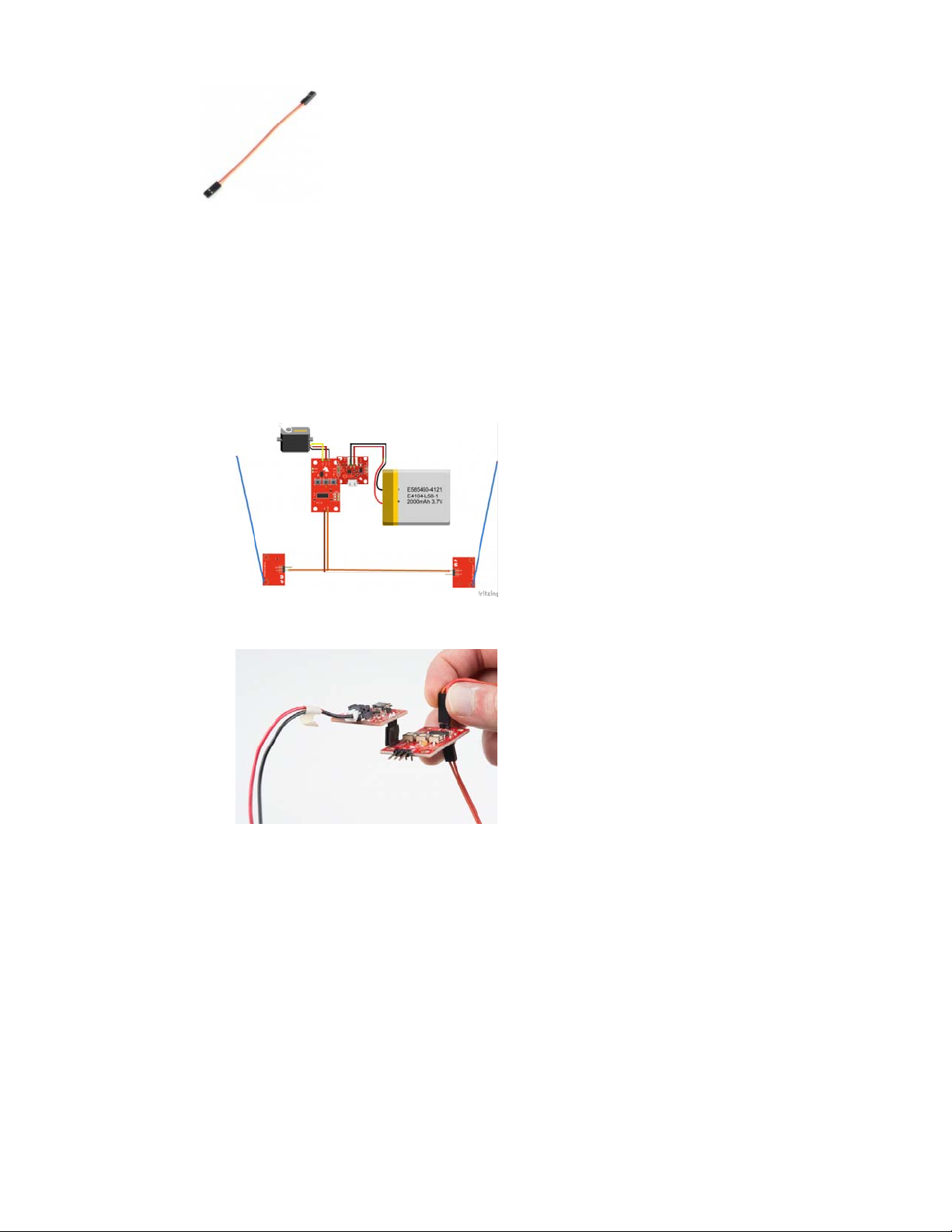
To demonstrate the usefulness of the Continuous Rotation Servo Trigger,
we put a continuous rotation servo on a small camera dolly. The dolly has a
whisker switch at each end, allowing it to do automated tabletop camera
moves.
Page 8 of 1