2.0 Keypad Functionality
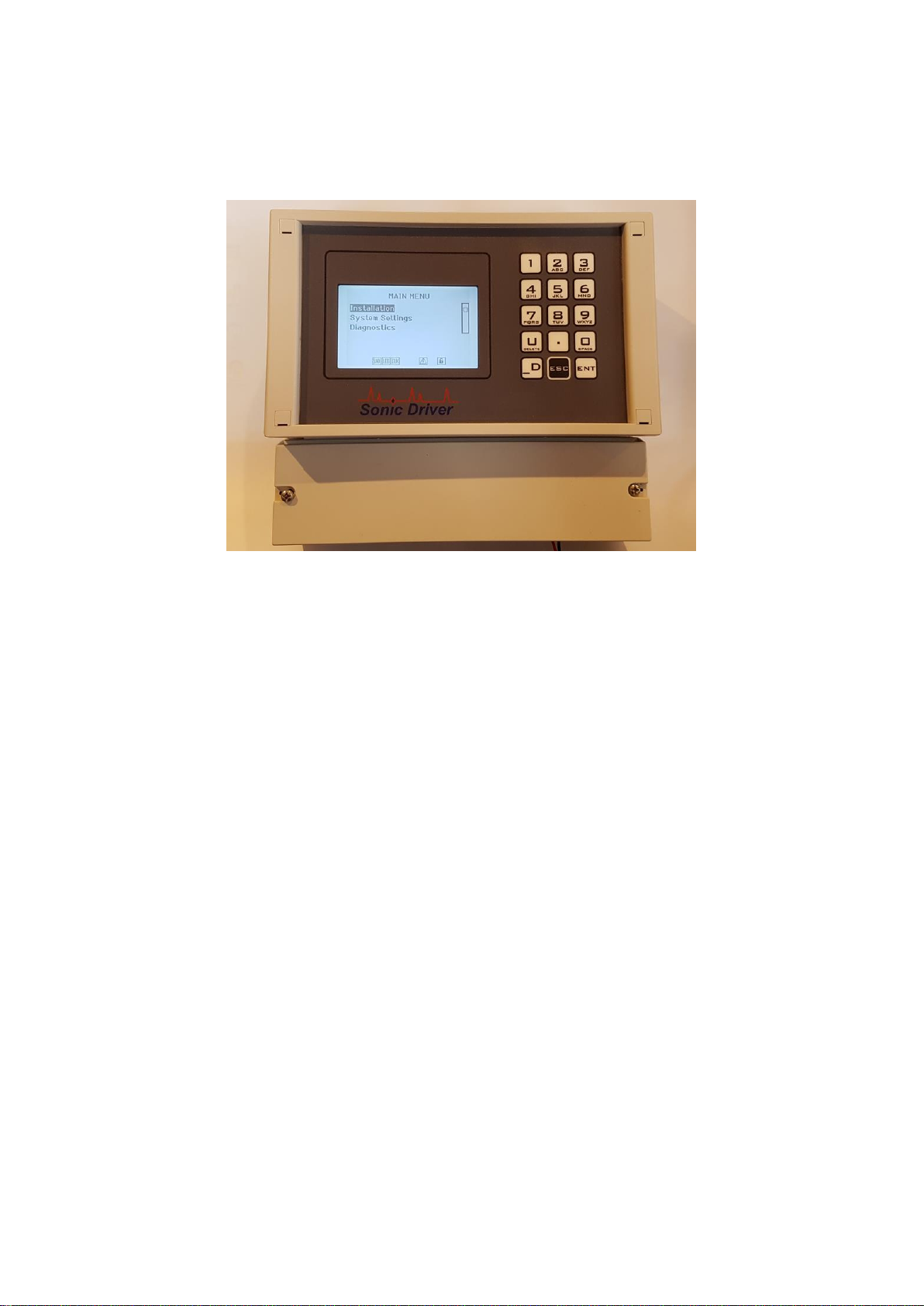
The UFM keypad offers several dual operation FUNCTION KEYS for quick setup and display.
Press any of the FUNCTION KEYS to go to the desired menu or display instantly. Note however
that depending on what the user is attempting to do the focus of certain keys will change.
When the user is navigating the UI and selecting a Menu screen;
1 Jump to MAIN MENU, the Quick Start option will be highlighted.
2 Jump to show Sensor Positioning screen, the user is prompted to select a
Transducer Type.
3 Jump to show ATA/ETA % diagnostic.
4 Jump to show Flow Rate and Net Total.
5 Jump to show flow velocity, flow rate, net, positive and negative flow totaliser.
6 Jump to show Reynolds Number, flow profile correction K Factor, Raw Flow
velocity and Corrected flow velocity.
U Scroll up through Menu items.
7 Jump to show Energy Rate and Net Total.
8 Jump to show energy rate, net, positive and negative energy totaliser.
9 Jump to show Compensation, Inlet and Outlet temperature.
ENT Step forward to selected Menu.
. Jump to show time-based diagnostics.
0 Jump to show signal-based diagnostics.
ESC Step back to previous Menu (when at MAIN MENU jump to Measurement screen).
D Scroll down through Menu items.
When the meter is in measurement mode and measuring the keypad keys have the following
functions;
1 Jump to MAIN MENU, the Quick Start option will be highlighted.
2 Jump to show Sensor Positioning screen, the user is prompted to select a
Transducer Type.
3 Jump to show ATA/ETA % diagnostic.
4 Jump to show Flow Rate and Net Total.
5 Jump to show flow velocity, flow rate, net, positive and negative flow totaliser.
6 Jump to show Reynolds Number, flow profile correction K Factor, Raw Flow
velocity and Corrected flow velocity.
U Display contrast up.
7 Jump to show Energy Rate and Net Total.
8 Jump to show energy rate, net, positive and negative energy totaliser.
9 Jump to show Compensation, Inlet and Outlet temperature.
ENT Step through all available display screens.
. Jump to show time-based diagnostics.
0 Jump to show signal-based diagnostics.
ESC Jump to UI, show last menu accessed.
D Display contrast down.
ENT steps through the screens listed above and also additional diagnostic screens showing log
memory remaining, control unit and inlet and outlet temperatures, heat calculations, etc..