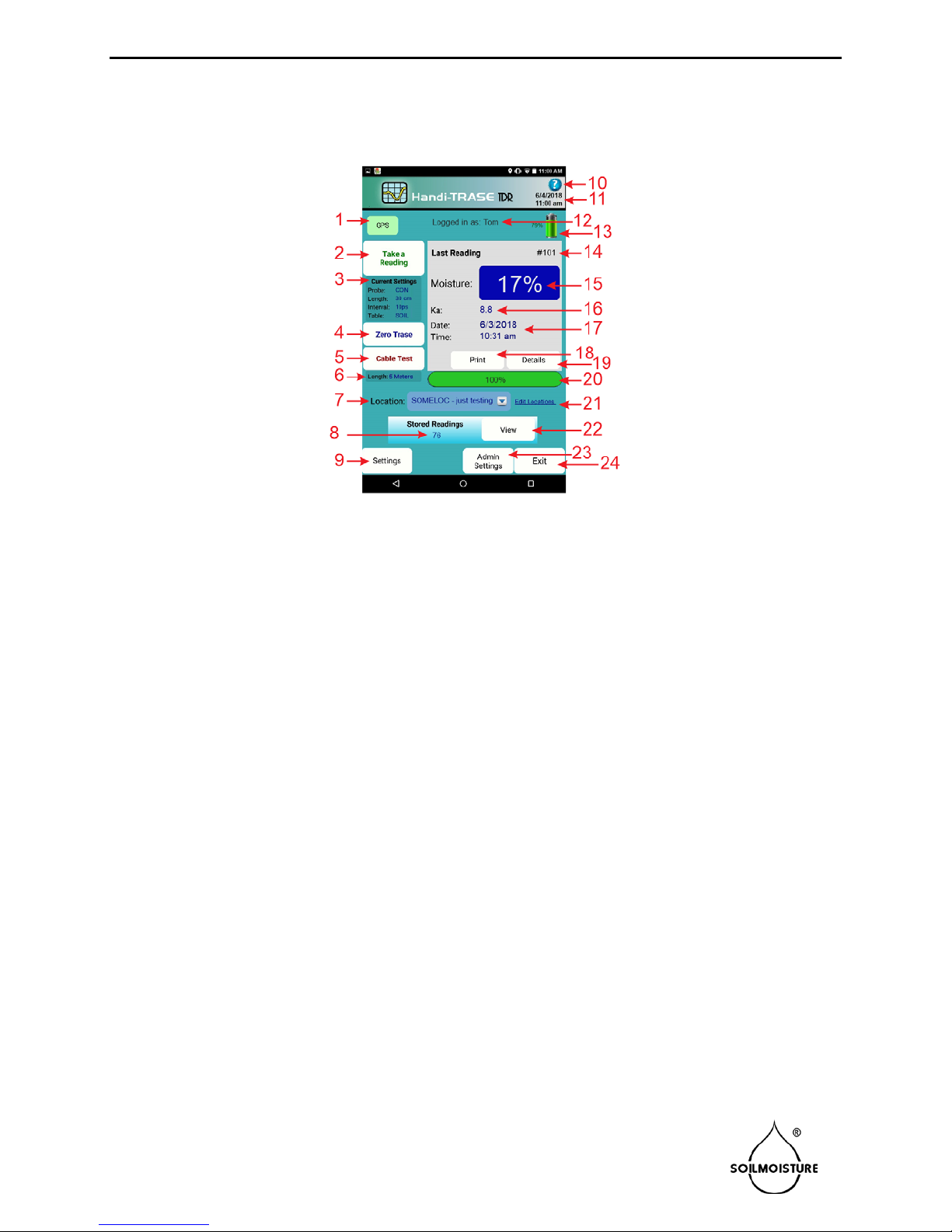
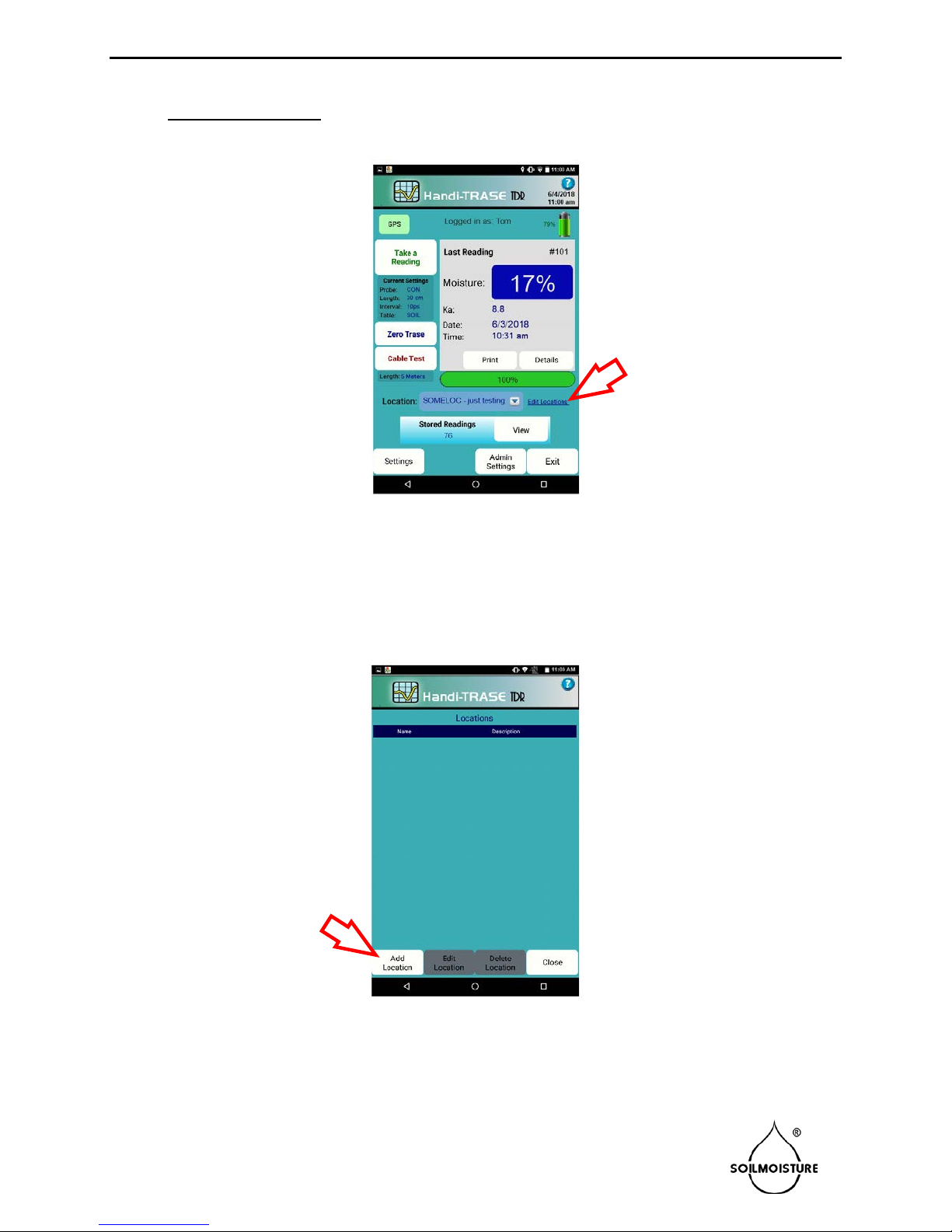
•Get familiar with the Handi-TRASE application main page:
Fig. 7.
GPS coordinates. If red, then there is no
GPS reception.
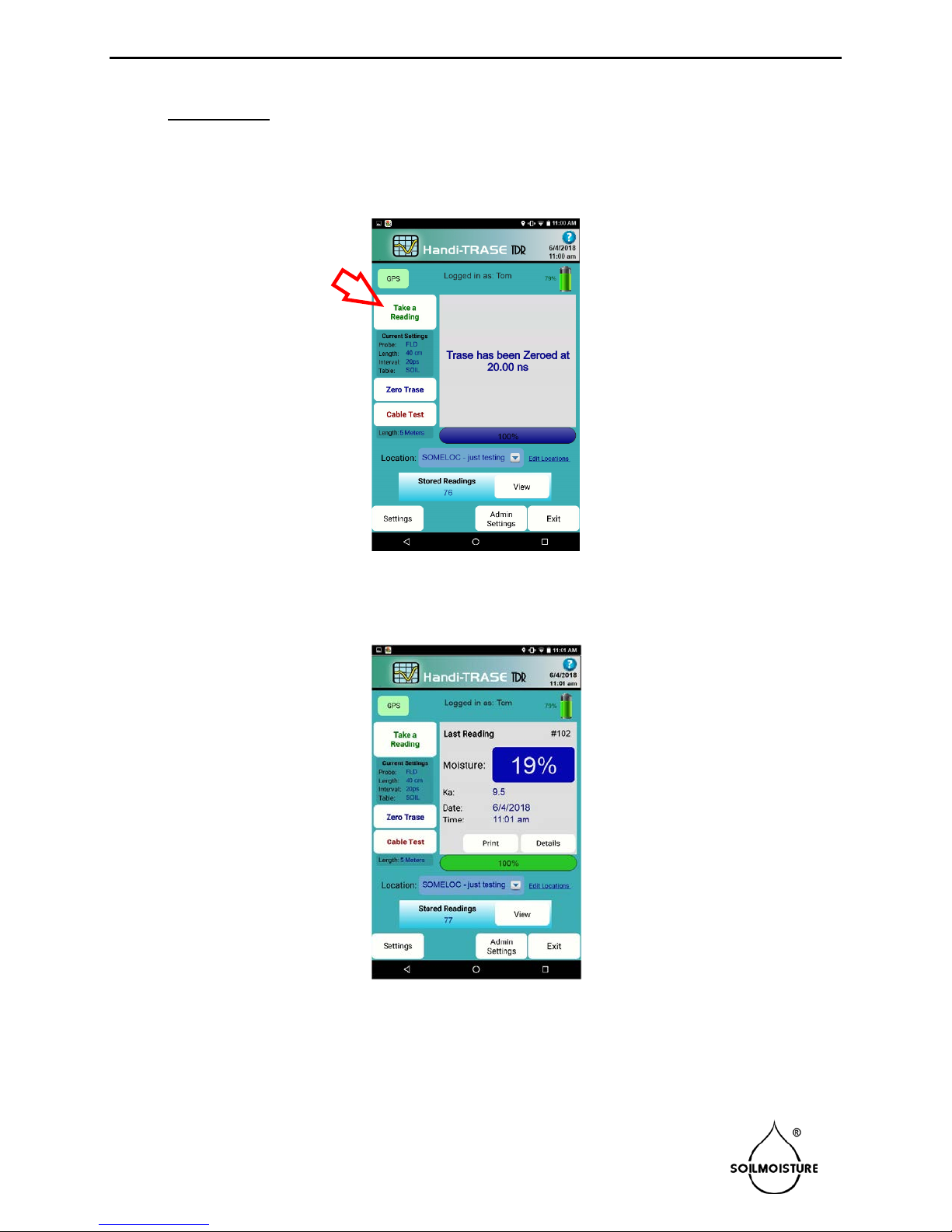
2. Makes a soil moisture measurement.
3. Current device Settings.
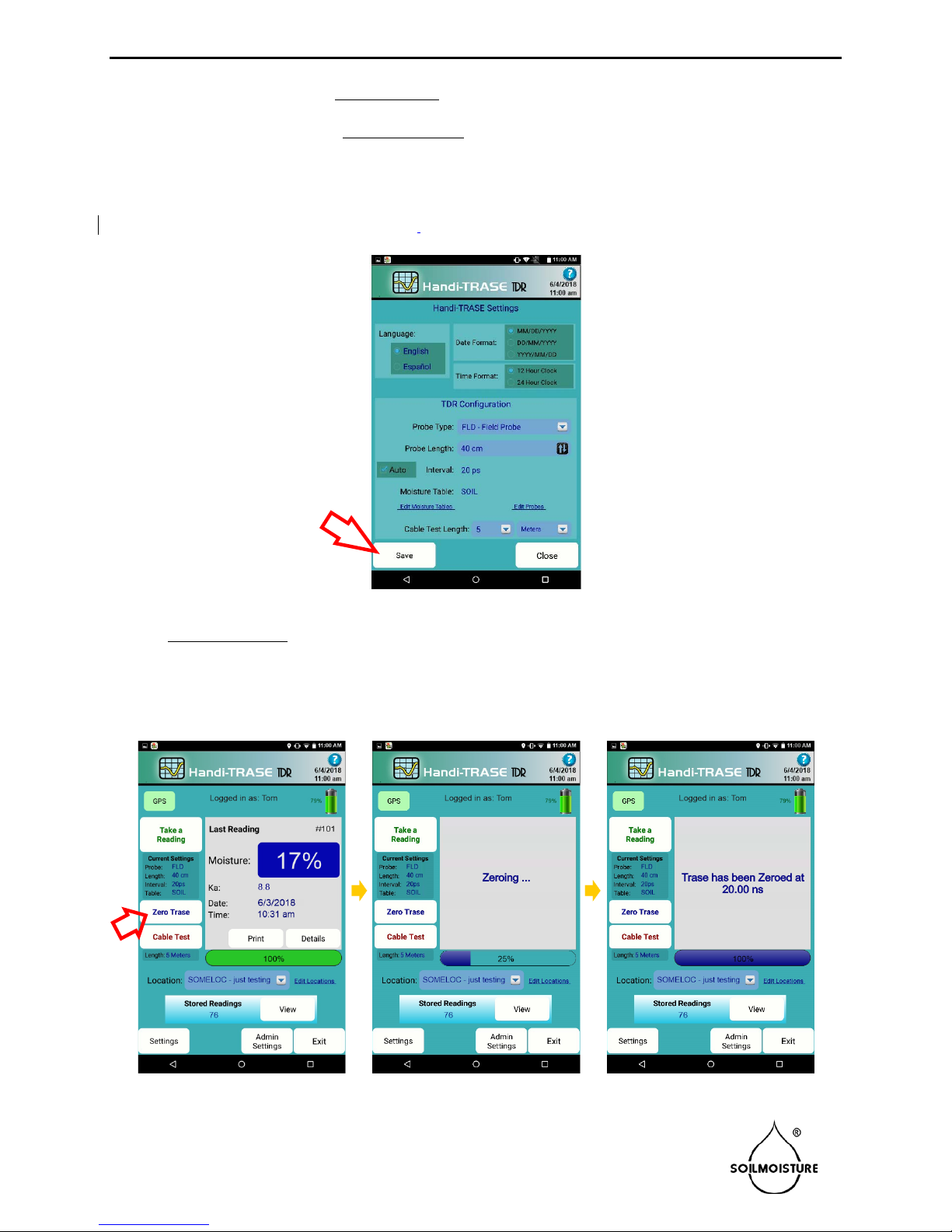
4. Zero Button initializes the probe.
5. Cable Test Button (not covered in this
document).
6. Current Settings for Cable Test.
7. Select location list.
8. Number of readings saved.
10. Help Menu
11. Current date and time
12. User Name. It is not visible when Logging
in is not required.
13. Battery status
14. Unique serial number of the reading
(automatically assigned).
15. Measured soil moisture (volumetric mois-
ture content).
16. Apparent dielectric permittivity.
17. Date and time of the last reading
18. Prints the reading info
19. Shows the reading waveform and other
details.
20. Progress bar
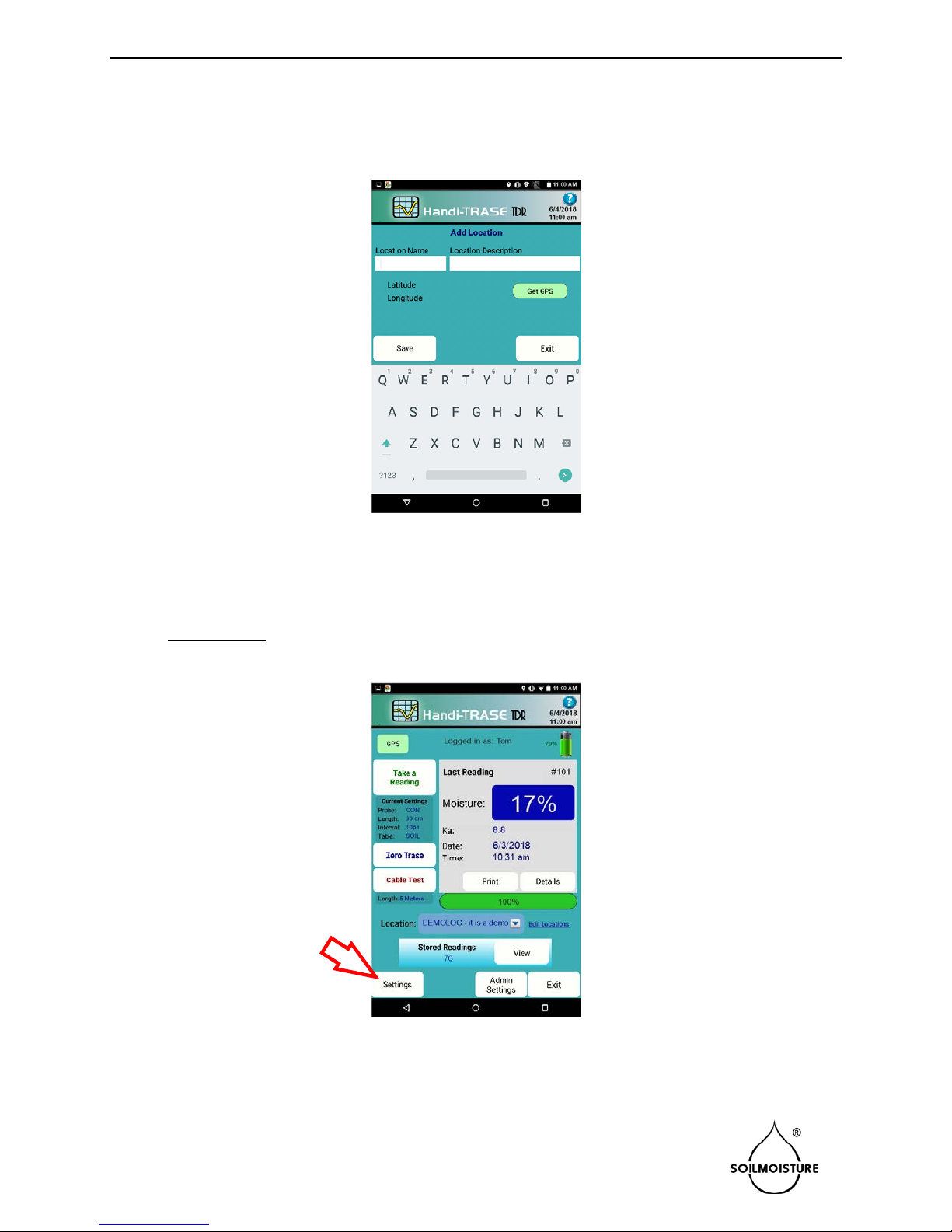
21. Add, edit, or delete location info
22. Access saved readings
23. Administrative settings (not covered in
this document).
24. Exits the Handi-TRASE application
_________________________________________________________________________
SOILMOISTURE EQUIPMENT CORP.
P.O. Box 30025, Santa Barbara, CA. 93130 U.S.A.
801.S. Kellogg Ave., Goleta, CA. 93117 Ph: (805) 964-3525 page 4
www.soilmoisture.com – sales@soilmoisture.com