Table of Contents
FCC Compliance Label .........................................................................2
User Interface Illustration.....................................................................2
Introduction............................................................................................3
Tire Rotation...........................................................................................3
Testing Tire Sensors.............................................................................4
Main Menu..............................................................................................5
Main Menu Icon Legend........................................................................6
Main Menu Details .................................................................................7
Initiate Function............................................................................................7
Example Display...........................................................................................7
Set-up Menu Icon Legend.....................................................................8
Set-up Menu Icon Explanations...........................................................9
Software Update...........................................................................................9
Maintenance Tool Software Update .........................................................9
Maintenance Tool software update program .......................................... 10
Updating Maintenance Tool.................................................................... 10
Measurement Units .................................................................................... 11
PSI/BAR/kPa/C/F ...................................................................................11
Stored Sensor Information Retrieval...........................................................11
Delete Sensors in Memory ......................................................................... 11
Walk-Around Learn.....................................................................................11
Walk-Around Learn Procedure...............................................................11
Walk-Around Learn Download................................................................ 13
Updating The Receiver With New ID Codes...........................................13
Ambient Sensor Learn .........................................................................14
Ambient Pressure Compensation...........................................................14
Return......................................................................................................... 14
Sensor Learn.............................................................................................. 15
Information Received From Sensor After Activating Learn..................... 15
Execution Icons...................................................................................16
Application Notes, Display Examples ...............................................17
Sensor Initiation...................................................................................17
Specifications ......................................................................................19
Hardware Specifications.............................................................................19
General Specifications............................................................................19
Electrical Specifications.............................................................................. 19
Communication Interfaces......................................................................19
System Resources .................................................................................19
Power......................................................................................................... 19
Radio Frequency Specifications.................................................................20
Receiver Specifications .......................................................................... 20
LF Transmitter Specifications.................................................................20
Antenna Types ....................................................................................... 20
Mechanical Specifications .......................................................................... 21
Troubleshooting ..................................................................................21
1
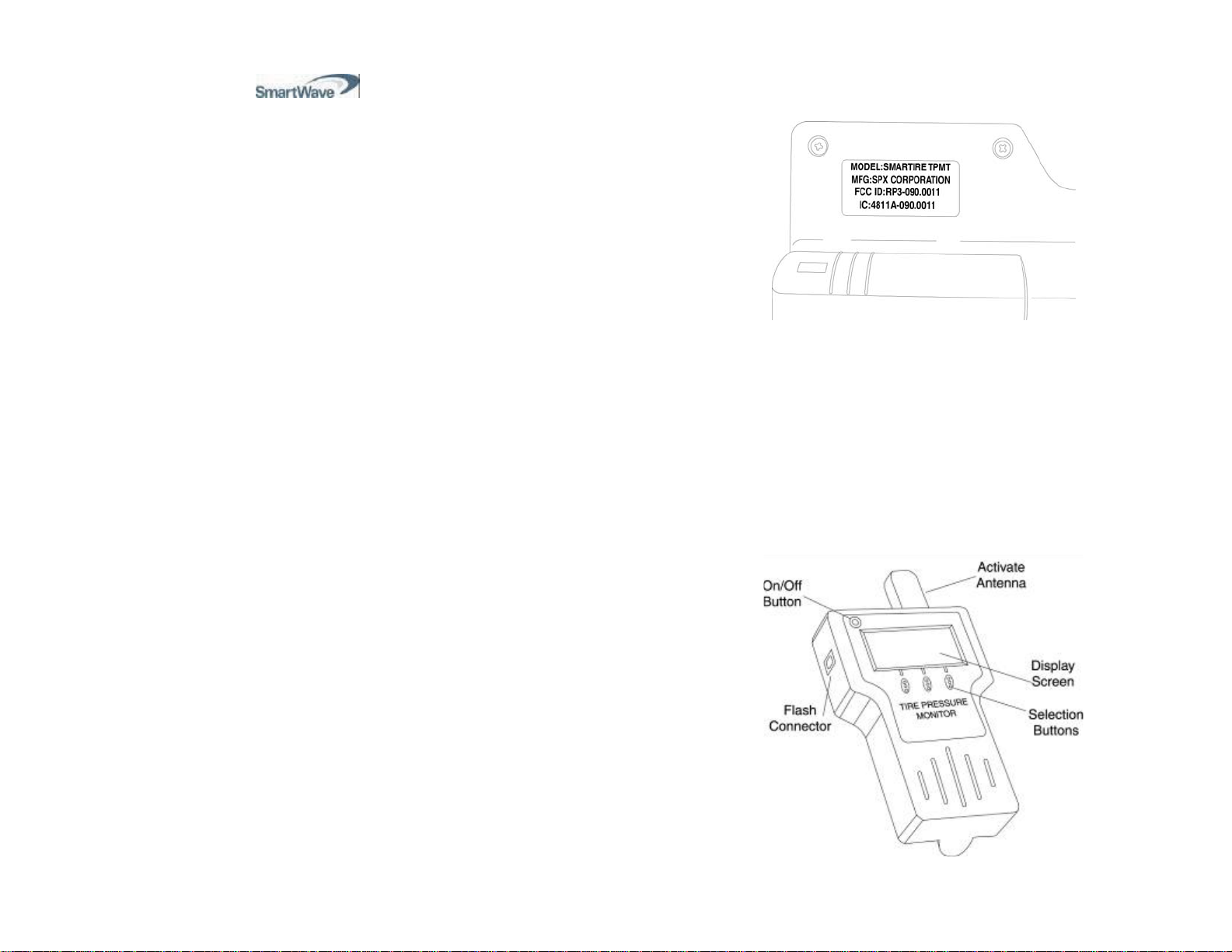
FCC Compliance Label
The FCC compliance label is located on the back of the tool as shown in
figure 1.
Figure 1
This device complies with part 15 of the FCC Rules and with RSS-210
of Industry Canada. Operation is subject to the following two conditions:
(1) this device may not cause harmful interference, and (2) this device
must accept any interference received, including interference that may
cause
undesired operation.
The term "IC:" before the radio certification number only
signifies that Industry Canada technical specifications were met.
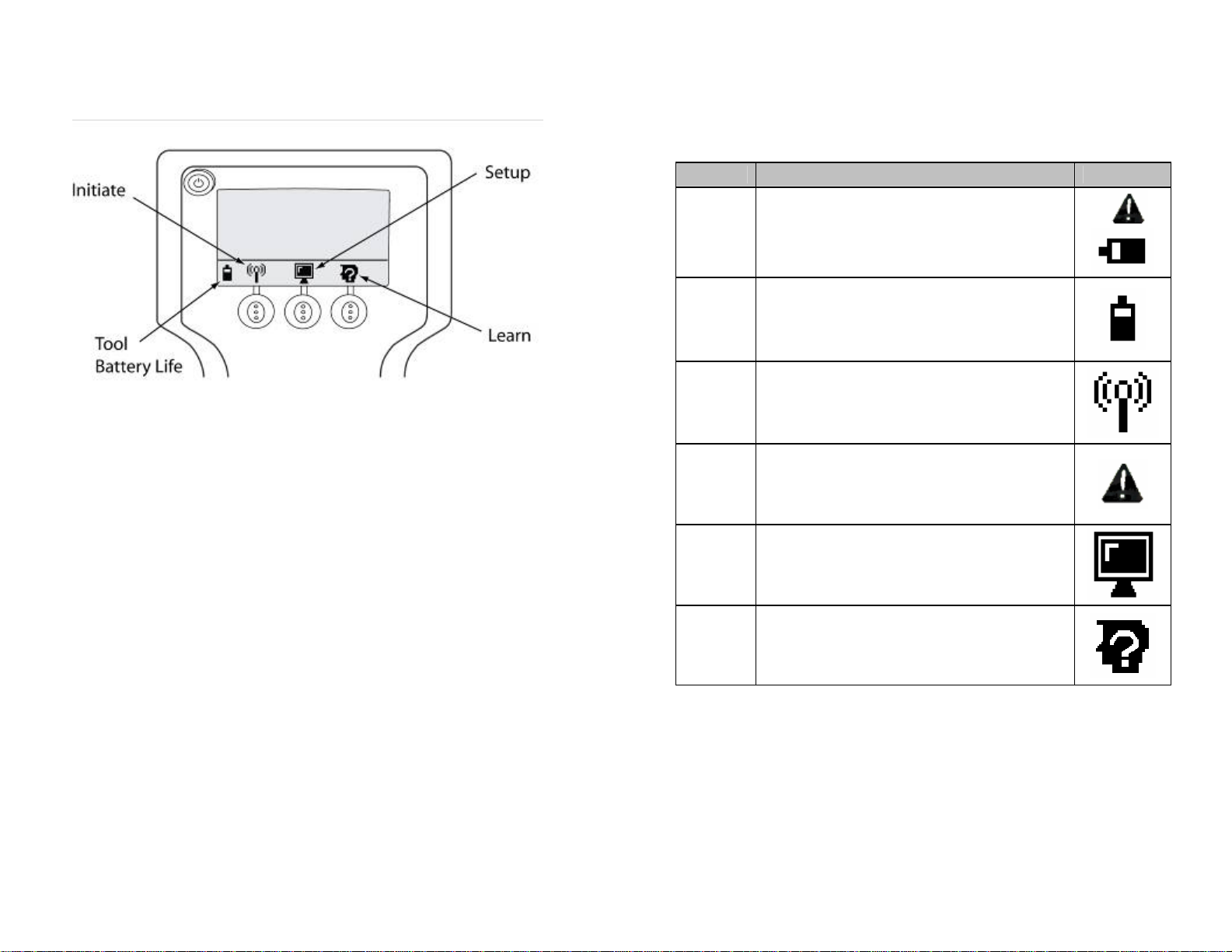
User Interface Illustration
Figure 2
2