
SMART MAX GEOSYSTEMS DE2A Manuel utilisateur

SMART MAX GEOSYSTEMS CO.,LTD
www.smartmaxgeosystems.com info@smartmaxgeosystems.com
SMART MAX GEOSYSTEMS
DE2A & DE2A-L Theodolite Manual
SMART MAX GEOSYSTEMS CO.,LTD
www.smartmaxgeosystems.com info@smartmaxgeosystems.com
Precaution
1) If the instrument has not been used for a long time, check it
regularly(3 monthes).
2) Avoid shocking or bumping.
3) No using in high dusty, not well ventilated, and easy burning
environment.
4) No dismount and mount the instrument by yourselves.
5) Prohibit to see the sun with telescope.
6) Cover with umbrella in burning sun or rainy day.
7) Cover the instrument with rainy cover.
8) Power off before taking off battery, or the data will be lost.
9) Place instrument the case and avoid humidity.
10) Prohibit move the instrument with tripod.
11) It will cause measuring result is not correct if there is leaves
and obstacle between the target and the instrument.
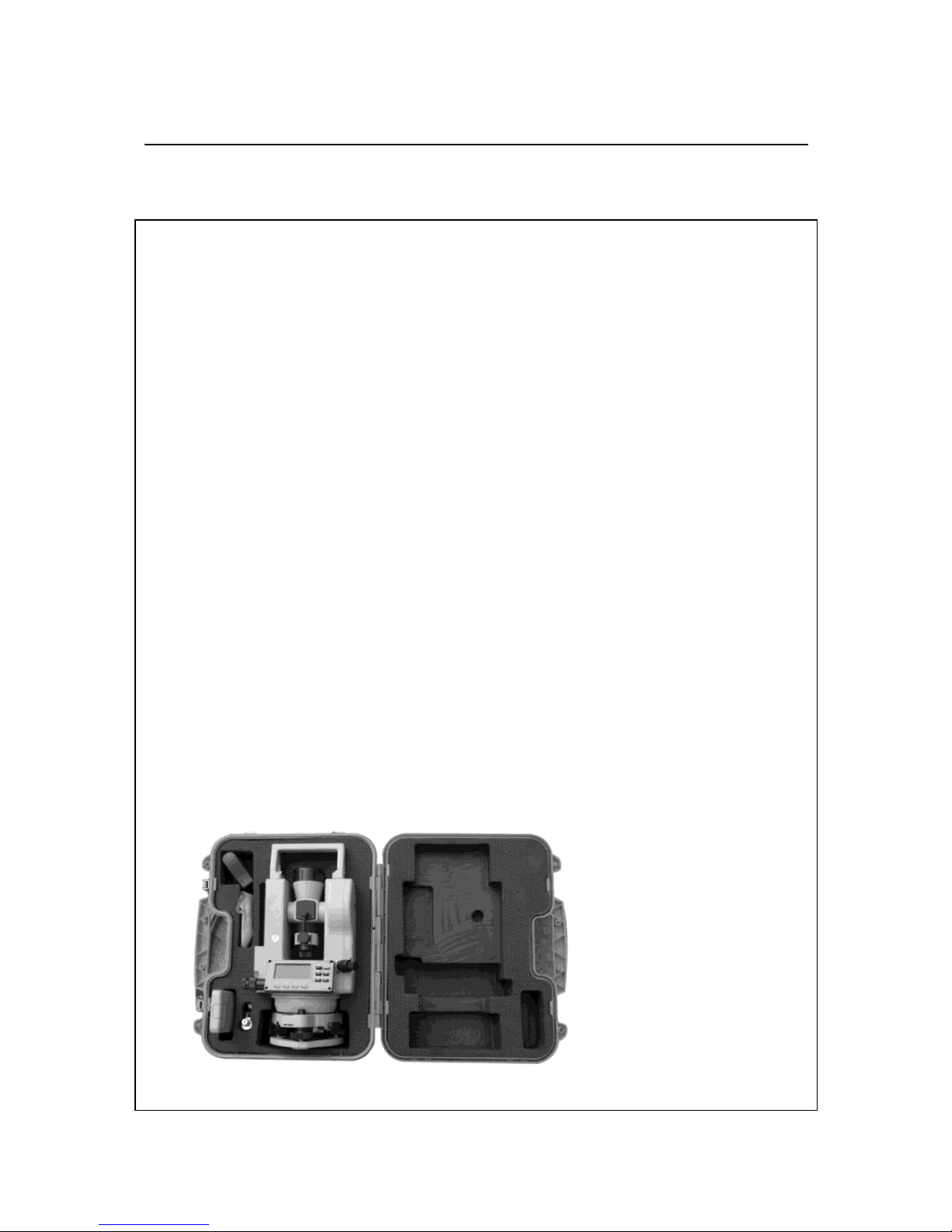
12) Place the instrument like the picture below:
13) Contact me if you got any problem.

SMART MAX GEOSYSTEMS CO.,LTD
www.smartmaxgeosystems.com info@smartmaxgeosystems.com
Contents
1. Description of All Parts………………………………1
1.1 Name of Parts ……………………………………………1
1.2 Display …………………………………………………3
1.3 Operation Key …………………………………………4
1.4 RS 232 ……………………………………………………6
2. Battery……………………………………………………6
2.1 Battery Replacement……………………………………6
2.2 Battery Recharging ………………………………………7
3. Measurement Preparation …………………………7
3.1 Instrument Setting Up……………………………………7
3.2 Instrument Leveling………………………………………7
3.3 Centering with Optical Plummet…………………………9
3.4 Eyepiece Adjustment and Object Sighting………………9
3.5 Power on ………………………………………………10
3.6 Power off………………………………………………10
4. Angle Measurement …………………………………11
4.1 Measuring Horizontal Angle Right and Vertical Angle …11
4.2 Switching Horizontal Angle Right/Left …………………12
4.3 Setting Horizontal Angle ……………………………13
4.4 Vertical Angle Percent Grade (%) Mode ………………14
4.5 Compasses (vertical angle) ……………………………15
4.6 Remeasuring Horizontal Angle…………………………15

SMART MAX GEOSYSTEMS CO.,LTD
www.smartmaxgeosystems.com info@smartmaxgeosystems.com
5. Distance Measurement………………………………17
6. Distance Measurement through the crossline in
the telescope………………………………………… 19
7. Laser Measurement…………………………………20
7.1 Orientation Measurement ……………………………… 20
7.2 Angle Designment……………………………………20
7.3 Zeith Measurement ……………………………………21
7.4 Level Measurement ……………………………………21
8. Parameter Setting Up………………………………22
8.1 Enter into Setting up Parameter ………………………22
8.2 Setting up Parameter ……………………………………23
9. Check & Adjustment………………………………24
9.1 Check & Adjustment of Plate Vial………………………24
9.2 Check & Adjustment of Circular Vial …………………26
9.3 Check & Adjustment of Optical Plummet………………26
9.4 Check & Adjustment of Inclination of Reticle…………28
9.5 Check & Adjustment of discrepancy between twice
collimation errors(C)………………………………… 29
9.6 Check & Adjustment of Vertical Index(i angle) ………30
9.7 Check & Adjustment of the laser confocal and coaxial… 31
10. Technical Index………………………………………33
11. Packing List …………………………………………35
12. Erorr Code Instruction ……………………………36

SMART MAX GEOSYSTEMS CO.,LTD
www.smartmaxgeosystems.com info@smartmaxgeosystems.com
1
1. Description of All Parts
1.1 Name of Parts
1.Telescope 2.Main body 3.Left Side Cover
4.Series No. 5.Optical Plummet 6.Circular Vail
7.Leveling Screw 8.Tribrach
9.Connection Knob on Tribrach 10.Soft Key
11.Display 12.Function Key 13.Plate Vial
14.Vertical Tangent Screw 15.Vertical Clamp Screw
16.Objective Lens

SMART MAX GEOSYSTEMS CO.,LTD
www.smartmaxgeosystems.com info@smartmaxgeosystems.com
2
17. Handle 18.Handle Screw 19. Battery locking Lever
20. Battery 21. Grip 22. Eyepiece
23.Right Side Cover 24. Horizontal Tangent crew
25. Horizontal Clamp Screw 26.RS232 Port

SMART MAX GEOSYSTEMS CO.,LTD
www.smartmaxgeosystems.com info@smartmaxgeosystems.com
3
1.2Display
The figure LCD can display angle,characters,date and time,etc.
There are two modes on display:Measurement Mode & Menu
Mode.
Display(example):
①Angle
Measurement Mode
②Distance
Measurement Mode
③Remeasurement Mode
④Menu Mode
ANG 08-01-02 12:00
V :81°54′21″
HR:157°33′58″
08-01-02 12:00
n - 0 T-0
HR :57°33′58″
08-01-02 12:00
S.E.T.-1
OFF
DIST 08-01-02 12:00
0.000 m
HR:157°33′58″

SMART MAX GEOSYSTEMS CO.,LTD
www.smartmaxgeosystems.com info@smartmaxgeosystems.com
4
Symbol
Contents
Vertical compensation
Horizontal remeansure
Automatic Power off
Battery
Horizontal locked
Special Function,press ¤ twice,it will be disappeared
%
Gradient Display
b-OUT
Vertical angle is over the compensation
OUT
Slope is over ±100%
m
Meter unit
°′″
Set 360°as angle unit
1.3 Operation Key
The function of the soft key is different in different
measurement mode.
①Angle Measurement Mode
REP▲ Power
◆¤
ANG 08-01-02 12:00
V :81°54′21″
HR :157°33′58″

SMART MAX GEOSYSTEMS CO.,LTD
www.smartmaxgeosystems.com info@smartmaxgeosystems.com
5
ANG▼ ENT
L/R HOLD % 0SET
Soft Key
Function
L/R
Switches R/L rotation of horizontal angle
HOLD
Hold the horizontal angle
%
Vertical angle percent grade(%) mode
0SET
Set horizontal angle as 0°00′00″
②Distance Measurement Mode
REP▲ Power
◆¤
ANG▼ ENT
SD HD VD TR
Soft Key
Function
SD
Enter into SD Measurement
HD
Enter into HD Measurement
VD
Enter into VD Measurement
TR
Enter into TR Measurement
DIST 08-01-02 12:00
0.000 m
HR:157°33′58″

SMART MAX GEOSYSTEMS CO.,LTD
www.smartmaxgeosystems.com info@smartmaxgeosystems.com
6
③Special function Measurement mode(This will be valid only
in the Angle Measurement Mode)
Soft Key
Function
First press ¤, when it
display , press▲
Turn on /off laser alignment
First press ¤, when it
display , press▼
Turn on /off laser plummet
First press ¤, when it
display , press◆
Turn on /off LCD
First press ¤, when it
display , press ENT
Enter into Menu mode,press ENT
one more time will save and exit
1.4 RS232
RS232 is used to connect the Theodolite with computer or PC to
transfer measured data to computer or PC.
2. Battery
2.1 Battery Replacement
1. Battery Insert
Insert battery correctly. Check and
insert battery holder true to side into
the housing.
Ce manuel convient aux modèles suivants
1
Table des matières
Autres manuels SMART MAX GEOSYSTEMS Niveau laser


