www.smart-controllers.com
SET-UP MODE
Eastron SDM230-2T User Manual
Zhejiang Eastron Electronic Co.,Ltd. Tel: 0086-573-83698881 Fax: 0086-573-83698883
Add:No.1369Chengnan Road, Jiaxing, Zhejiang, 314001, China. Web: www.eastrongroup.com Email: sales@eastrongroup.com
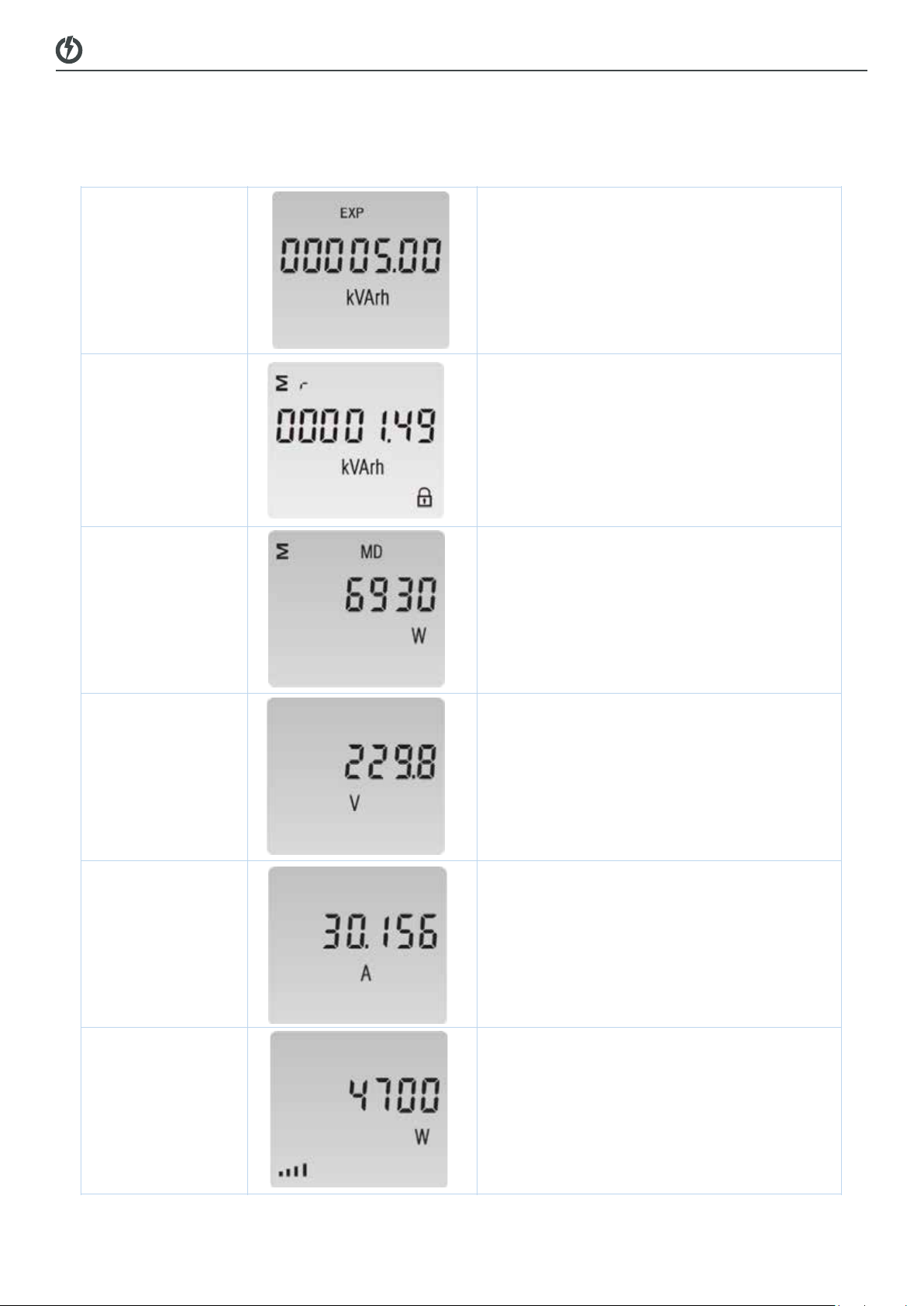
Active power
Example: 4700W
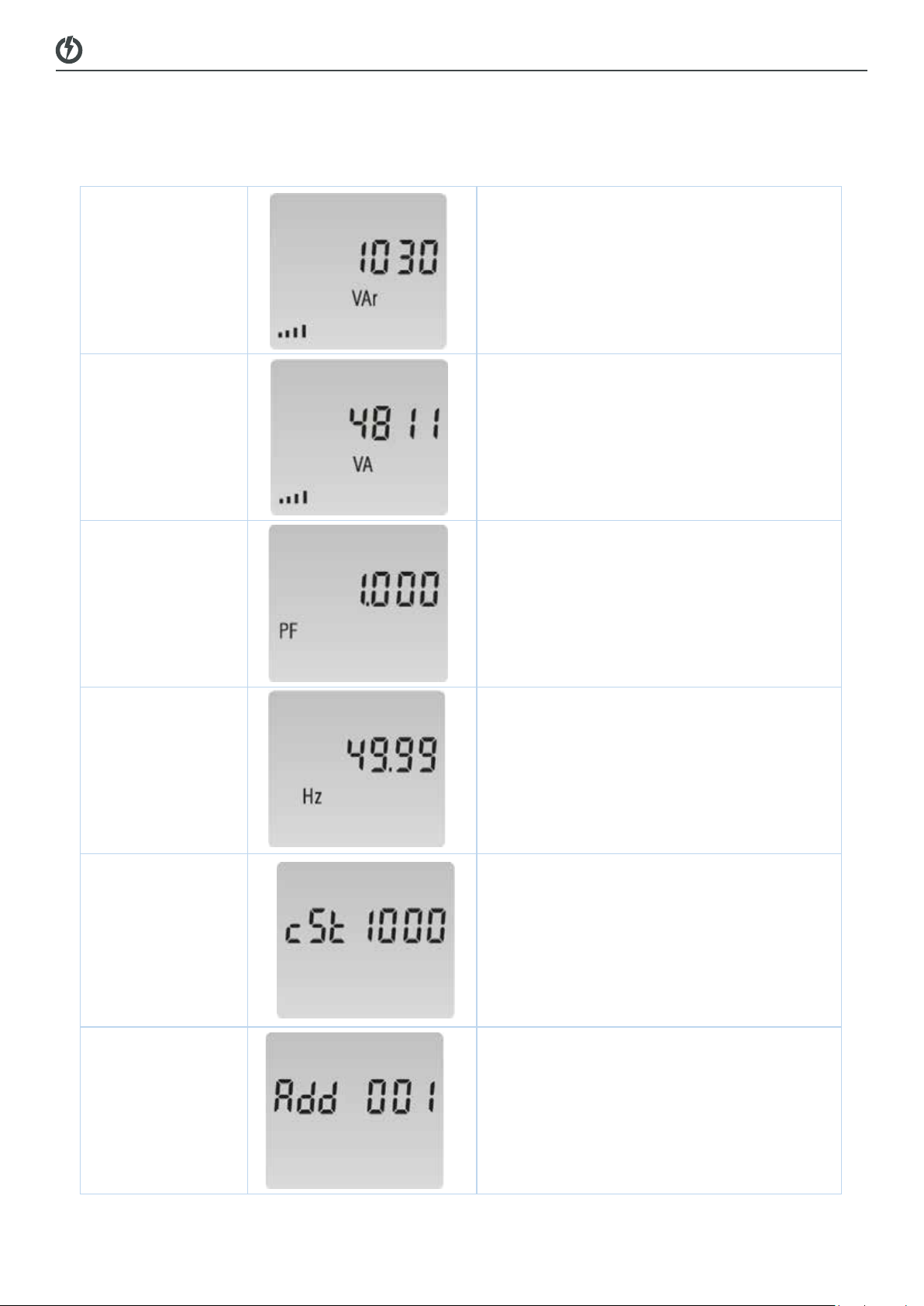
Reactive power
Example: 1030Var
Apparent power
Example: 4811VA
Power factor
Example: 1.000
Frequency
Example: 49.99Hz
Pulse constant
Example: 1000
Eastron SDM230-2T User Manual
Zhejiang Eastron Electronic Co.,Ltd. Tel: 0086-573-83698881 Fax: 0086-573-83698883
Add:No.1369Chengnan Road, Jiaxing, Zhejiang, 314001, China. Web: www.eastrongroup.com Email: sales@eastrongroup.com
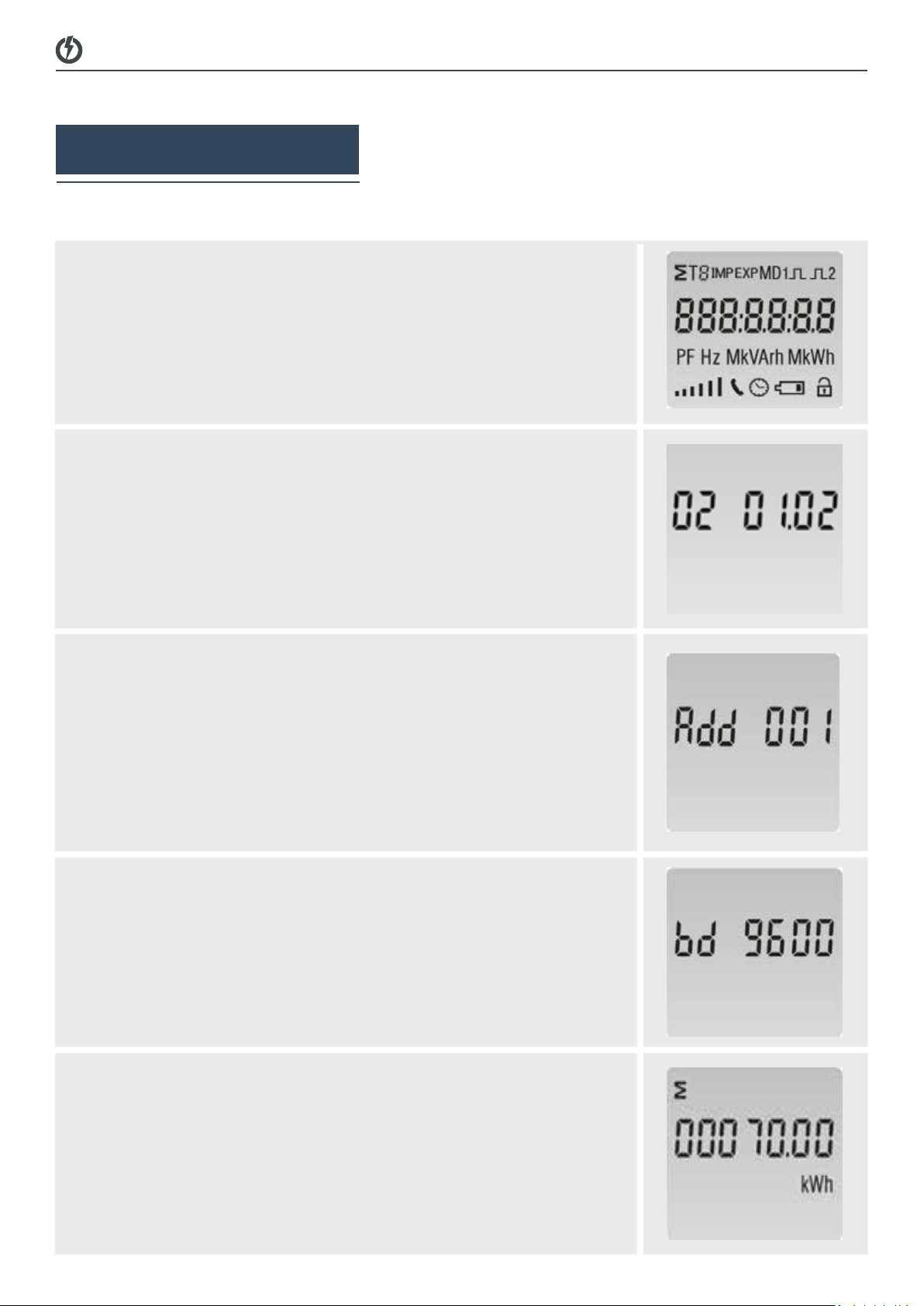
Modbus Address
Example: 001
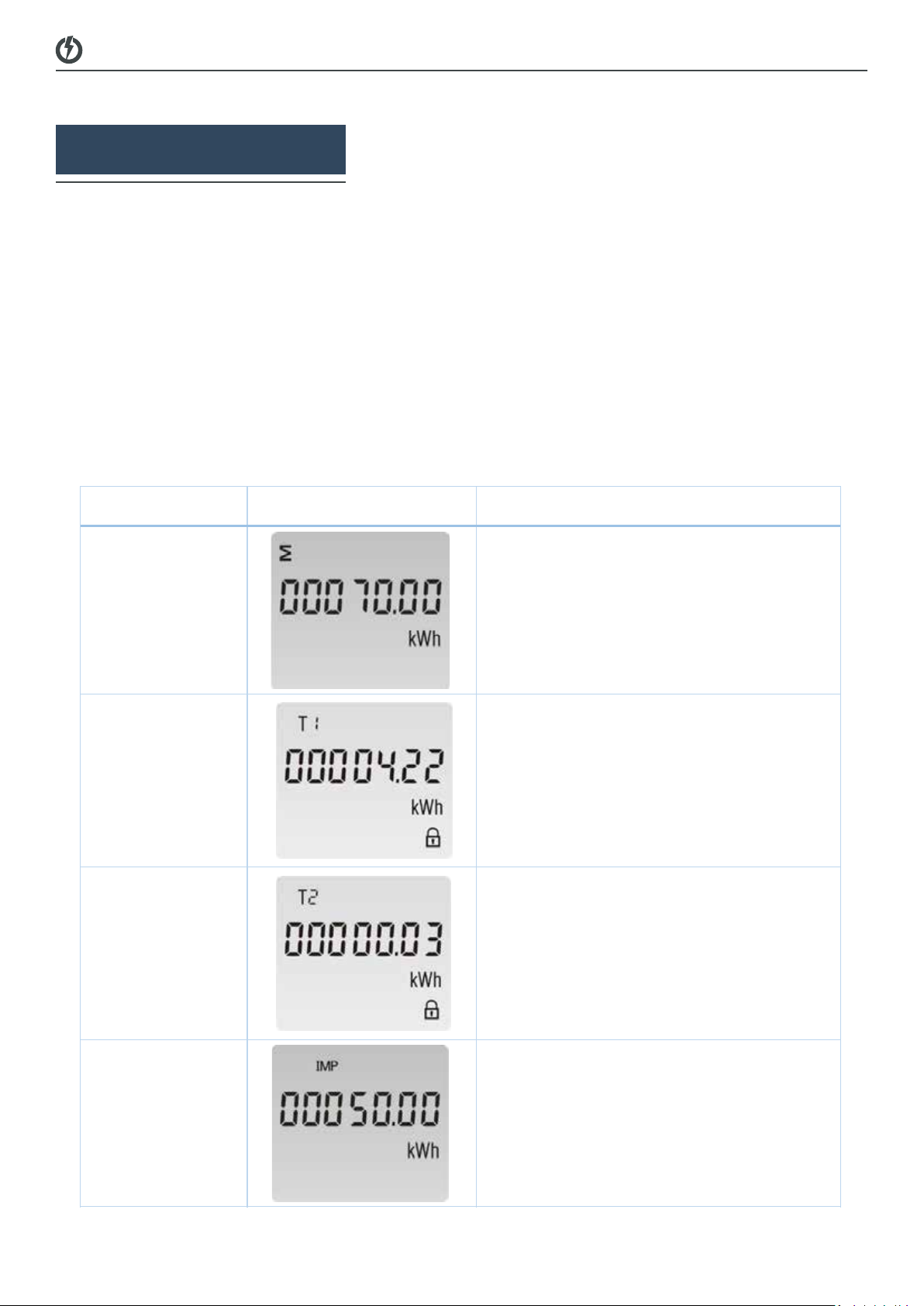
Continuous running time(In total)
Set-up Mode
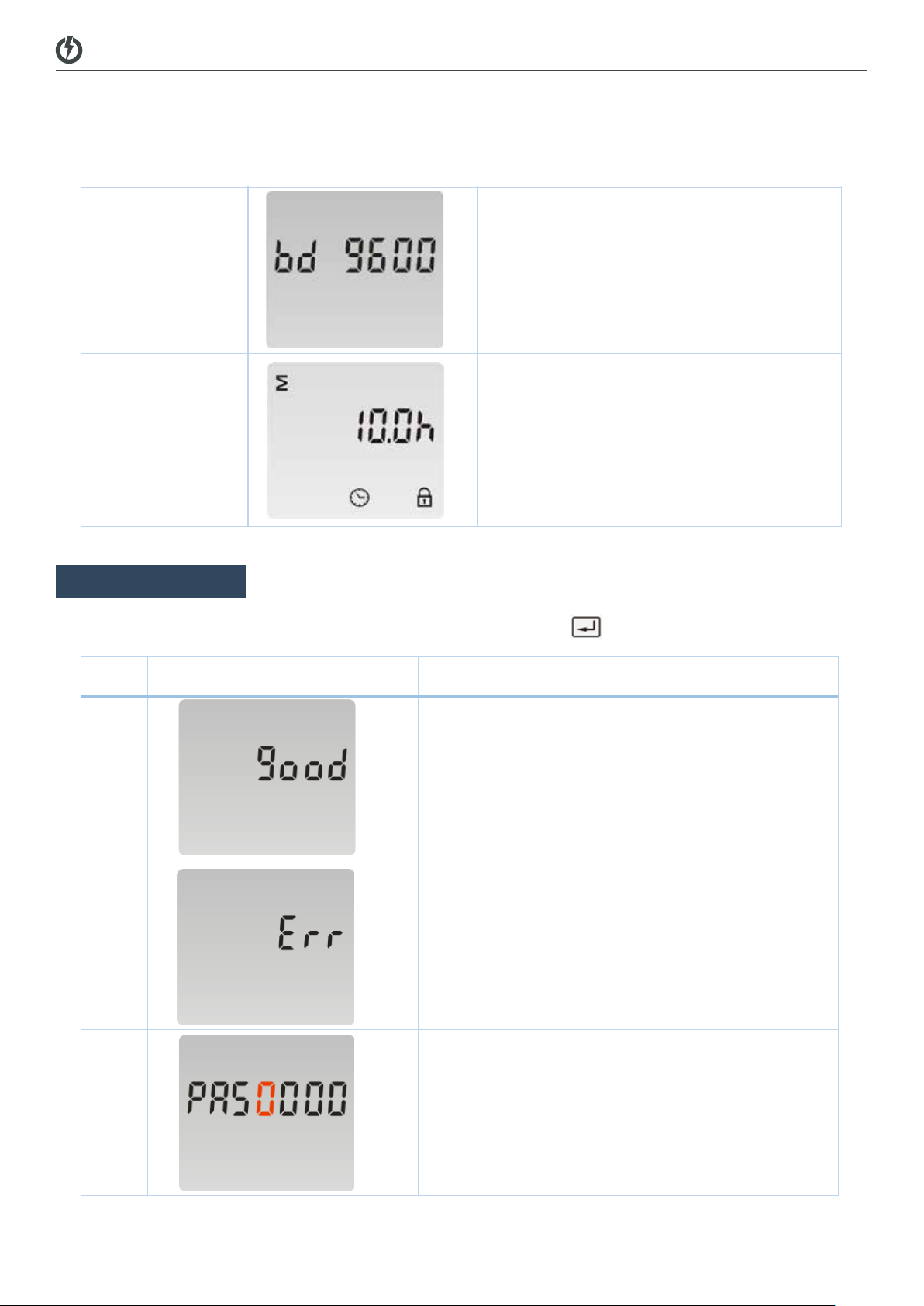
To get into Set-up Mode, the user need press the “Enter” button for 3 second.
The setting is done correctly
The entering information is wrong. The operation
fails.
Password
To get into Set-up mode, it asks a password
confirmation.
Default password: 1000
Eastron SDM230-2T User Manual
Zhejiang Eastron Electronic Co.,Ltd. Tel: 0086-573-83698881 Fax: 0086-573-83698883
Add:No.1369Chengnan Road, Jiaxing, Zhejiang, 314001, China. Web: www.eastrongroup.com Email: sales@eastrongroup.com
Modbus Address
Example: 001
Example: 9600
24
Continuous running time(In total)
Set-up Mode
To get into Set-up Mode, the user need press the “Enter” button for 3 second.
The setting is done correctly
The entering information is wrong. The operation
fails.
Password
To get into Set-up mode, it asks a password
confirmation.
Default password: 1000
To get into Set-up Mode, the user need press the “Enter” button for 3 second.
Eastron SDM230-2T User Manual
Zhejiang Eastron Electronic Co.,Ltd. Tel: 0086-573-83698881 Fax: 0086-573-83698883
Add:No.1369Chengnan Road, Jiaxing, Zhejiang, 314001, China. Web: www.eastrongroup.com Email: sales@eastrongroup.com
Modbus Address
Example: 001
Continuous running time(In total)
Set-up Mode
To get into Set-up Mode, the user need press the “Enter” button for 3 second.
The setting is done correctly
The entering information is wrong. The operation
fails.
1
To get into Set-
up mode, it asks a password
confirmation.
Default password: 1000
Eastron SDM230-2T User Manual
Zhejiang Eastron Electronic Co.,Ltd. Tel: 0086-573-83698881 Fax: 0086-573-83698883
Add:No.1369Chengnan Road, Jiaxing, Zhejiang, 314001, China. Web: www.eastrongroup.com Email: sales@eastrongroup.com
Address ID
Default ID is 001
Range: 001~247
Press the “Enter” button, the first digit flash.
Press the “Scroll” button to change the value. After
choose the new address value, the user need
pressing the “Enter” button to confirm the setting.
Baud rate
Default value: 2400bps
Range: 1200, 2400, 4800, 9600bps.
Press the “Enter” button, the red digit flash.
Press the “Scroll” button to change the value.
After choose the new baud rate, the user need
pressing the “Enter” button to confirm the setting.
Parity
Default: None
Option:None, Even, Odd
Press the “Enter” button, the red part flash.
Press the “Scroll” button to change the option.
After choose the new Parity, the user need
pressing the “Enter” button to confirm the setting.
Pulse Output
Default: Export kWh
Option:kWh / kVArh / Imp. kWh /
Exp.kWh / Imp.kVArh / Exp.kVArh