ACTIVATE THE SCP-3 BEFORE USE
Thank you for your purchase. Before ANY further action, the CP-3 must be ACTIVATED with
the lot.it APP. Without activation the CP-3 will not work. What is the activation? Very simply,
via Bluetooth, the APP reads the network ID (known as MAC) of the controller, writes permanently
the current date in the CP-3 memory, and saves the following data: your email, the controller
MAC, the activation date, the firmware version, and the device name in a cloud database that we
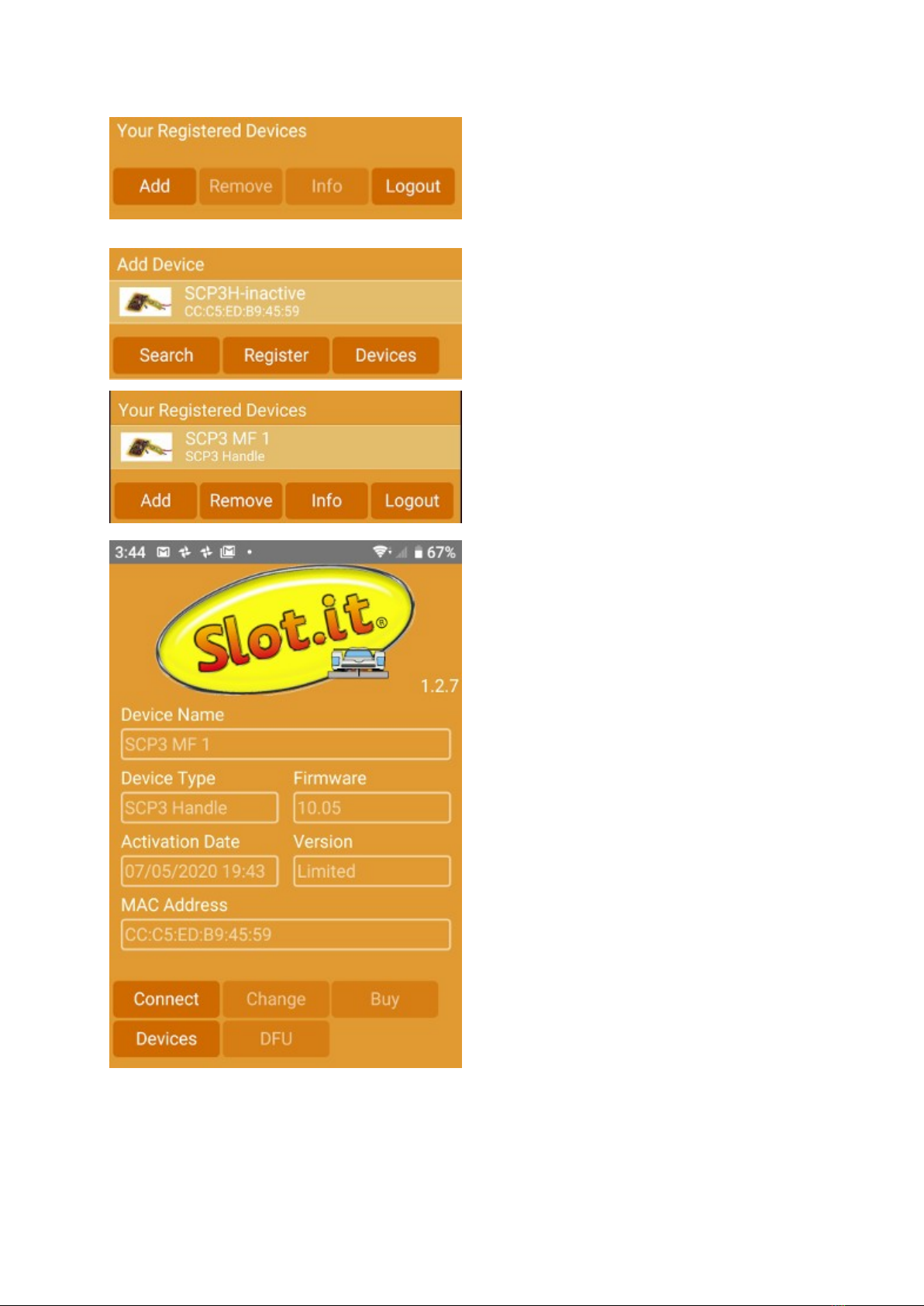
can access. The same data is available on the APP.
The activation date is the date used for warranty. Regardless of when you bought the controller, and
of availability of the purchase receipt, we consider a two years period from the day you actually
start using your device – which is the activation date.
You must give a name to the controller, which is quite useful thing to do if you have more than one.
As we develop the APP further, it will become an indispensable companion to the CP-3, extending
its capabilities, with more advanced features becoming avaible.
The app is also the tool used to update the firmware of your controller to the latest version, or to
switch to a different one – you can easily reprogram the CP3 from being an oXigen controller to a
to a calextric ARC AIR/PRO and viceversa.
Note: the APP display has been condensed to fit inside these paper sheets.
How to activate the CP-3:
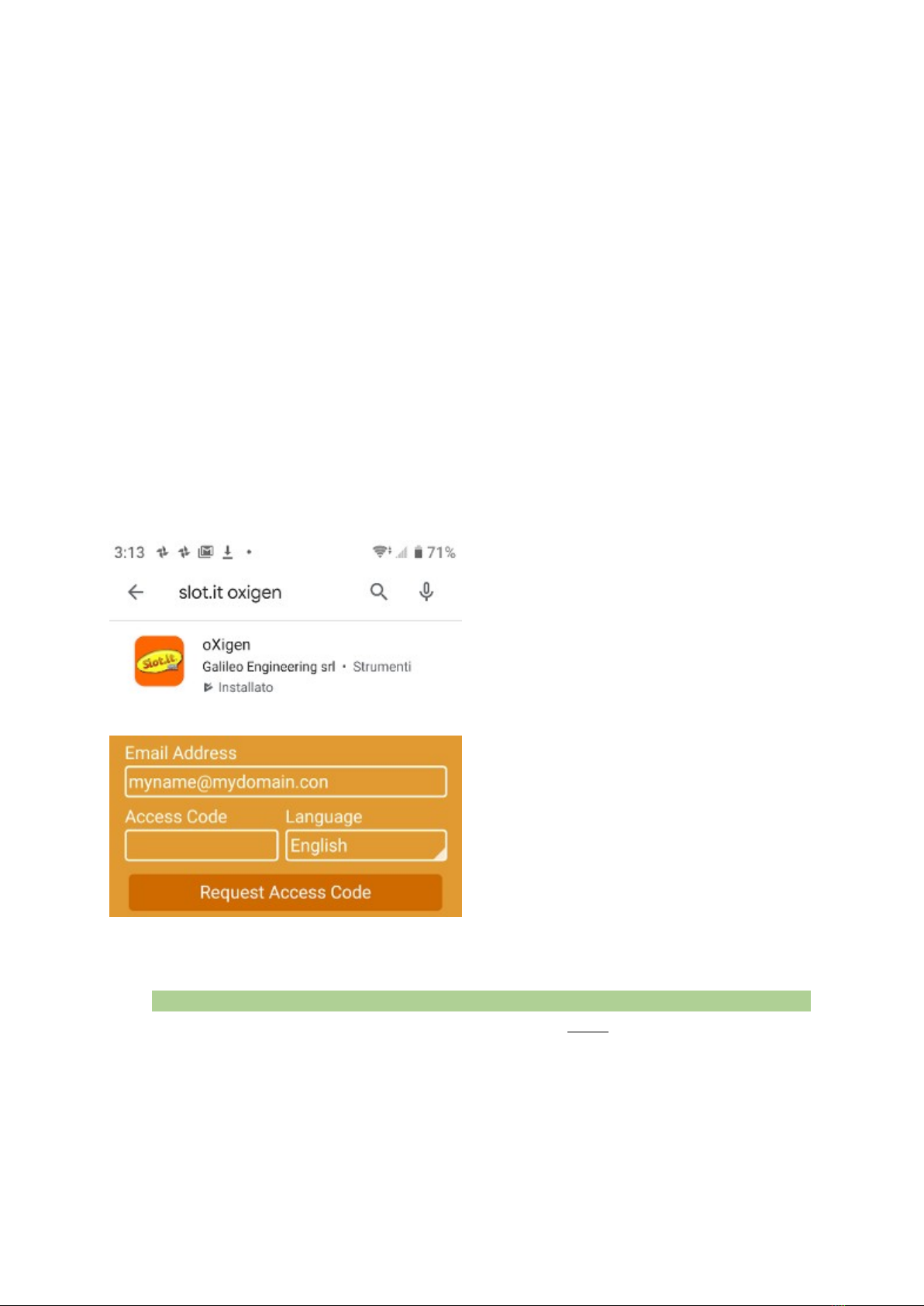
1. earch for oXigen in the APP store.
Don’t search for lot.it unless you want
get a darn slot machine game. ownload
and install the lot.it APP on your
Android (Android 7.0 or greater) or iO
device. Make sure the geographic
location is turned on. This is need by
Android Bluetooth function, we don’t
use such data.
2. Register yourself (email necessary) to
access the APP. Enter your email, and
touch ‘Request Access Code’. The APP
sends a confirmation email is sent to your
address: copy the code from your inbox,
and enter it into the app in the ‘Access
Code’ field. Now press the ‘User
Login’button that has just appeared
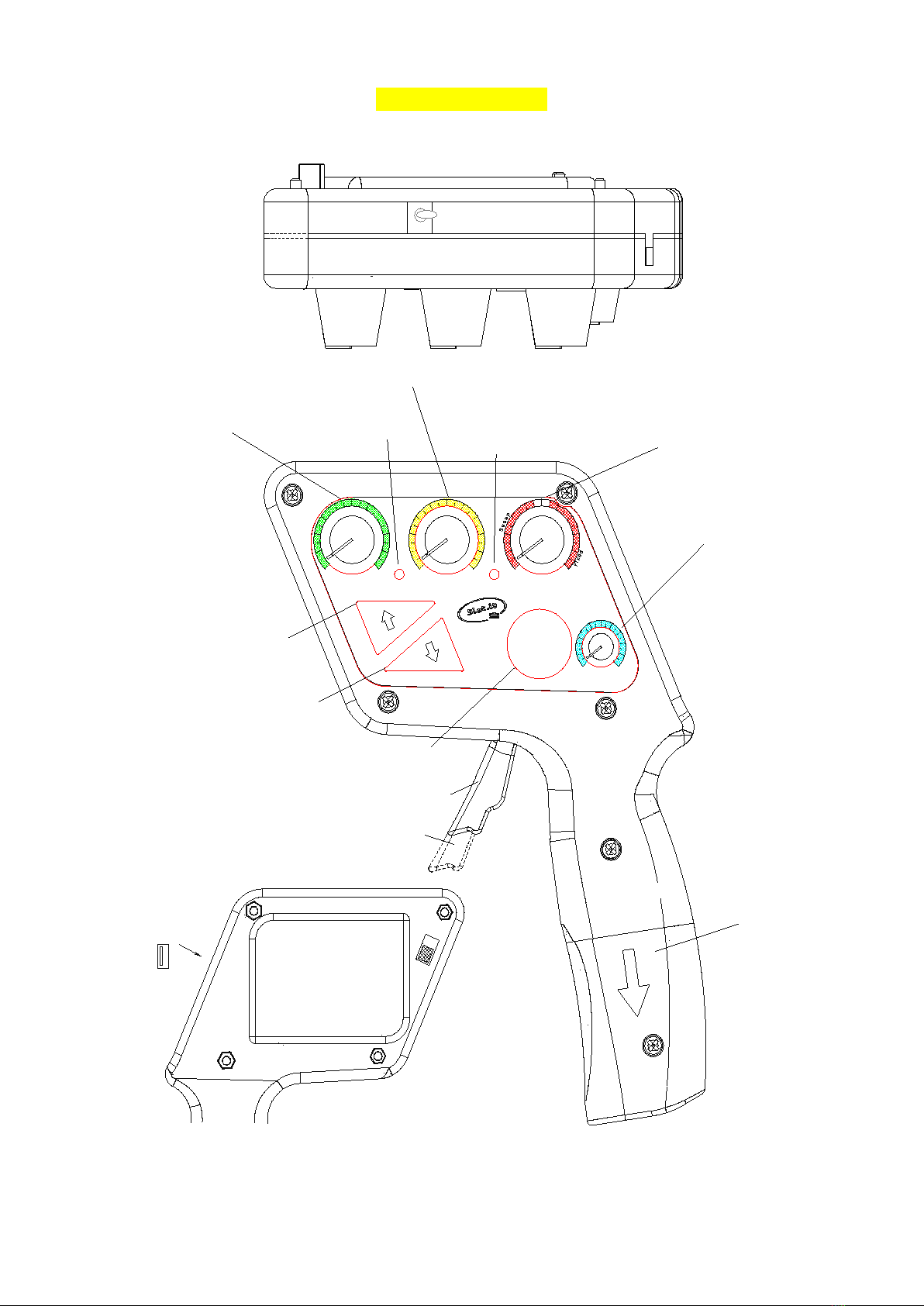
3. Power on the CP3. Remember, the CP3 comes with an ON/OFF/Curve selector switch
on the back of the controller. Look at the display – the moving message is telling you to
“LAUnCH tHE APP And Add tHE SCP3 – PreSS AnY button to StArt”
4. Press any button on the CP3 (example: the big friendly Panic Brake button) for two
seconds, and the display shows ‘hn’. ‘hn’ is the short form for ‘handle’, that is, the handle
part of the CP3. Now it’s time to use the lot.it APP.
2/23 v.1.00 May 5th 2020