
SKILLQUBE qubeZERO Manuel utilisateur
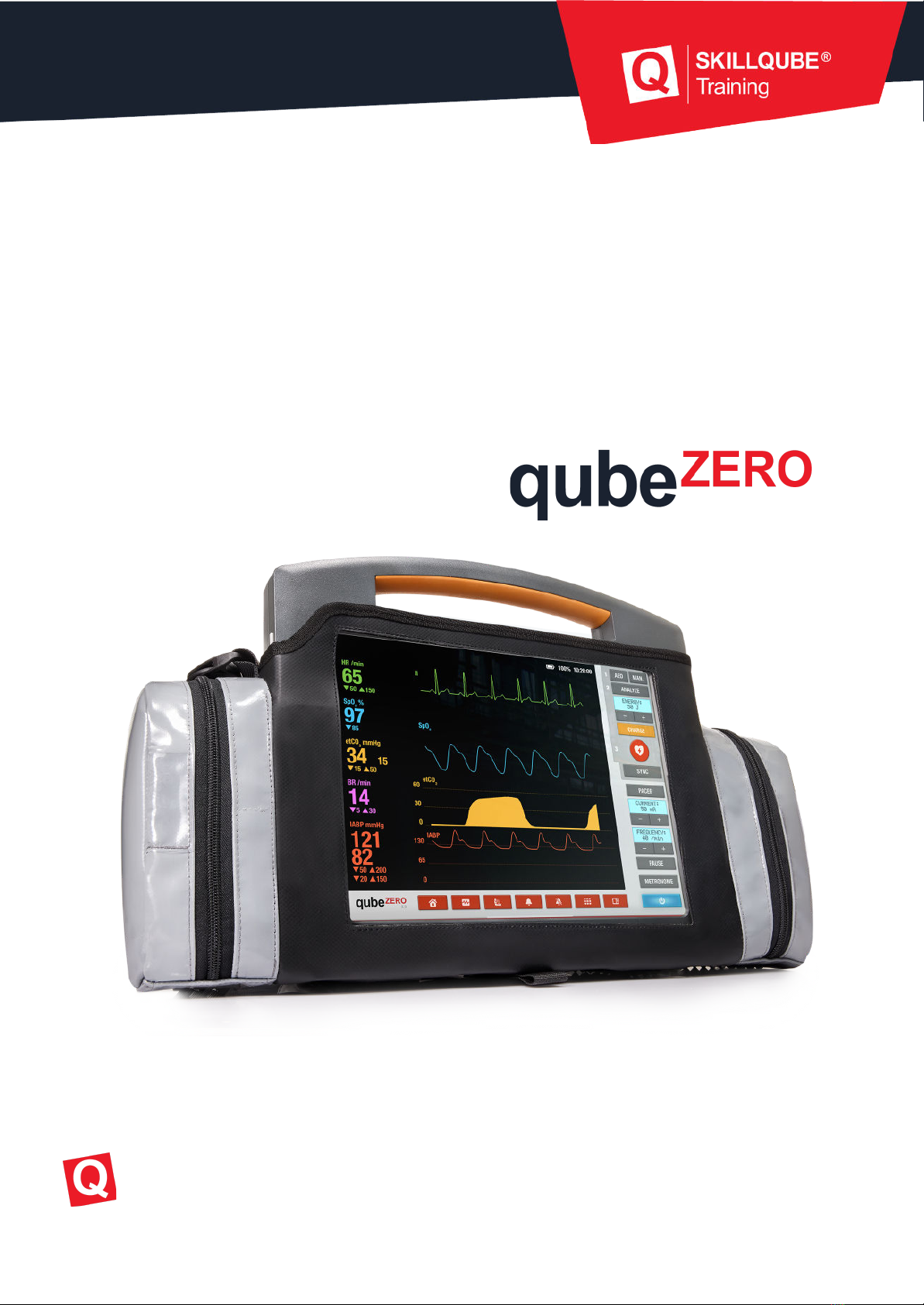
USER GUIDE version 3.6
Updated Nov 1, 2022
Skillqube GmbH
Training.
Simulation.
Technology.

Overview / Table of contents
1. App settings 3
2. On/off and views 3
3. Settings on the qubeZERO 4
a. 12 lead ECG 4
b. Blood pressure measurement 5
c. Set/mute alarms 5
d. Change views 6
e. Choose between clinical and pre-clinical monitor 6
4. AED 7
5. Manual mode & SYNC 8
6. Pacer 9
7. Metronome 10
8. CPR feedback 10
Skillqube GmbH
Training.
Simulation.
Technology.
1. App settings
Monitor-specific app settings are set in the qubeCLOUD. Your organization’s administrator or
device manager must make the appropriate settings. For more information, see the
instructions for qubeCLOUD and qubeCONTROL.
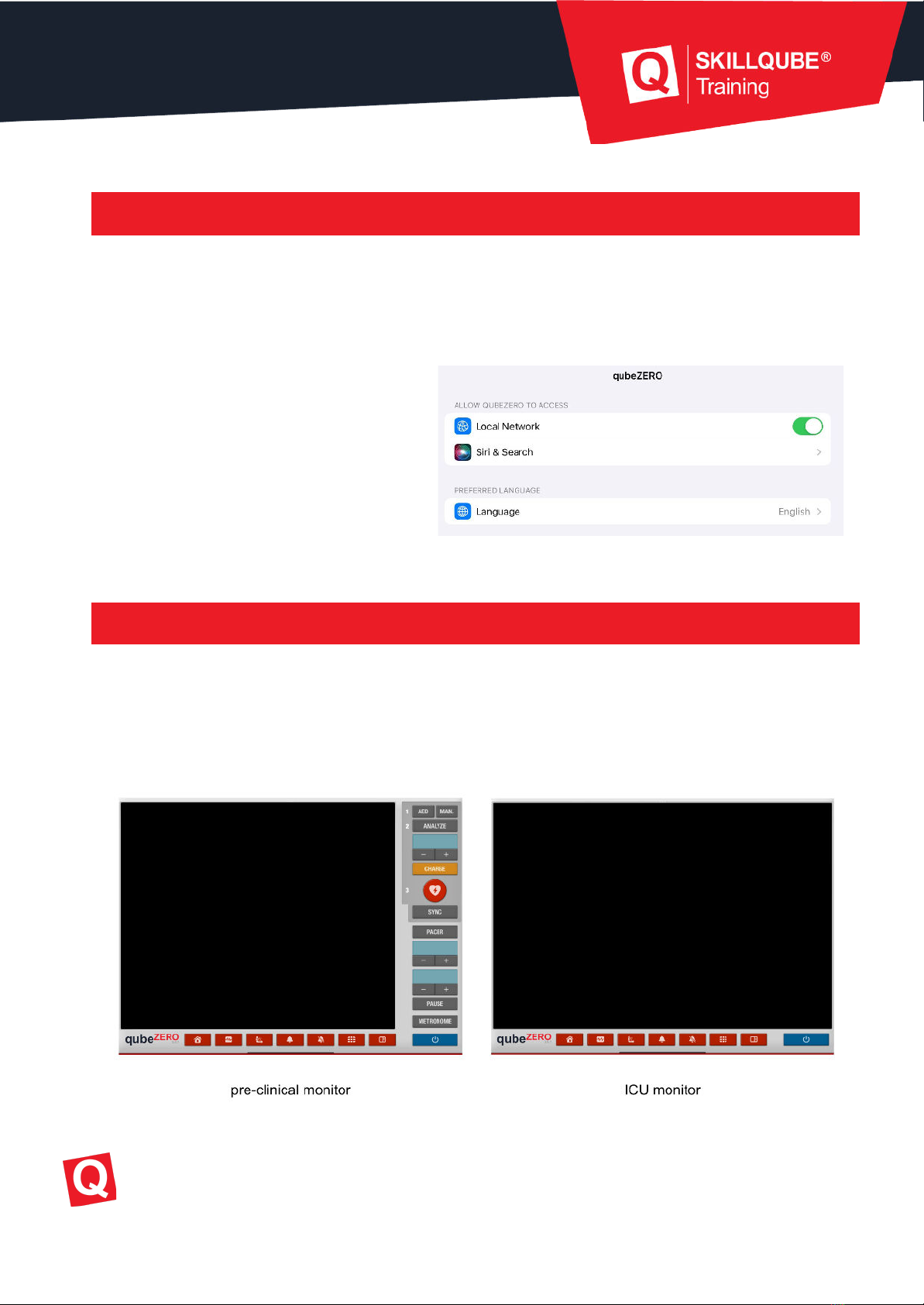
Only the app language is selected in the
local settings. You can also grant
permission to allow the app to connect to
the local network. This function must
always be enabled so that the
qubeSERIES apps can communicate with
each other!
2. On/off and views
Once you have started the app, start the qubeZERO using the blue “On/Off” button. Tap it once
to start. To shut down the system, tap and hold for three seconds.
Depending on the predefined configuration, the monitor will start in pre-clinical or clinical
mode.
Skillqube GmbH
Training.
Simulation.
Technology.
3. Settings on the qubeZERO
The following options are available on the qubeZERO:
1. Write 12 lead ECG
2. Blood pressure measurement
3. Set/mute alarms
4. Change views
5. Choose between clinical and pre-clinical monitor
a. 12 lead ECG
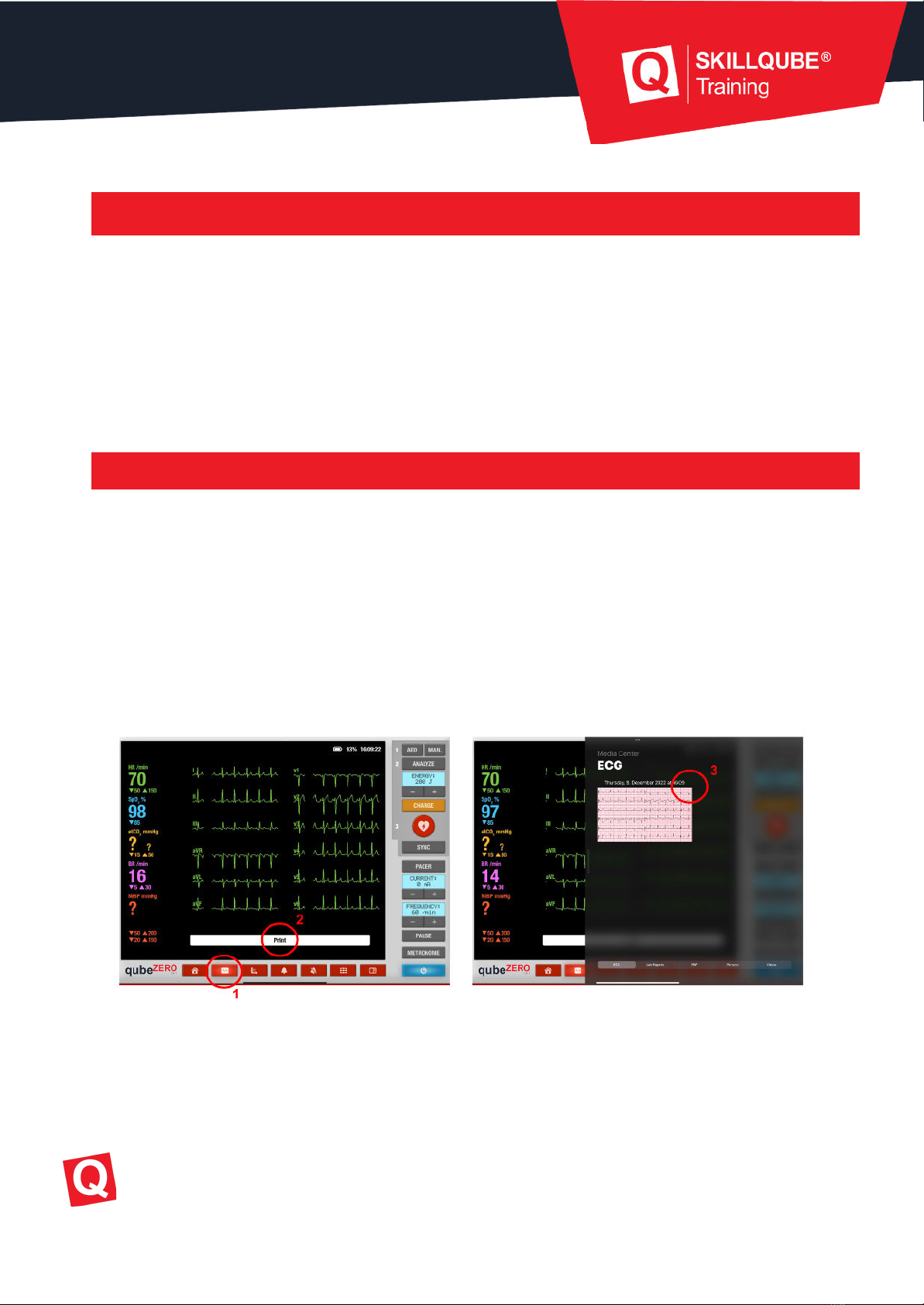
To print a 12 lead ECG, tap the corresponding button (1). A notification that an ECG has been
printed is shown on the controller. The media center opens on the monitor and the ECG can
be viewed.
If the app settings have been configured such that the media center does not open
automatically when an ECG is printed, swipe from the right to the center to manually open the
media center.
To close it, swipe from the center to the right.
Skillqube GmbH
Training.
Simulation.
Technology.
b. Blood pressure measurement
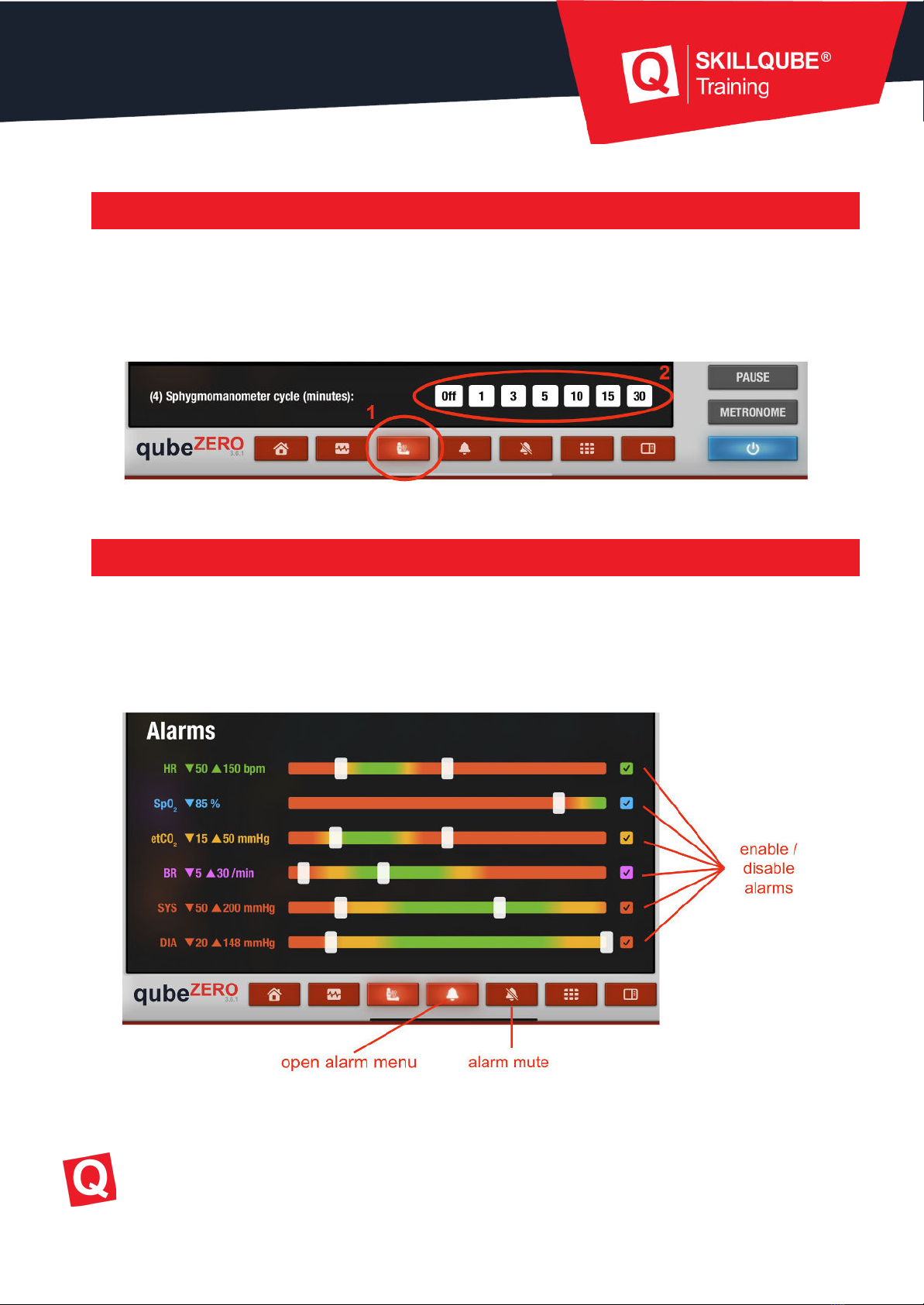
Tapping the “Blood pressure measurement” button (1) measures the blood pressure. A dialog
box opens at the bottom of the screen where you can set whether and at what frequency an
interval measurement should take place (2).
c. Set/mute alarms
The alarm menu can be reached by tapping the bell icon.
Enable or disable the field to set whether the alarm is on or off. Set alarm limits using the
slider.
To mute the alarms, tap the crossed-out bell icon.
Skillqube GmbH
Training.
Simulation.
Technology.
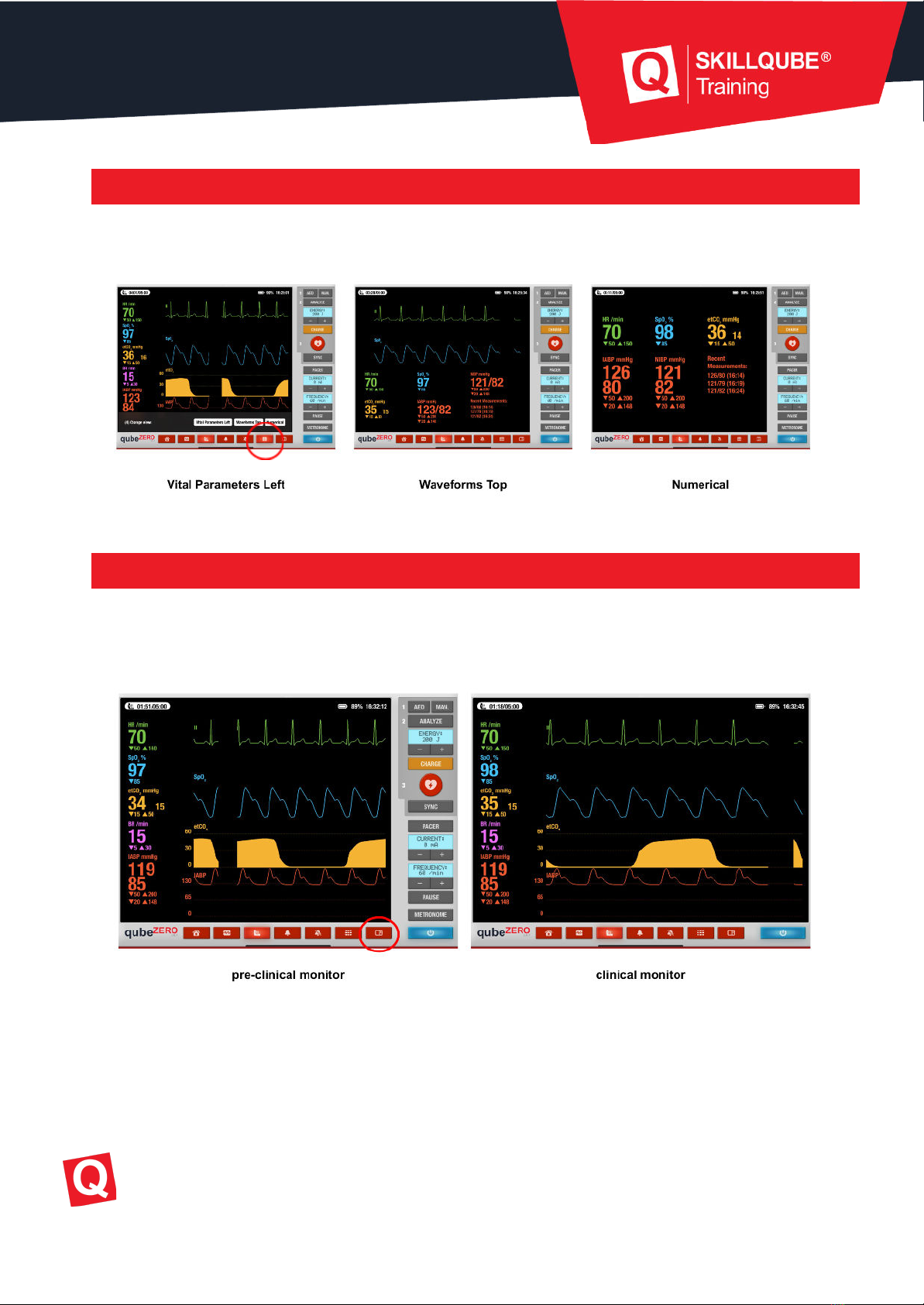
d. Change views
You can switch between three different views by tapping the tile icon.
e. Choose between clinical and pre-clinical monitor
Use the button to the left of the blue on/off switch to switch between the pre-clinical and
clinical monitor views.
Skillqube GmbH
Training.
Simulation.
Technology.
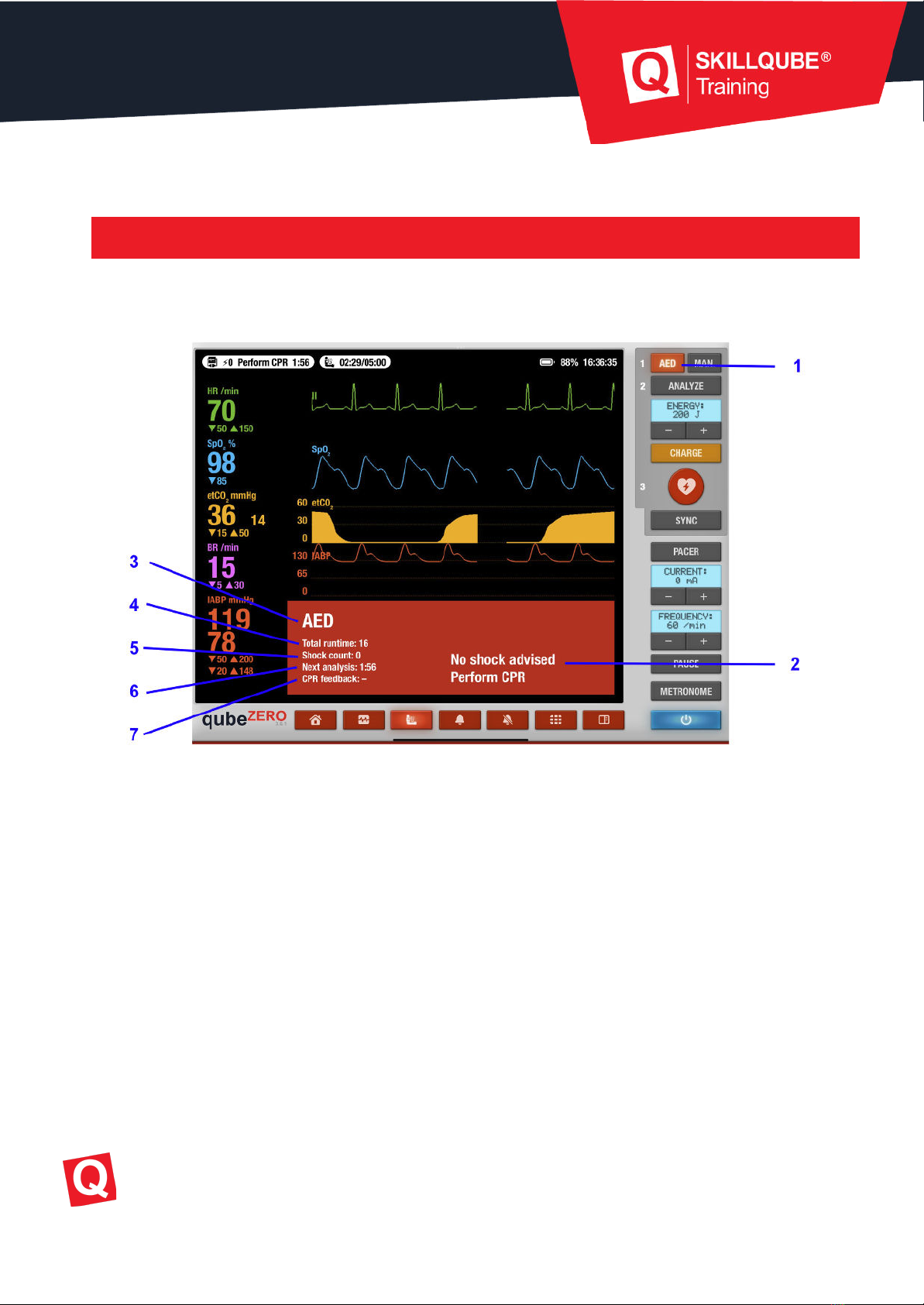
4. AED
To start the AED, tap the “AED” button (1). Another window with information opens.
1. Enable/disable AED
2. AED instructions
3. Mode
4. Total time since AED activation
5. Number of shocks performed
6. Next analysis
7. Information about CPR feedback
Skillqube GmbH
Training.
Simulation.
Technology.
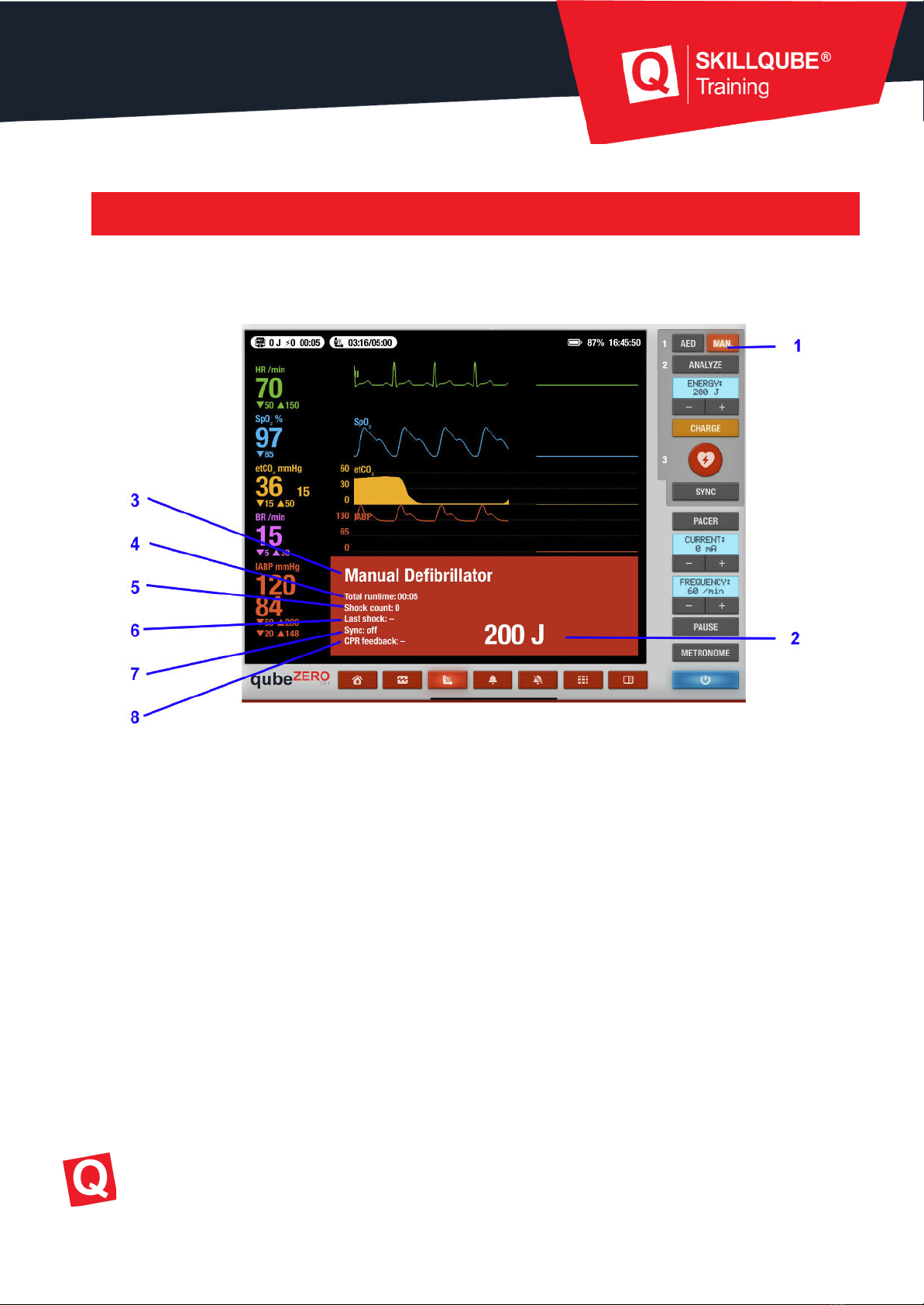
5. Manual mode & SYNC
To start manual defibrillation, tap the “MAN” button (1). A window with further information
opens.
1. Enable/disable manual mode
2. Display defibrillation energy in joules
3. Mode display
4. Total time since manual defibrillator activated
5. Number of shocks performed
6. Time since last shock
7. Synchronized defibrillation on/off
8. Information about CPR feedback
Skillqube GmbH
Training.
Simulation.
Technology.
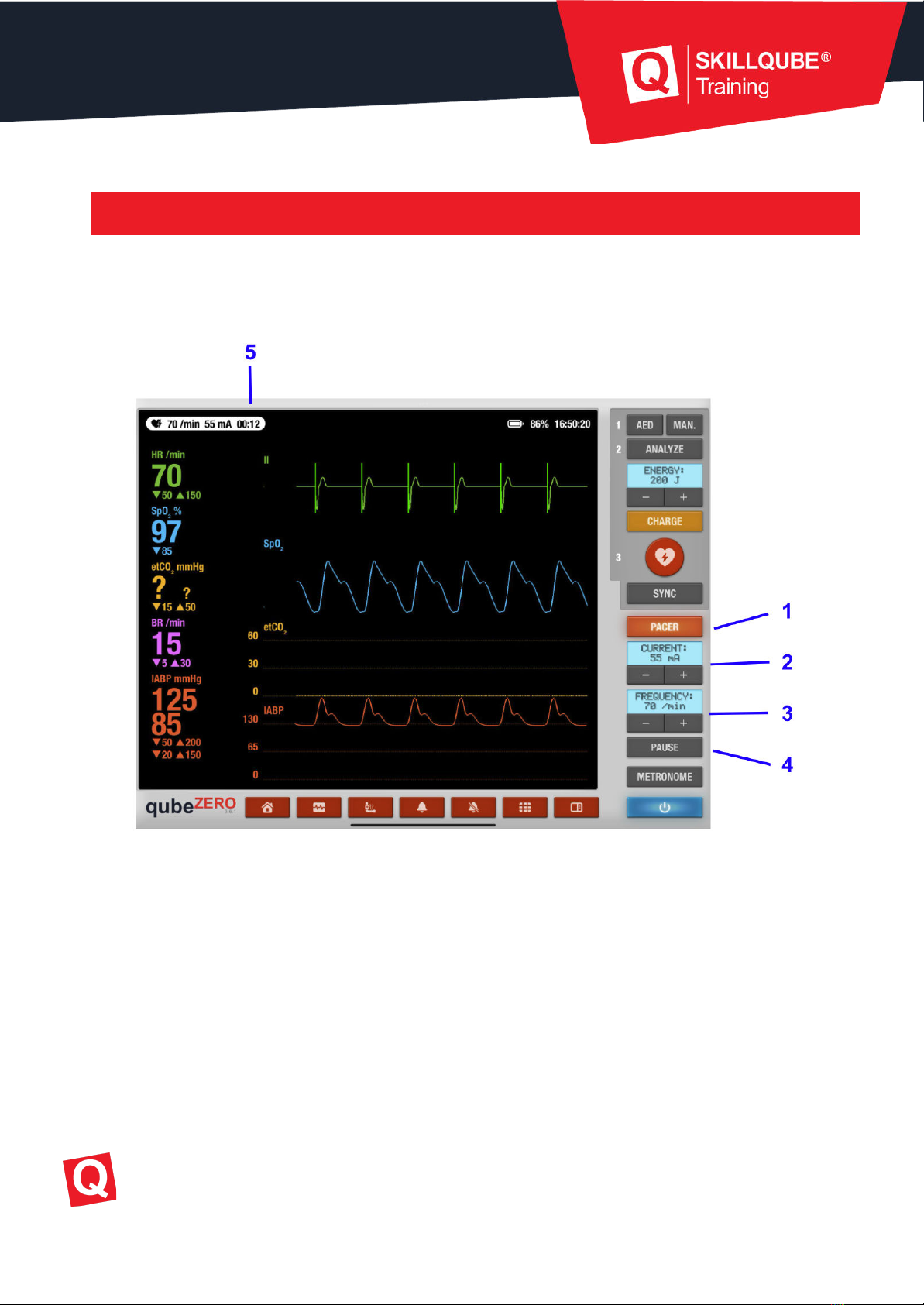
6. Pacer
To activate the pacer, tap the “Pacer” button (1). The “Frequency” and “Current” displays can
be set using the +/- keys. Tapping pause pauses the pacer.
1. Switch pacemaker on/off
2. Set the current using +/-
3. Set the frequency using +/-
4. Pause the pacer (frequency divided by four)
5. Pacer runtime
Skillqube GmbH
Training.
Simulation.
Technology.
7. Metronome
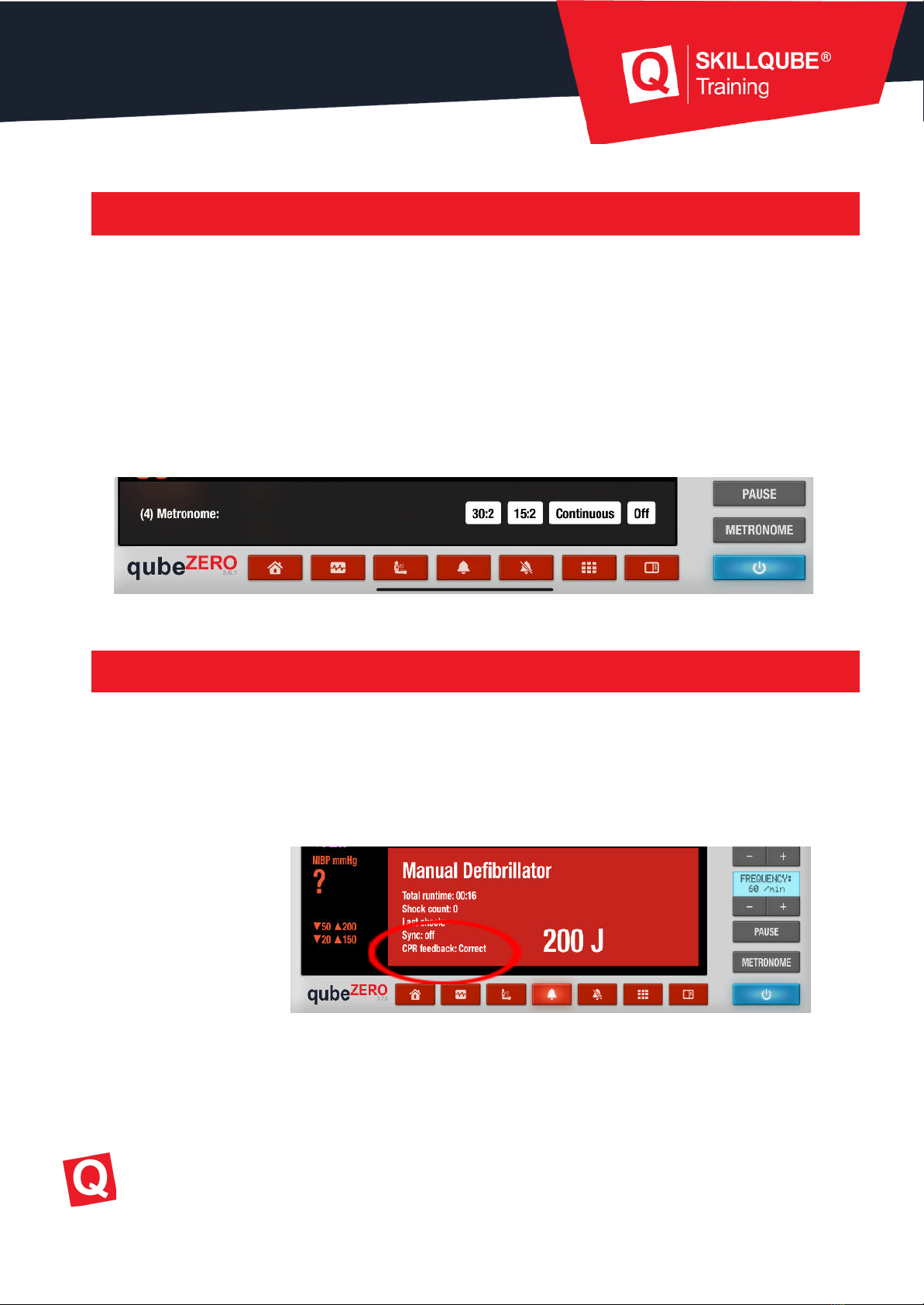
A metronome can be used to help with the CPR frequency. You can open this by tapping the
“Metronome” button. You can now select different modes.
1. 30 / 2 (recommended ratio for adults)
2. 15 / 2 (recommended ratio for children)
3. Continuous
4. OFF
8. CPR feedback
If you are using our qubeCPR, the participants using the qubeZERO unit will get feedback
about the quality of their compressions. This can be found in the red window that appears in
AED or manual mode (see sections 4 and 5).
The feedback is as follows:
- Too deep
- Deeper
- Faster
- Slower
- Correct
Skillqube GmbH
Training.
Simulation.
Technology.
Autres manuels pour qubeZERO
1
Table des matières
Autres manuels SKILLQUBE Équipement médical


