
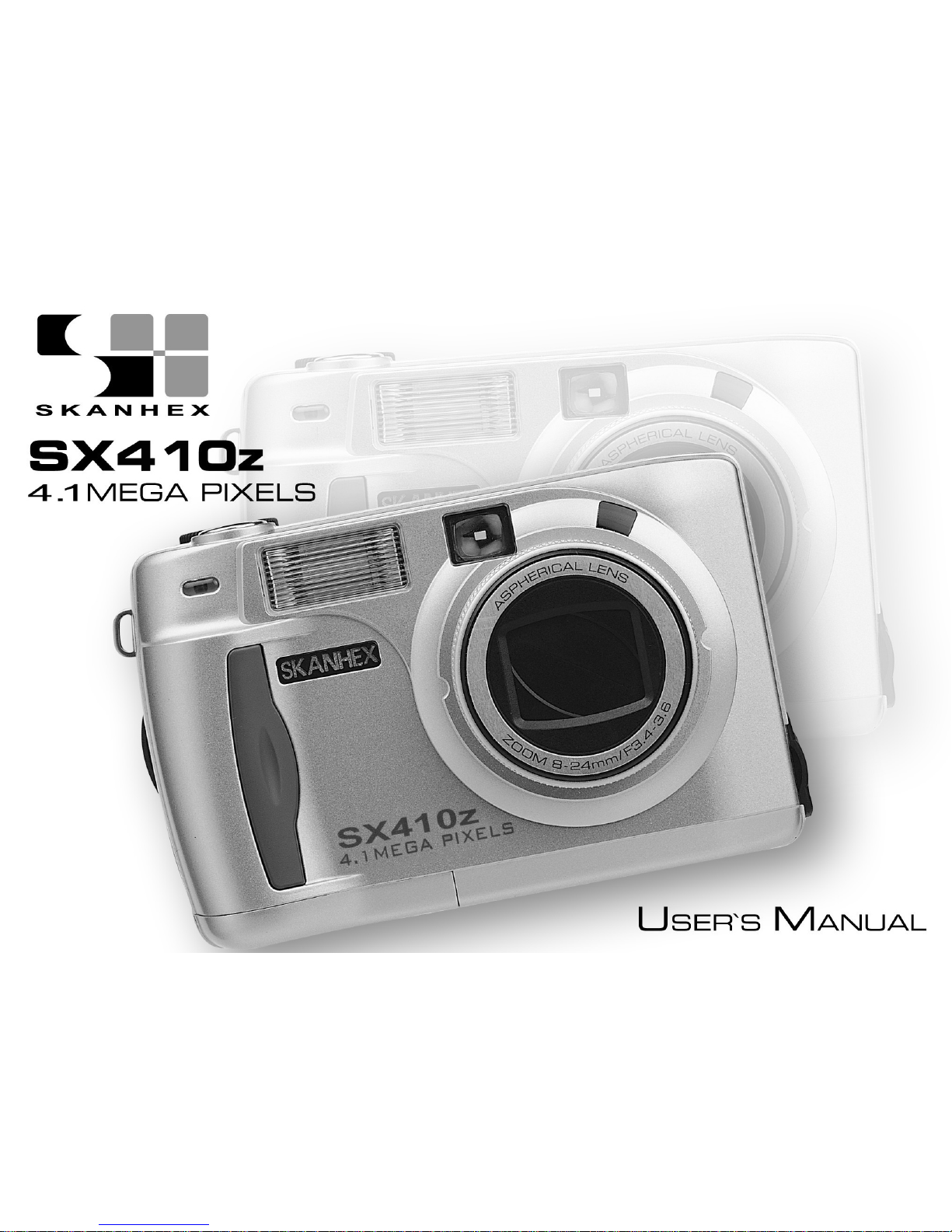
Skanhex SX410z Manuel utilisateur

SYSTEM REQUIREMETS WINDOWS
• for USB –Windows 98/98 SE/2000 prof./Me
• 32 MB RAM
• 110MB free memory apa ity
• VGA olour monitor
• CD ROM drive
• USB
SYSTEM REQUIREMETS
IMac,iBook,G3 blue&white erie ,G4 erie
• Ma OS 8.6/9/9.0.2/if possible 9.0.4
• 32MB RAM or higher
• 110MB free memory apa ity
• VGA olour monitor
• CD ROM drive
• USB
3
Thank you for pur hasing the SKANHEX 410z.
Please take the time to read through this instruction manual so you can enjoy all
its features.
This mark on your amera ertifies that this amera meets the requirements of the
EU (European Union) on erning interferen e ausing equipment regulations.
CE stands for Conformité Européenne (European Conformity).
This devi e omplies with Part 15 of the FCC Rules. Operation is subje t to the fol-
lowing two onditions: (1) This devi e may not ause harmful interferen e, and (2)
this devi e must a ept any interferen e re ieved, in luding interferen e that may
ause undesired operation.
This Class B digital apparatus omplies with Canadian ICES-003.
Do not remove the ferrite ores form the ables.
FOR HOME OR OFFICE USE
SX410z
4
Read and understand all warnings and autions before using this produ t.
Batteries may be ome hot or explode due to improper use.
• Use only the batteries spe ified in this instru tion manual.
• Do not install the batteries with the polarity (+/-) reversed.
• Do not subje t batteries to fire or high temperatures.
• Do not attempt to re harge, short, or disassemble.
• Do not mix batteries of different types, brands, or ages.
• Follow lo al regulations for battery disposal.
Use aution, a idents may o ur when using this produ t near young hil-dren.Keep batteries or
things that ould be swallowed away from young hildren.Conta t a do tor immediately if an obje t
is swallowed.Immediately remove the batteries and dis ontinue use if...
• the amera is dropped or subje ted to an impa t in whi h the interior is exposed.
• the produ t emits a strange smell, heat, or smoke.
Do not walk while looking at the monitor.
Do not disassemble. Ele tri sho k may o ur if a high voltage ir uit inside
the amera is tou hed.
Take your amera to a SKANHEX Servi e Fa ility when repairs are required.
WARNING
CAUTION
The heat of the amera rises with extended periods of use. Use aution when handling the amera or
removing the batteries and ompa t flash ard.
FOR PROPER AND SAFE USE

5
EFORE YOU EGIN
Che k the pa king list before you begin. If some parts are missing, onta t your
amera dealer or a SKANHEXServi e Fa ility listed on the ba k over of this manual.
• SKANHEX SX410z ZOOM camera x 1)
• AA-size Alkaline Batteries x 4)
• Video Cable x 1)
• Hand Strap x 1)
• Camera Case x 1)
• USB Cable x 1)
• 16MB CompactFlash Card x 1)
• Software and Documentation on CD-ROM:
USB Driver Software for Windows ® 98/Windows ® 98 SE / Windows ® 2000
and Ma OS 8.6 / 9 / 9.0.2 / 9.0.4
Instru tion Manual (PDF) Windows ® /Ma intosh
Adobe PhotoDeluxe 4.0 Family Edition CD-ROM for Windows ®
Adobe PhotoDeluxe 2.0 CD-ROM for Ma intosh
• Documentation Printed)
Warranty Card (x 1)

6
TA LE OF CONTENTS
FOR PROPER AND SAFE USE........................4
BEFORE YOU BEGIN.......................................5
TABLE OF CONTENTS.....................................6
NAMES OF PARTS.........................................10
CAMERA BODY...........................................10
INSIDE THE TERMINAL COVER................12
BOTTOM OF BODY.....................................12
DATA PANEL...............................................13
VIEWFINDER..............................................14
QUICK REFERENCES....................................16
GETTING STARTED.......................................16
TAKING PICTURES........................................16
MONITORING THE CAPTURED IMAGES......18
DELETING IMAGES........................................19
PREPARATION
ATTACHING THE HAND STRAP.....................22
INSERTING THE BATTERIES........................23
CHECKING THE BATTERY POWER ........25
AUTO POWER OFF......................................26
USING THE DC
ADAPTER (Sold Separately).........................26
INSERTING/REMOVING THE COMPACT
FLASH (CF) CARD............................................27
INSERTING THE CF CARD.........................27
REMOVING THE CF CARD.........................28
TAKING PICTURES
BASIC RECORDING PROCEDURE.................31
THE RECORDING MODE DISPLAY ON THE
LCD MONITOR..................................................33
THE DISPLAY OF THE CAMERA SETTINGS
...........................................................................34
ADJUSTING THE FOCUS.................................35
FOCUS LAMP...............................................35
FOCUS DISTANCE IN THE AUTOFOCUS
MODE (Minimum Fo us Distan e)....................35
THE SUBJECT THAT IS DIFFICULT TO

7
TA LE OF CONTENTS
FOCUS
IN THE AUTOFOCUS MODE....................36
WHEN THE SUBJECT IS NOT IN THE
CENTER OF THE FRAME
(Fo us Lo k Fun tion)................................37
ADJUSTING THE FOCUS MANUALLY
(Manual Fo us Mode)................................38
FLASH.............................................................40
Flash Range...............................................40
SELECTING THE FLASH MODE..............41
Flash Lamp................................................42
ADVANCED OPERATIONS
BURST IMAGE CAPTURE.............................44
SELF-TIMER...................................................47
DIGITAL ZOOM...............................................50
CLOSE-UP......................................................52
EXPOSURE COMPENSATION......................55
ADJUSTING THE BRIGHTNESS OF THE LCD
MONITOR..........................................................57
SPECIFYING THE RECORDING MODE
SPECIFYING THE RECORDING MODE.......59
THE RECORDING
MODE MENU DISPLAY (LCD Monitor).....59
THE RECORDING MODE MENU ITEMS
....................................................................59
SPECIFYING THE IMAGE QUALITY MODE
........................................................................63
SPECIFYING THE IMAGE SIZE MODE .......65
SPECIFYING THE WHITE BALANCE MODE
........................................................................68
SPECIFYING THE SHARPNESS MODE.......70
RESETING TO THE RECORDING MODE DEFAULT
SETTINGS
.........................................................72
PLAYBACK MODE
SINGLE-FRAME PLAY....................................75
THE PLAYBACK MODE DISPLAY
ON THE LCD MONITOR................................76
THE IMAGE INFORMATION DISPLAY
IN THE PLAYBACK MODE........................77
INDEX PLAY...................................................78

8
TA LE OF CONTENTS - CONT'D
SPECIFYING THE PRINT SETTINGS WITH
THE DPOF.......................................................99
SPECIFYING THE IMAGE AND THE
NUMBER TO BE PRINTED......................100
SPECIFYING THE INDEX PRINT
SETTINGS................................................102
TO CANCEL THE PRINT SETTINGS WITH
THE DPOF................................................104
FOLDER NAME.............................................105
SELECTED AN FOLDER.........................106
GIVE FOLDER A NEW NAME.................107
On DCF (Design rule for Camera File system)
Format......................................................109
SETUP
THE SETUP MODE MENU DISPLAY............111
THE SETUP MODE MENU DISPLAY ON
THE LCD MONITOR.................................111
THE SETUP MODE MENU ITEMS AND
EACH SETTINGS.....................................111
SPECIFYING THE TIME FOR THE AUTO
ZOOM PLAY...................................................80
SLIDE SHOW
TO START THE SLIDE SHOW.................82
TO STOP THE SLIDE SHOW...................83
THE SETTING IN THE SLIDE SHOW
MODE MENU..........................................84
DELETING IMAGES
DELETING SELECTED IMAGE.....................87
DELETING ALL IMAGES...............................90
DELETING FOLDERS..................................92
ADJUSTING THE BRIGHTNESS OF THE LCD
MONITOR.......................................................94
SPECIFYING THE PLAYBACK MODE
THE PLAYBACK MODE MENU...................97
THE PLAYBACK MODE MENU
(LCD Monitor)..............................................97
THE PLAYBACK MODE MENU ITEMS AND
EACH SETTINGS..........................................97

9
TA LE OF CONTENTS - CONT'D
POWER OFF FUNCTION................................111
FORMATTING THE CFCARD........................115
SETTING THE DATE / TIME...........................117
SETTING THE BEEP SOUND........................120
SWITCHING THE VIDEO SIGNAL FROM
THE VIDEO OUTPUT TERMINAL...................122
SWITCHING THE LANGUAGE DISPLAYED
ON THE LCD MONITOR.................................124
RESETTING TO THE DEFAULT SETTINGS..126
CONNECTING TO THE PERSONAL COMPUER
CONNECTING TO THE PERSONAL
COMPUTER....................................................130
Edition.........................................................130
For Windows® 2000 Professinal...............130
For Windows® Me......................................130
For Ma intosh.............................................130
CAUTIONS WHEN CONNECTING TO
THE PERSONAL COMPUTER...............137
INSTALLING Adobe PhotoDeluxe...................139
APPENDIX
WATCHING THE CAPTURED IMAGES
ON TV............................................................142
TROUBLESHOOTING..................................143
NOTES ON THE HANDLING......................150
CARE AND STORAGE.................................151
TECHNICAL DETAILS..................................152
10
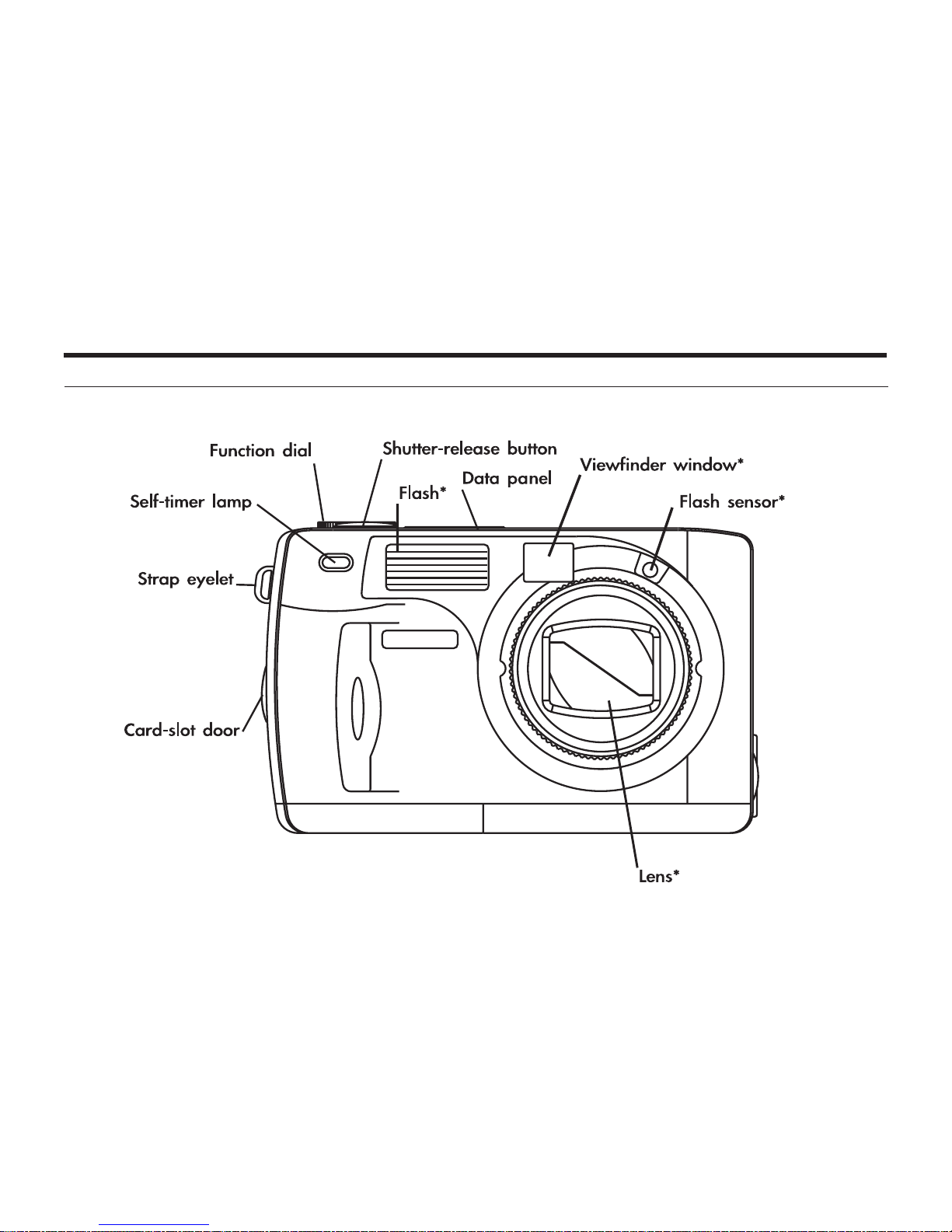
NAMES OF PARTS
CAMERA BODY
* Do not tou h.
Table des matières


