14 15
Care and Maintenance
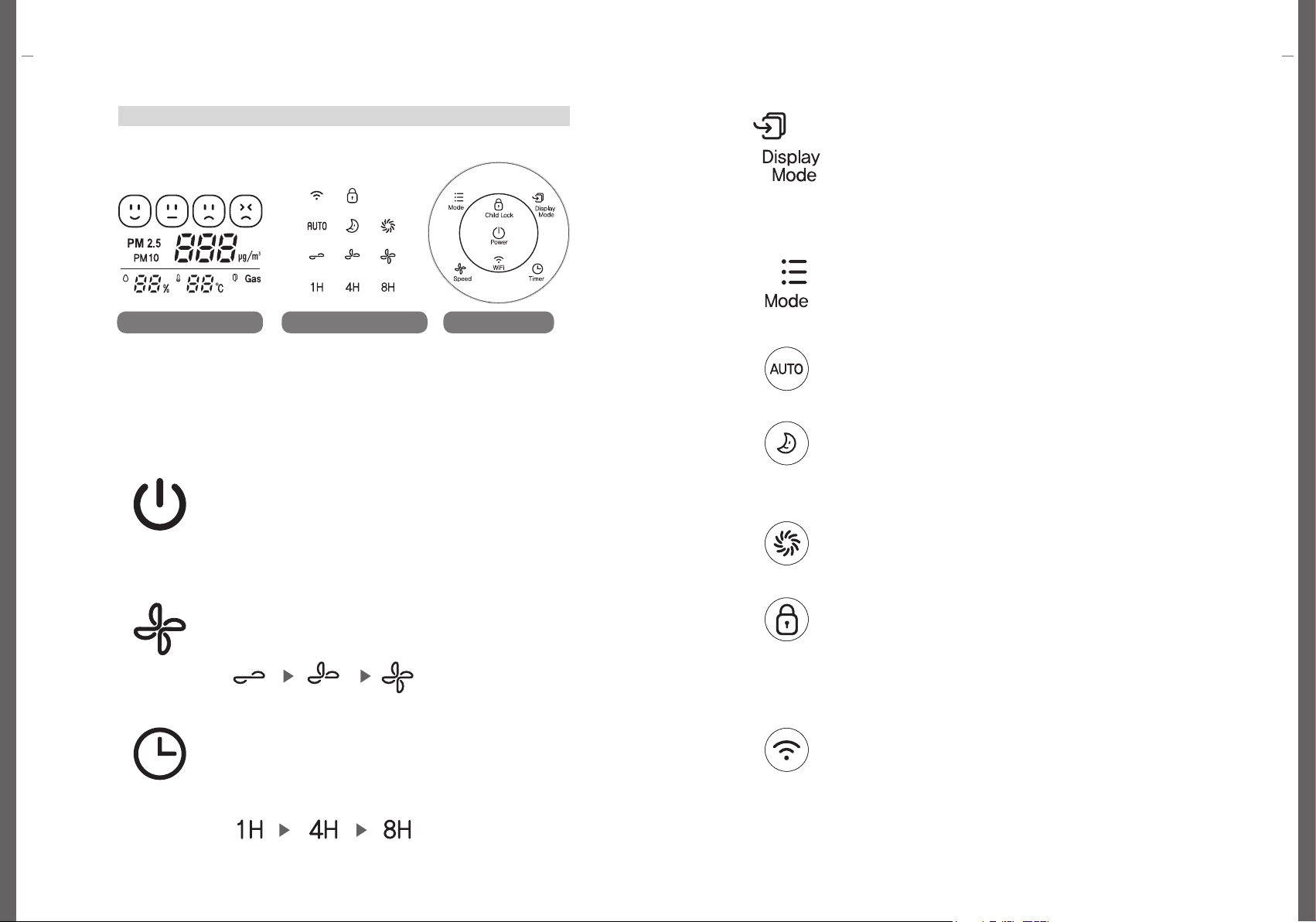
Control and Display Panel: Functions
Control and Display Panel: Functions Care and Maintenance
Control and Display Panels on the Top
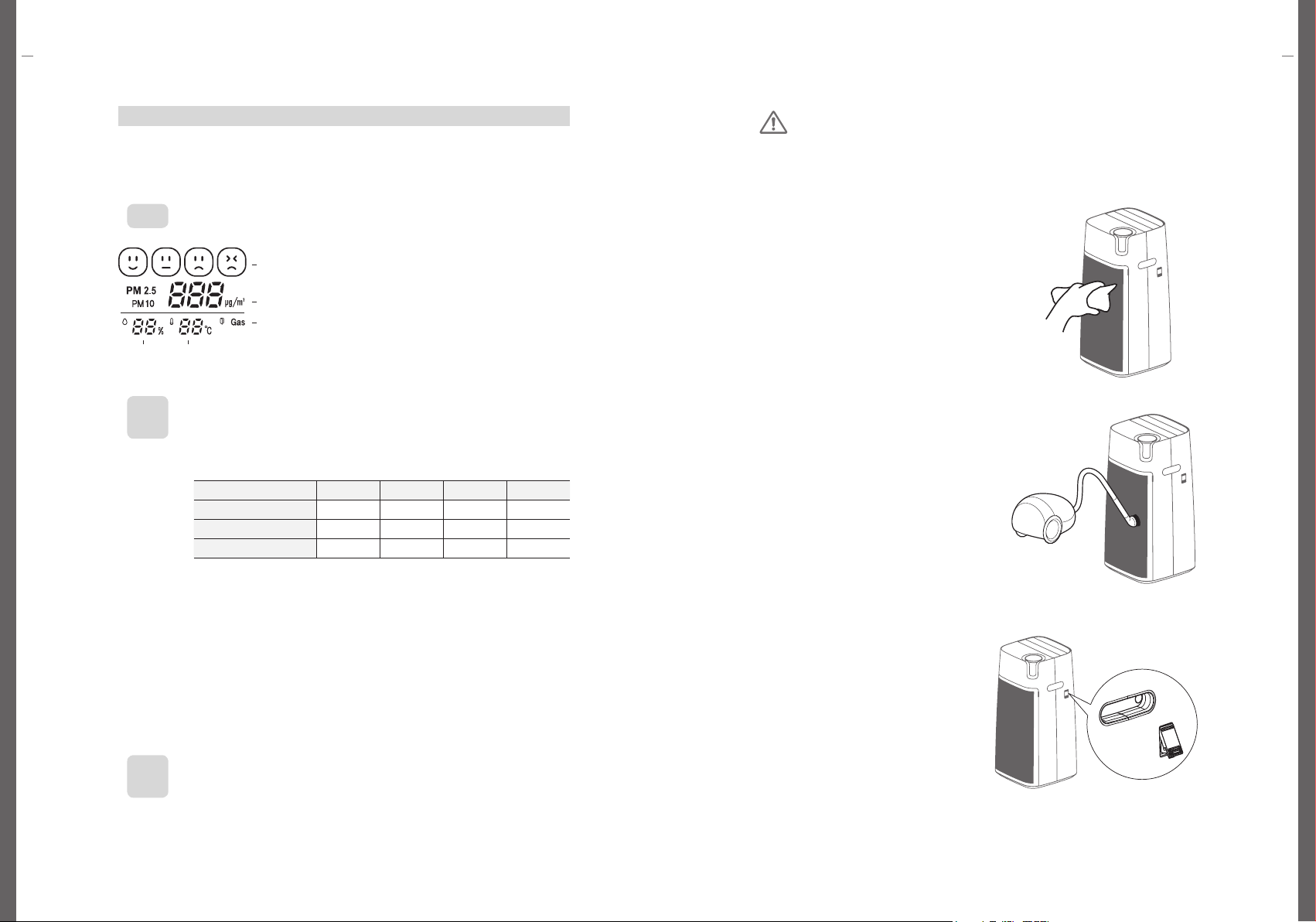
Check General Air Quality
• The General Air Quality indicates the current air condition according to 4 levels (good,
normal, bad, and very bad)
※ The appliance displays the gas pollution level in the air in Ice Blue/Green/Orange/Red.
When the gas pollution is orange or red for long-term, it is recommended to ventilate
the room.
• The PM concentration levels indicated in the appliance shall differ from the PM level in
other air purifier products. It could also differ from the PM level forecasted by the Ministry
of Environment (MOE). The values of PM level measurement by MOE is based upon
Gravimetric method and Beta attenuation monitor. On the other hand, this appliance
measures and converts the number of PM in the air into PM mass concentration. The
values may differ from PM concentration level announced by MOE.
※ The actual level of PM is displayed in numeral units ranging from 1-999.
•PM10: PM in the air smaller than 10㎛
•Ultrafine PM (PM2.5): PM in the air smaller than 2.5 ㎛
Note
• When using different appliances in the same space, indoor air circulation may cause
different PM concentrations to be indicated in the appliances.
• Different environmental factors (i.e., distance from a construction site, vacuum cleaner
usage, and making a bed) may cause differences in the indicated PM concentration.
• In a surrounding condition with yellow dust or introduction of outside air, the PM
concentration may be continuously displayed as high.
Note
• General Air Quality displays the integrated information of PM10 and PM2.5. The
information on General Air Quality shall differ from current concentration level of PM10
and PM2.5 indicated in colors.
• General Air Quality displays the worst condition between the current level of PM10 and
PM2.5. General Air Quality shall indicate Bad when the current level of PM2.5 is Bad,
even when the current level of PM10 is Good.
Note
LED Color Ice Blue Green Orange Red
General Air Quality Good Normal Bad Very Bad
Ultrafine PM (PM2.5) below 15 16-35 36-75 above 76
Fine PM (PM10) below 30 31-80 81-150 above 151
• Ensure to unplug before cleaning.
• Do not use organic solvents (e.g., solvent, thinner, etc.), bleaching agent,
detergents containing chloride and/or an abradant.
• Do not apply water or immerse the appliance in water when cleaning.
Caution
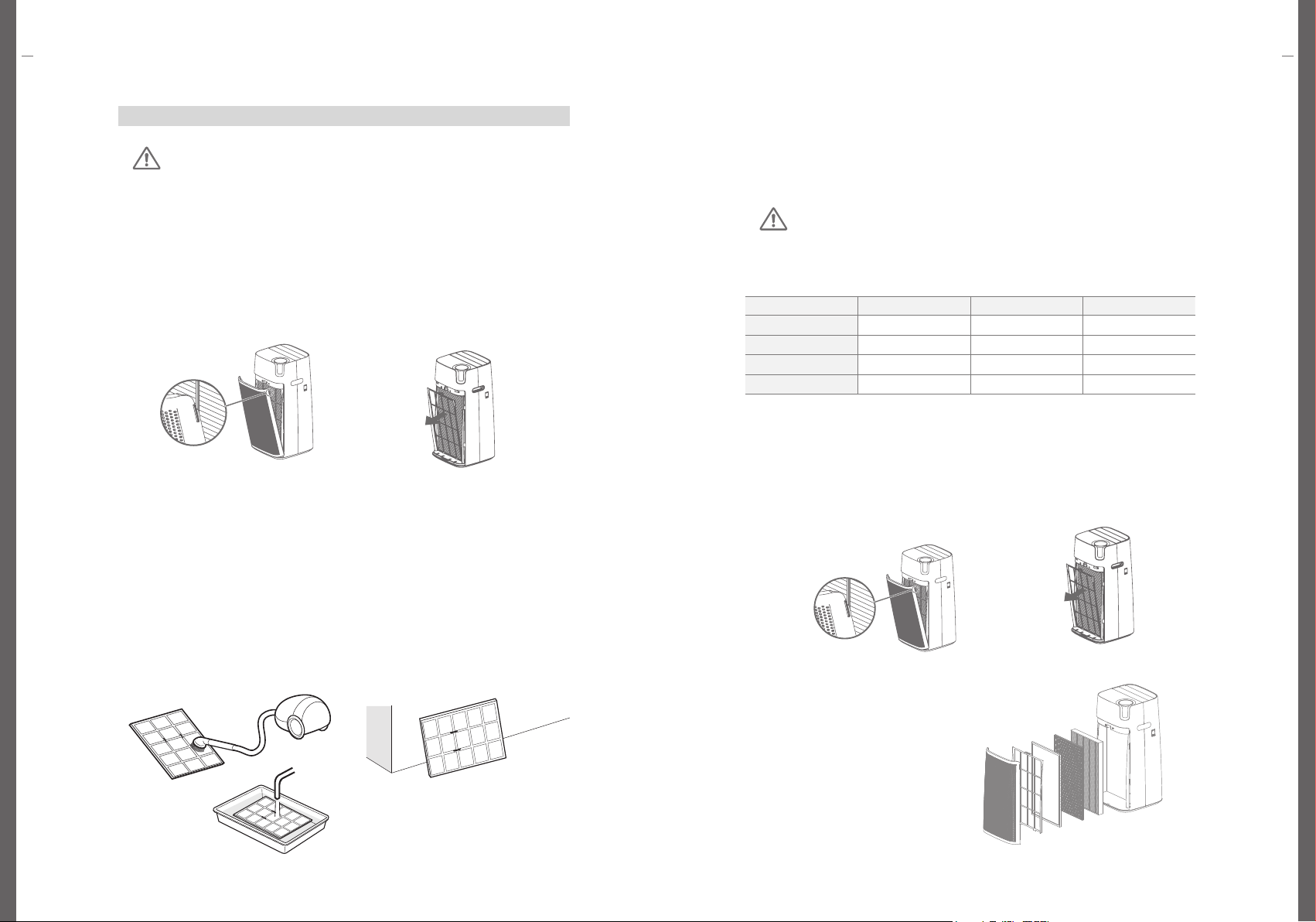
[Product Body] Cleaning (2-4 weeks)
Wipe the product with a soft, dry cloth.
Use vacuum to remove dust at inlet and
outlet.
※ In case of severe contamination, wipe
with a slightly damp cloth.(use of
abrasive is prohibited)
[Front Cover] Cleaning (2-4 weeks)
After removing front cover from the
product, remove the dust with a soft, dry
cloth or soft brush.
※ In case of severe contamination, wipe
with a slightly damp cloth.
(use of abrasive is prohibited)
[Sensor] Cleaning (4 weeks)
1. Open the sensor cover.
Clean dust inlet, dust outlet and dust
sensor detection part with soft brush of
vacuum.
2. Wipe dust inlet & outlet with slightly
damp swab. Then wipe them with dry
swab to remove moisture.
※ If cleaning is not carried out periodically,
it may cause deterioration of dust sensor
performance.
※ Cleaning more frequently in dusty
environments because the cleaning cycle
varies depending on the environment.
• drF(Front cover open) : Displays when front
cover is open.
• The display panel will indicate the General Air
Quality when the appliance operates.
• Press Display Mode button to change the
displayed information in following order: PM2.5,
PM10, and LED off.
Current General
Air Quality
Gas Pollution
Indoor
Indoor