2
READ ME FIRST
Please read through this manual carefully before using the
camera and follow the instructions to avoid damages caused by
improper operation.
1-1 Attention
The software CD-ROM included with this camera is for PC
use only. Please do not play this CD-ROM on a stereo or a
CD player.
The included camera is a precision electronic device. Do
not attempt to service this camera by yourself, as opening
or removing covers may expose you to dangerous voltage
points or other risks.
1-2 Before Using Your Digital Camera
Before taking pictures with this camera in any important
event (such as a wedding ceremony or an overseas trip),
please do test the camera to ensure that it functions
properly. Any additional loss caused by the malfunction of
this product (such as costs of photography or any loss of
benefit generated by the photography) is not the
responsibility of our company and no compensation will be
given for it.
Copyright information
Unless agreed by the right owner, all the pictures taken with
this digital camera cannot be used in violation of copyright
law. Moreover, when "No Photography" restriction is placed
on site, you cannot record any live performance,
improvisation or exhibits even for personal purpose. Any
transfer of pictures or memory card with data must be
conducted under the constraints of copyright law.
Special notes on the LCD (Liquid Crystal Display) monitor
1. If the liquid contacts the skin:
Please wipe the skin with a cloth and wash with water.
2. If the liquid gets in the eye:
Please immediately rinse with fresh water for at least 15
minutes, and then consult with a physician to receive
treatment as soon as possible.
3. If someone accidentally swallows the liquid:
Please rinse the mouth with water immediately, and consult
a physician to receive treatment as soon as possible.
3
1-3 Operation Caution
Avoid using or placing the camera in the following locations:
1. Damp and dusty places
2. Closed vehicles or places exposed to direct sunlight or
places subject to extremely high temperature or heat
3. Violently turbulent environment
4. Locations full of smoke, oil fumes or steam.
5. Locations subject to strong magnetic field
6. Raining or snowing environments
Do not open the battery cover when the power is on.
If water has entered the camera, immediately turn the camera’s
power off and remove the batteries.
How to maintain your camera:
1. If the lens or LCD monitor is dirty, please use lens brush or a
soft cloth to wipe clean. Do not touch the lens with you fingers.
2. Do not use any solid object to hit the camera.
3. Do not use any detergent or volatile solution to clean the
camera.
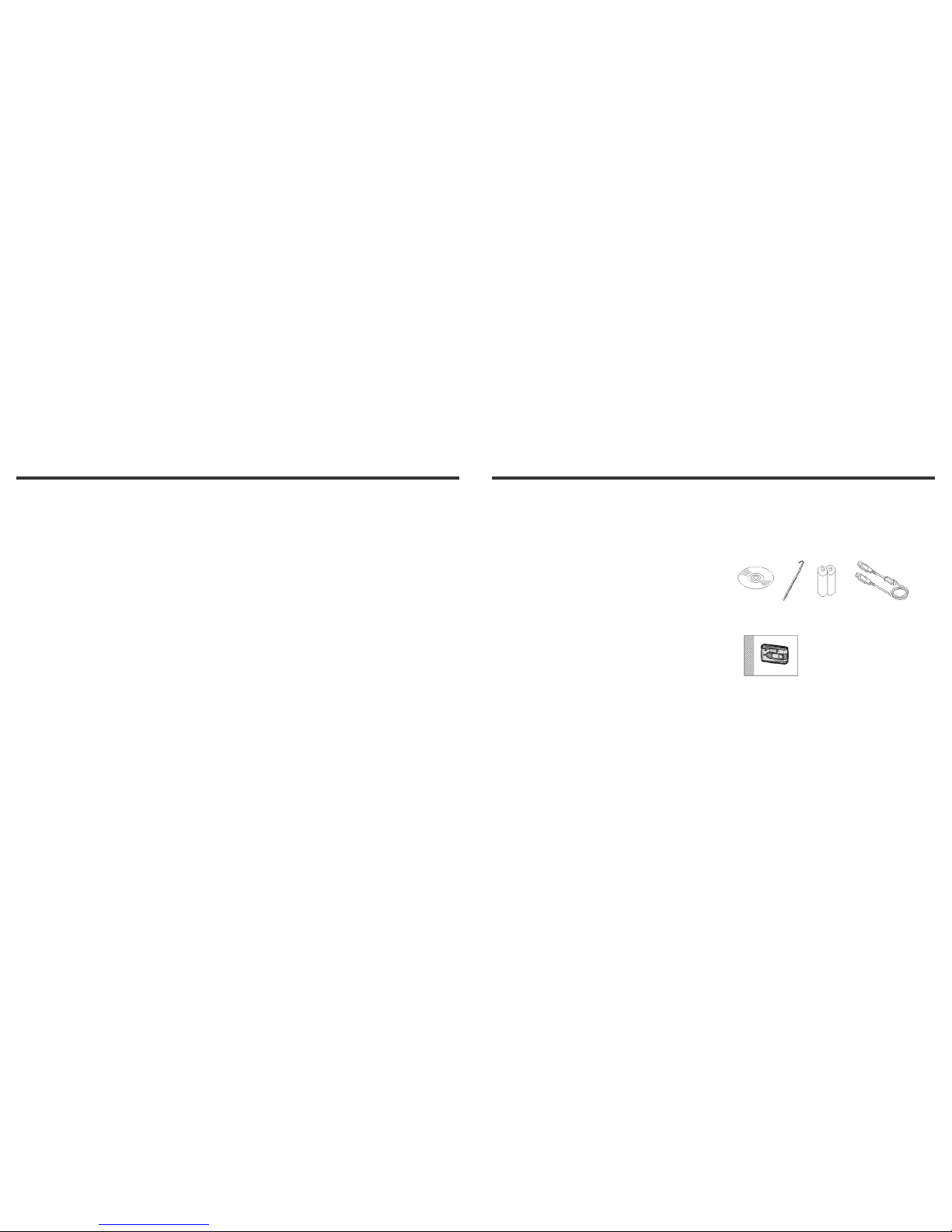
1-4 Package Contents
The following accessories are included in your StyleCam
Extreme package along with the digital camera. Please
make sure that all contents are inside the package and in
new condition.
CD-ROM Strap Batteries USBcable
Owner’s Manual