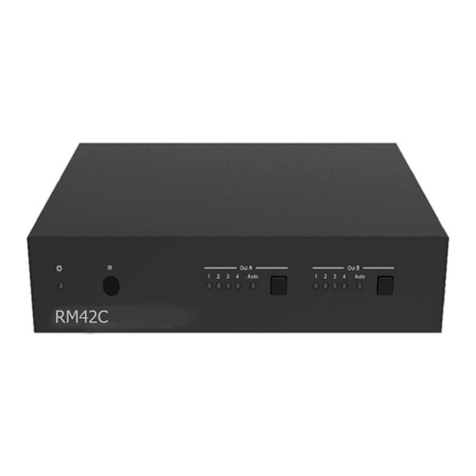
Simplified MFG RPS1 Manuel utilisateur

1 / 15
RPS1
4K 5x1 Multi-format
Scaler Switcher
Thank you for purchasing this device
The Simplified MFG EX1 is designed to provide years of reliable service. At
Simplified MFG, we want the experience with this device to be the best possible and
are committed to helping achieve that experience.
Surge protection device recommended
This product contains sensitive electrical components that may be damaged
by electrical spikes, surges, electric shock, lightning strikes, etc. Use of surge
protection such as the HDSURGE and other systems is highly recommended in
order to protect and extend the life of your equipment.

2 / 15
Table of Contents
1. Introduction ................................................................. 2
2. Features........................................................................ 2
3. Package Contents ......................................................... 3
4. Specifications ............................................................... 4
5. Operation Controls and Functions ................................ 5
6. Connection Diagram ................................................... 13
1. Introduction
The RPS1 is a Multi-input presentation switch with 5 inputs consisting of
4xHDMI and 1xVGA(YPbPr,CVBS). Each input source is switched and scaled to
adopt resolution then output through the HDMI port. The resolution and
aspect ratios are adjustable. The system can be controlled via front touch-
panel button, IR remote, and RS-232. The RPS1 is 18gbps 4K capable and
can accept nearly any resolution input making it a great solution for class
rooms, courtrooms, and boardrooms.

3 / 15
2. Features
•Compliant with HDMI2.0/1.4b, HDCP2.2/1.4
•Supports multi inputs: 4 x HDMI, 1 x VGA ( YPbPr, CVBS)
•Supports HDMI input resolutions up to 4K UHD 4:4:4 @50/60
•Supports output resolutions up to 4K UHD 4:4:4 @60
•Two input switching modes: auto or manual
•User assignable EDID
•PCM 2CH audio pass through
•Device could be controlled via touch panel button, IR remote and RS-232
•Supports USB online software upgrading
3. Package Contents
•1xRPS1 Scaling Presentation Switch
•2xMounting Ears
•1xRemote Control
•1xIR Receiver
•1x12V/2.5A Power Adapter
•1x 3RCA(Female) to D-SUB(Male) Cable
•1x3.5mm Jack(Male) to 2RCA(Female) Cable
•1xUser Manual
4 / 15
4. Specifications
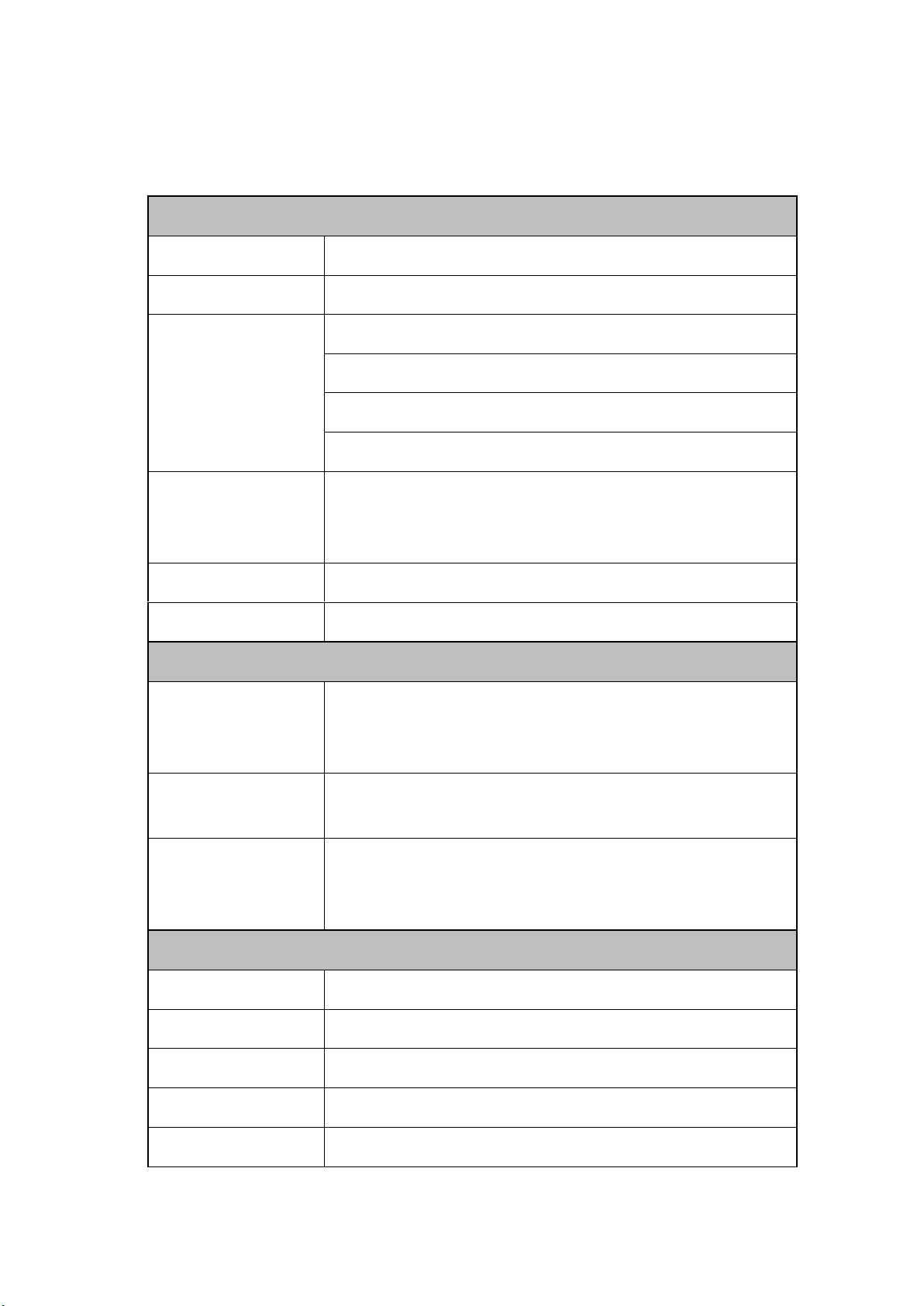
Technical
HDMI Compliance
HDMI 2.0/1.4b
HDCP Compliance
HDCP 2.2/1.4
Video Input Resolutions
HDMI: up to 4K2K@50/60Hz(4:4:4)
C-Video: PAL/NTSC3.58/NTSC4.43/SECAM/PAL M/PAL N
YPBPR: 480i to1080p
VGA: 640x480 to1920x1200
HDMI Output
Resolutions
•4K2K60,4K2K30,1920X1080p/50, 1920X1080p/60,
•1280X720p/50, 1280X720p/60 1024x768/60,1280x800/60,
•1360x768/60,1400x1050/60,1680x1050/60,1920x1200/60;
Audio Formats
LPCM 2.0CH
ESD Protection
Human body model —±8kV (air-gap discharge) & ±4kV (contact discharge)
Connections
Input ports
•4x HDMI Type A [19-pin female]
•1x VGA[female]
•1x Micro USB [5-pin female], optional for Power Supply
Output ports
•1x HDMI Type A [19-pin female]
•1x3.5mm mini jack
Control interfaces
•1x IR in
•1x RS-232
•1x USB service(update)
Mechanical
Housing
Metal
Color
Black
Dimensions
110mm [W] x 288mm [D] x 32mm [H]
Weight
880g
Power Supply
DC 12V/2.5A Adaptor (US/EU standards, CE/FCC/UL certified)
5 / 15
Power Consumption
9W(max)
Operation Temperature
32 - 104°F / 0 - 40°C
Storage temperature
-4 - 140°F / -20 - 60°C
Relative Humidity
20 - 90% RH (no condensation)
5. Operation Controls and Functions
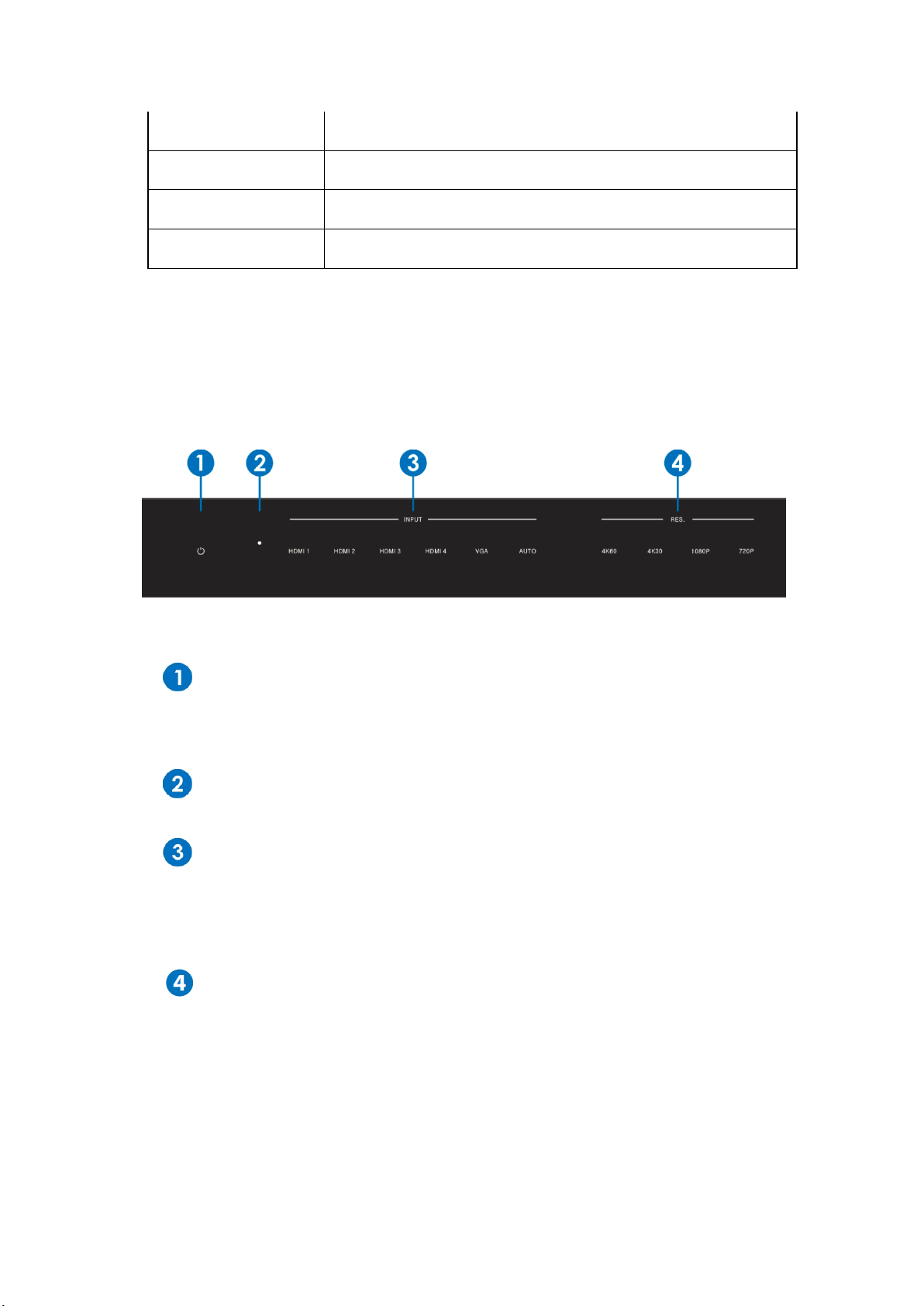
5.1 Front Panel
Power button and indicator:
Switches between standby and work mode. When this device is switched to the
standby mode, the indicator turns red. When switching to work mode, the indicator
turns blue
IR Window:
Receives the IR signal from remote control unit provided with RPS1 switch
Input Source & Auto buttons:
These buttons are for source selection. The active source will be indicated on the
front panel via illumination. The AUTO button is for auto-switching or manual-
switching mode, when the indicator turns blue, the device switch to auto-switching
mode, when the indicator turns off, the device switch to manual-switching mode
Output Resolution buttons:
These buttons are for output resolution selection. Select between 4K60,4K30,
1080P60,720P60. For more resolutions options, please use remote control or
RS-232 control tools
6 / 15
5.2 Rear Panel
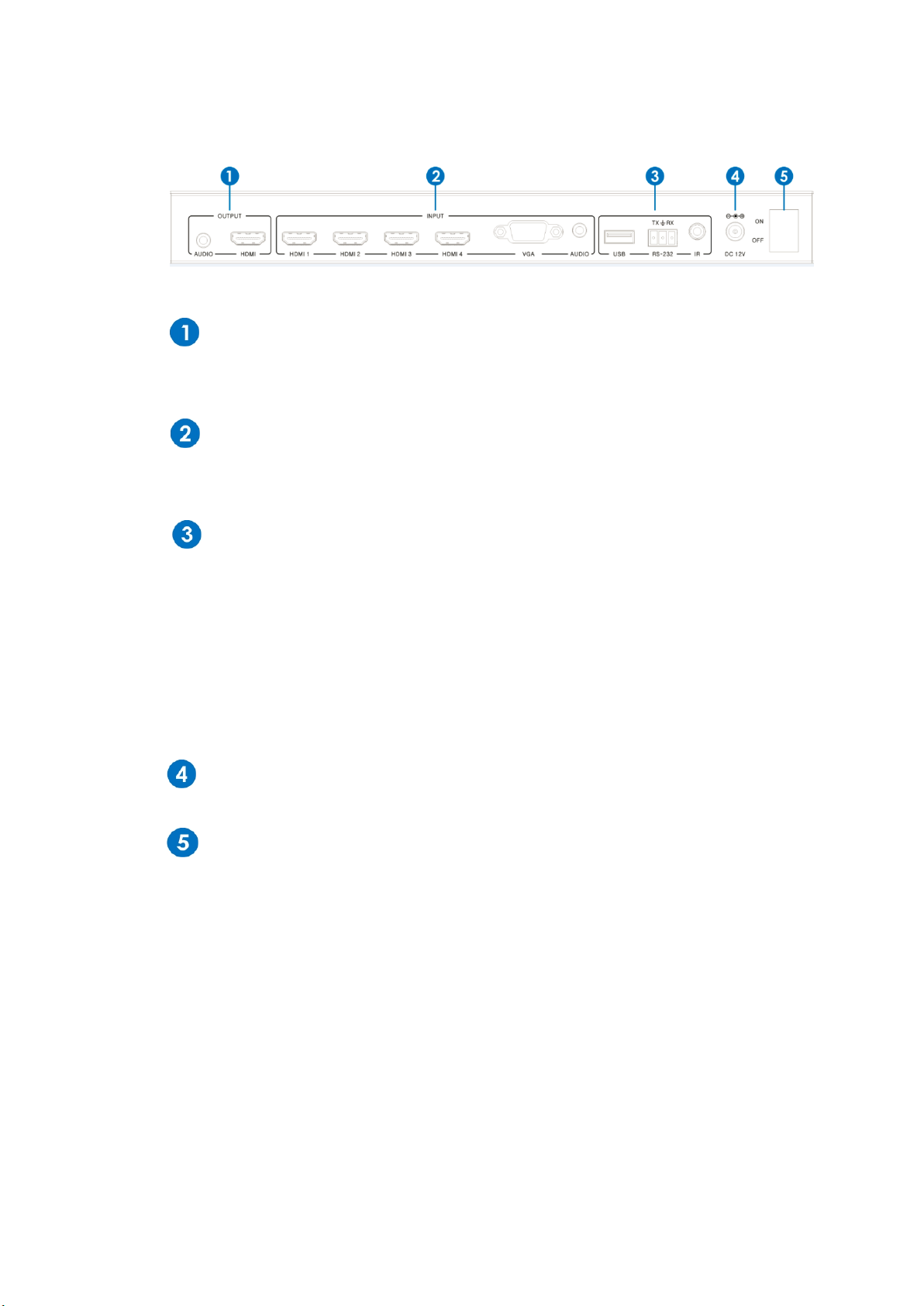
Output:
HDMI output for connecting to an HDMI display or other HDMI device
L/R stereo audio output to the analog audio input port of your amplifier
Input:
The input ports include 4 HDMI & 1 VGA input ports. The VGA ports supports
YPbPr, C-video and VGA input formats. YPbPr adapter is included
Control:
USB
USB port is used to update the system firmware
RS232
Serial control port, 3p Phoenix connector, connects with a control device (such
as a third-party control system) to control the scaler switcher
IR
Connects with IR receiver, to receive IR signals sent by the IR remote or IR output
from a third-party control system
Power:
Plug the 12V DC power supply into the unit and connect the adaptor to an AC outlet
ON/OFF:
Power ON/OFF switch
7 / 15
5.3 OSD MENU
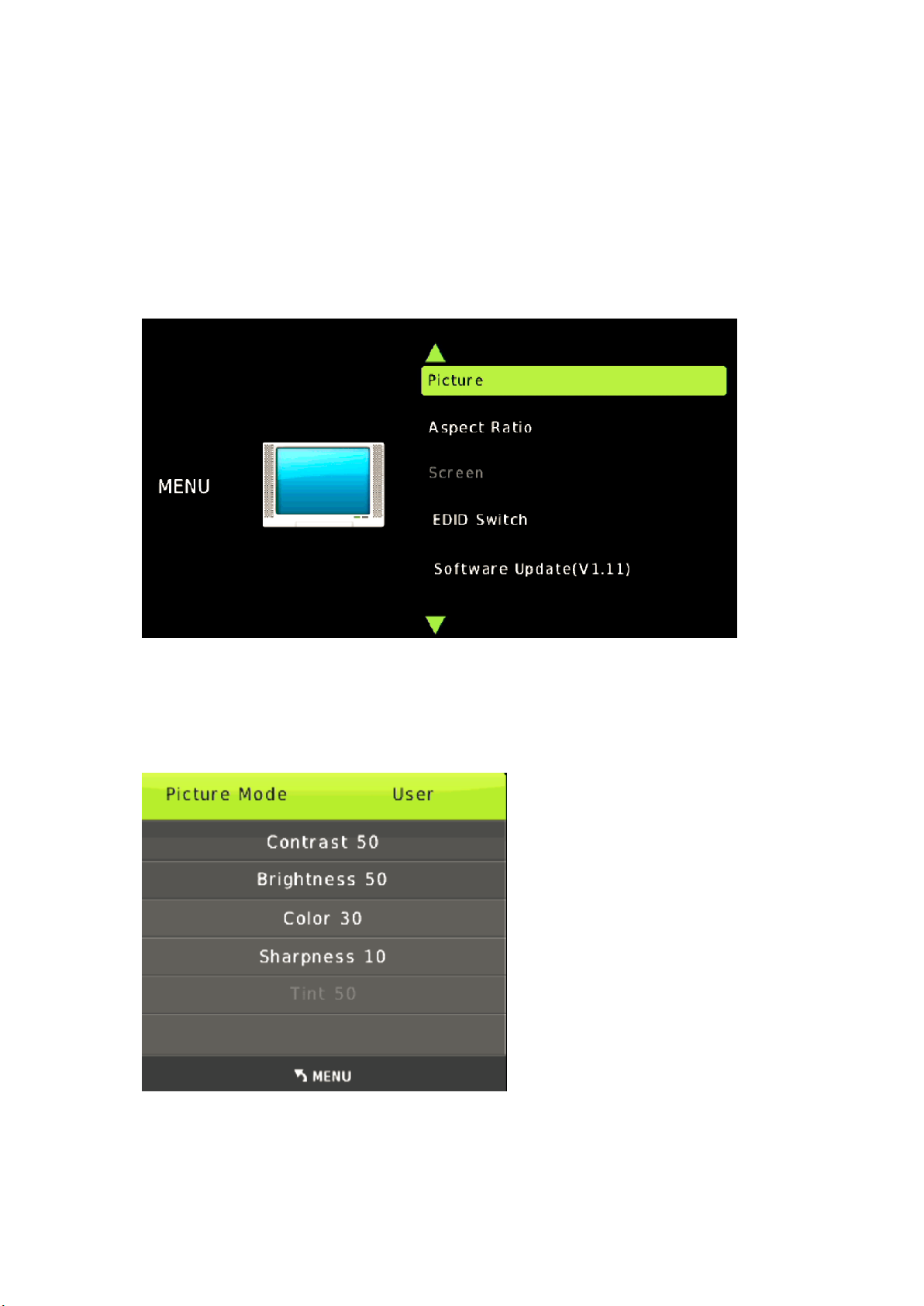
The RPS1 provides a powerful OSD operation menu. Press MENU button on IR remote to enter in OSD
menu, Users can then change settings through the OSD menu.
5.3.1 Main MENU
The Main MENU includes Picture, Aspect ratio, Screen, EDID, and Software update options.
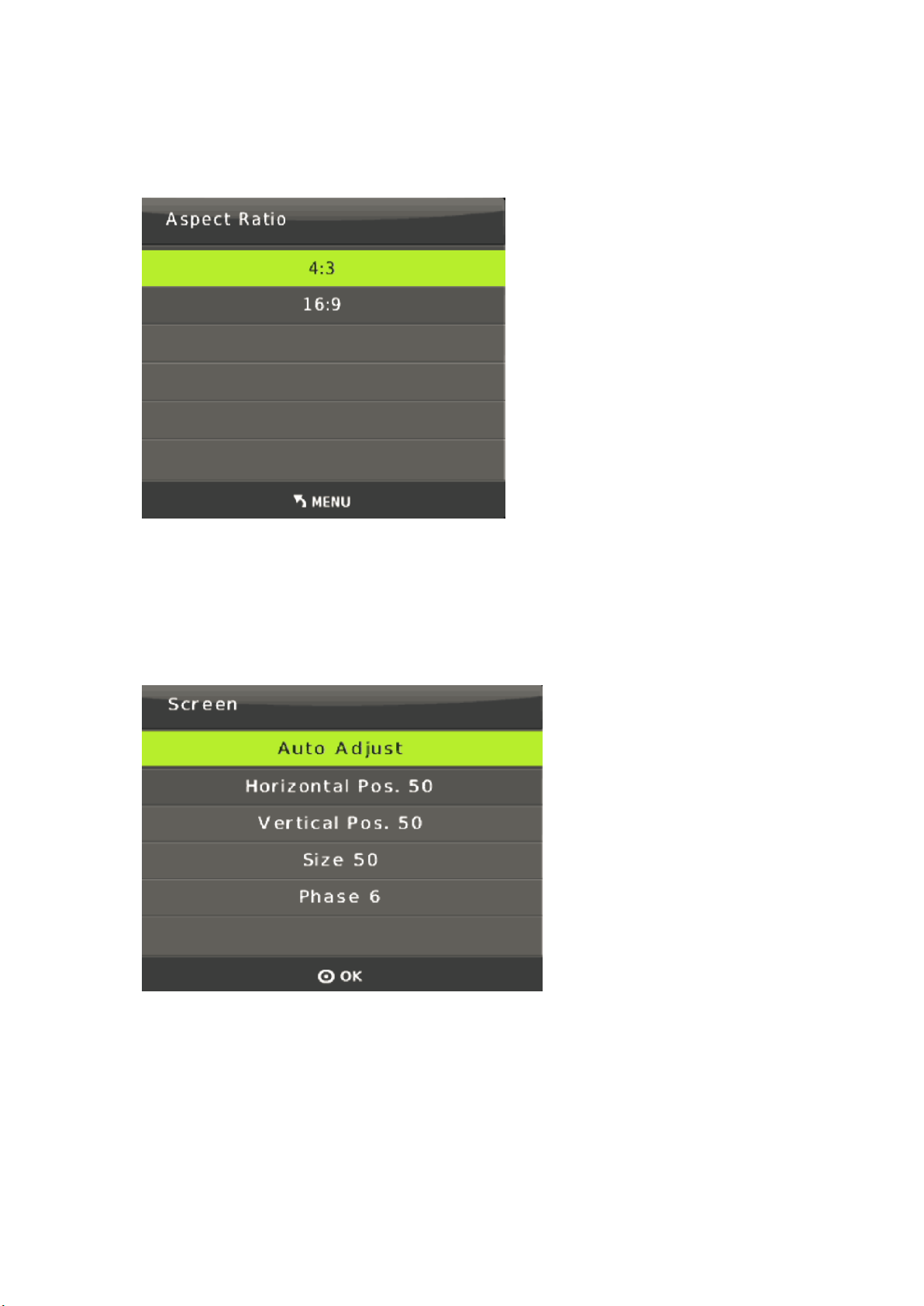
5.3.2 Picture
The user can adjust picture contrast(default:50), brightness(default:50), color(default:30), sharpness
(default:10) etc.
8 / 15
5.3.3. Aspect Ratio
The user can adjust picture output aspect ratio to 4:3 or 16:9 .
5.3.4 Screen
The screen MENU is an adjustment for VGA input only. The user can adjust horizontal, vertical position,
size and phase.

9 / 15
5.3.5 EDID
The EDID adjust MENU for HDMI input only. EDID1.4 for HDMI1.4 standard. EDID2.0 for HDMI2.0
Standard, and EDID AUTO for copy the display EDID Mode.
5.3.6 Software update
The RPS1 supports software updates via USB flash disk. The procedure is as follows:
1) Copy the file “MERGE.bin” to the root directory of a USB flash disk. (Make sure the file is copied to
the root directory. The “MERGE.bin” file is provided/authorized by our engineering department or from
our website)
2) Plug the USB flash disk to the scaler switcher USB port on its rear panel.
3) Press the MENU -->software update-->YES enter to start the update.the OSD will display the update
process.
10 / 15
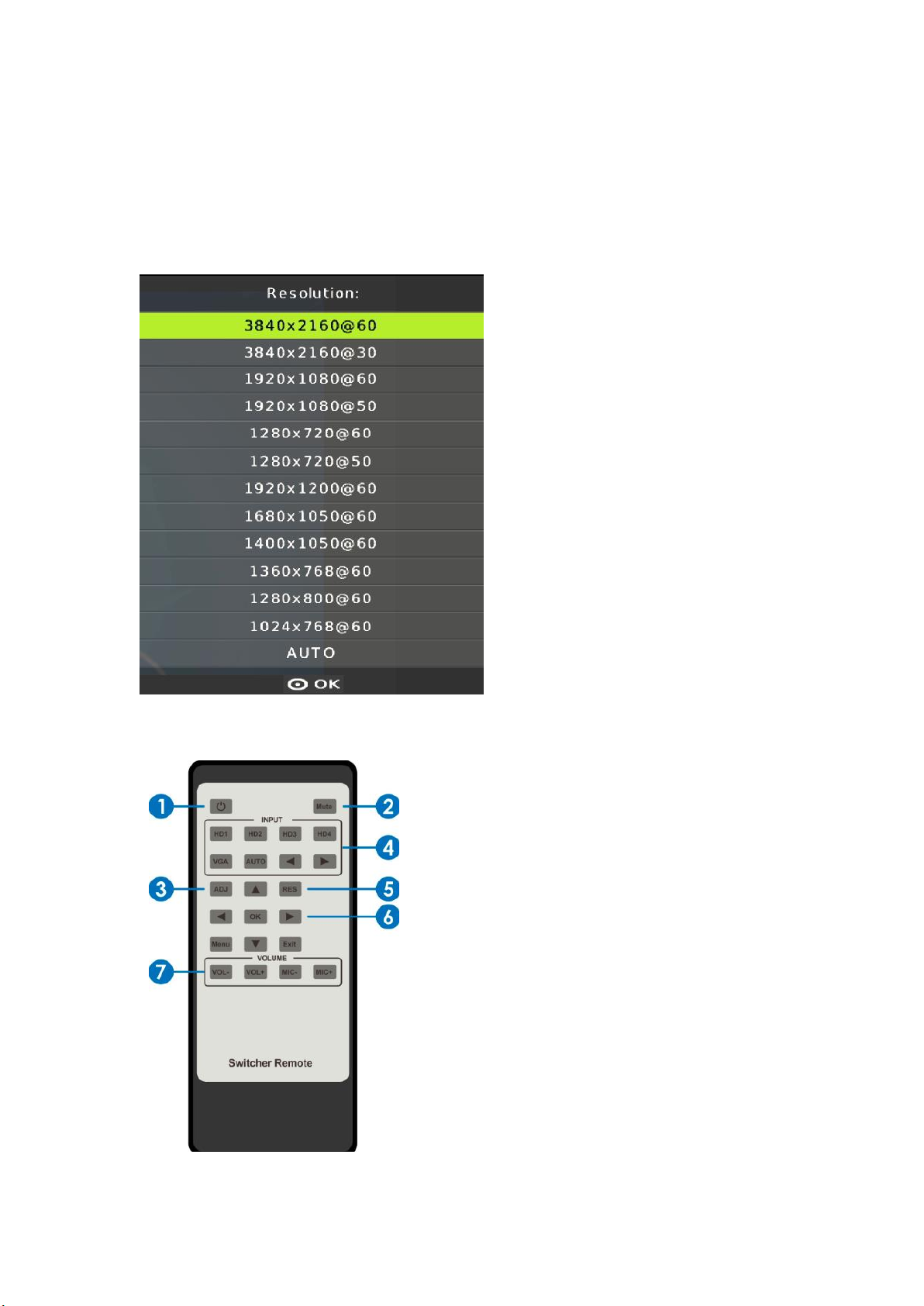
5.3.7 Resolution
The RPS1’s HDMI output can be set to multiple different resolutions. Press the “RES” button
on the IR remote, the resolution menu will display. The user can select suitable resolution for
HDTV or monitor. Auto means that the HDMI resolutions based on the EDID information read
from the display device.
5.4 Remote Control
①Press this button to power on the scaler
switcher or set it to standby mode.
②Press this button for mute or unmute the audio
output.
③Press this button for operate VGA input auto
adjustment function;
④Press these buttons for select the input source.
⑤Press this button for select HDMI output
resolution. (Press and hold 5 seconds or more, the
HDMI output resolution will reset to 720p60Hz.)
⑥Menu operation buttons:
MENU: press to enter in OSD menu.
EXIT: press to exit OSD menu.
Table des matières
Autres manuels Simplified MFG Changer