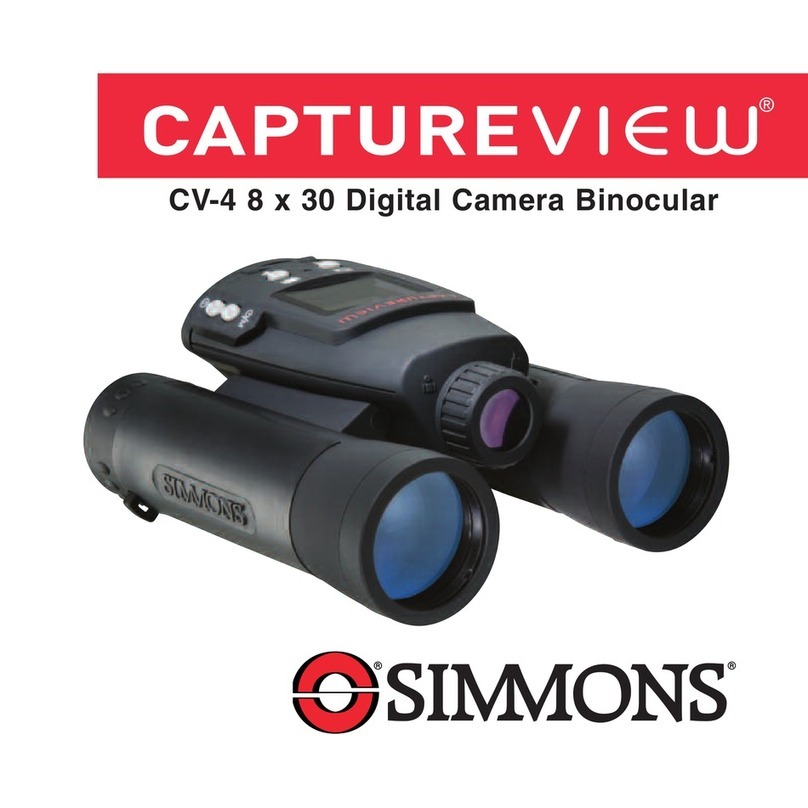
Simmons CaptureView CV-2 Manuel utilisateur
CV-2 8 x 30 1.3MP Digital Camera Binocular
®


Contents
Quick Start ................................................................................ 4
Features.................................................................................... 7
Introduction .............................................................................. 9
How to Use Your Binocular ......................................................10
Adjust Eye Relief, Barrels......................................................10
Focus the Binocular ..............................................................11
How to Use Your Camera..........................................................12
Insert Batteries, Select an Operation ....................................12
Select Near or Far Focus ......................................................13
Taking Pictures and Video ........................................................14
Take a Still Picture ................................................................14
Capture Video........................................................................15
Capture Video Using Flashback............................................16
Some Suggestions for Using Flashback..............................17
Operations ................................................................................18
Use the Mode and Shutter Button ........................................18
Use the Camera Mode, Change the Camera Resolution......19
Use the Video Mode, Use Flashback ....................................20
Erase (Delete) Pictures or Video ..........................................21
Find Out How Many Pictures You’ve Taken ..........................21
Use the Self-Timer, Format and Load Memory Card............22
Find Out Why CaptureView is Beeping ................................23
Turn Buzzer On or Off ..........................................................23
Find Out How Much Power is Left in the Battery ..................23
Download Pictures ................................................................24
Install Image Editing Software ..............................................26
Other Software and System Requirements ..............................27
Maintenance and Troubleshooting ............................................28
Specifications............................................................................29 3
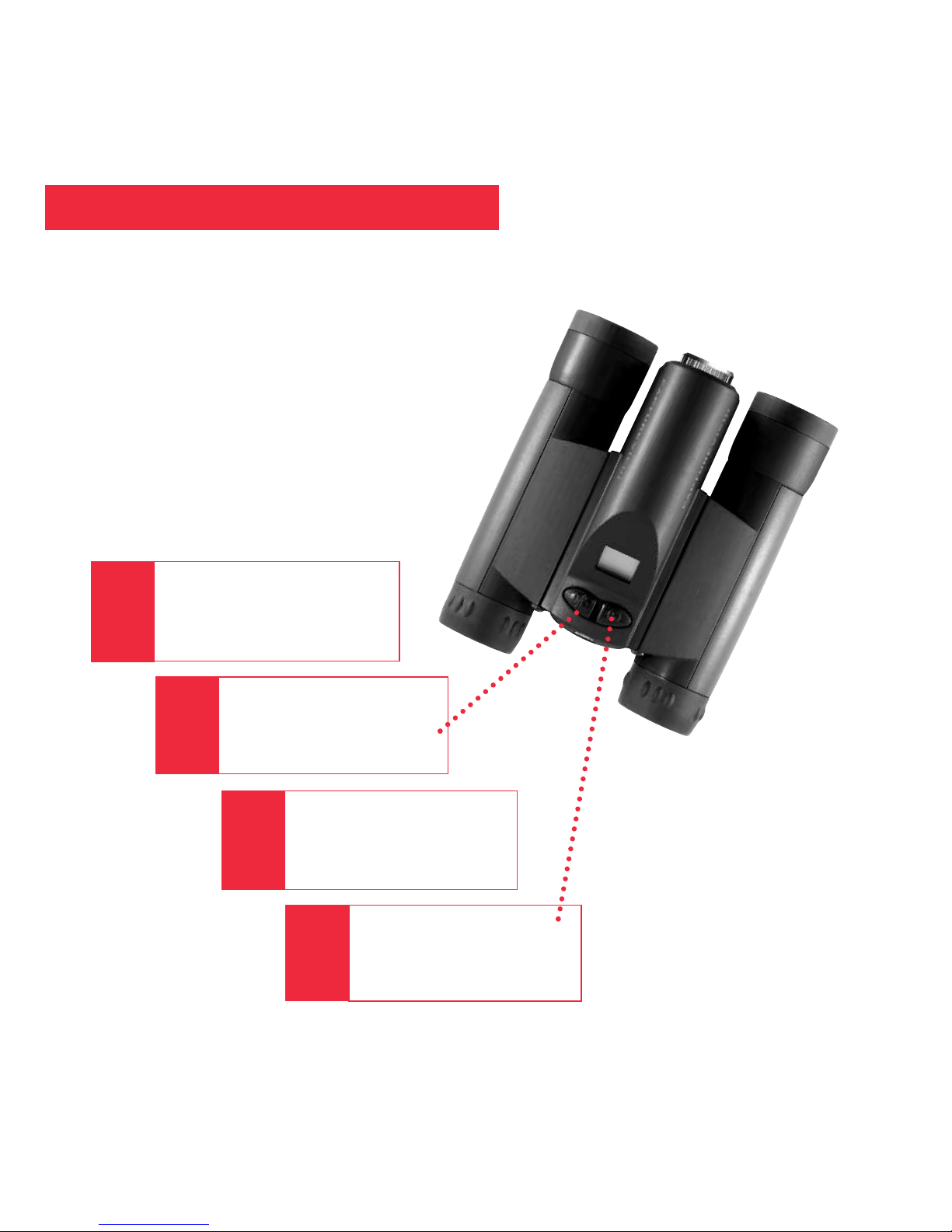
Quick Start
Turn on camera.
Press and hold down
Mode for 3 seconds.
Press the Shutter.
You’ve taken a picture!
Point at something
interesting.
2
Install 2 AAA batteries
(not included).
1
3
4
How to start taking pictures...
4
Quick Start
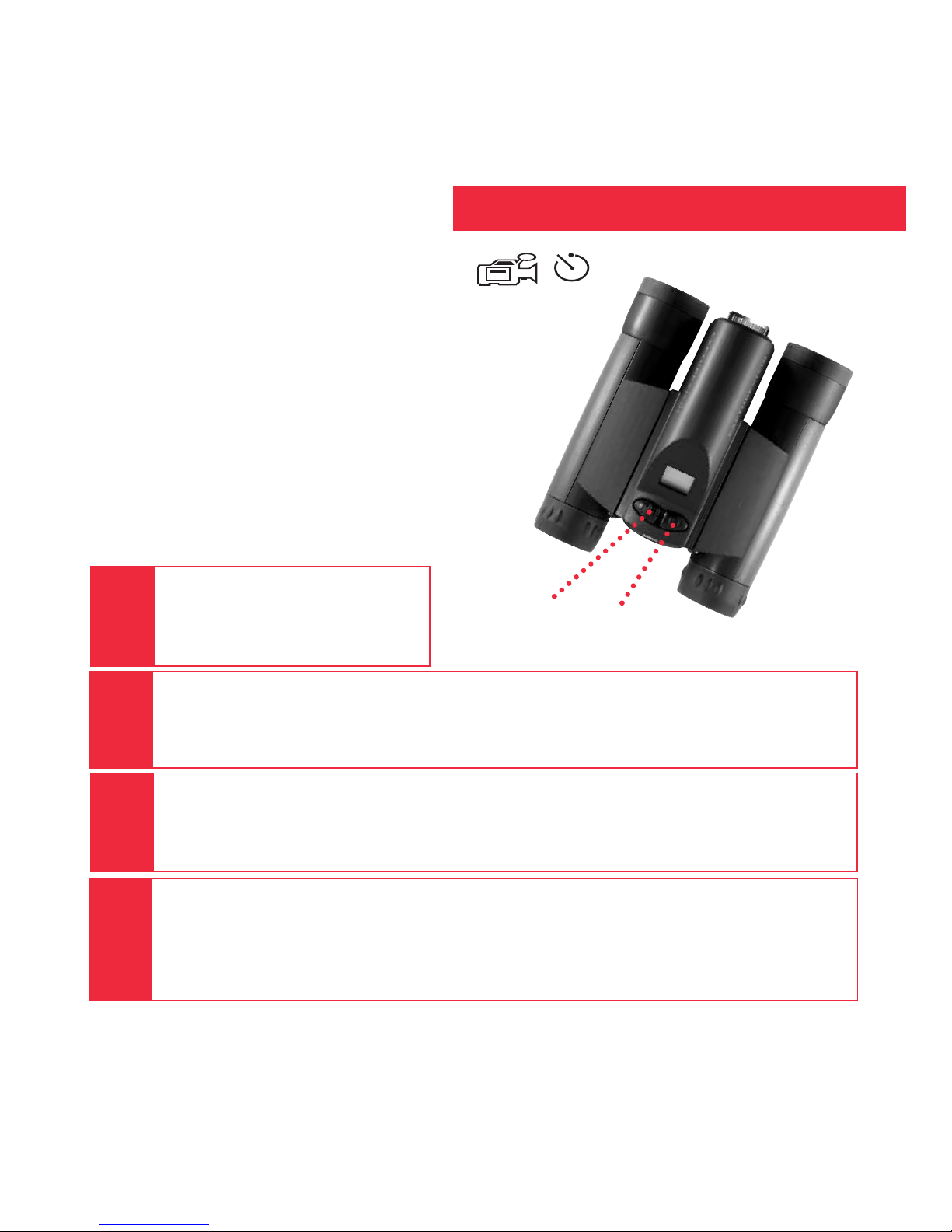
Select the Flashback Mode.
Press the Mode button until the Flashback icon displays.
Press the Shutter button again to stop recording.
CaptureView has recorded only the last 10 seconds of the activity.See FLASHBACK,
and SUGGESTED USES FOR FLASHBACK, pages 16 and 17 for more information.
6
Turn on camera.
Press and hold down the
Mode button for 3 seconds.
5
8
Point at an interesting activity and press the Shutter button to enter the
record mode.
Mode
Button Shutter
Button
Flashback
icon
7
How to use Flashback...
Have you ever wanted to record just the play of
the game (for example, your son or daughter
kicking the winning goal)?
Use Flashback when you want to capture video
of a short activity—without using up all your
memory. You’ll begin recording, but with
Flashback selected, you’ll only save the last 10
seconds of video.
Note: You must have a user-supplied SD card
for Flashback to operate. To insert the
SD card, press the card into the SD card slot
with the pin side up and release when you
hear a click.
5
6
Quick Start
Sit back and relax a minute.
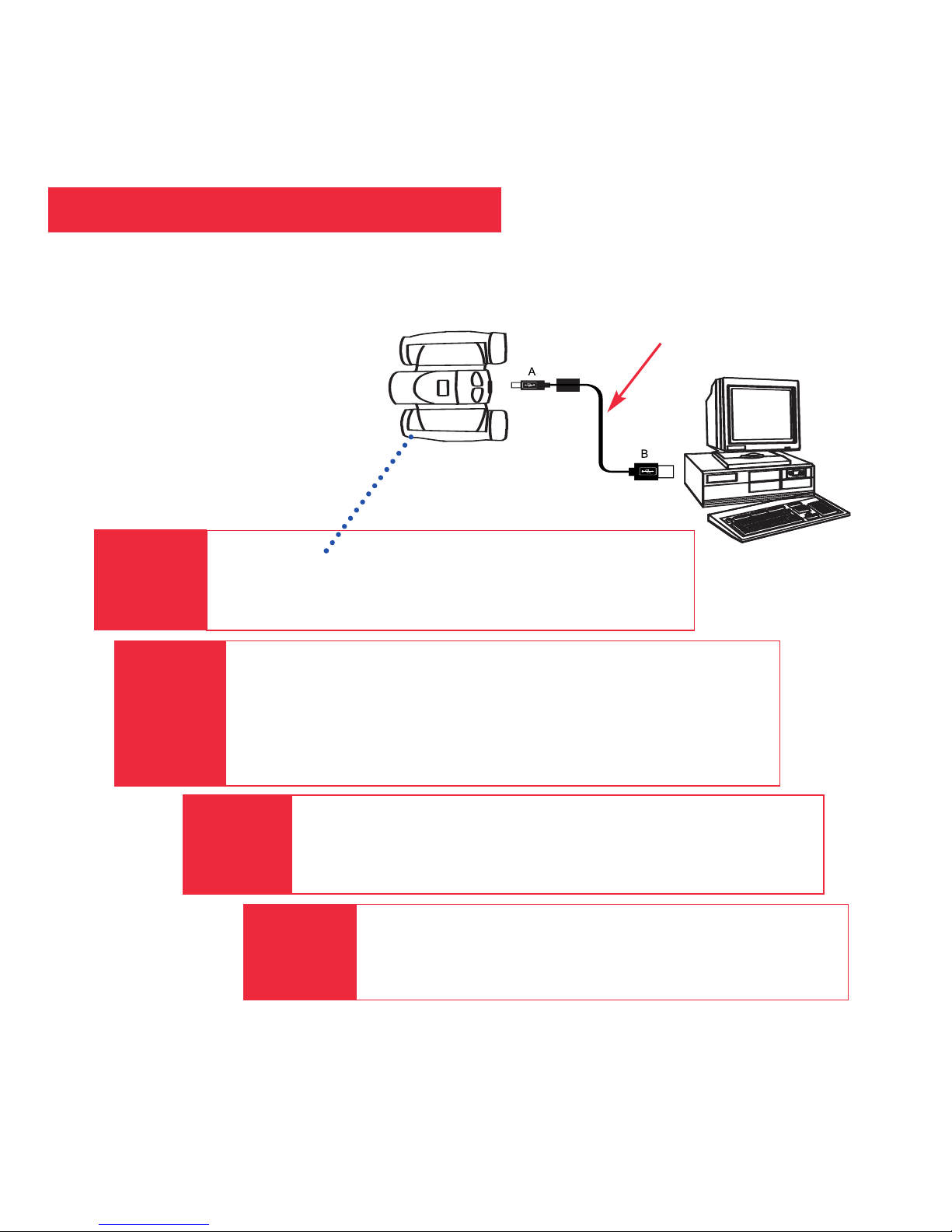
If using Windows 98ME or higher, CaptureView
automatically installs on your PC. No drivers are needed. If
using Windows 98SE or lower, drivers must be installed on
your PC and can be found on the included CD-Rom.
Enjoy your photos.
Open Ulead Photo Express to view, edit and print
your pictures.
Install Ulead Photo Express.
Insert the CD, click on Ulead Photo Express and follow
the on-screen instructions.
6
Plug in.
Connect CaptureView to your PC or Mac (OS 9.0
or higher) using the included USB cable.
5
7
8
How to download your pictures...
USB Cable
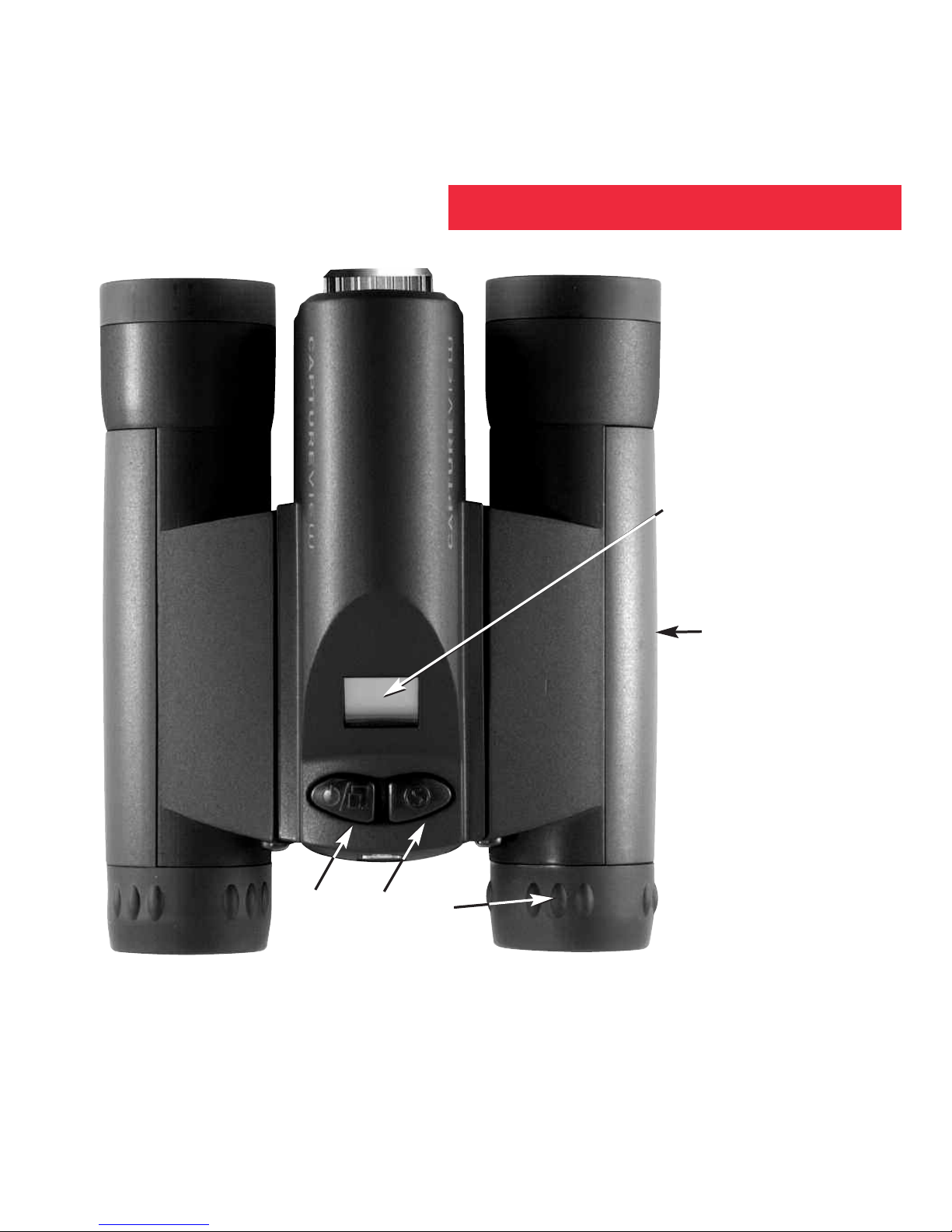
Fig. 1: Top View
1. Mode Button
2. Shutter Button
3. Diopter Scale
(right eyepiece)
4. LCD Panel
5. Barrels
c
e
f
d
b
Features
7
Fig. 1
8
1)
ggj
hi
j
Features
1#
1$
1!
1! 1@
Fig. 2
Fig. 3
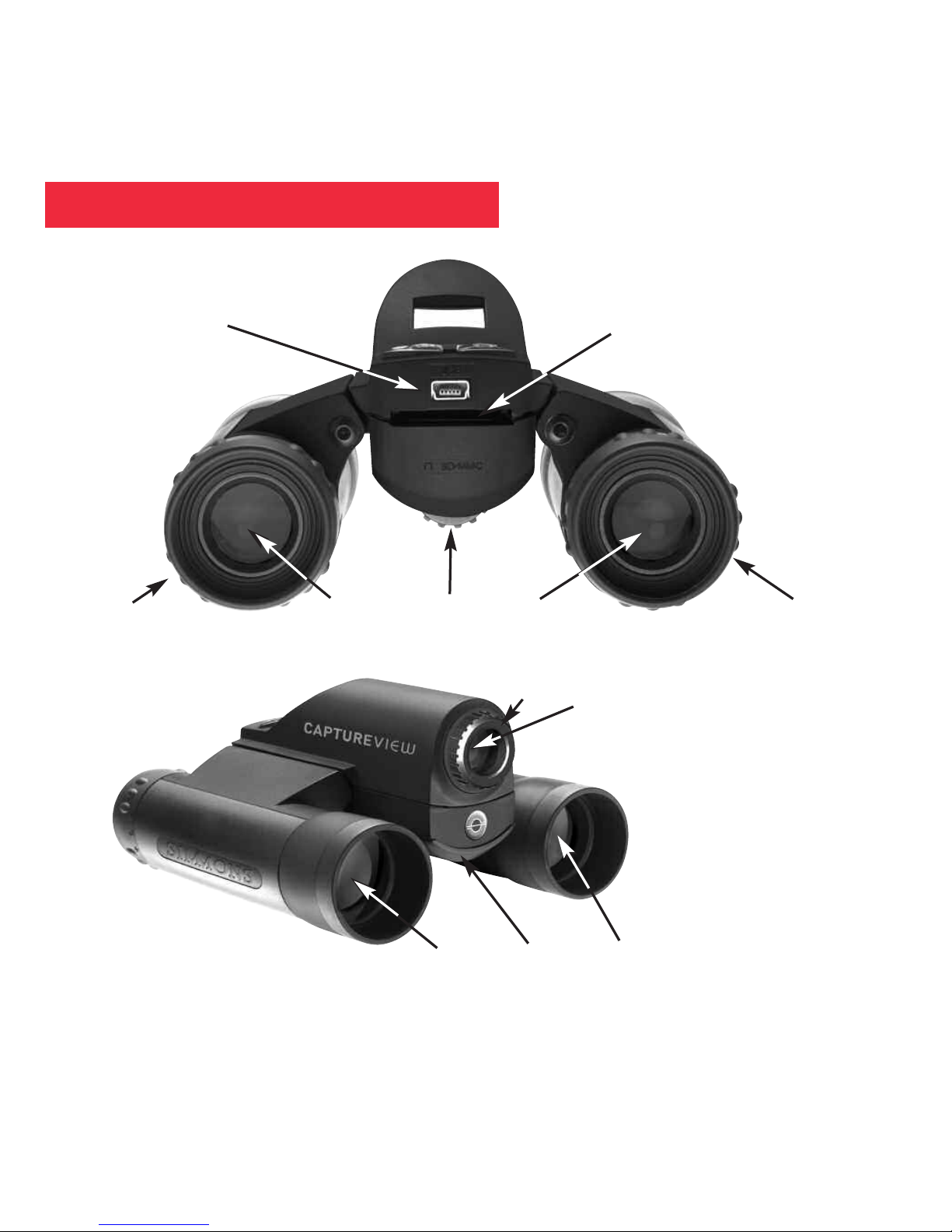
Fig. 2: Rear View
6. Eyepieces
7. USB Port
8. SD Card Port
9. Rubber eyecups
10. Focus knob
Fig. 3: Front View
11. Objective Lens
12. Battery
Compartment Lid
(push forward and
lift to remove)
13. Camera Lens
14. Focus Ring

Congratulations on purchasing the Meade®CaptureView®CV-2. CV-2 is an
8 x 30mm full-featured binocular. It is integrated with a digital camera that requires no
film to capture pictures or video. This manual is designed to quickly guide you
through the operation of your CaptureView CV-2. For best results, take a few
moments to become familiar with the operation of your device, and save this manual
for future reference.
CaptureView has the following features:
• Fully functional binocular.
• Digital camera that captures pictures and video.
• Flashback feature allows you to easily record just the highlight of an activity.
• LCD display panel indicates status for ease in performing desired operations.
Important Note: Images stored in the camera’s internal memory will be lost if the
batteries are depleted or if the batteries are removed. Therefore, download
pictures before you remove the batteries. However, images stored on
user-supplied SD cards (commonly known as “flash memory cards”) will not be
lost if the batteries are depleted or removed. If it is critical that you save a set of
pictures, it is recommended that you use an SD card.
To conserve battery life, remove batteries after downloading images to a
computer. There is continual battery drainage even when CaptureView is turned
off.
Be sure CaptureView is off before changing batteries.
WARNING! Never use a Meade binocular to look at the Sun! Looking at or
near the Sun will cause instant and irreversible damage to your eye. Eye damage
is often painless, so there is no warning to the observer that damage has
occurred until it is too late.Do not point the binocular at or near the Sun. Children
should always have adult supervision while observing.
9
Introduction
10
How to Use Your Binocular
Adjust Eye Relief
Adjust the Barrels
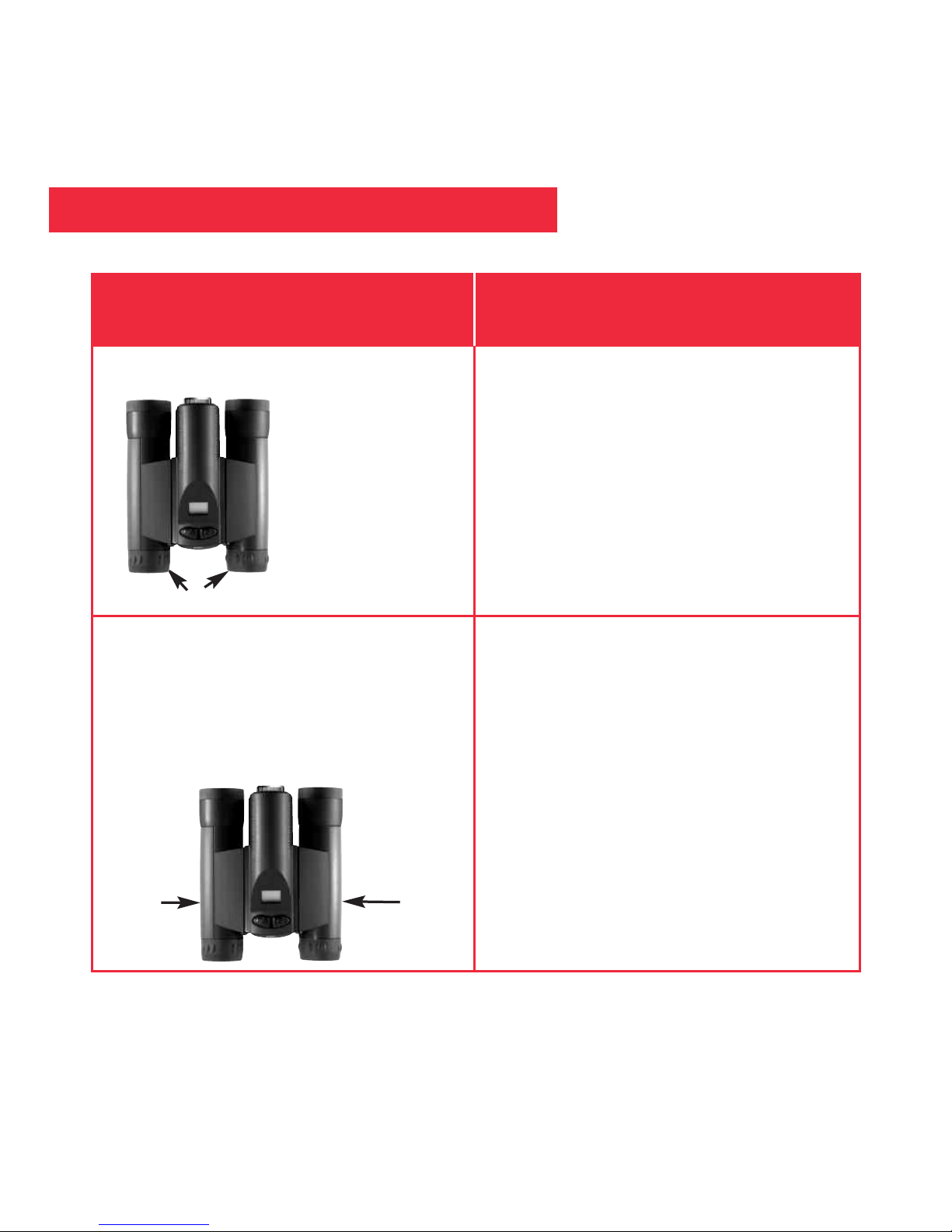
You need to adjust the barrels, as the
distance between your eyes is usually
different than the distance between
another person’s eyes.
If you wear eyeglasses, fold down the
rubber eyecups and hold the
eyepieces up against your glasses.
If you want to... Do this...
Fold down
1. Hold CaptureView up to your eyes in
the normal viewing position. Use
both hands to hold each barrel firmly.
2. Pull the barrels apart or push the
barrels together until you see a
single circular field with both of your
eyes.
Barrel
Barrel
Table des matières
Autres manuels Simmons Jumelles