PSA / PVA Installation Guide
April 20, 2023 Sifos Technologies Page 3
Table of Contents
1. About This Guide................................................................................................................5
1.1. Purpose.........................................................................................................................................................5
1.2. Audience .......................................................................................................................................................5
1.3. Content..........................................................................................................................................................5
1.4. Conventions..................................................................................................................................................5
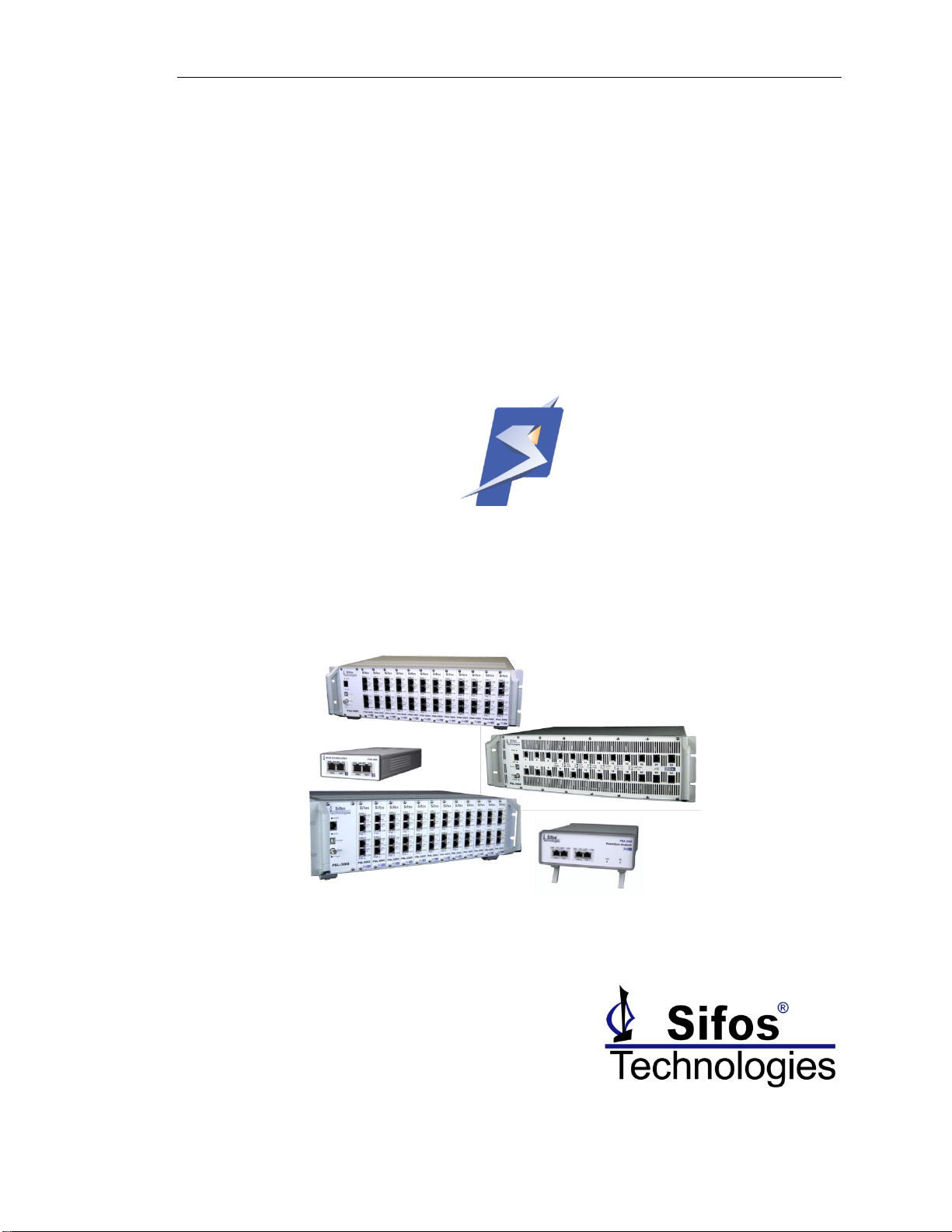
1.5. PSA Family Chassis Configurations............................................................................................................5
1.6. Related Information ......................................................................................................................................5
1.7. Technical Support.........................................................................................................................................5
2. About PowerSync / PhyView Family of Instruments.......................................................6
2.1. Standard Features ........................................................................................................................................6
2.2. Applications & DUT Connections ................................................................................................................6
2.2.1. Power-over-Ethernet PSE Testing with PSA-3000, PSL-3000, and PSL-3424 Instruments ..................6
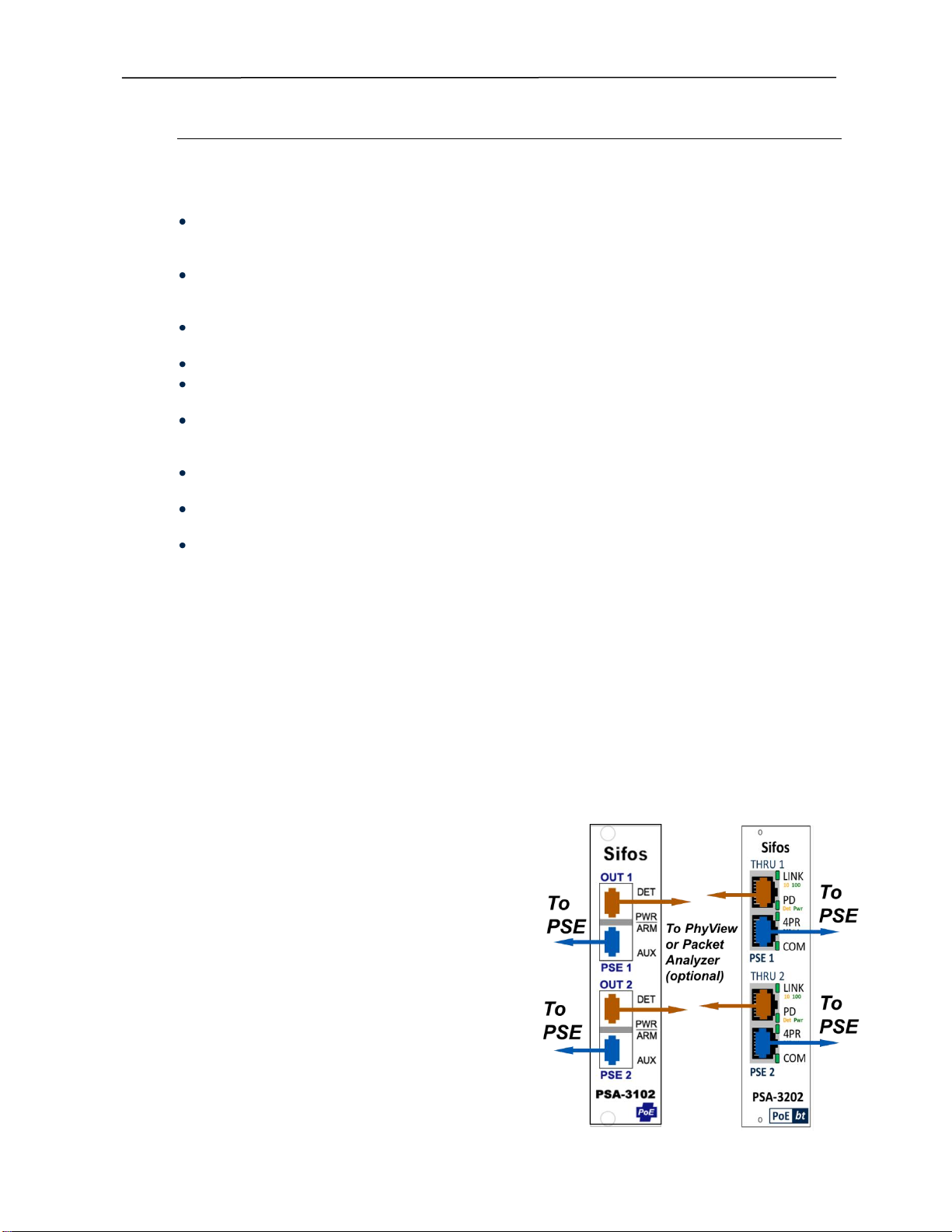
2.2.2. Connecting PSE’s to PSA-3000 and PSL-3000 Test ports....................................................................6
2.2.3. Connecting PSE’s to PSA-3424 Test Ports...........................................................................................7
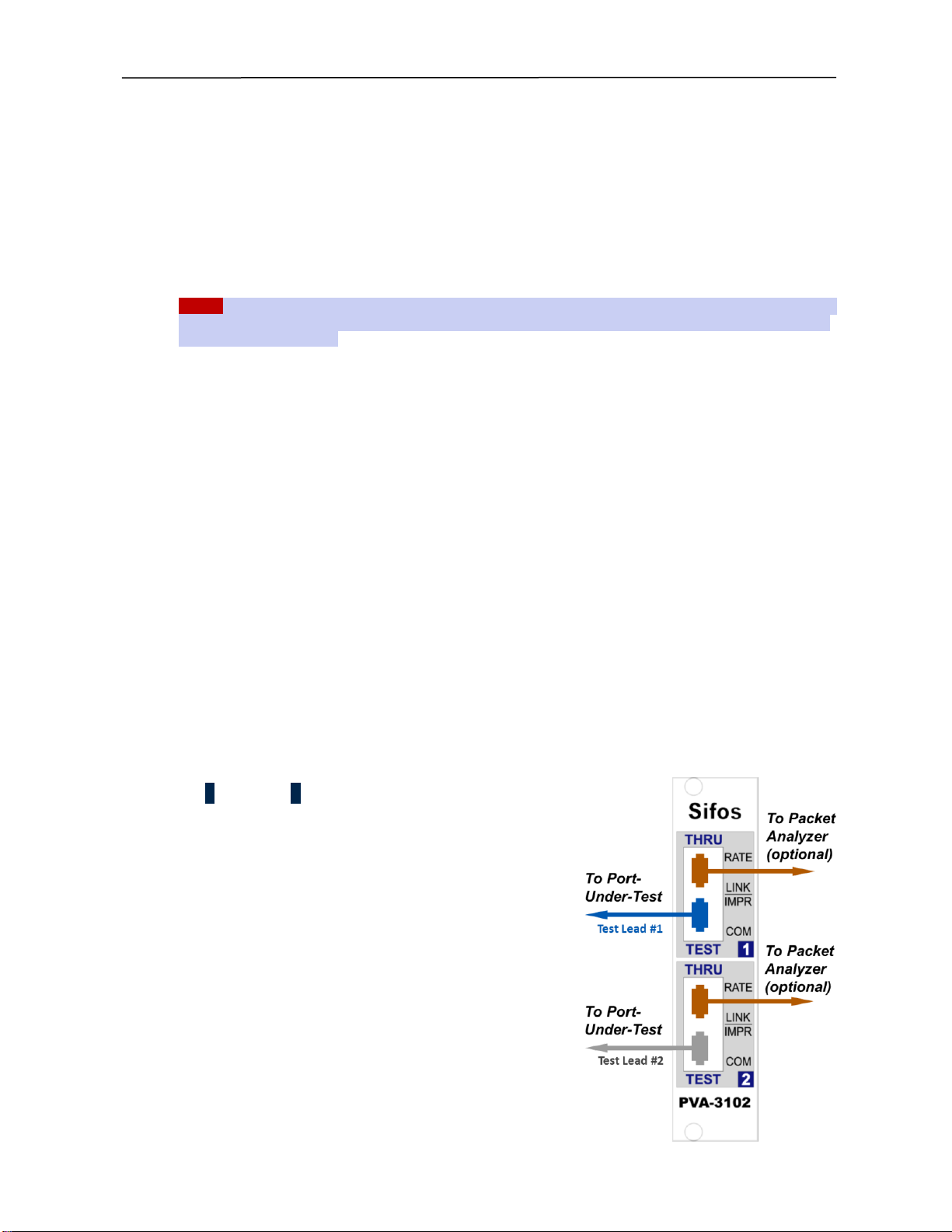
2.2.4. Connecting Ethernet Ports to PVA-3102 Test Ports..............................................................................7
2.3. Physical and Environmental Specifications................................................................................................8
2.4. Certifications.................................................................................................................................................8
3. Installation and Setup Procedures ...................................................................................9
3.1. Host PC Requirements.................................................................................................................................9
3.2. Network Connection and Host Computer Considerations.........................................................................9
3.3. Package Contents.........................................................................................................................................9
3.4. Safety Precautions......................................................................................................................................10
3.5. Hardware Installation.................................................................................................................................. 11
3.5.1. PSA-3000 / PVA-3000 / PSL-3000 Test Blade Installation..................................................................11
3.5.2. PSA-3000 & PSL-3000 Rack Mounting Considerations......................................................................11
3.5.3. Powering Up PSA-3000, PSL-3000, PSL-3424, PVA-3000, and PSA-3402 Instruments ....................11
3.5.4. Powering Up PSA-3002 and PVA-3002 Instruments...........................................................................11
3.5.5. IP Address Set-Up via Console Port..................................................................................................11
3.5.6. IP Address Set-Up via PowerShell Tcl or Wish..................................................................................14
3.5.7. DHCP Address Option........................................................................................................................14
3.5.8. IP Address Factory Default Restoration..............................................................................................14
3.5.9. Connecting the Ethernet Port .............................................................................................................14
3.6. Software Installation & Initial Connection.................................................................................................15
3.6.1. Installing PSA Software onto Microsoft Windows................................................................................15
3.6.2. Tcl/Tk Installation Problems................................................................................................................16
3.6.3. Notepad++ Editor for PowerShell PSA Programming .........................................................................16
3.6.4. Install PSA Software Onto a Linux Workstation ..................................................................................17
3.6.5. Connecting PSA Interactive, PVA Interactive, or PowerShell Wish to a PSA/PVA-3*** Instrument.....18
3.6.6. Connecting PowerShell Tcl to a PSA/PVA-**** Instrument..................................................................18
3.6.7. Connecting PSA Interactive or PowerShell Wish to a PSA-3248 or PSA-3048 Instrument..................18
3.6.8. Connecting PowerShell TCL to a PSA-3248 or PSA-3048 Instrument...............................................19
3.6.9. Inventory the PowerSync or PhyView Instrument ...............................................................................19
4. Updating Firmware in the PSA Instrument ....................................................................20
4.1. Updating Controller Firmware in a PSA-3xxx or PVA-3xxx......................................................................20
4.1.1. Updating Chassis Controller Firmware Over the LAN.........................................................................20
4.1.2. Recovering From a Failed Chassis Controller Firmware Update Over USB Console..........................20
4.1.3. Recovering From a Failed Chassis Controller Firmware Update Over RS-232 Console .....................21