
Siemens Codoor CD3500 Mode d’emploi
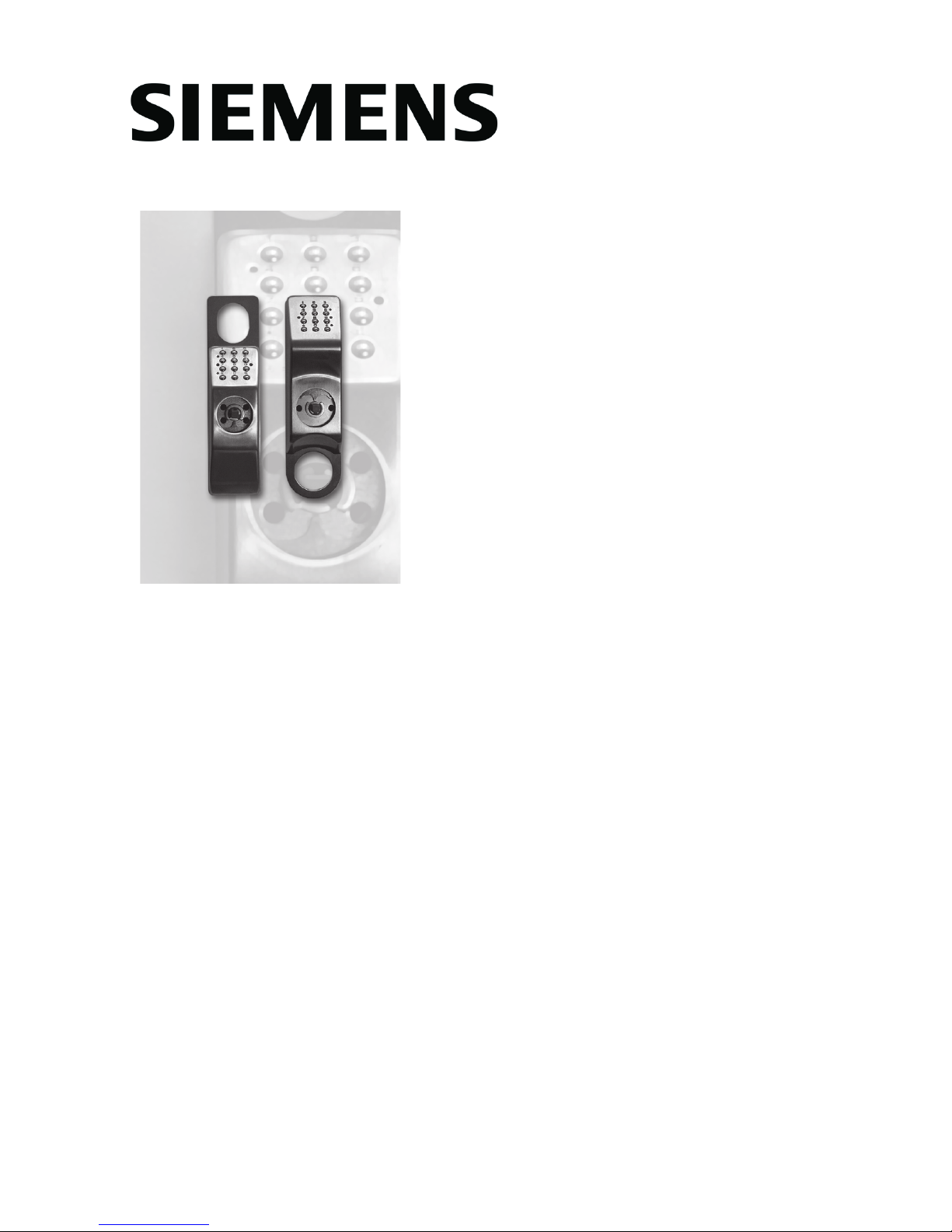
Codoor CD3500
Codoor CD4000
Installation & User Manual
Building Technologies
Fire Safety & Security Products

Book contents
ENGLISH........................................... 3
DEUTSCH ....................................... 23
FRANÇAIS...................................... 43
SVENSKA ....................................... 63

CD3500 & CD4000 Installation and User manual 3
ENG
ENGLISH
Data and design subject to change without notice. / Supply subject to availability.
© 2009 Siemens Building Technologies, Fire & Security Products GmbH & Co. oHG
We reserve all rights in this document and in the subject thereof. By acceptance of the
document the recipient acknowledges these rights and undertakes not to publish the
document nor the subject thereof in full or in part, nor to make them available to any third
party without our prior express written authorization, nor to use it for any purpose other than
for which it was delivered to him.

4 CD3500 & CD4000 Installation and User manual
ENG
Contents
About this manual...........................................................5
Codoor - General.............................................................5
Setting the programming code ......................................6
How to change an existing programming code............7
Codoor Installation kit ....................................................8
Fitting CD3500 to door .................................................9
Fitting CD4000 to door ...............................................10
Setting codes.................................................................11
Delete code ................................................................11
Deactivation function....................................................12
Return to locked position............................................12
Disconnect the deactivation function..........................13
Buzzer.............................................................................13
Using Codoor.................................................................14
Access ........................................................................14
Leaving the premises .................................................14
Automatic resetting.....................................................14
Access blocking..........................................................14
Testing............................................................................15
Test Mode...................................................................15
Entering test mode .....................................................15
Test modes .................................................................15
Backup power supply ...................................................17
Changing the batteries .................................................17
Erase memory................................................................18
Troubleshooting ............................................................19
Where can Codoor be fitted?.......................................20
CD3500.......................................................................20
CD4000.......................................................................21
Technical specifications ...............................................22

CD3500 & CD4000 Installation and User manual 5
ENG
About this manual
This manual covers both the Scandinavian style (CD3500) and the
International style (CD4000) of the Codoor. In the scope of this
manual we will use the name Codoor (unless notified.)
Codoor - General
The Codoor, a complete code lock suitable for fitting to a single
door, incorporates an electronic code lock, a mechanical locking
device and a power unit in the same housing. Codoor may be fitted
on most doors with handle operated locks. See page 20-21 for
more information. When Codoor is fitted; the outside door handle is
disengaged and may be pressed down without opening the door. To
open the door, a 4-digit code has to be entered. The handle on the
inside of the door is not affected by Codoor, and works normally for
people leaving the premises.
All programming, except for setting of the programming code, is
entered via the keypad (see figure). Besides the keys, the keypad
includes two LEDs, one green and one red.
GREEN -In programming mode, the green LED indicates
that codes etc. have been entered correctly. It also
confirms each key press in programming mode.
RED - In operating mode, the red LED confirms each key
press. In programming mode, the LED flashes slowly
until a command is entered. Then the LED flashes
quickly.
321
654
#0
987
1
2

6 CD3500 & CD4000 Installation and User manual
ENG
Codoor also incorporates a buzzer, both to confirm each key press
(if required) and to indicate “battery low” by sounding a low tone (see
section Backup Power Supply). Otherwise, the buzzer sounds to
confirm successful programming.
The programming code must be set before the unit is fitted to
the door
Setting the programming code
When Codoor is delivered, the memory is completely empty. The first
thing you have to do is to set a programming code, before you fit
Codoor to a door. To set the programming code for the first time,
connect the batteries and proceed as follows:
Press the reset button on the rear of Codoor and
hold it down as you press the #button for at least 2
seconds.
The red LED will flash quickly, accompanied by simultaneous
sounding of the buzzer
While buzzer sound - press ,
then enter the desired 6-digit programming code. Finish by
pressing .
The green LED is lit for 2 seconds. A rising tone from the buzzer
confirms that the programming code has been set.
NOTE! Programming must be done while the red LED flashes
and the buzzer sounds. Do not forget to write to down the
chosen digits.
Programming
Code
Note! The first 4 digits
in the programming
code must never be
used for any of the 9
access codes.
Code 1: Code 4: Code 7:
Code 2: Code 5: Code 8:
Code 3: Code 6: Code 9:
1.
2.
3.
4.
R+#
R+#

CD3500 & CD4000 Installation and User manual 7
ENG
How to change an existing programming code
Proceed like this:
Press , then enter the existing
programming code (6 digits). Finish
by pressing .
The red LED will flash slowly, accompanied by simultaneous
sounding of the buzzer.
Enter 99 . The red LED will flash quickly.
Press then enter the new
programming code (6 digits). Finish
by pressing . The green LED is lit for
2 seconds.
Finish programming by entering 00 . As a
confirmation, a rising tone sounds from the buzzer.
Having set the programming code, Codoor can be fitted to the door
in accordance with the accompanying installation instructions. Do not
forget to make a note of the programming code.
1.
2.
3.
4.
5.
0 0
0 0
9 9
9 9

8 CD3500 & CD4000 Installation and User manual
ENG
Codoor Installation kit
Make sure you have the following tools handy:
Cross-head screwdriver for door handle and cylinder ring screws.
Hack saw for trimming lever handle spindle.
The following parts are supplied:
1 Codoor (batteries excluded).
4 extension sleeves for handle nipples (use only one pair, M4 or
M5).
1 Reinforcing spring.
1 Reinforcing spring holder.
•
•
•
•
•
•
CD4000CD4000
CD3500CD3500

CD3500 & CD4000 Installation and User manual 9
ENG
Fitting CD3500 to door
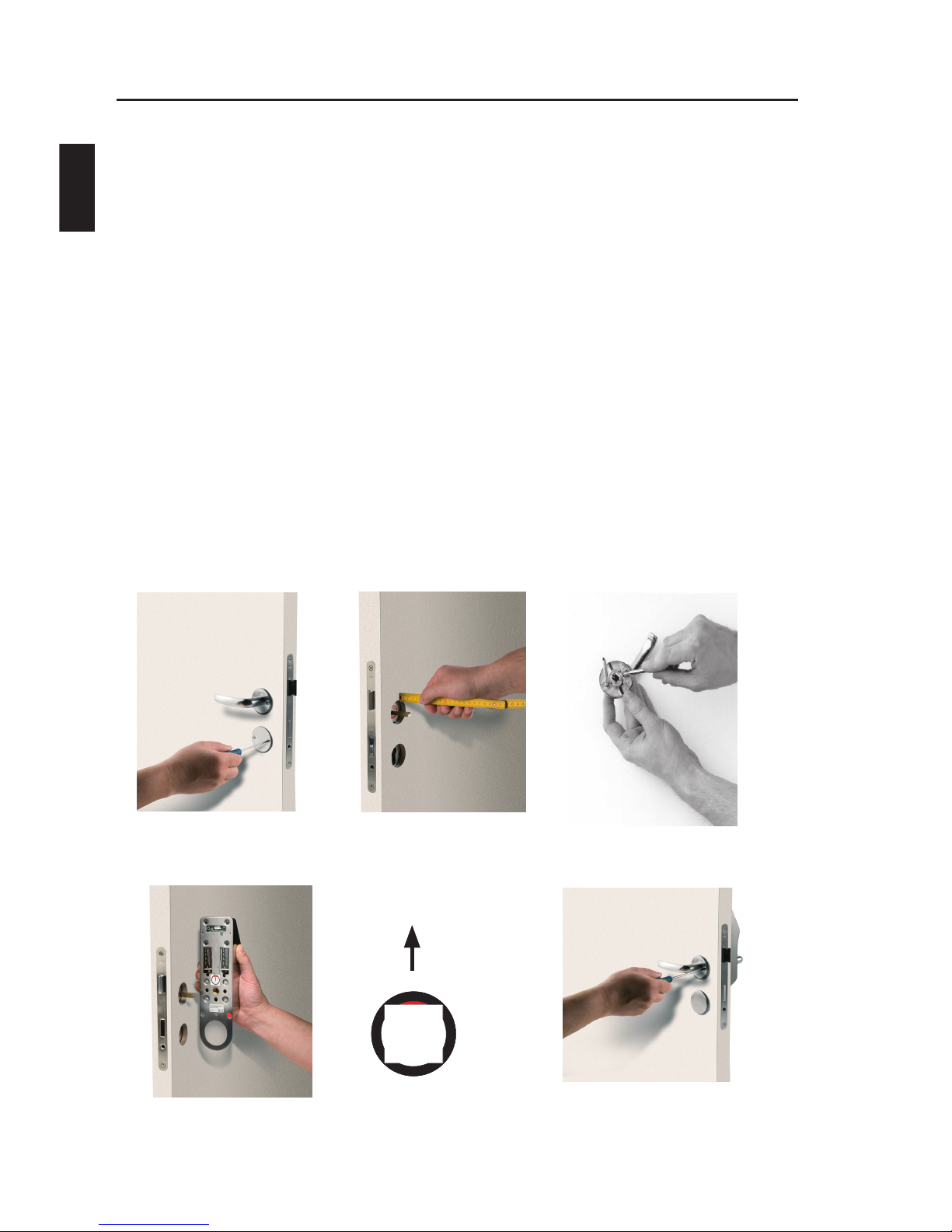
Remove the cylinder ring and the door handle from the door by
loosening the four screws. See figure 1.
Ensure that the handle spindle does not project more than 20
mm on the outside of the door. If the spindle is too long, push it
through into the handle on the inside. If this cannot be done, cut
the spindle to the right length. See figure 2.
Prepare the handle by extending the screws with the supplied
extension sleeves (M4 or M5). See figure 3.
Make sure that the red mark on the follower points downwards.
See figure 4.
Place the CD3500 on the outside of the door with the handle
attached, and pass the lever handle spindle through the square
hole. See figure 4.
Tighten, not too hard, the four previously loosened screws to the
nipples (the screws for the handle first). See figure 5.
Figure 1 Figure 2 Figure 3
RED
Figure 4, CD3500 Figure 5
1.
2.
3.
4.
5.
6.
10 CD3500 & CD4000 Installation and User manual
ENG
Fitting CD4000 to door
Remove the cylinder ring and the door handle from the door by
loosening the four screws. See figure 1.
Ensure that the handle spindle does not project more than 20
mm on the outside of the door. If the spindle is too long, push it
through into the handle on the inside. If this cannot be done, cut
the spindle to the right length. See figure 2.
Prepare the handle by extending the screws with the supplied
extension sleeves (M4 or M5). See figure 3.
Make sure that the red mark on the follower points upwards. See
figure 4.
Place the CD4000 on the outside of the door with the handle
attached, and pass the lever handle spindle through the square
hole. See figure 4.
Tighten, not too hard, the four previously loosened screws to the
nipples (the screws for the handle first). See figure 5.
Figure 1 Figure 2 Figure 3
Figure 4, CD4000 Figure 5
1.
2.
3.
4.
5.
6.
REDRED
Autres manuels pour Codoor CD3500
1
Ce manuel convient aux modèles suivants
1
Table des matières
Langues :
Autres manuels Siemens Serrure de porte


