
ShineACS SL-C113 Manuel utilisateur
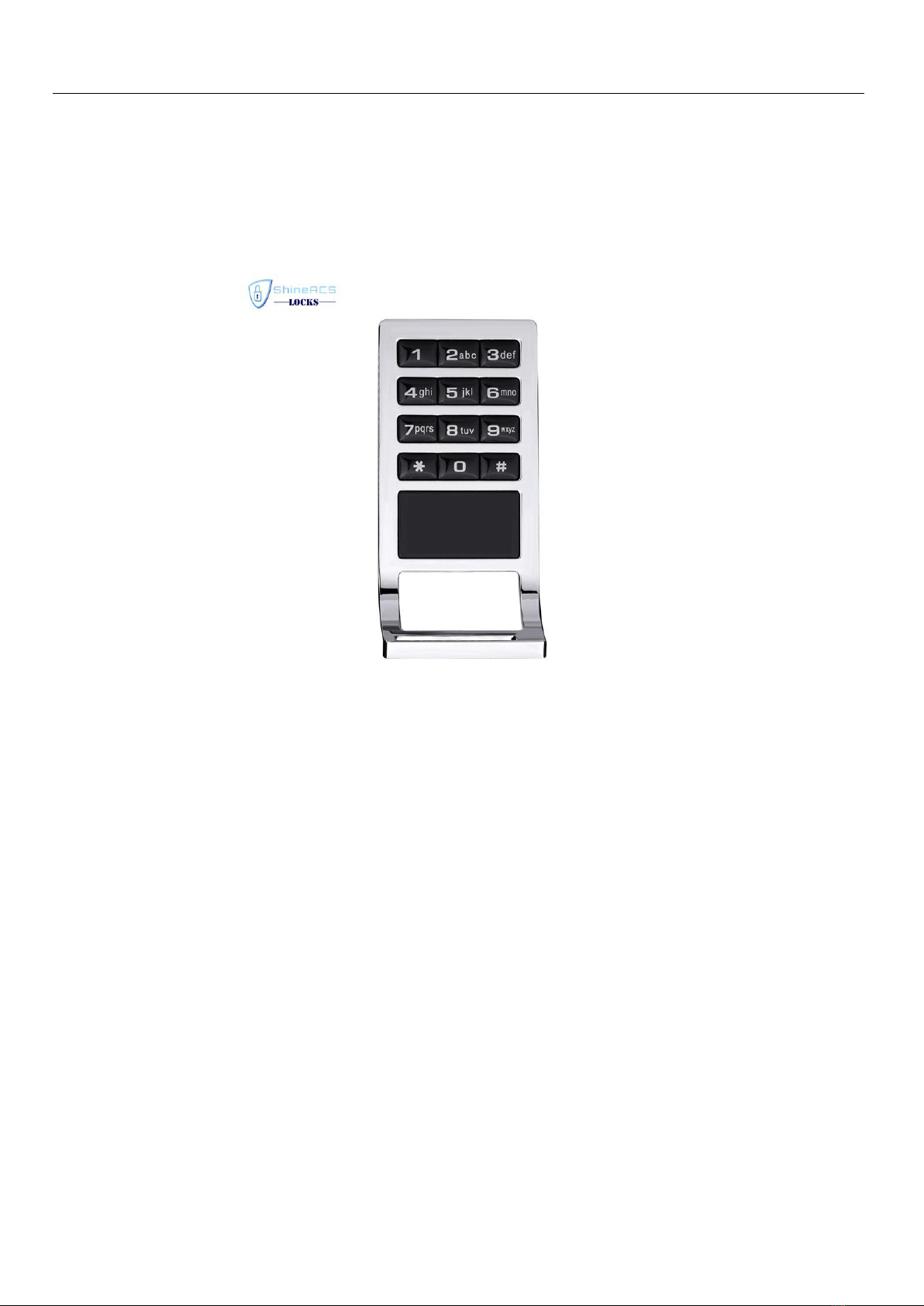
RFID Keypad Cabinet lock SL-C113 User Manul-ACSlocks
www.acslocks.com
RFID Keypad Cabinet lock SL-C113
(ID card+ PIN code)
User Manual
Profile: Welcome to choose our door lock, and this lock is suitable for Office,Home,Apartment, warehouse,etc.
Integrate the Code and Card function together,high security. ID cared is supported to success One-Card-Pass function.
Main Feature:
-
Card type: RF ID
-
Mechanical key input
-
The card is set up with the lock only,no system software. Up to 2pcs master card,and 200pcs unlocking card
-
Unlocking code can be exchanged by yourself, up to 1 master code,and 50 unlocking codes
-
Messy code input is supported, up to 12 bytes
-
Passageway lock can be set up
-
Reminding when lock are not locked well
-
Reminding when battery are in low voltage
-
Work by battery, external battery can be connected
Main specification:
-
Power supply: DC6V(4pcs AA battery,) for about 10 monthsduarable
-
Power consumption: Static <100uA,, Dynamic <300mA
-
Low voltage reminding: <4.8V
-
Sensor distance: >25mm
-
Working temperature: 0-70 Celsius degree

RFID Keypad Cabinet lock SL-C113 User Manul-ACSlocks
www.acslocks.com
-- Working humidity: <80%
Two unlocking mode:
-1,Single type: ID card unlocking, or Code unlocking only
-2, Combined type: both ID card and Code together for unlocking
Operation as follows:
1, The factory default master code is 12345678,and it's single type for unlocking. Follow the below step for exchange
the mode:
1.1
, From Single type to Combined type:
After input the 8bytes master code, then Press the "key" button, and Press the "6" button, there would be Six long "di"
sounds, with blue light flashing, then Press the "key" button for confirmation. The lock will exit the program status
after a long "di" sound. We are succeed.
Press the"*" button for exit during the programming.
1.2
From Combined type to Single type
After input the 8bytes master code, then Press the "key" button, and Press the "5" button, there would be five long "di"
sounds, with blue light flashing, then Press the "key" button for confirmation. The lock will exit the program status
after a long "di" sound. We are succeed.
Press the"*" button for exit during the programming.
2, In the Combined type, when swiping card (or input the unlocking code and then Press the "key" button), two "di"
sounds, blue light flashing, then input the unlocking code and Press the "key" button (or swiping card), blue light is
on,and the door is unlocking.
Special functions details:(false locking indication, how to setup unlocking even it's deadbolt inside, how to
setup/delete the Normal Open status)
-1, False locking indication: when the door is closed, but the lock tongue is still retract or only little tongue was out, it
was called "false locking". In this case, the lock will give out sounds with blue light flashing. The indication will stop
when someone locked it well again!
-2, How to setup unlocking even it's deadbolt inside: When we need to setup unlocking card (or unlocking code) can
also unlocking the door even it's deadbolt inside, please turn out the deadbolt tongue during the program of setting up
unlocking card ( or unlocking code), when finished, you can also using the unlocking card (or unlocking code) to open
the door even someone deadbolt inside.
-3, How to setup/delete the Normal Open status:
--3.1, How to set up the Normal Open status: press down the back handle (the lock tongue will retract inside),hold it
on then swiping card(or input unlocking code), one long "di" sound with blue light flashing one time, the motor active,
please release the handle after a red light flashing Now, the lock are in Normal Open status. Just simply turn on the
handle for unlocking,no need for swiping card or input unlocking code.
--3.2, How to delete the Normal Open status: press down the back handle (the lock tongue will retract inside), hold it
on then swiping card(or input unlocking code), one long "di" sound with blue light flashing one time, the motor active,
please release the handle after a blue light flashing. Another solution is to swiping the master card (or input the
master code) to delete the Normal Open status.
Password Operation:
(1)Master password: for setting up/delete the existing valid unlocking password,also for unlocking
(2)Valid unlocking password: for unlocking

RFID Keypad Cabinet lock SL-C113 User Manul-ACSlocks
www.acslocks.com
(3)Mechanical key: Unlocking at emergency case, add master password.
1, Modify the master code( the default password of the locks is 12345678 )
Input the 8bytes password"12345678",then Press the" key" button, motor active with blue light flashing, Press the "1"
button, one long" di" sound,and blue light flashing faster, then input the new master code, Press the "key" button, one
long "di" sound,blue light flashing fastest, and input the same new master code again,Press the "key" button, blue light
on,and three long "di" sounds, success in modifying the master code.
When there are any mistake on inputing the new master code in second time(for example, the input new master code
are not the same between the twice input),there would be five short"di" sounds for reminding,please input the code
again
Press the "*"button for exit.
2,Add unlocking password:
Input the 8bytes master code,then Press the" key" button, motor active with blue light flashing, Press the "8" button,
one long" di" sound,and blue light flashing faster, then input the new unlocking password(6 bytes), Press the "key"
button, one long"di" sound, blue flashing fastest, then input the same new unlocking password(6 bytes) again, Press
the "key" button,blue light on, and two long"di" sounds,success in adding unlocking password.
When there are any mistake on inputing the new unlocking code in second time(for example, the input new unlocking
code are not the same between the twice input), there would be five short"di" sounds for reminding,please input the
code again
Follow the above operation can add more unlocking passwords, up to 50 unlocking passwords can be set.. And when
the unlocking password is exist, there would be four short "di" sounds for reminding.
Press the "*" button for exit.
3,Delete/Modify unlocking password
3.1
, Delete single unlocking password
Input the 8bytes master code,Press the "key" button, motor active with blue light flashing, Press the "4" button, a
long"di" sound, and blue light flashing faster, Input the unlocking code which is list before the code going to be
deleted(for example, when going to delete the second unlocking code, please input the first unlocking code here; when
going to delete the fourth unlocking code, please input the third unlocking code here, when going to delete the first
unlocking code, please input the lastest unlocking code here), Press the "key" button, will exit automatically after a
long"di" sound.
3.2
, Delete all unlocking password
Input the 8bytes master code, Press the "key" button,Press the "0" button, one long"di" sound, blue light flashing
fastest,then Press the "key" button again for confirming, there would be three long"di" sounds with blue light flashing,
success in deleting all the exit unlocking code.
3.3
, Modify unlocking password
Input the unlocking code,Press the "key" button,motor active with blue light flashing, Press the "1" button, one long
"di" sound, blue light flashing faster, then input the new unlocking code, Press the "key" button, two long "di" sounds,
blue light flashing fastest, then input the same new unlocking code again, Press the "key" button, three long"di"
sounds with blue light flashing. Success in modifying the unlocking code and exit from modifying program
automatically. The original unlocking code would be out of valid.
When there are any mistake on inputing the new unlocking code in second time(for example, the input new unlocking
code are not the same between the twice input), there would be five short"di" sounds for reminding,please input the

RFID Keypad Cabinet lock SL-C113 User Manul-ACSlocks
www.acslocks.com
code again
Press the "*" button for exit.
4, Unlocking
4.1
, unlocking by master code
Input the master code, and Press the "key" button, there would be one "di" sound, motor active, and blue light flashing
slowly for reminding unlocked.
The lock will detect the unlocking movement,and automatically lock again when the unlocking movement finished.If no
unlocking movement,the blue lights off and locked again after 5 seconds.
4.2
, Unlocking by valid unlocking code
Input the valid unlocking code, and Press the "key" button, there would be one "di" sound, motor active, and blue light
flashing slowly for reminding unlocked.
The lock will detect the unlocking movement,and automatically lock again when the unlocking movement finished.If no
unlocking movement,the blue lights off and locked again after 5 seconds.
Note:
-1,the keypad won't work in 5mins when input the wrong unlocking code in 5 times continuously.
-2,Invalid unlocking code, there would be three short"di" sounds,and the backlit and blue light would be off immediately
-3,when low voltage, there would be three short "di" sounds with red and blue light flashing. To make sure the lock will
working normally, please exchange to new batteries after the first lower voltage indication.
Card Operation:
(1)
Master card:or setting up/delete the existing valid unlocking card,also for unlocking
(2)
Valid unlocking card: for unlocking,also for setting up passage lock
(3)Mechanical key: Unlocking at emergency case, add master card.
1,Set up/delete the master card
1.1
Set up the master card
After lock initialization and all data are blank stage,proximity the first card, one short "di",then one long"di" for finished.
This card is master card. Up to 2pcs master card can be seted.
1.2
,Delete the master card
Turn on the mechanical key for five times, and blue light flashing fastest,success in clearing all cards and password after a
long" di" sound.
2, Add unlocking card
2.1
,Enter the program stage of adding unlocking card
Proximity the master card, one "di" sound,and motor active,the blue light stop flashing. and proximity the master card
again, one "di" sound,and blue light flash slowly,we are in adding unlocking card program stage now. The proximity
card would be valid unlocking card.
If no valid card can be detected in 5seconds,the would be exit from program stage after two short "di" sounds.
2.2
, The process of adding unlocking card
Proximity new card to lock when we are in adding unlocking card program stage, one short"di" sound,and one long "di"
sound tell us the card was adding successfully.

RFID Keypad Cabinet lock SL-C113 User Manul-ACSlocks
www.acslocks.com
Follow the above operation can add more unlocking cards, up to 200 unlocking cards can be added. And when the
unlocking card is exist, there would be two short "di" sounds for reminding.
3, Delete unlocking card
3.1
, Delete single unlocking card
Proximity the master card, one "di" sound,and the motor active, blue light no flashing, and then proximity the master
card for two times,blue light flashing faster, proximity the unlocking card which is mean to delete for one time,
success in deleting the unlocking card after a short "di" sound and a long "di" sound.
Follow the above operation will delete other unlocking cards.
The lock will give six short "di" sounds when the card is non-exist.
3.2
, Delete a single lost unlocking card
Proximity the master card, one "di" sound,and the motor active, blue light no flashing, and then proximity the master
card for three times,blue light flashing fastest, proximity the unlocking card which is list before the lost unlocking
card(for example, when going to delete the second lost unlocking card, please proximity the first unlocking card here;
when going to delete the fourth lost unlocking card, please proximity the third unlocking code here, when going to
delete the first lost unlocking card, please proximity the lastest unlocking card here), six short "di" sounds tell us that
the lost unlocking card have been deleted successfully.
3.3
Delete all unlocking card
Proximity the master card, one "di" sound,and the motor active, blue light no flashing, and then proximity the master
card for four times, will success deleting all unlocking cards after three long "di" sounds with blue light flashing.
All the unlocking card can't unlocking the door anymore after this operation, and have to operate the instruction of
adding new valid unlocking card for unlocking again!
4,Unlocking
4.1
, Unlocking with valid unlocking card
Proximity the valid unlocking card to the lock, one "di" sound, the motor active, and blue light is on for reminding
unlocked.
The lock will detect the unlocking movement,and automatically lock again when the unlocking movement finished.If no
unlocking movement,the blue lights off and locked again after 5 seconds.
When the unlocking card is invalid, there would be six short "di" sounds for reminding;
When the batteries are in low voltage, there would be three short "di" sounds with blue light flashing for reminding.To
make sure the lock will working normally, please exchange new batteries after the first lower voltage indication
4.2
Unlocking with mechanical key
Use the mechanical key for unlocking when there is some problem happens to the PCB board,or the batteries are in
low voltage
Warm Tips:
-1, For security, please modify the master code, and delete all the unlocking code when finish installation.
-2, For higher security, the messy code unlocking is supported. For example, the right code is 123456, any numbers can
be added before/back of the right code,12bytes is max, like 012123456789
-3, The mechanical key will help to set up master card, master code, also for unlocking at emergency case, we
recommend that the mechanical key should be keep carefully.

RFID Keypad Cabinet lock SL-C113 User Manul-ACSlocks
www.acslocks.com
Package list:
Item
commodity
Unit
quantity
note
1
Front panel
Pcs
1
With PCB board, tapered end
2
Door frame fasteners
Pcs
1
3
Lock core
Pcs
1
With battery base non-slip mat
4
Accessories package
Pcs
1
5
User manual
Pcs
1
Table des matières
Autres manuels ShineACS Serrure de porte


