
Sea Recovery Aquamatic Manuel utilisateur

߯«¿³¿¬·½ô ߯«¿³¿¬·½ ÈÔ ú
߯«¿É¸·-°»® ÜÈ
ݱ²¬®±´ ͧ-¬»³
Ï«·½µ ͬ¿®¬ ú Ì®±«¾´» ͸±±¬·²¹ Ù«·¼»
Release: 10/17/2017


2
Table of Contents
1.0 Commissioning 3
2.0 Display Settings 6
3.0 Manual Operation 8
4.0 Automatic Operations 13
5.0 Accessing Your Various Display Screens 16
6.0 Accessing System Fault & Warning Log 18
7.0 Accessing High Pressure Pump Hour Meter 19
8.0 Setting System Clock 20
9.0 Setting System Run Timers 21
10.0 Setting System Salinity 22
11.0 Setting Fresh Water Flush 23
12.0 System Fault Error Messages 24
13.0 System Warning Messages 25

3
1.0 System Commissioning
The Aquamatic, Aquamatic XL and AquaWhisper desalination system controller comes loaded with a
special utility tool designed to aid the dealer in the commissioning of the system. This utility can be used
to set a limited number of options within the controller, and is accessed in the following manner.
NOTE: Your system should not be running when attempting to enter dealer commissioning mode.
CAUTION: All electrical covers should be on before providing powering to the system. Electrical shock may
accrue if electrical boxes are exposed.
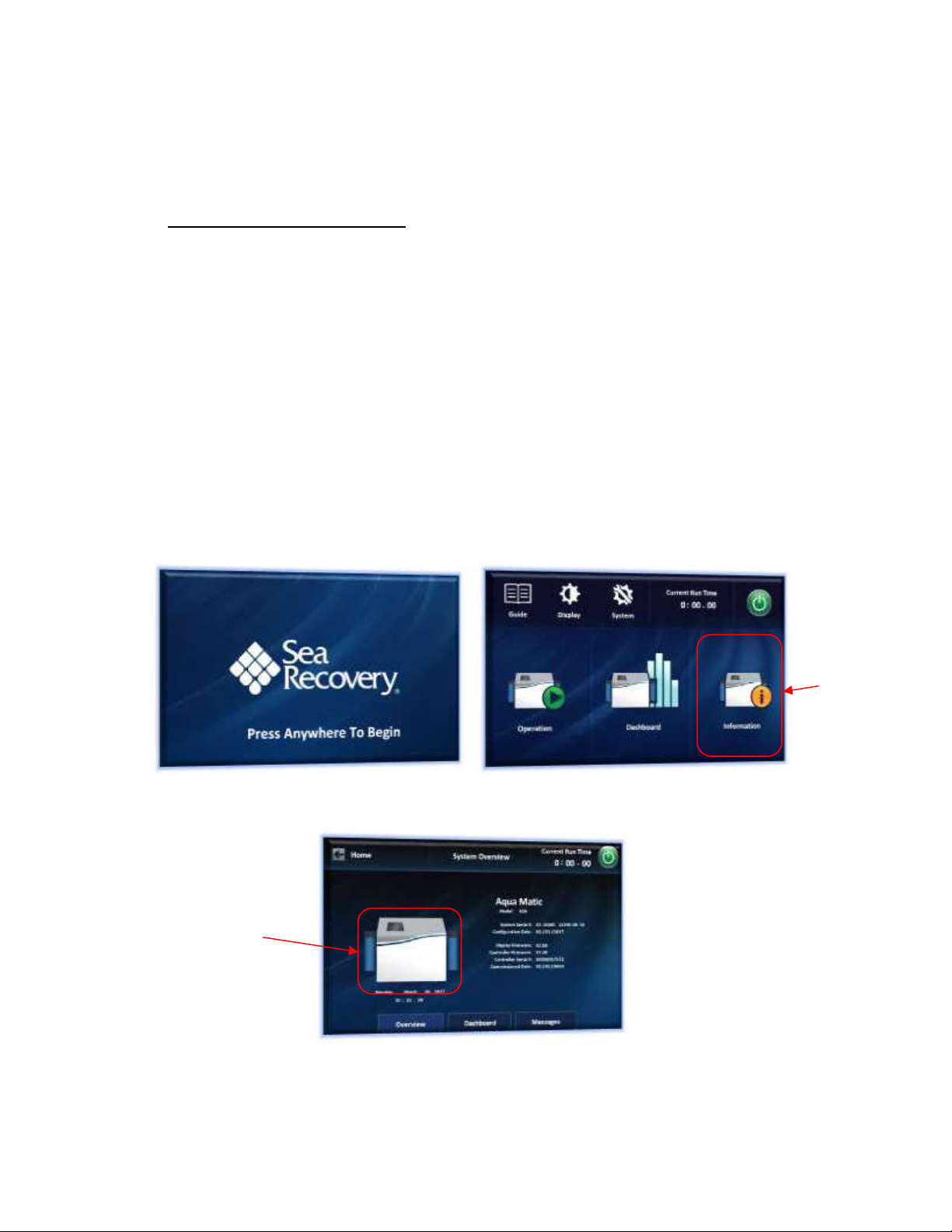
1. Press Anywhere on the Main Splash screen to begin.
2. Press the indicated area to gain access to the system information area.
3. On System Overview Screen press and hold the indicated area for at least 2 seconds to gain
access to the 'System Additional Functions' menu area.
Press Here
Press &
Hold Here
4
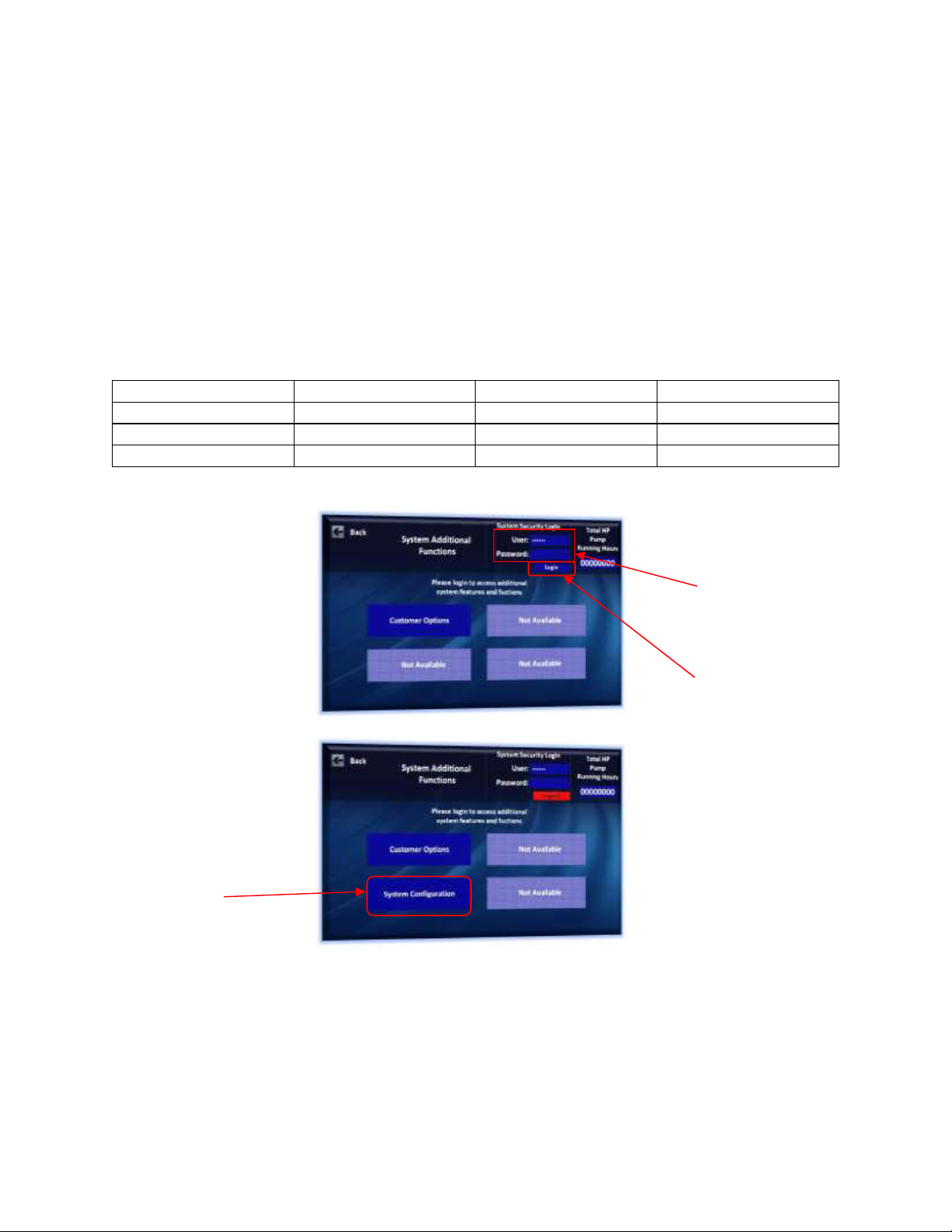
4. Log in using your dealer user name and password in the area shown below
NOTE: Password is case sensitive
5. Press System Configuration shown below
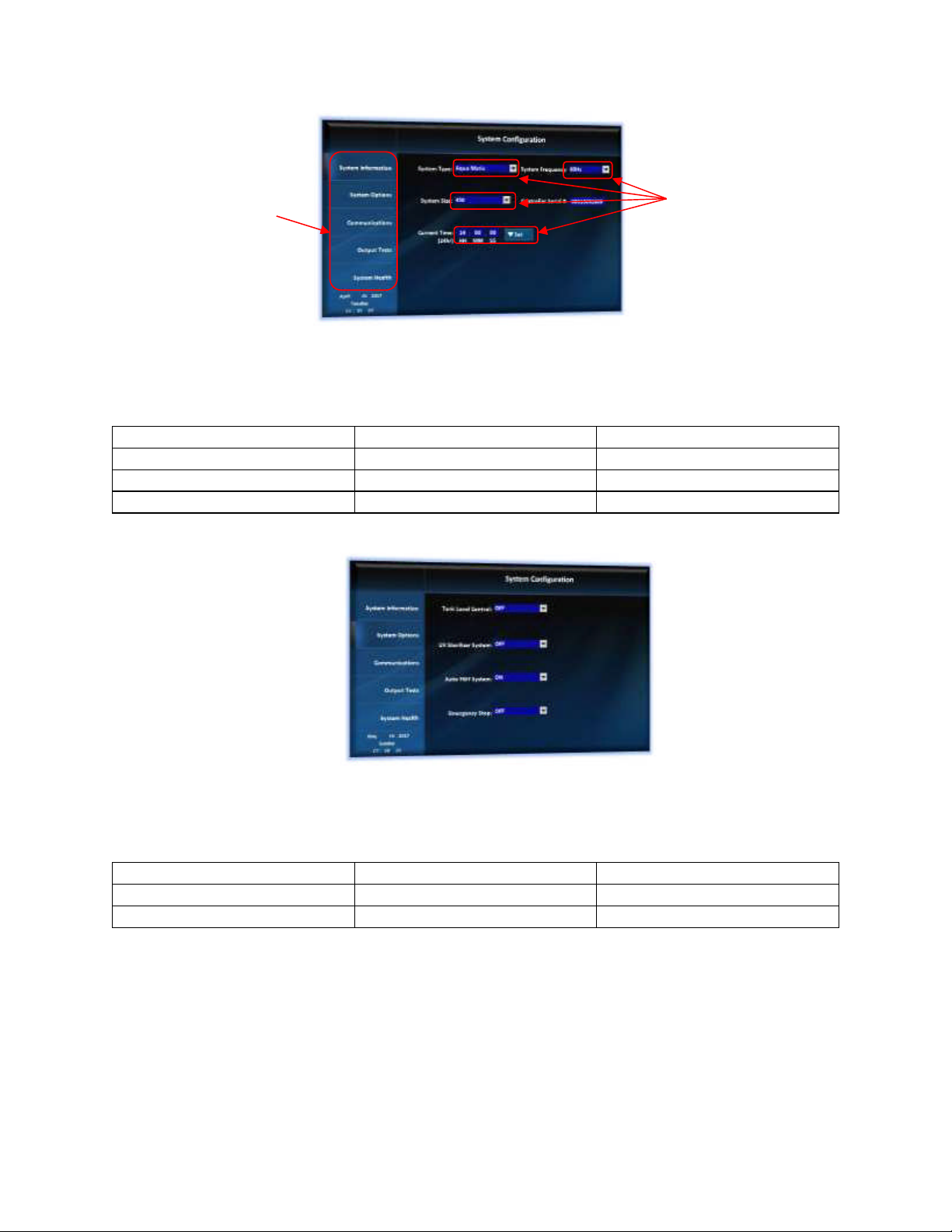
6. Select or Enter in SYSTEM TYPE, SYSTEM FREQUENCY, SYSTEM SIZE, and CURRENT TIME.
Aqua Matic Aqua Whisper DX Aqua Matic XL
SYSTEM SIZE RANGE 450-1800 450-1800 2200-3400
SYSTEM FREQUENCY 50 or 60 Hz 50 or 60 Hz 50 or 60 Hz
CURRRENT TIME 24 Hour 24 Hour 24 Hour
Press Here
Enter user
credential
information
here
Press here
when finished
5
7. Press 'System Option' tab.
8. Select option applicable to your system.
9. Press 'Communications' tab
10. Select options applicable to your system
System Tank Level Control ON OFF
System UV Sterilizer ON OFF
System Fresh Water Flush ON OFF
System Emergency Stop ON OFF
Communications Status ON OFF
Communications Protocol STD NMEA 2000 SRC
Communications Port NMEA2000 Remote
Press here to
navigate through
system functions
Press here to set
system options
6
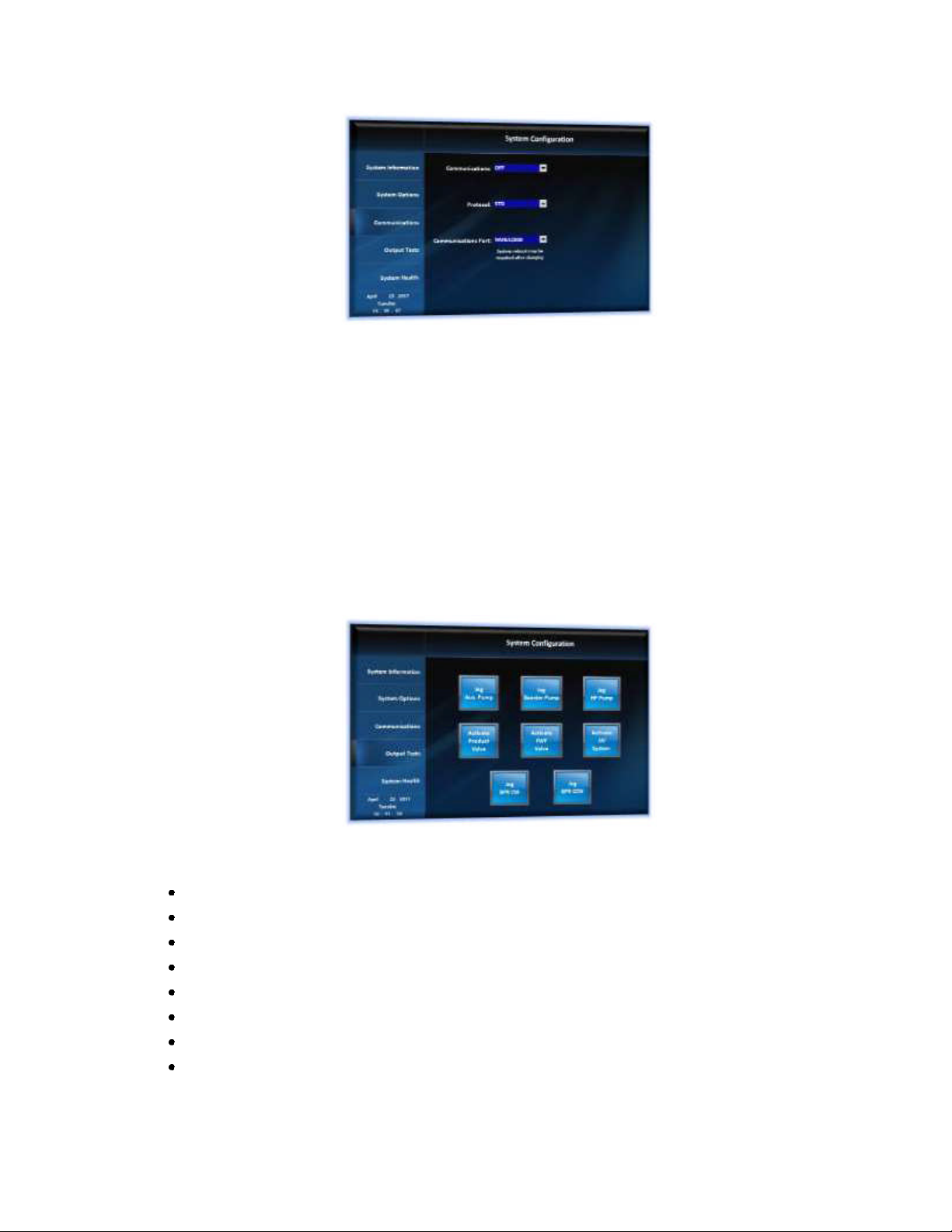
11. Press system 'Output Tests' tab
CAUTION: This page is meant to test individual function test of components power and motor
rotation prior to running the system. SINCE SYSTEM IS NOT PRIMED WITH WATER DO NOT TRY
TO RUN SYSTEM COMPONENT FOR LONG PERIODS OR DAMAGE WILL ACCURE.
12. Press each tab to test Power and/or motor rotation
Auxiliary Pump (On, Off)
Booster Pump (On, Off)
High Pressure Pump (On, Off)
Product Valve (On, Off)
Fresh Water Flush Valve (On, Off)
UV Sterilizer (On, Off)
Jog BPR Clockwise (Only available on Aquamatic Models)
Jog BPR Counter Clockwise (Only available on Aquamatic Models)
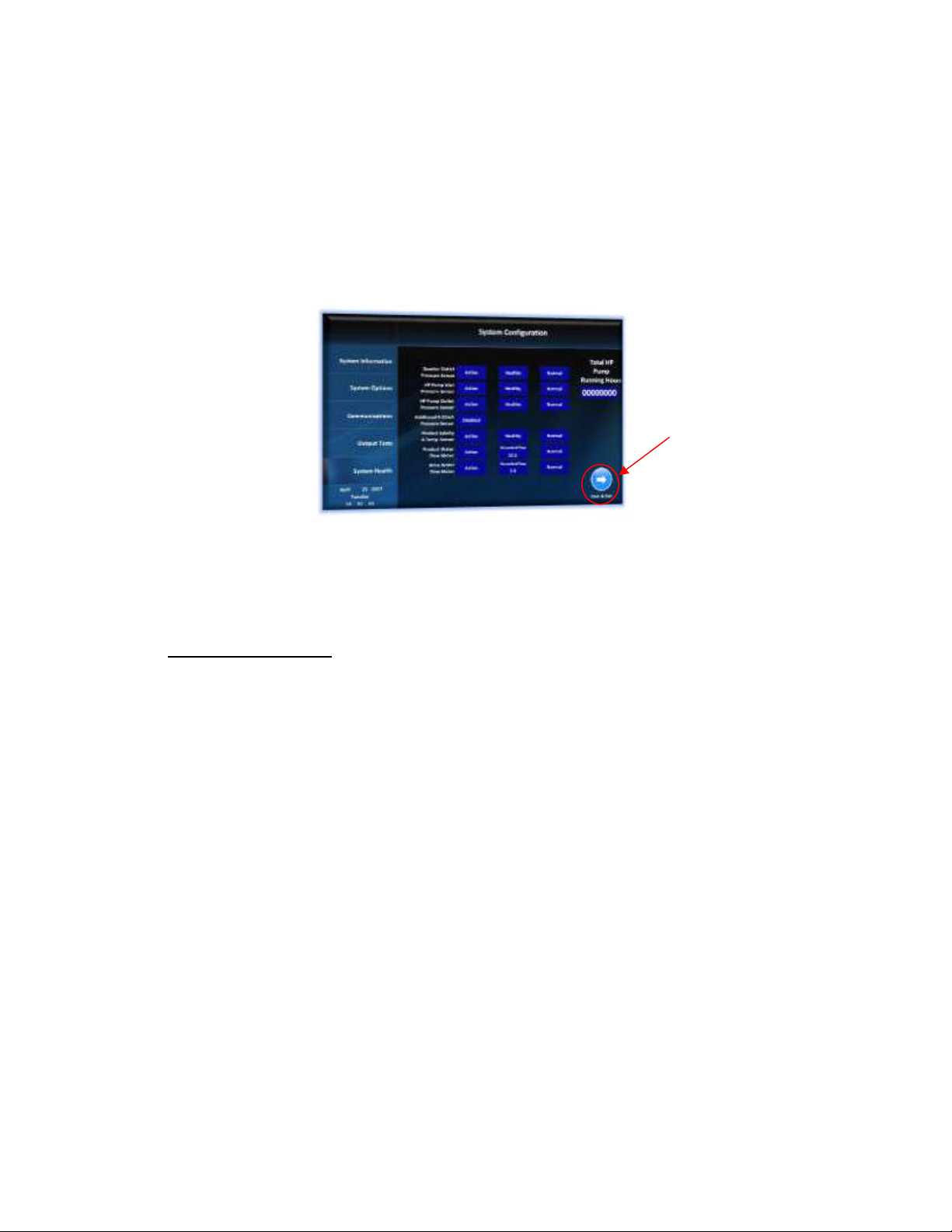
7
13. Press System Health Tab
Note: This tab will show a complete overview of the current system health along with any external sensors
connected. A 'Fault!!' indicator will appear if a problem is detected. High speed flow meters cannot be
tested automatically, but the output values of these sensors can be viewed here and should display a
value when pumps are operated.
The 'System Health' screen displayed by the controller is shown below:
14. Press Save & Exit
Your system is now configured.
2.0 Display Settings
The Aquamatic, Aquamatic XL and AquaWhisper desalination system controller also allows you to
configure your desired display settings. These setting include language, unit display and screen brightness.
To update any of these settings, please follow the procedures outlined below:
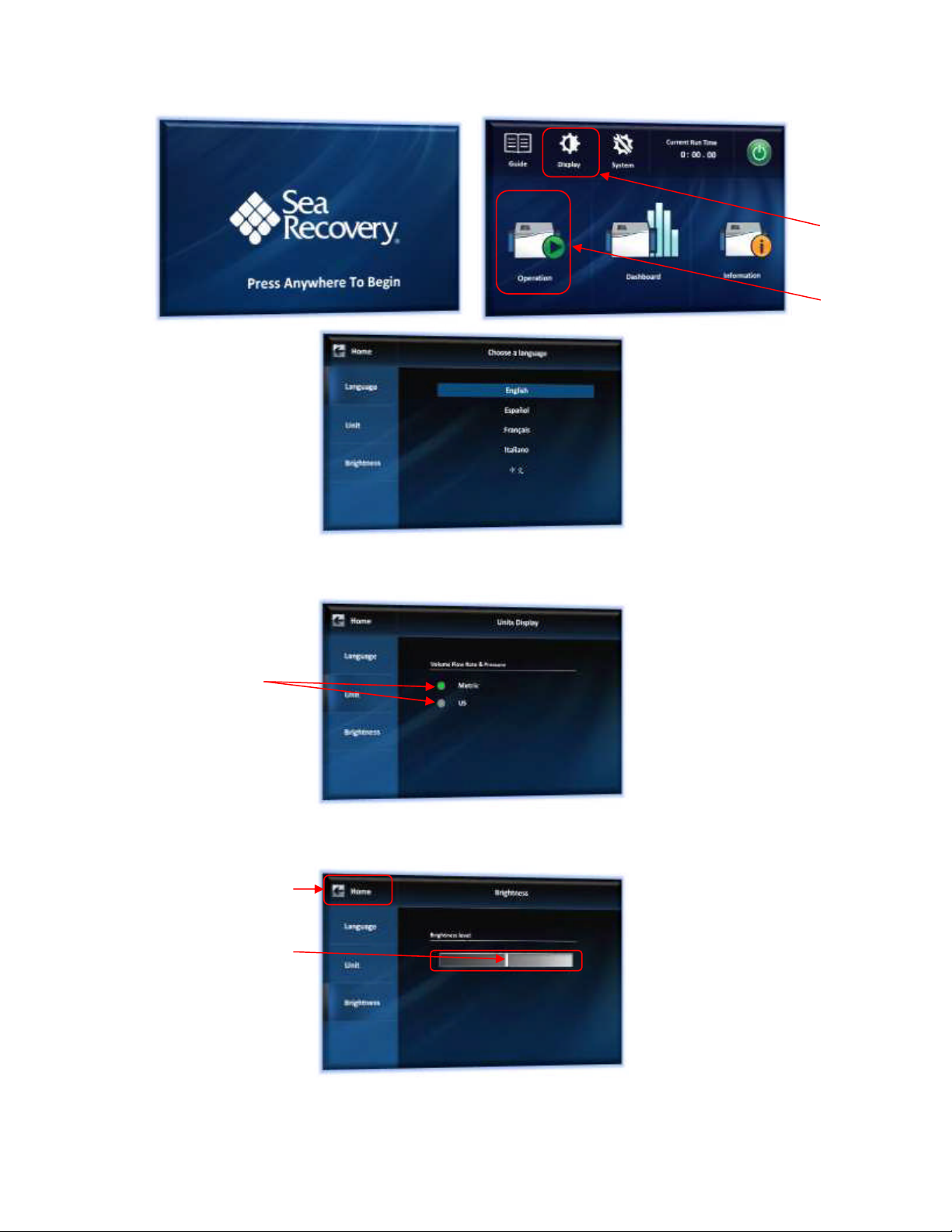
1. Press Anywhere on the Main Splash screen to begin.
2. Press the display setting icon shown below.
3. Press language to set desired language.
Press here to
save
8
4. Press Units to set desired Units.
5. Press Brightness to set desired brightness level.
To return to the 'Main Menu' screen simply press on the 'Home' button, as shown above.
Press here
Press here
Press here
Press here
and slide left
or right
Press here
Ce manuel convient aux modèles suivants
2


