1
Content
1Instruction...............................................................................................................................2
1.1 General Description...........................................................................................................2
1.2 Application...........................................................................................................................2
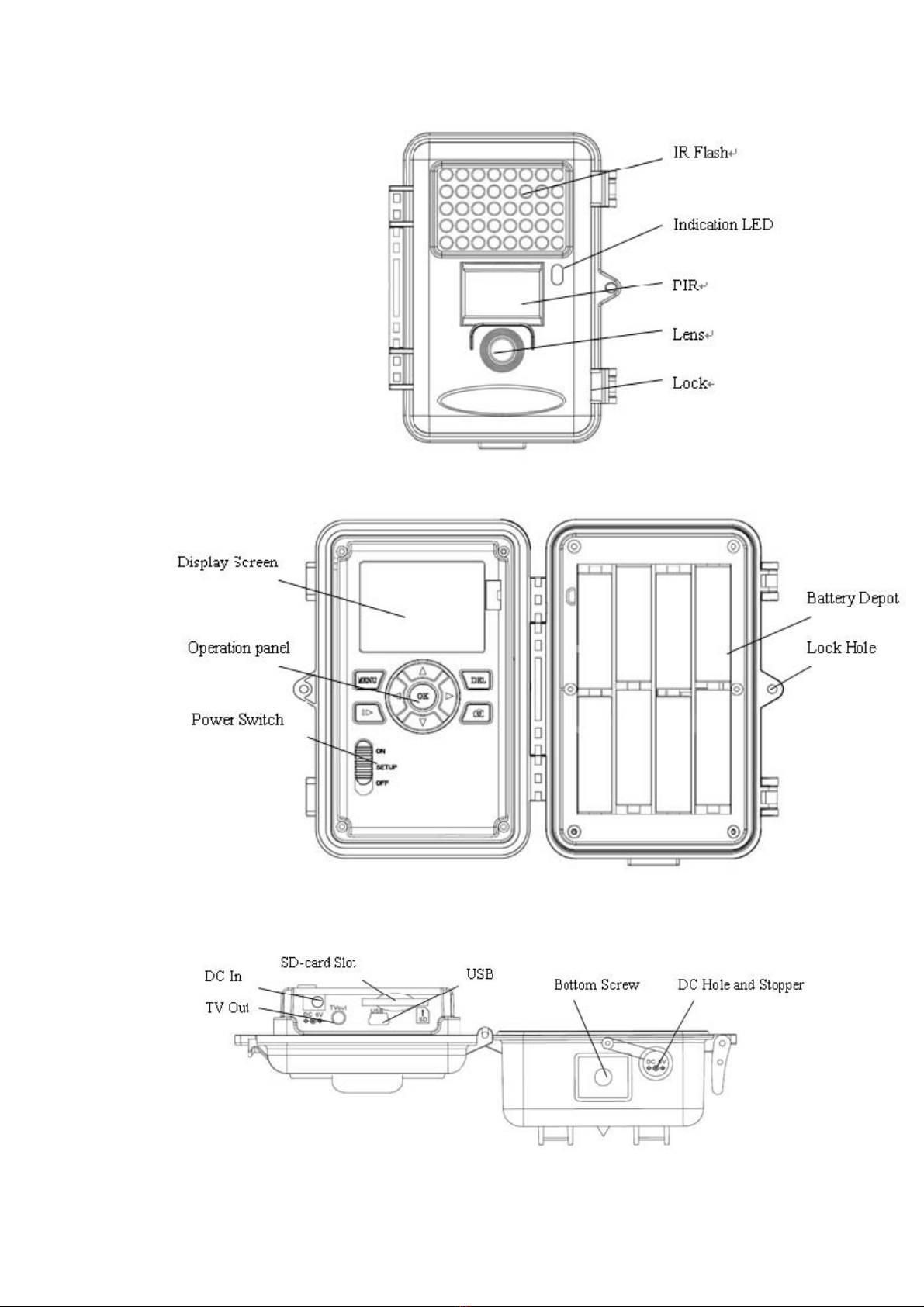
1.3 Camera Interface................................................................................................................2
1.4 Saving Images or Videos.................................................................................................4
2Cautions..................................................................................................................................5
3Easy Operations....................................................................................................................5
3.1 Power Supply......................................................................................................................5
3.2 Insert the SD-card..............................................................................................................5
3.3 Power on and Entering into the ON Mode...................................................................5
3.4 Enter into the TEST Mode................................................................................................6
3.4.1 Preview...............................................................................................................................6
3.4.2 Customer Settings..........................................................................................................6
3.4.3 Manual Capturing............................................................................................................6
3.4.4 View Images or Videos..................................................................................................6
3.4.5 Delete Images or Videos...............................................................................................6
3.6 Power Off..............................................................................................................................7
4Advanced Operations..........................................................................................................7
4.1 Settings Menu.....................................................................................................................7
4.1.1 Set Camera Mode............................................................................................................7
4.1.2 Format SD-Card...............................................................................................................7
4.1.3 Set Photo Size..................................................................................................................8
4.1.4 Set Video Size..................................................................................................................8
4.1.5 Set Date and Time...........................................................................................................8
4.1.6 Set Photo Burst...............................................................................................................9
4.1.7 Set Video Length.............................................................................................................9
4.1.8 Set PIR Sensitivity..........................................................................................................9
4.1.9 Set PIR Triggering Interval...........................................................................................10
4.1.10 Set Timer Triggering Interval.....................................................................................10
4.1.11 Set Timer Switch...........................................................................................................10
4.1.12 Set Time Stamp.............................................................................................................11
4.1.13 Reset to Default Settings............................................................................................11
4.2 Default Settings and Live Monitoring...........................................................................11
4.3 Firmware upgrade..............................................................................................................12
5 Mounting the Camera..............................................................................................................12
Appendix I: PIR Detection Zone................................................................................................13
AppendixⅡ: Technical Specifications..................................................................................15
AppendixⅢ: Parts List...............................................................................................................16