
Samsung WF231 Series Manuel
1
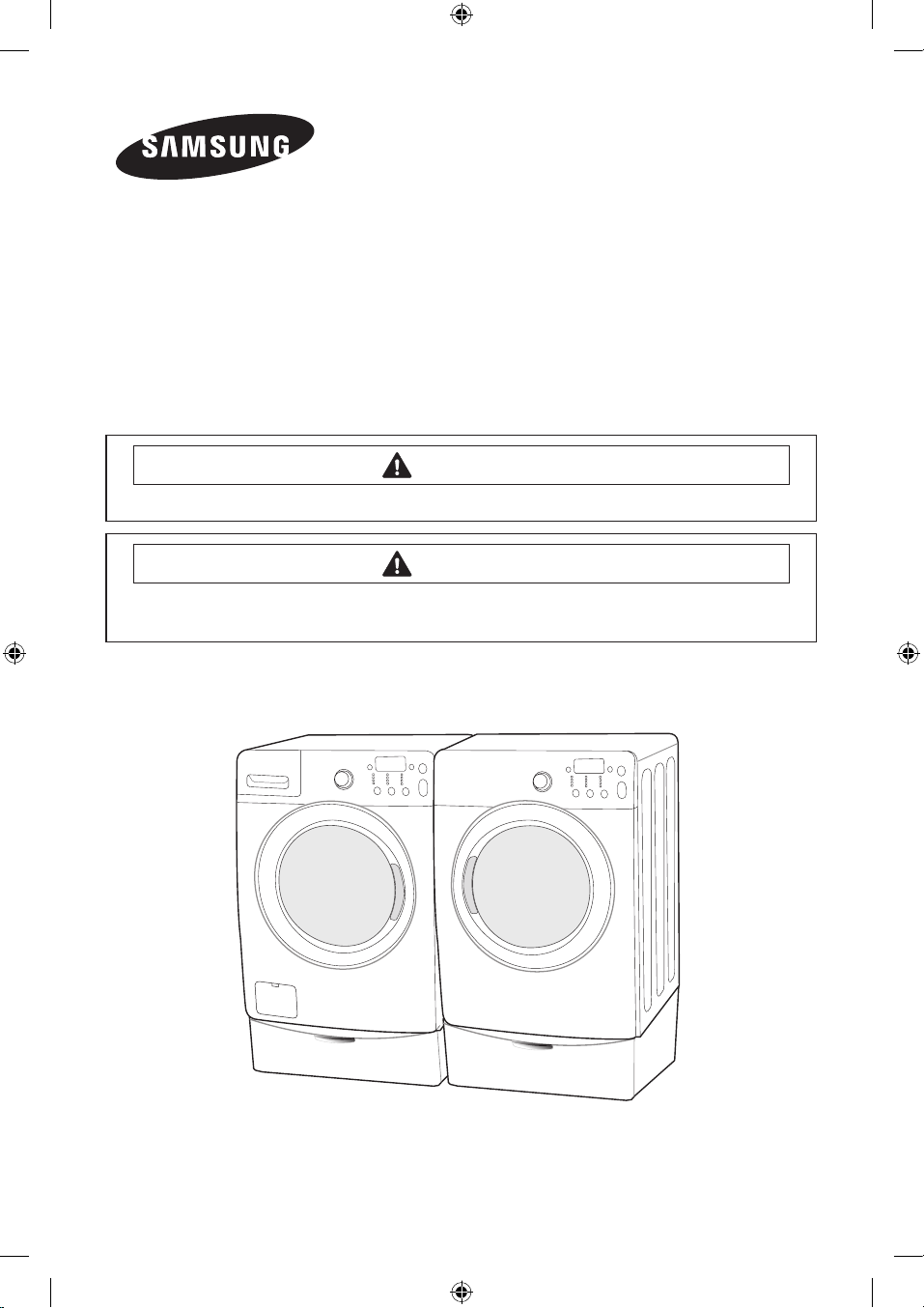
WASHING MACHINE
Technical Information
ModelS : WF231*
WF241*
Code No. : DC68-02830C-01_EN
• Due to possibility of personal injury or property damage, always contact an authorized
technician for servicing or repair of this unit.
• Refer to Service Manual for detailed installation, operating, testing, troubleshooting, and
disassembly instructions.
All safety information must be followed as provided in Service Manual.
CAUTION
To avoid risk of electrical shock, personal injury or death; disconnect power to washer
before servicing, unless testing requires power.
WARNING
[BingBang2] Technical_information_02830C-01_EN.indd 1 2012-10-05 3:26:47

ALIGNMENT AND ADJUSTMENTS
2
GENERAL ERROR FUNCTION
NO
Error Code
(Diagnostic Code
Error Image)
Description Corrective Action
1 nd The water level fails to drop below the
Reset Water Level within 15 minutes.
Go to “ Will Not Drain” Troubleshooting
Section.
2 LO Door fails to Unlock After 7 attempts. Go to “ Will Not Unlock”
Troubleshooting Section.
3 nF
When the lling Continues for more
than 40 minutes or there is no change
of water level for 6 minutes.
Go to “ No Water Fill” Troubleshooting
Section.
4 FL Door fails to lock after 7 attempts. Go to “ Will Not Lock” Troubleshooting
Section.
5 LE
A water level lower than the Reset
water level is detected for 5 seconds
during the Wash/Rinse cycle.
Go to “No Water Fill” Troubleshooting
Section.
6 1E
Water Level Sensor Trouble. (When
the input signal from the water level
sensor is out of range, the unit will
send out beeping sounds and halts
the cycle.)
Go to “No Water Fill”
Troubleshooting Section
7 OE
A fault is detected in the water level
sensor. Data (frequency) shows the
water level is at or above the overow
water level. (When this condition
is detected, the machine will
automatically starts draining water
until the water level falls below the
reset water level)
First check to see that all of water
valves are not stuck. If water valves
are OK, check water level.
8 dc
Unbalance or cabinet bump is
detected during nal spin, which
prevents the drum from spinning over
150 rpm. (Never exceeds 150 RPM due
to unbalanced load)
Go to “Wet Clothes” Troubleshooting
Section.
9 E2
Jammed Key.(When key input signals
are coming out for more than 30
seconds, it is regarded as a jam.)
Check all of keys. If A key is sensed
to be pressed, all keys will do not
respond.
To avoid risk of electrical shock, personal injury or death; disconnect power to washer
before servicing, unless testing requires power.
WARNING
[BingBang2] Technical_information_02830C-01_EN.indd 2 2012-10-05 3:26:47

ALIGNMENT AND ADJUSTMENTS
3
NO
Error Code
(Diagnostic Code
Error Image)
Description Corrective Action
10 ds Door is detected as open while it is
trying to lock the door.
Go to “Quick Test Mode” and then do
Door Lock/Unlock Test
11 tE
Abnormal high/low temperature or
resistance (Thermal sensor or PBA
resistance).
Go to “ Board Input Test” and check
Water Temperature. Check loose
or pinched wires. Replace PCB or
thermistor.
12 3E
MICOM is attempting to drive the motor
but is not getting any response signals
from the hall sensor. Visual check shows
motor is not running. (Locked, Defective
Hall Sensor or Overload)
Evaluate wire harness for loose or
unhooked connections. Go to “ Quick
Test Mode” and test Motor.
13 Hr Heater Relay Failure (No Heater Relay
Check Signal) Replace PCB
14 nF1 The hot/cold water hose connection is
not correct.
Please connect the hot/cold water
hose connection correctly.
15 2E Voltage for motor control bus is over
or under specied limit. Replace PCB
16 SUd
Suds is detected during the washing
session. (“SUdS” is not an error. If the
washer is in suds period, “SUdS” will
light up instead of remaining time.)
Guide a user to reduce amount of
detergent usage.
17 AE
Communication error between SUB
PBA and MAIN PBA
Check Main PBA, SUB PBA & Wire-
harness. Replace PCB
18 SF System Error Replace PCB
To avoid risk of electrical shock, personal injury or death; disconnect power to washer
before servicing, unless testing requires power.
WARNING
[BingBang2] Technical_information_02830C-01_EN.indd 3 2012-10-05 3:26:48

ALIGNMENT AND ADJUSTMENTS
4
TEST MODE
Test Mode:
Each Test Mode for the BIGBANG is as follows in
the coming pages. The test modes indicated by
the red arrows are modes unable to get an access
once the washing cycle has started due to safety
resons.
Quick Test Mode
Denition of Quick Test Mode:
- Check operation of all LED’s (Verify faulty LED).
- Check model and software version.
- Check dierent operating modes (e.g. water valve, motor, door, drain pump, etc.).
How to Enter:
- Plug in the unit.
- Press Soil Key, Spin Key and Power Key at the same Time.
To avoid risk of electrical shock, personal injury or death; disconnect power to washer
before servicing, unless testing requires power.
WARNING
Special Test Mode
Power Off State
Quick Test Mode
EEPROM Clear
Mode
Continuous Cycle
Mode
Service Mode
Demo Mode
Quick Spin Test Mode
Cycle Count Check Mode
S/W Version Check Mode
Fast Time Down Test Mode
Board Input Test Mode
Diagnostic Code
CheckMode
Power On State
(Normal User Mode)
[BingBang2] Technical_information_02830C-01_EN.indd 4 2012-10-05 3:26:48

ALIGNMENT AND ADJUSTMENTS
5
Quick Test Mode:
1. All LED’s light up and it sends out Beep Sound when it
enters into the Quick Test Mode. (Including 7-Segment)
2. Displays software version for a sec and Clear EEprom. (Ex. If
S/W Version is 49, 7-Segment will display LP07)
3. When the version is displayed, turn the Jog-Dial so that
the version disappears. Press the following keys to test the
various components.
- Temp Key : Water Valve Test
- Spin Key : Door Lock/Unlock Test
- Soil Key : Water Heater Test
- Signal : Drain Pump Test
EEPROM Clear Check
Denition of EEPROM Clear Mode:
- EEPROM initialization.
- All course/option settings are to be reset to default
values after EEPROM initialization.
- When Service arises and it needs PCB replacement,
EEPROM should be reset.
How to Enter:
- The unit needs to be on.
- Press Delay Start Key, and Power Key at the same
time.
To avoid risk of electrical shock, personal injury or death; disconnect power to washer
before servicing, unless testing requires power.
WARNING
[BingBang2] Technical_information_02830C-01_EN.indd 5 2012-10-05 3:26:48
ALIGNMENT AND ADJUSTMENTS
6
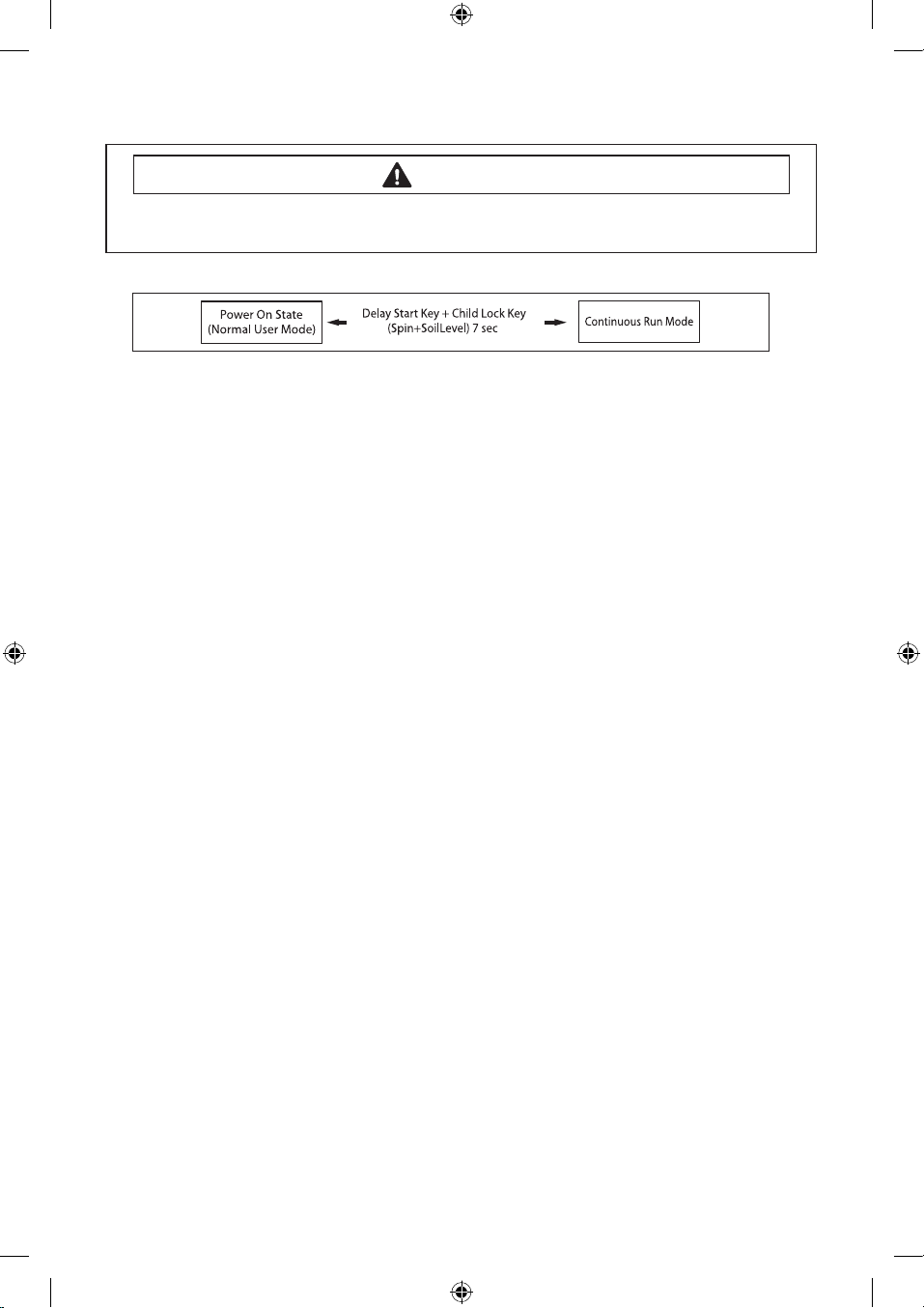
Continuous Run Mode
Denition of Continuous Run Mode:
- Will continuously repeat the current cycle until the Continuous Run Mode is cancelled.
How to Enter:
- Press Delay Start Key + Child Lock Key(Spin+SoilLevel) together for 7 sec.
Continuous Run Mode:
1. Press
Delay Start Key + Child Lock Key(Spin+SoilLevel)
for 7 sec during Power On State (Normal
User Mode) .
2.
Once in Continuous Run Mode, The seven segments will no longer display “0000” and will alternate
between displaying the number of cycles of the completed course and the remaining time of the course.
3. The Continuous Run Mode will repeat the previous cycle until continuous run mode is cancelled.
4.
During Continuous Run Mode, press Delay Start Key + Child Lock Key(Spin+SoilLevel) for 7 sec to
return to normal user mode. The seven segments will no longer display the number of cycles and
will display the maintenance time only.
5. If you exit Service Mode after entering it from Continuous Mode, the washing machine returns
to Continuous Mode.
6. If power is lost in Continuous Run Mode (that is, when the power plug is disconnected or the
Power key is pressed turning the washing machine o), the mode is released when the washing
machine is turned on again.
Service Mode
Denition of Service Mode:
- Service Mode enables service technicians to verify the operation of the washing machine and
do troubleshooting.
- Service Mode can be entered during all washing cycle without interrupting the cycle except
some of test modes.
- Various tests can be done with Service Mode. So, troubleshooting can be done based on the
resulting diagnostic codes.
How to Enter:
- To enter the Service Mode, press the DelayStart + Spin Key for 3 seconds or until the unit sends
out beeping sounds.
To avoid risk of electrical shock, personal injury or death; disconnect power to washer
before servicing, unless testing requires power.
WARNING
[BingBang2] Technical_information_02830C-01_EN.indd 6 2012-10-05 3:26:48

ALIGNMENT AND ADJUSTMENTS
7
Service Mode
Service Mode:
1. The washer must be on to go into the Service Mode.
2. The motor speed will be displayed when started (It displays 0 when the motor does not spin).
3. The present state of the machine will not be changed.
(i.e., the current cycle in progress will not be interrupted and only the display will change)
4. To exit Service Mode, press DelayStart + Spin Key for 3 second again, or Power Key.If no key is
operated during Service Mode for 5 minutes, the machine will return to normal user mode.
Quick Spin Test Mode
Denition of Quick Spin Test Mode:
- Quick Spin Test Mode is to do Spin Check. (High RPM)
How to Enter:
- During Service Mode, press the Delay Start and Temp. Keys for 3 seconds to enter Quick Spin
Test Mode.
- Cannot enter once the washing cycle has started.
Quick Spin Test Mode:
As it enters into the Quick Spin Test Mode, it starts spinning and reaches to its maximum RPM.
Once the Spin speed reaches the maximum RPM, the speed drops immediately.
To hold Quick Spin Test Mode (entering Hold Speed Mode), press the Start/Pause button. If the
Start/Pause button is pressed during Quick Spin Test Mode, it will stop accelerating and hold its
spinning speed for 10 minutes before going back to Quick Spin Test Mode.
Also, to cancel the hold and allow Quick Spin Test Mode to continue, press the Delay Start and
Temp Keys together for 3 seconds.
If you hold down the Delay Start and Temp. keys for three (3) seconds when the washing machine
is not in Hold Speed Mode, Quick Spin Mode is exited and Service Mode is restored.
To avoid risk of electrical shock, personal injury or death; disconnect power to washer
before servicing, unless testing requires power.
WARNING
[BingBang2] Technical_information_02830C-01_EN.indd 7 2012-10-05 3:26:49

ALIGNMENT AND ADJUSTMENTS
8
Cycle Count Check Mode
Denition of Cycle Count Check Mode:
- Cycle Count Check Mode is to tally up the number of washings.
How to Enter:
- To enter the Cycle Count Check Mode, press the Signal Key during Service Mode.
Cycle Count Check Mode:
1. Activate the Service Mode in advance.
2. When the Signal key is pressed, the total number of washings will light up and a signal LED will
glow.
3. The maximum number of cycles will be 1999.
The counter will roll over to 0 and start counting again after 1999.
4. The counting will be carried out at the end of the normal cycle.
(For normal and Continuous Run cycles, the count is carried out at the end of the cycles.
5. To exit the Cycle Count Check Mode, press the “Signal” key again.
S/W Version Check Mode
Denition of S/W Version Check Mode:
- S/W Version Check Mode is to bring up S/W Version information.
How to Enter:
- To enter the S/W Version Check Mode, press the Soil Level Key during Service Mode.
S/W Version Check Mode:
1. Activate the Service Mode in advance.
2. Press the Soil Level Key to bring up its software Version
EX) Generate LP07 at Version 49 (LP is Micom code, 07 is it’s software version)
3. To exit the S/W Version Check Mode, press the Soil Level S/W once again.
Then, it returns to the Service Mode with motor RPM illuminating.
To avoid risk of electrical shock, personal injury or death; disconnect power to washer
before servicing, unless testing requires power.
WARNING
[BingBang2] Technical_information_02830C-01_EN.indd 8 2012-10-05 3:26:49

ALIGNMENT AND ADJUSTMENTS
9
Fast Time Down Test Mode
Denition of Fast Time Down Test Mode:
- Fast Time Down Test Mode is to forward the program to the next cycle stage.
How to Enter:
- To enter the Fast Time Down Test Mode, press the Temp key during Service Mode.
Fast Time Down Test Mode:
1. Activate the Service Mode in advance.
2. To forward the program to the next cycle stage, press the Temp key.
Each stage is located at key points of a complete cycle as follows:
- End of Each Fill (Beginning of Wash or Rinse Tumble Session)
Caution: Check if the current water level is higher than the Reset water level and then perform
the Fast time down test.
- Beginning of Drain Session
- Beginning of Spin Session (Here, it checks the water level. So, if it is over the reset level, it carries
out draining before the spinning.)
- Beginning of Fill Session
- Beginning of Bleach Fill
- Beginning of Fabric Softener Fill
- Every 3 minutes during Wash and Rinse Tumble Session
To avoid risk of electrical shock, personal injury or death; disconnect power to washer
before servicing, unless testing requires power.
WARNING
[BingBang2] Technical_information_02830C-01_EN.indd 9 2012-10-05 3:26:49

ALIGNMENT AND ADJUSTMENTS
10
Board Input Test Mode
Denition of Board Input Test Mode:
- Board Input Test Mode is to displays a specied input after a key press.
How to Enter:
- To enter the Board Input Test Mode, press the Extra Rinse key during Service Mode.
Board Input Test Mode:
1. Activate the Service Mode rst.
2. Press the key to start Board Input Test.
3. Turn the Jog-Dial so that the normal course LED is turned on, and The Water Temperature will be
displayed in Celsius.
4. Turn the Jog-Dial so that the Heavy duty cycle LED is turned on, The Water Temperature will be
displayed in Fahrenheit.
5. Turn the Jog-Dial so that the Perm Press cycle LED is turned on, The door status will be displayed
(OP if open, CL if closed).
6. Turn the Jog-Dial so that Sanitize LED is turned on, The Door Lock Switch status will be displayed
(UL if unlocked, LO if locked).
To avoid risk of electrical shock, personal injury or death; disconnect power to washer
before servicing, unless testing requires power.
WARNING
[BingBang2] Technical_information_02830C-01_EN.indd 10 2012-10-05 3:26:49
Autres manuels pour WF231 Series
2
Ce manuel convient aux modèles suivants
1
Table des matières
Langues :
Autres manuels Samsung Machine à laver

Samsung
Samsung WF1702WC(C/W) Manuel utilisateur

Samsung
Samsung WF0602N Series Manuel utilisateur

Samsung
Samsung WF1804WP series Manuel utilisateur

Samsung
Samsung WF0802W8(E/N/S/V/W) Manuel utilisateur

Samsung
Samsung WA75F5S6 Manuel utilisateur

Samsung
Samsung WA11F5S9 Manuel utilisateur

Samsung
Samsung WA5471 Series Manuel

Samsung
Samsung WF8804HP(A/F/G/H/S/V/W/Z) Manuel utilisateur

Samsung
Samsung WF361 Series Manuel

Samsung
Samsung WW9*K6 series Manuel utilisateur


