Rohde & Schwarz R&S IQR Manuel utilisateur

R&S®IQR
I/Q Data Recorder
User Manual
User Manual
1175.6326.02 ─ 12
(;ÙÍJ2)
Test & Measurement

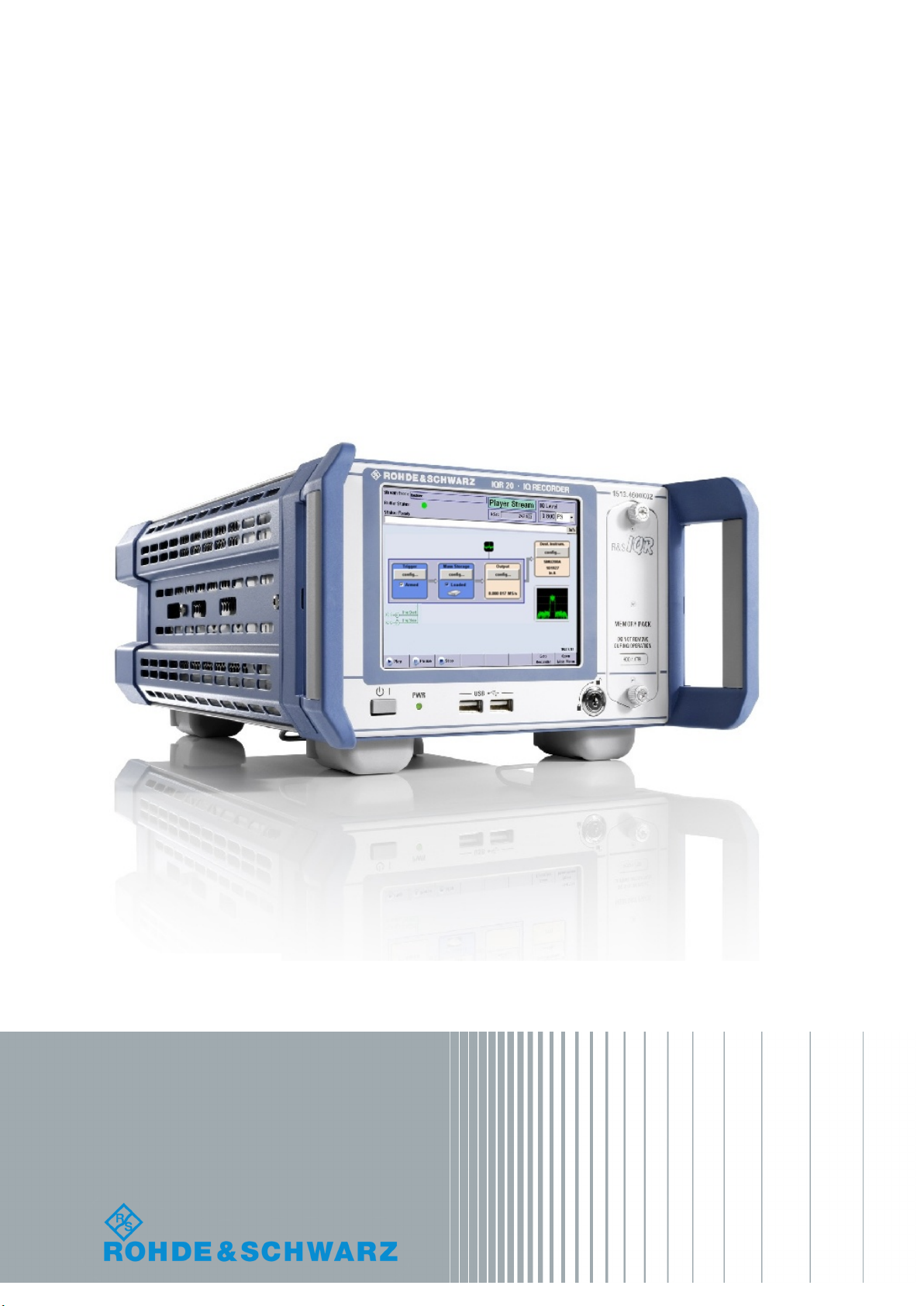
This manual describes the I/Q Data Recorder models R&S®IQR20, order no. 1513.4600K02 and
R&S®IQR100, order no. 1513.4600K10, including the following options:
●R&S®IQR-B010, "HDD Module 1 TB, 80 MByte/s", order number 1513.4700.10
●R&S®IQR-B020, "HDD Module 2 TB, 80 MByte/s", order number 1513.4700.20
●R&S®IQR-B110, "SSD Module 1 TB, 300 MByte/s", order number 1513.4717.10
●R&S®IQR-B109F, "SSD Module 0.9 TB, 400 MByte/s", order number 1513.4723.09
●R&S®IQR-B119F, "SSD Module 1.9 TB, 400 MByte/s", order number 1513.4723.19
●R&S®IQR-B138F, "SSD Module 3.8 TB, 400 MByte/s", order number 1513.4723.38
●R&S®IQR-K1, "TSMW Control", order number 1513.4730.02
●R&S®IQR-K101, "Import/Export of Waveform Files and Meta Data Files", order number 1517.5001.02
●R&S®IQR-K102, "GPS Data Recording", order number 1517.5018.02
●R&S®IQR-K103, "GPS Map", order number 1517.5024.02
●R&S®IQR-K104, "Ref. level controlled recording and replay of RF signals for AGC", order number
1517.5182.02
●R&S®IQR-K105, "Multiplexing I/Q Data", order number 1517.5047.02
●R&S®IQR-K107, "2nd Dig IQ Out", order number 1517.5060.02
●R&S®IQR-K108, "Network Attached Streaming", order number 1517.5076.02
●R&S®IQR-K2, "Generator Control", order number 1513.4752.02
The software contained in this product makes use of several valuable open source software packages. For information, see the
"Open Source Acknowledgment" on the user documentation CD-ROM (included in delivery).
Rohde & Schwarz would like to thank the open source community for their valuable contribution to embedded computing.

Contents
R&S®IQR
3User Manual 1175.6326.02 ─ 12
Contents
1 Preparing the I/Q Data Recorder for Use............................................. 9
1.1 Putting the I/Q Data Recorder into Operation............................................................ 9
1.1.1 Unpacking and Checking the I/Q Data Recorder.......................................................... 10
1.1.2 Positioning the Instrument.............................................................................................11
1.1.3 Bench Top Operation.................................................................................................... 11
1.1.4 EMI Suppression...........................................................................................................12
1.1.5 Connecting the R&S IQR to the AC Supply.................................................................. 12
1.1.6 Power on and off........................................................................................................... 13
1.1.7 Standby and Ready State............................................................................................. 13
1.2 Front Panel Tour......................................................................................................... 13
1.2.1 Display.......................................................................................................................... 14
1.2.2 Standby Key..................................................................................................................15
1.2.3 USB Connectors........................................................................................................... 15
1.2.4 Memory Pack................................................................................................................ 15
1.3 Rear Panel Tour...........................................................................................................16
1.4 Starting and Shutting Down the Instrument.............................................................18
1.5 Instrument Control......................................................................................................20
1.6 Connecting External Accessories............................................................................. 20
1.6.1 Connecting a Mouse..................................................................................................... 20
1.6.2 Connecting a Keyboard.................................................................................................21
1.6.3 Connecting a Monitor.................................................................................................... 21
1.6.4 Connecting a LAN Cable...............................................................................................22
1.6.5 Test Setups with Two LAN Connections.......................................................................22
2 Basic R&S IQR Operation....................................................................24
2.1 Required Equipment................................................................................................... 24
2.2 Recording Data............................................................................................................24
2.2.1 Basic Operating Sequence........................................................................................... 25
2.2.2 Possible Extensions...................................................................................................... 30
2.3 Recording Data Using TSMW Control.......................................................................30
2.3.1 Basic Operating Sequence........................................................................................... 31
2.4 Replaying Data............................................................................................................ 36

Contents
R&S®IQR
4User Manual 1175.6326.02 ─ 12
2.4.1 Basic Operating Sequence........................................................................................... 36
2.4.2 Possible Extensions...................................................................................................... 38
2.5 Replaying Data Using Generator Control................................................................. 39
3 Data Recording.....................................................................................40
3.1 General Description.................................................................................................... 40
3.1.1 Trigger System..............................................................................................................40
3.1.2 Streaming Files............................................................................................................. 43
3.1.3 General Purpose Signals.............................................................................................. 43
3.2 GUI Reference............................................................................................................. 43
3.2.1 Main Application Window (Recorder)............................................................................44
3.2.2 Source Instruments....................................................................................................... 47
3.2.3 Input Configuration........................................................................................................49
3.2.4 Formatting Settings....................................................................................................... 53
3.2.5 Storage Settings............................................................................................................54
3.2.6 Spectrum Display.......................................................................................................... 55
3.2.7 Bookmarks.................................................................................................................... 57
4 Data Replay...........................................................................................59
4.1 General Description.................................................................................................... 59
4.1.1 Trigger System..............................................................................................................60
4.1.2 Streaming Mode............................................................................................................64
4.2 GUI Reference............................................................................................................. 64
4.2.1 Main Application Window (Player)................................................................................ 65
4.2.2 Trigger Settings.............................................................................................................68
4.2.3 Mass Storage Settings.................................................................................................. 71
4.2.4 Output Configuration..................................................................................................... 72
4.2.5 Destination Instruments................................................................................................ 76
4.2.6 Selective Replay (GoTo)............................................................................................... 77
5 General and Administrative Tasks..................................................... 79
5.1 Main Application Window (General)..........................................................................79
5.2 Setup............................................................................................................................ 79
5.3 Configuration File....................................................................................................... 83
5.4 File Manager................................................................................................................ 83

Contents
R&S®IQR
5User Manual 1175.6326.02 ─ 12
5.5 Tools.............................................................................................................................84
5.5.1 I/Q Data Export/Archiving..............................................................................................85
5.5.2 I/Q Data Import .............................................................................................................86
5.5.3 Supported Data Formats...............................................................................................87
5.5.4 Partial Raw Export........................................................................................................ 90
5.5.5 Notes.............................................................................................................................90
5.6 Help.............................................................................................................................. 91
6 Software Options................................................................................. 92
6.1 R&S TSMW Control (R&S IQR-K1).............................................................................92
6.1.1 R&S TSMW Automatic Gain Control.............................................................................94
6.2 R&S Generator Control (R&S IQR-K2)...................................................................... 96
6.3 Import/Export of Waveform Files and Meta Data Files (R&S IQR-K101)................99
6.4 GPS Data Recording (R&S IQR-K102).......................................................................99
6.5 GPS Map (R&S IQR-K103)........................................................................................ 100
6.5.1 Replacing the Map...................................................................................................... 101
6.5.2 R&S IQR-K103 Downloader........................................................................................102
6.6 Ref. level controlled recording and replay of RF signals for AGC (R&S IQR-K104)
.................................................................................................................................... 103
6.7 Network Attached Streaming (R&S IQR-K108).......................................................104
7 Remote Control – Basics...................................................................106
7.1 Remote Control Operation....................................................................................... 106
7.1.1 Activating Remote Control Mode................................................................................ 106
7.2 Status Reporting System......................................................................................... 106
7.3 Block Data Format.................................................................................................... 107
8 Programming Examples....................................................................109
8.1 Key Features..............................................................................................................109
8.2 Recording Data..........................................................................................................109
8.3 Replaying Data.......................................................................................................... 111
8.4 Bookmarks and "Go To".......................................................................................... 113
8.5 Additional and Optional Tasks................................................................................ 116
9 Command Reference......................................................................... 120
9.1 Common Commands................................................................................................ 120

Contents
R&S®IQR
6User Manual 1175.6326.02 ─ 12
9.2 General Instrument Settings.................................................................................... 122
9.3 Recorder Commands................................................................................................122
9.3.1 Controlling and Monitoring Data Recording................................................................ 122
9.3.2 Input Configuration > Trigger...................................................................................... 125
9.3.3 Storage Configuration................................................................................................. 130
9.3.4 Source Instrument Configuration................................................................................ 132
9.3.5 Bookmarks.................................................................................................................. 135
9.3.6 Channels..................................................................................................................... 135
9.3.7 Spectrum Mode...........................................................................................................138
9.4 Player Commands.....................................................................................................139
9.4.1 Controlling and Monitoring Data Replay..................................................................... 139
9.4.2 File Properties and "Go To" Functionality................................................................... 143
9.4.3 Trigger Configuration.................................................................................................. 149
9.4.4 Output Configuration................................................................................................... 153
9.4.5 Spectrum Mode...........................................................................................................156
9.4.6 Commands for Option R&S IQR-K108........................................................................157
9.5 General Tasks............................................................................................................158
9.5.1 Selftest........................................................................................................................ 158
9.5.2 Instrument Configurations and File Management....................................................... 161
9.5.3 Data Export and Archiving.......................................................................................... 166
9.5.4 SYSTem Commands.................................................................................................. 171
10 Annexes.............................................................................................. 177
10.1 On-Screen Keyboard................................................................................................ 177
10.2 Remote Operation in a LAN..................................................................................... 177
10.2.1 Assigning IP Addresses.............................................................................................. 178
10.2.2 Remote Desktop Connection...................................................................................... 179
10.2.3 Windows® Firewall Settings.........................................................................................180
10.3 Windows® XP Embedded..........................................................................................181
10.4 Firmware Recovery to Delivery State......................................................................182
10.5 Firmware Update....................................................................................................... 183
10.6 Maintenance.............................................................................................................. 185
10.6.1 Storing and Packing the Instrument............................................................................ 185
11 File Extensions...................................................................................186

Contents
R&S®IQR
7User Manual 1175.6326.02 ─ 12
Glossary: I/Q Data Recorder............................................................. 187
List of Commands..............................................................................189
Index....................................................................................................194

Contents
R&S®IQR
8User Manual 1175.6326.02 ─ 12

Preparing the I/Q Data Recorder for Use
R&S®IQR
9User Manual 1175.6326.02 ─ 12
1 Preparing the I/Q Data Recorder for Use
The R&S IQR is a fast recording and replay device for digital I/Q data which is transfer-
red over the R&S Digital I/Q Interface. The R&S Digital I/Q Interface is supported by
many Rohde & Schwarz instruments. A typical application scenario is a drive test
where an R&S TSMW "Universal Radio Network Analyzer" is used as a network scan-
ner, providing an I/Q baseband data stream which is recorded by the R&S IQR. The
subsequent analysis (e.g. using an R&S FSV spectrum analyzer) is based on the raw
I/Q data with no loss of information. You can also feed the recorded I/Q data stream to
an appropriate signal generator (e.g. an R&S SMU200A) in order to re-generate the
modulated RF signal.
Rohde & Schwarz provides two different I/Q Data Recorder models which essentially
differ in the recording and data transmission speed.
●The R&S IQR20 supports data rates up to 20 megasamples per second (MSa/s),
corresponding to 80 MByte/s.
●The R&S IQR100 supports data rates up to approx. 99.5 MSa/s (with R&S IQR-
B110 up to 75 MSa/s), corresponding to 400 MByte/s.
Both instruments can be combined with the following memory pack options:
●R&S IQR-B010, "HDD Module 1 TB, 80 MByte/s"
●R&S IQR-B020, "HDD Module 2 TB, 80 MByte/s"
●R&S IQR-B110, "SSD Module 1 TB, 300 MByte/s"
●R&S IQR-B109F, "SSD Module 0.9 TB, 400 MByte/s"
●R&S IQR-B119F, "SSD Module 1.9 TB, 400 MByte/s"
●R&S IQR-B138F, "SSD Module 3.8 TB, 400 MByte/s"
To use the full data rate of the R&S IQR100, one of the SSD options R&S IQR-B109F,
R&S IQR-B119F or R&S IQR-B138F is required.
The present chapter gives all information that is necessary to put the instrument into
operation and presents an overview of the front panel controls and connectors of the
R&S IQR.
Chapter 2, Basic R&S IQR Operation outlines typical application examples for the I/Q
Data Recorder. The following chapters provide reference and background information
about the use of the Graphical User Interface (GUI) and about remote control.
1.1 Putting the I/Q Data Recorder into Operation
This section describes the basic steps to be taken when setting up the I/Q Data
Recorder for the first time.
Putting the I/Q Data Recorder into Operation

Preparing the I/Q Data Recorder for Use
R&S®IQR
10User Manual 1175.6326.02 ─ 12
Risk of injury and instrument damage
The instrument must be used in an appropriate manner to prevent electric shock, fire,
personal injury, or damage.
●Do not use an isolating transformer to connect the instrument to the AC power sup-
ply.
●Do not open the instrument casing.
●Read and observe the "Basic Safety Instructions" at the beginning of this manual,
in addition to the safety instructions in the following sections. Notice that the data
sheet may specify additional operating conditions.
Risk of instrument damage during operation
An unsuitable operating site or test setup can damage the instrument and connected
devices. Ensure the following operating conditions before you switch on the instrument:
●All fan openings are unobstructed and the airflow perforations are unimpeded. The
minimum distance from the wall is 10 cm.
●The instrument is dry and shows no sign of condensation.
●The instrument is positioned as described in the following sections.
●The ambient temperature does not exceed the range specified in the data sheet.
●Signal levels at the input connectors are all within the specified ranges.
●Signal outputs are correctly connected and are not overloaded.
1.1.1 Unpacking and Checking the I/Q Data Recorder
Check the equipment for completeness using the delivery note and the accessory lists
for the various items. Should you notice any damage, immediately contact the carrier
who delivered the instrument.
Packing material
Retain the original packing material. If the instrument needs to be transported or ship-
ped at a later date, you can use the material to protect the control elements and con-
nectors.
Putting the I/Q Data Recorder into Operation

Ce manuel convient aux modèles suivants
4
Table des matières