
Roberts Sound 80 Manuel utilisateur

Please read this manual before use
ROBERTS
DAB / FM RDS Sound System
Enjoy Listening

Controls ........................................................................... 2-3
Using the sound system for the first time ............................4
Operating your sound system .............................................5
Selecting a station - DAB ....................................................6
Secondary services - DAB ..................................................7
Display modes - DAB ...................................................... 7-8
Finding new stations - DAB .................................................9
Manual tuning - DAB .........................................................10
Signal strength display - DAB............................................10
Dynamic Range Control (DRC) - DAB ..............................11
Operating your sound system - FM auto-tune...................12
Manual tuning - FM ...........................................................13
Display modes - FM...........................................................14
Presetting stations.............................................................15
Recalling a preset station ..................................................16
Setting the alarm times................................................ 17-19
To view the alarm settings .................................................20
Cancelling alarms..............................................................20
Snooze function.................................................................21
Sleep function....................................................................22
Contents
Setting the clock manually........................................... 23-24
To return to auto clock set mode .......................................25
Clock display .....................................................................26
Display backlight dimmer ..................................................26
Software version................................................................26
Stereo / Mono setting - FM................................................27
System reset .....................................................................28
Headphone socket ............................................................29
Auxiliary input socket.........................................................29
Line output socket .............................................................30
Cautions ............................................................................31
Specifications ....................................................................32
Circuit features ..................................................................32
Notes .................................................................................33
Guarantee .........................................................................34
1

If you need any further advice, please call our Technical Helpline on :-
020 8758 0338 (Mon-Fri) 2
Controls (Front)
1. Station preset buttons
2. Loudspeaker x 2
3. Info / Menu button
4. DAB / FM button
5. Auto Tune button
6. On / Standby button
7. Volume control
8. Handle
9. LCD display
10. Tuning control
11. Alarm button
12. Dimmer button
13. Snooze button
14. Sleep button
1
2
4
5
6
7
9
10
11
12
13
3
8
14

3
Controls (rear)
15. Headphone socket
16. Line Out socket
17. Auxiliary input socket
15
1618
20
17
18. DC input socket
19. Subwoofer
20. Telescopic aerial
19

If you need any further advice, please call our Technical Helpline on :-
020 8758 0338 (Mon-Fri) 4
Using the sound system for the first time
1. Place your sound system on a flat surface.
2. Fully extend the telescopic aerial. The aerial should be fully extended
and positioned vertically for optimum reception.
3. Plug the cable from the mains adaptor into the DC input socket on
the rear of your sound system (marked 'DC') ensuring that the plug is
pushed fully into the socket. Plug the mains adaptor into a wall socket
and switch on the socket. The display will show "ROBERTS" for a few
seconds and then the display will then show "SCANNING". During
this time the sound system is scanning to find out which DAB radio
stations are available. While scanning markers will show progress of
the scan together with a count of stations found. After a short time the
current time and day will appear on the display.
4. If no stations are found, "NO CLOCK" will be displayed. It may be
necessary to relocate your sound system to a position giving better
reception. You should then carry out a scan to find stations as described
on page 9.
IMPORTANT: The mains adaptor is used as the means of connecting the
sound system to the mains supply. The mains socket used for the sound
system must remain accessible during normal use. In order to disconnect
the sound system from the mains, the mains adaptor should be removed
from the mains socket outlet completely.
Characters appearing on the LCD display indicate that the sound system
is connected to and powered from the mains supply.

5
Operating your sound system
1. Press the On / Standby button to switch on your sound system. The
display will show "TUNING" for a few seconds.
When first switched on, the sound system will be in DAB mode. After
each use the sound system will remember the mode used and then
switch on in that mode the next time that it is used.
2. If the sound system has been used before, the last used station will
be selected.
3. If this is the first time that the sound system has been used, then the
first station in the list of stations found during scanning will be played.
The display will show the station name on the display.
4. If no signals are found then "OFF AIR" will be displayed and it may be
necessary to relocate your sound system to a position giving better
reception. You should then carry out a scan to find stations as described
on page 9.
• Your sound system has an indicator on the display to indicate
the strength of the DAB radio signal being received.
1

If you need any further advice, please call our Technical Helpline on :-
020 8758 0338 (Mon-Fri) 6
Selecting a station - DAB
1. Press the On / Standby button to switch on your sound system.
2. Press the DAB/FM button to select DAB mode. The display will
show "TUNING" for a few seconds followed by the name of the radio
station. After ten seconds the display will revert to showing the time
and day.
3. Rotate the Tuning control to step through the list of available
stations.
4. When the desired station name appears on the display, press the
Tuning control to select the station. The display will show "TUNING"
while your radio finds the new station.
5. Adjust the Volume control to the required setting.
Note: If after selecting a station the display shows "OFF AIR" it may
be necessary to relocate your sound system to a position giving better
reception. 3,4
2
1
5

7
1
Secondary services - DAB
1. Certain radio stations have one or more secondary services associated
with them. If a station has a secondary service associated with it then
the secondary service will then appear immediately after the primary
service as you rotate the Tuning control.
2. To tune to the secondary service, press and release the Tuning
control. Most secondary services do not broadcast continually and
if the selected service is not available, the radio will re-tune to the
associated primary service.
Display modes - DAB
Your sound system has a range of display options when in DAB mode:-
1. Press and release the Info/Menu button to cycle through the various
options.
All displays except scrolling text display will revert to showing the time
and day after ten seconds.
a. Date Displays the current date.
b. Frequency and channel Displays frequency and channel number
for the currently tuned DAB station.
c. Bit rate Displays the digital audio bit rate for the
currently tuned DAB station.
a
b
c
1,2

If you need any further advice, please call our Technical Helpline on :-
020 8758 0338 (Mon-Fri) 8
e
f
g
d. Signal error Displays the bit error rate for the
currently tuned DAB station. (The lower
numbers mean that the radio is receiving
a better signal).
e. Station name Displays the station name being
listened to.
f. Scrolling text Displays scrolling text messages such
as artist/track name, phone in number,
etc.
g. Programme type Displays the type of station being
listened to e.g. Pop, Classic, News, etc.
h. Multiplex Name Displays the name of the DAB multiplex
to which the current station belongs.
i. Time and day Displays the current time (24 hour clock)
and day of the week.
h
i
d

9
Finding new stations - DAB
From time to time, new DAB radio stations may become available. Or you
may have moved to a different part of the country. In this case you may
need to cause your sound system to scan for new stations.
1. Press and hold the Menu button until "MANUAL" shows on the
display.
2. Rotate the Tuning control until the display shows "LOC SCAN".
3. Press and release the Tuning control. Your radio will perform a scan
of the UK DAB frequencies. As new stations are found, the station
counter on the right-hand side of the display will increase and stations
will be added to the list.
• Alternatively to carry out a scan of the UK DAB frequencies press and
release the Auto-tune button.
In countries other than the UK, in order that the radio may find the available
stations it is recommended to carry out a full scan of the entire DAB Band III
frequencies. In this case proceed as follows.
4. Press and hold the Menu button until the display shows "MANUAL".
5. Rotate the Tuning control until the display shows "FULLSCAN".
6. Press and release the Tuning control. Your radio will perform a full
scan of the DAB frequencies. As new stations are found, the station
counter on the right-hand side of the display will increase and stations
will be added to the list.
• Alternatively to carry out a full scan of the DAB frequencies press and
hold the Auto-tune button.
1,4
2-6
Table des matières
Autres manuels Roberts Système stéréo

Roberts
Roberts MP-16CD Manuel utilisateur

Roberts
Roberts Blutune 100 Manuel utilisateur

Roberts
Roberts SOUND 70 Manuel utilisateur

Roberts
Roberts MP-SOUND 53 Manuel utilisateur

Roberts
Roberts Blutune65 Manuel utilisateur

Roberts
Roberts Stream 67L Manuel utilisateur

Roberts
Roberts MP-23 Manuel utilisateur

Roberts
Roberts CD9912 Manuel utilisateur
Roberts
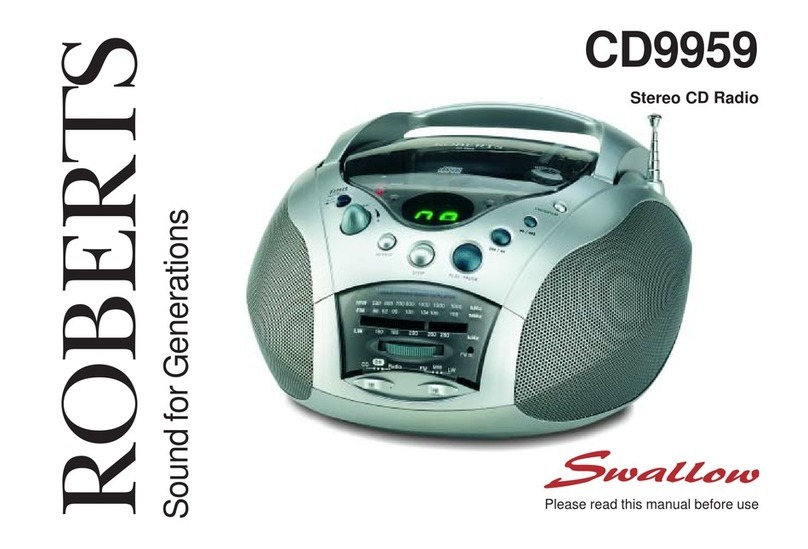
Roberts Swallow CD9959 Manuel utilisateur

Roberts
Roberts CD9925 Manuel utilisateur


