
Roberts MP-23 Manuel utilisateur

MP-23
CD/AM/FM RDS/DAB digital sound system with
MP3/WMA/SD/USB and remote control
Please read this manual before use
ROBERTS
Sound for Generations

MP-23 Sound features.........................................................2
Controls ........................................................................... 3-5
Remote handset battery replacement .................................6
Mains operation...................................................................6
Setting the clock ..................................................................7
Using your system for the rst time .....................................8
Selecting the MP-23 modes ................................................9
Operating your radio - DAB ...............................................10
Selecting a station - DAB...................................................11
Secondary services - DAB.................................................11
Display modes - DAB ........................................................12
Finding new stations - DAB ...............................................13
Manual tuning - DAB .........................................................14
Signal strength display - DAB............................................14
Using your radio's Pauseplus feature.......................... 15-16
Station order setup - DAB only..........................................17
Prune stations - DAB only .................................................18
Software version - DAB only..............................................18
Dynamic Range Control (DRC) settings - DAB only..........19
Operating your radio - Search tuning FM ..........................20
Automatic programme type search - FM ...........................21
Display modes - FM RDS..................................................22
Contents
FM Stereo/Mono................................................................22
Operating your radio - Search tuning MW.........................23
Manual tuning - FM and MW .............................................24
Presetting stations.............................................................25
Equalizer function..............................................................26
Mute function.....................................................................26
Sleep function....................................................................27
Compact discs............................................................. 28-31
MP3/WMA CD mode ................................................... 32-35
Using SD cards or USB memory devices.................... 36-40
Alarm ........................................................................... 41-44
System reset......................................................................45
Clock display .....................................................................46
3D Sound switch................................................................46
Auxiliary In socket..............................................................47
Line Out socket..................................................................47
Headphone and optical output sockets .............................48
General..............................................................................49
Specications ....................................................................49
Mains supply......................................................................50
Notes ........................................................................... 51-53
Guarantee..........................................................................54
1

If you need any further advice, please call our Technical Helpline on :-
020 8758 0338 (Mon-Fri)
MP-23 Sound System features
The Roberts MP-23 Sound system provides the following features in an
attractive compact unit.
Radio
The MP-23 can receive DAB, FM (with RDS), and AM (Medium Wave)
bands.
CD
The MP-23 plays audio CDs (can also play CDR, CDRW discs)
CD-MP3/WMA
The MP-23 plays MP3 and WMA les which have been recorded to CDR
or CDRW.
SD slot and USB socket
The MP-23 plays MP3 and WMA les from SD cards or USB memory
devices.
Auxiliary input
The MP-23 can be used as an amplier and loudspeaker system for
external MP3 players, mini disc players and similar devices.
Headphone output
A standard 3.5mm headphone socket is provided for private listening.
Digital output
An optical output is provided for connection to AV receivers, mini- disc
recorders or other devices with a digital input.
Line Out socket
A standard 3.5mm Line Out socket is provided for connecting the audio
signal to an external amplier.
Surround effect
An optional 3D surround effect provides enhanced stereo sound.
Acoustically tuned cabinet
The quality enclosure includes bass ports and internal bracing to offer
optimal sound reproduction.
2

3
Controls
1. Infra red sensor
2. Loudspeakers
3. LCD display
4. CD slot
(Front)
1
2
7
3 2
4 5
6
5. CD Eject button
6. SD card door
7. On/Off/Volume control

If you need any further advice, please call our Technical Helpline on :-
020 8758 0338 (Mon-Fri) 4
Controls
(Rear)
8. Telescopic aerial
9. Mains input socket
10. Optical output socket (Toslink)
11. Auxiliary in socket
9
8
12. Line Out socket
13. Headphone socket
14. 3D Sound switch
10111314 12

5
Remote control
3
1
23 22
1. Radio button
2. Clock/Adjust/Folder button
3. Alarm button
4. Keypad buttons 1-10/0
5. CD Eject button
6. Tuning Down/Rewind button
7. Tuning Up/Fastforward button
8. Ok/Select button
9. Autotune button
10. Setup/Repeat button
11. Info/Random button
12. Play/Pause button
13. Stop button
14. Direct track access button
15. Equalizer button
16. Volume Down button
17. Volume Up button
18. Mute button
19. Sleep button
20. Clock button
21. On/Off button
22. SD/USB button
23. CD button
2
5
13
16
4
6
7
8
910
11
12
14
15
17
18
19
20
21

If you need any further advice, please call our Technical Helpline on :-
020 8758 0338 (Mon-Fri)
Remote handset battery replacement
1. Press in the tab on the left hand side of the battery tray and slide the
tray out.
2. Remove battery holder by pushing holder in direction shown.
3. Remove battery from holder.
4. Replace battery (CR2025 or equivalent) ensuring that the positive
side of the battery faces you with holder positioned as shown.
5. Replace the battery holder.
6
Mains operation
1. Place your radio on a at surface.
2. Plug the mains lead into the Socket located on the rear of your radio
ensuring that the plug is pushed fully into the socket.
3. Plug the other end of the mains lead into a wall socket and switch on
the wall socket.
4. The clock digits on the display will ash.
5. To set the clock refer to page 7.
Please note the time must be set before the alarm function can
be used.

Setting the clock
Leave the unit in Standby while the clock sets. In the event that the
clock does not automatically set follow the procedure below.
You will need to set the clock before the alarm function can be set.The
clock display will be 24hr format.
1. Press and hold the Clock/Adjust button, the hour digits on the
display will ash.
2. Press the Tuning Up or Down buttons until the desired hour digit
is set.
3. Press and release the Clock/Adjust button, the minute digits on
the display will ash.
4. Press the Tuning Up or Down buttons until the desired minute
digit is set. If the button is held down the digits will change more
quickly.
5. Press the Clock/Adjust button to conrm the clock setting.
1
2,4
2,4
3,5
7

If you need any further advice, please call our Technical Helpline on :-
020 8758 0338 (Mon-Fri) 8
Using your system for the rst time
1. Fully extend the telescopic aerial.
2. Press the On/Off button to switch on your radio.
3. If this is the rst time the sound system is used the display will show
"CD" and will enter CD mode. If the sound system has been used
before the last used mode will be selected.
2
2

Selecting the MP-23 modes
To select DAB
1. Press and release the Radio button until "DAB" shows on the display
and the unit will enter the DAB mode. See page 10.
To select CD
1. Press and release the CD button until "CD" shows on the display and
the unit will enter the CD mode. See page 29.
To select FM/MW
1. Press and release the Radio button until "FM Tuner" or "AM Tuner"
shows on the display and the unit will enter the FM or the MW mode.
See page 20, 23.
To select SD card/USB
1. Press and release the SD/USB button until "SD Card" or "USB" shows
on the display and the unit will enter either the SD card or USB mode.
See page 36.
To select Auxiliary
1. Press and release the Radio button until "Aux" shows on the display
and the unit will enter Auxiliary mode. See page 47.
9
Table des matières
Autres manuels Roberts Système stéréo
Roberts
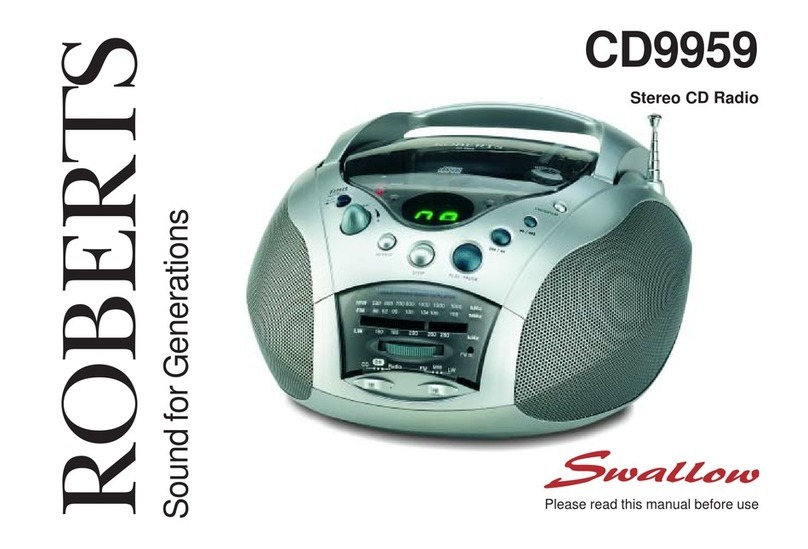
Roberts Swallow CD9959 Manuel utilisateur

Roberts
Roberts STREAM 83I Manuel utilisateur

Roberts
Roberts SOUND 70 Manuel utilisateur

Roberts
Roberts Stream 67 Manuel utilisateur

Roberts
Roberts STREAM 83I Manuel utilisateur

Roberts
Roberts Blutune 100 Manuel utilisateur

Roberts
Roberts Blutune65 Manuel utilisateur

Roberts
Roberts MP-16CD Manuel utilisateur

Roberts
Roberts Stream 67L Manuel utilisateur

Roberts
Roberts CD9912 Manuel utilisateur


