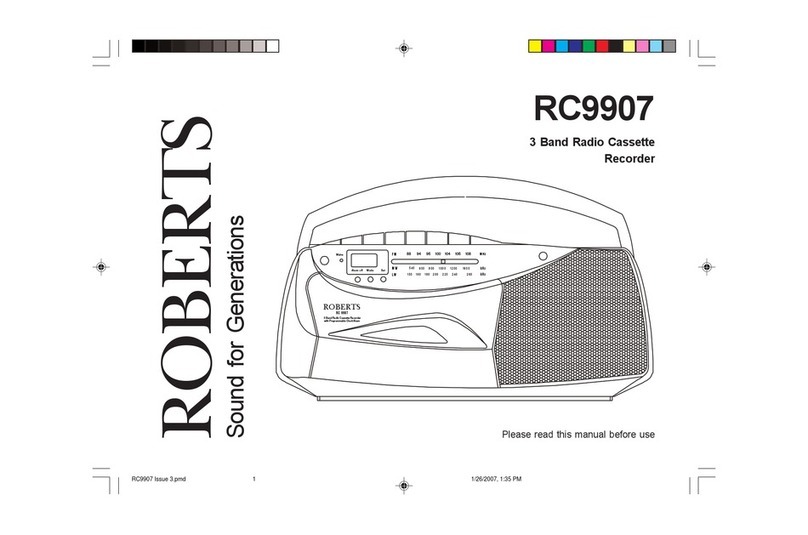
Roberts SC9911 Manuel utilisateur

SC9911
3 Band Stereo Radio Cassette
Recorder
Please read this manual before use
ROBERTS
Sound for Generations
540
15 0
600
18 0
16 0
200
800
220
240
10 00
260
1200 1600
kHz
kHz
MW
LW
FM
88 94 96 100 104 106 10 8
MHz
88-108 MHz
540 -1600 kHz
150 -26 0 kH z
3 Band Stereo Radio Cas setteRecorder
SC 9911
PROVIDED BY
SC9911 Issue 2.pmd 2/5/2007, 11:39 AM1

Controls
1. Headphone socket
2. Volume control
3. Telescopic aerial
4. Deep bass boost switch
5. Microphone
11. Play button
12. Rewind button
13. Fastforward button
14. Stop/eject button
1
6. Mono/Stereo & beat cut switch
7. Function switch
8. Waveband switch
9. Tuning control
10. Record button
123 4
56 7 8
9
10
11
12
13
14
(Top)
SC9911 Issue 2.pmd 2/5/2007, 11:39 AM2

If you need any further advice, please call our Technical Helpline on :-
020 8758 0338 (Mon-Fri)
FM
88 94 96 100 104 106 108
MHz
88-108 MHz
540
150
600
180160 200
800
220 240
100 0
260
120 0 16 00
KHz
KHz
MW
LW
540 -16 00 kHz
150- 2 60 kHz
3 Band Stereo Radio Cassette Recorder
SC 9911
PROVIDED BY
Controls
15. External mic socket (on rear)
2
15
(on rear)
(Front)
SC9911 Issue 2.pmd 2/5/2007, 11:39 AM3

Battery operation
1. Remove the Battery cover on the rear of the unit by pushing the
catches in the direction of the arrow.
2. Insert four LR14 (C size) batteries into the battery compartment.
Take care to ensure all batteries are inserted with the correct polarity
as shown inside the battery compartment. Replace the battery
cover.
3. Reduced power, distortion, and a ‘stuttering’ sound are all signs that
the batteries may need replacing.
4. If your radio cassette is not to be used for any extended period of
time it is recommended that the batteries are removed from the radio.
We would recommend for economy, that the SC9911 is used on the
mains whenever possible with battery operation for occasional or
stand-by use only.
IMPORTANT: The batteries should not be exposed to excessive
heat such as sunshine, fire or the like. After use, disposable
batteries should if possible be taken to a suitable recycling centre.
On no account should batteries be disposed of by incineration.
ON
Mains operation
1. Place your radio cassette on a flat surface.
2. Plug the mains lead into the Mains socket located on the rear of your
radio cassette ensuring that the plug is pushed fully into the socket.
3. Plug the other end into a wall socket and switch on. The batteries
will be automatically disconnected.
IMPORTANT: The mains plug is used as the means of connecting
the radio to the mains supply. The mains socket used for the radio
must remain accessible during normal use. In order to disconnect the
radio from the mains completely, the mains plug should be removed
from the mains socket outlet completely.
3
SC9911 Issue 2.pmd 2/5/2007, 11:39 AM4

If you need any further advice, please call our Technical Helpline on :-
020 8758 0338 (Mon-Fri)
Listening to the radio
FM operation
1. Set the Function switch to the 'Radio' position.
2. Select 'FM' using the Waveband switch.
3. Adjust the Volume control until a hissing sound is heard.
4. The Telescopic aerial which is only operational on FM, should be
fully extended.
5. Carefully tune to the desired station using the Tuning control.
6. Angle and rotate the Telescopic aerial to a position giving the best
reception. A knuckle joint at the base of the aerial allows this
movement and an angle of 45 degrees will usually be satisfactory.
The FM band is marked in Megahertz (MHz).
7. To receive stereo broadcasts set the Mono/Stereo to the 'Stereo'
position the Stereo indicator will light up. If the station being
received is weak some hiss may be audible, to reduce the hiss set
the Mono/Stereo switch to the 'Mono' position to return to mono
operation.
8. Adjust the Deep bass boost switch to the required position.
9. To switch off the radio set the Function switch to the 'Tape Off'
position.
Volume
Tuning
4
FM
88 94 96 100 104 106 108
MHz
88-108MHz
540
150
600
180160 200
800
220 240
100 0
260
120 0 1600
KHz
KHz
MW
LW
540 -16 00 kH z
150- 26 0 kHz
3 BandStereo RadioCassetteRecorder
SC 9911
PROVI DED BY
On
Off
SC9911 Issue 2.pmd 2/5/2007, 11:39 AM5

5
Medium and long wave operation
1. Set the Function switch to the 'Radio' position.
2. Select 'MW' or 'LW' using the Waveband switch.
3. Adjust the Volume control until a hissing sound is heard.
4. Carefully tune to the desired station using the Tuning control.
5. Rotate your radio cassette for optimum reception.
6. The MW and LW bands are marked in kilohertz (kHz).
7. Adjust the Deep bass boost switch to the required position.
8. To switch off the radio set the Function switch to the 'Tape Off'
position.
Volume
Tuning
FM
88 94 96 100 104 106 108
MHz
88-108MHz
540
150
600
180160 20 0
800
220 240
100 0
260
120 0 1600
KHz
KHz
MW
LW
540 -16 00 kHz
150- 26 0 kHz
3 BandStereoRadioC assette Recorder
SC 9911
PR OVID ED BY
On
Off
SC9911 Issue 2.pmd 2/5/2007, 11:39 AM6

If you need any further advice, please call our Technical Helpline on :-
020 8758 0338 (Mon-Fri)
Listening to cassette tapes
1. Set the Function switch to the 'Tape' position.
2. Press the Stop eject button to open the Cassette compartment
3. Insert a pre-recorded cassette with the tape surface uppermost and
the side with the desired recording facing towards you.
4. Close the Cassette compartment.
5. Depress the Play button and adjust the Volume control to suit
your personal taste.
6. Adjust the Deep bass boost switch to the required position.
7. Use the Fast forward or Rewind buttons to locate a specific part
of the tape.
8. To stop the tape and switch off your radio cassette press the Stop/
Eject button.
6
Volume
On
Off
SC9911 Issue 2.pmd 2/5/2007, 11:39 AM7

7
Recording from the Radio
1. Set the Function switch to the 'Radio' position.
2. Tune in to the desired station.
3. Adjust the Volume control to suit your requirements.
4. Insert a blank cassette with the tape surface uppermost.
5. Depress the Record button to commence recording.
6. The recording level is set automatically and is not affected by the
setting of the Volume control.
7. To stop the recording press the Stop/Eject button.
8. When recording from the MW or LW bands a whistle may occur. To
remove the whistle slide the Mono/Stereo & beat cut switch to the
position giving best reception..
Volume
Tuning
SC9911 Issue 2.pmd 2/5/2007, 11:39 AM8

If you need any further advice, please call our Technical Helpline on :-
020 8758 0338 (Mon-Fri)
Recording from the Internal Microphone
1. Set the Function switch to the 'Tape' position.
2. Insert a blank cassette with the tape surface uppermost.
3. Press the Record button to commence recording.
Note : to reduce background noise it is important to speak as close as
possible to the Internal microphone .
Mic
8
Recording using an External Microphone
A 3.5mm socket located on the rear of your radio cassette is provided
for use with external microphones. Inserting a plug into this socket will
automatically mute the internal microphone.
SC9911 Issue 2.pmd 2/5/2007, 11:39 AM9

Headphones socket
A 3.5mm Headphone Socket located on the top of you radio cassette
is provided for use with either headphones or an earpiece. Inserting a
plug into the socket automatically mutes the internal loudspeaker.
IMPORTANT: Excessive sound pressure from earphones and
headphones can cause hearing loss.
Preventing accidental erasure
To safeguard your recordings against accidental erasure, break off the
appropriate tab on the cassette as shown . There is one tab for each side
of the cassette. This will prevent the Record button from being pressed. To
restore the cassette to normal, seal the tab openings with a small piece of
self-adhesive tape.
A
Safety tab side A Safety tab side B
9
SC9911 Issue 2.pmd 2/5/2007, 11:39 AM10
Autres manuels pour SC9911
1
Table des matières
Autres manuels Roberts Lecteur de cassettes