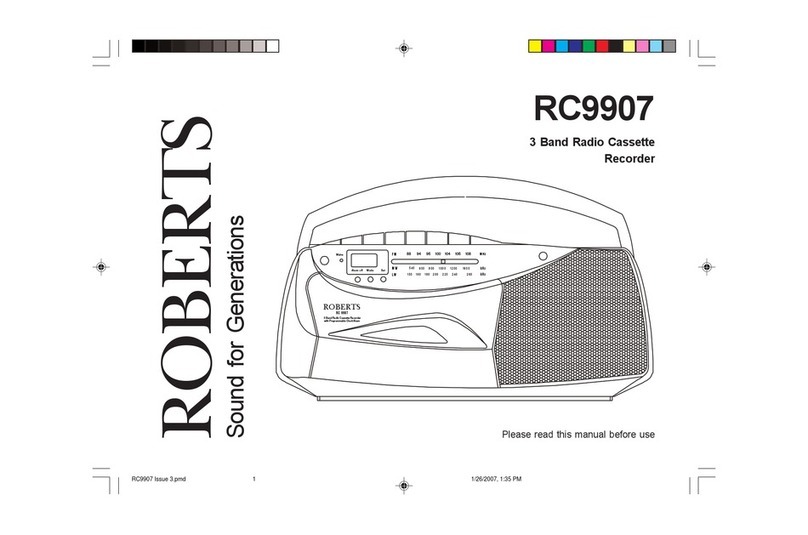
Roberts SC9908 Manuel utilisateur

SC9908
3 Band Stereo Radio Cassette
Recorder
Please read this manual before use
ROBERTS
SoundforGenerations
Power
Time Di splay
Alarm off M ode Se t
540
15 0
600
18 016 0 2 00
800
220 240
10 00
260
12 00 1600
kH z
kH z
MW
LW
FM 88 94 96 10 0 10 4 10 6 10 8
MHz
88 -108 M H z
5 40 -16 00 kH z
150 -26 0 kH z
3 B a nd S tere o R a dio C as sette R e co rd er
w ith P rog ram m ab le C lock A larm
SC 9908
SC9908 Instruction Book.pm6 24/10/99, 14:251

Controls
1. Headphonesocket
2. Volumecontrol
3. Telescopicaerial
4. Deep bass boost switch
5. Microphone
11.Play button
12. Rewindbutton
13. Fastforwardbutton
14. Stop/eject button
15. Pausebutton
1
6. Operationswitch
7. Function switch
8. Wavebandswitch
9. Tuningcontrol
10. Recordbutton
On
Off
Mic
Function
Radio
Tape
Off
FM MW LW
Play
RewindF.Forward Record
Stop/Eject
Pause
FMStereo
Tuning
Phones
Volume
O p e r a t io n
AutoB uzz M a nu al
123 4
56 7 8
9
10
11
12
13
14
15
(Top)
SC9908 Instruction Book.pm6 24/10/99, 14:252

If you need any further advice, please call our Technical Helpline on :-
01817580338(Mon-Fri)
Mains
Tim e Disp lay
FM
88 94 96 100 104 106 108
MHz
88-108MHz
Alarmoff Mode Set
540
150
600
180160 200
800
220 240
1000
260
1200 1600
KHz
KHz
MW
LW
540 -1600 kHz
150-260kHz
3 Band Stereo Radio Cassette Recorder
with Programmable Clock Alarm
SC 9908
Controls
16. Alarmoffbutton
17. Mainsindicator
18. Clock display
19. Modebutton
20. Set button
21. Mono/Stereoswitch(onrear)
2
16
17
18
19
20
21
(onrear)
(Front)
SC9908 Instruction Book.pm6 24/10/99, 14:253

Battery operation
IMPORTANT - The LR6 (AA size battery) must be fitted at all times to
providepowerfortheclock.
1. Remove the Battery cover on the rear of the unit by pushing the
catches in the direction of the arrow.
2. Insert one LR6 (AA size) battery into the small space in the battery
compartment.The clock display willnowappear.The LR6 (AA size)
batteryprovidespowerfortheclockandmustremainfittedatall
times.
3. Insert four LR14 (C size) batteries into the remaining spaces in the
battery compartment. Take care to ensure all batteries are inserted
with the correct polarity as shown inside the battery compartment.
Replacethebatterycover.
4. Reduced power, distortion, and a ‘stuttering’ sound are all signs that
thebatteries may need replacing.
5. Ifyourradiocassette isnottobeusedforanyextendedperiodoftime
it is recommended that the batteries are removed from the radio.
We would recommend for economy, that the SC9908 is used on the
mains whenever possible with battery operation for occasional or
stand-byuse only.
ON
Mainsoperation
1. Place your radio cassette on a flat surface.
2. PlugthemainsleadintotheMainssocketlocatedontherearofyour
radio cassette ensuring that the plug is pushed fully into the socket.
3. Plug the other end into a wall socket and switch on. The Mains
indicator will light up indicating that the radio is connected to the
mains supply. The batteries will be automatically disconnected.
3
SC9908 Instruction Book.pm6 24/10/99, 14:254

If you need any further advice, please call our Technical Helpline on :-
01817580338(Mon-Fri)
Listening to the radio
FMoperation
1. Ensure that theOperation switch is in the 'Manual' position.
2. Set theFunction switch to the 'Radio' position.
3. Select 'FM' using theWaveband switch.
4. Adjust the Volume control until a hissing sound is heard.
5. TheTelescopicaerial whichisonlyoperationalonFM,shouldbefully
extended.
6. Carefully tune to the desired station using the Tuning control.
7. Angle and rotate the Telescopic aerial to a position giving the best
reception.Aknucklejointatthebaseoftheaerialallowsthismovement
andan angleof 45 degreeswill usuallybe satisfactory. TheFM band
is marked in Megahertz (MHz).
8. To receive stereo broacasts set the Mono/Stereo switch located on
the rear of your radio cassette to the 'FM ST.' position the Stereo
indicatorwilllightup. Ifthestationbeingreceivedisweaksomehiss
maybeaudible,toreduce thehisssettheMono/Stereo switchtothe
'Mono'position to returnto mono operation.
9. Adjust theDeep bass boost switch tothe required position.
10. To switch off the radio set the Function switch to the 'Tape Off '
position.
O peration
Auto
Buzz M anual
Function
Radio
Tape
Off
LW M W F M
Volum e
Tuning
4
Function
Radio
Tape
Off
Power
Tim e D is p l ay FM
88 94 96 100 104 106 108
MHz
88-108MHz
Alarm of f Mode Set
540
150
600
180160 200
800
220 240
100 0
260
1200 1600
KHz
KHz
MW
LW
540-1600 kHz
150-260 kHz
3 BandStereo Ra dioC assetteRecorder
with Progr ammable Clock Al arm
SC 99 08
On
Off
SC9908 Instruction Book.pm6 24/10/99, 14:255

5
Mediumandlong waveoperation
1. Ensure that theOperation switch is in the 'Manual' position.
2. Set theFunction switch to the 'Radio' position.
3. Select 'MW' or 'LW' using theWaveband switch.
4. Adjust the Volume control until a hissing sound is heard.
5. Carefully tune to the desired station using theTuning control.
6. Rotate your radio cassette for optimum reception.
7. The MW and LW bands are marked in kilohertz (kHz).
8. Adjust theDeep bass boost switchto therequired position.
9. To switch off the radio set the Function switch to the 'Tape Off'
position.
O peration
Auto
Buzz M anual
Function
Radio
Tape
Off
LW M W F M
Volum e
Tuning Function
Radio
Tape
Off
Power
Tim e D is p l ay FM
88 94 96 100 104 106 108
MHz
88-108MHz
Alarm of f Mode Set
540
150
600
180160 200
800
220 240
1000
260
1200 1600
KHz
KHz
MW
LW
540-1600 kHz
150-260 kHz
3 BandS tereo Radio Cass ette Record er
with Progr ammabl eCl ockAlarm
SC 99 08
On
Off
SC9908 Instruction Book.pm6 24/10/99, 14:256

If you need any further advice, please call our Technical Helpline on :-
01817580338(Mon-Fri)
Listening to cassette tapes
1. Ensure that theOperation switch is in the 'Manual' position.
2. Set theFunction switch to the 'Tape' position.
3. Press theStop eject button to open theCassette compartment .
4. Insertapre-recordedcassettewiththetapesurfaceuppermostandthe
side with the desired recording facing towards you.
5. ClosetheCassettecompartment.
6. DepressthePlay button andadjusttheVolumecontrol tosuityour
personaltaste.
7. Adjust theDeep bass boost switch tothe required position.
8. Use theFast forward orRewind buttons tolocate a specificpart of
the tape.
9. IfyouwishtotemporarilystoptheplaybackdepressthePausebutton.
When you are ready to resume playback press the Pause button a
second time.
10. To stop the tape and switch off your radio cassette press the Stop/
Ejectbutton.
Play
RewindF.F orw ard Record
Stop/Eject
P ause
6
O peration
Auto
Buzz M anual
Function
Radio
Tape
Off
Play
RewindF.F orw ard Record
Stop/Eject
P ause
Volum e
Play
RewindF.F orw a rd Record
Stop/Eject
P ause
On
Off
SC9908 Instruction Book.pm6 24/10/99, 14:267

7
Recording from the Radio
1. Ensure that theOperation switch is in the 'Manual' position.
2. Set theFunction switch to the 'Radio' position.
3. Tune in to the desired station.
4. Adjust the Volume control to suit your requirements.
6. Insert a blank cassette with the tape surface uppermost.
7. Depress theRecord button to commence recording.
8. The recording level is set automatically and is not affected by the
setting of the Volume control.
9. To stop the recording press theStop/Eject button.
Play
RewindF.F orw ard Record
S top /E ject
P ause
Play
RewindF.F orw ard Record
S top/E ject
P ause
O peration
Auto
Buzz M anual
Function
Radio
Tape
Off
Volum e
Tuning
SC9908 Instruction Book.pm6 24/10/99, 14:268

If you need any further advice, please call our Technical Helpline on :-
01817580338(Mon-Fri)
Recording from the Internal Microphone
1. Ensure that theOperation switch is in the 'Manual' position.
2. Set theFunction switch to the 'Tape' position.
3. Insert a blank cassette with the tape surface uppermost.
4. Press theRecord button to commence recording.
Note : to reduce background noise it is important to speak as close as
possible to the Internal microphone .
Mic
8
O peration
Auto
Buzz M anual
Function
Radio
Tape
Off
Play
RewindF.F orw ard Record
Stop/Eject
P ause
SC9908 Instruction Book.pm6 24/10/99, 14:269

Setting the clock
1. Press theSet button six times, the display will show the hours digit.
2. Press the Mode button until the required hour is displayed.
3. Press the Set button, the display will show the minutes digit.
4. Press the Mode button until the required minute is displayed.
5. Press the Set button to return to the normal clock display.
6. Press the Mode button to start the clock at the selected time. The
colonbetween the hours andminutes digit will flashshowing that the
clock is running.
Note : When setting the hours digit pressing and holding down the mode
buttonuntilthe hoursdigithas gonethroughmidnight willchangethe
clock to 24hr mode, this is indicated by the letter 'H' after the hours
digit.Tochangebackto12hrmoderepeattheprocedure.12hrmode
is indicated by the letter 'A' for AM or 'P' for PM after the hours digit.
A larm off M ode S et
A larm off M ode S et A larm off M ode S et
A larm off M ode S et
A larm off M ode S et A larm off M ode S et
A larm off M ode S et
9
SC9908 Instruction Book.pm6 24/10/99, 14:2610
Table des matières
Autres manuels Roberts Lecteur de cassettes