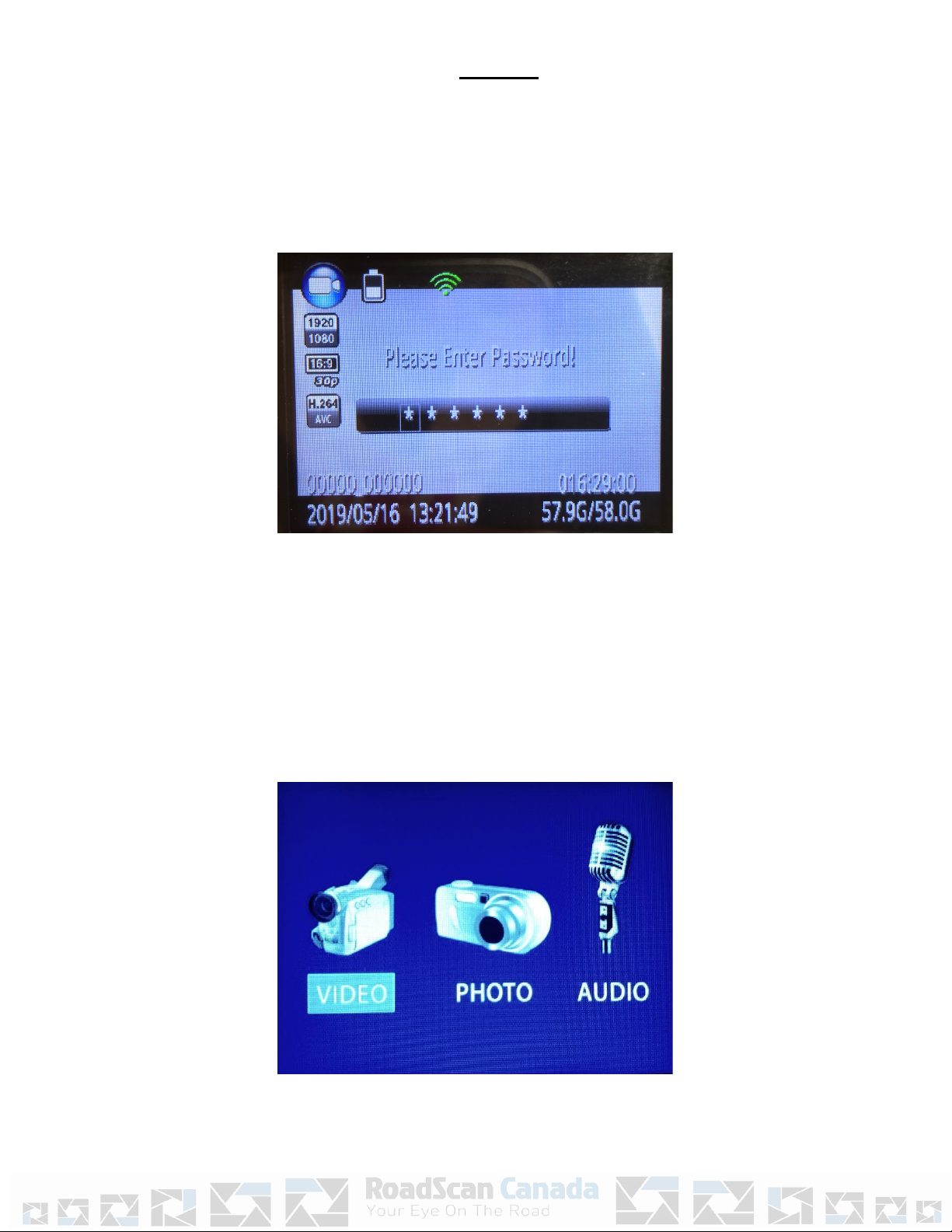
MenuAccess
UsetheBrowse‑downbuontoscrolldownandBrowse‑upbuontoscrollupthroughthe
menuitemsandOKbuontoselectamenuitemandenteritssubmenu.Finally,inthesub
menus,usetheBrowse‑upbuontoscrollle,theBrowse‑downbuontoscrollright,and
theOKbuontoselectopon.
PressthePowerbuontobackoutofsubmenuswithoutmakingchangestothesengs.
Note:Whileinthesengsmenuorsubmenus,pressingthephoto,videorecord,oraudio
recordbuon,willreturnyoutothemainLCDviewscreen.
MenuOpons
*Lookattoprightofmenuandthenumberoutof30indicateswhichmenuoponyouareon.
●1/30:Setcameravideoresoluon.Oponsare2304x129630P,1920x1080p30p,1440x1080p30P,1280x72060P,1280x72030P,848x480
60P,848x48030P,and720x48030P.
●2/30:Setthefilesize:Thismeanssengthesizeofthephotoorvideo.Oponsare5M,8M,10M,12M,16M,20M,21M,23M,25M,28M,
30M,and32M
●3/30:Burston/off(Burstonallowstosnapmulplephotosatonceuponpressingthephotobuon).Oponsare2,3,5,10,15,and20
photos.
1. 4/30:Wifi‑on/off
2. 5/30:SelfTimerallowsforameddelaybeforeaphotoistaken.Oponsare5and10seconds.
3. 6/30:Quality‑Normal,Fine,SuperFine
4. 7/30:Pre‑record‑on/off‑records10secondspriortohingvideobuon
5. 8/30:Post‑record‑on/off‑connuesrecording10secondsaervideoturnedoff
6. 9/30:CarDVMode‑on/off‑thereisnoneedtochangethis,leaveoff
7. 10/30:LoopRecord‑on/off‑highlyrecommendedtoleaveofforvideomightbeoverwrienthuslosingthevideo
8. 11/30:SplitTime‑Automacallysplitsvideorecordingsintosegmentsofsetmestomoreeasilymanagerecordings.Eachsegmentwillbea
separatemediafile.Oponsareoffand3,5,10,15,30,and45minutes.
9. 12/30:SlideShow‑WhenviewingaphotofileinPlaybackmodeinphotofilestab,photoswillautomacallybescrolledthrough.
10. 13/30:Infrared‑ManualorAutomac:Whileunderdarkcircumstances,infraredLEDwillhelprecordclearimageorvideoinHD.
○Auto:Inlowlightsituaons(3Lux),4IRLEDwillbeturnedonautomacally,cameraswitchestoinfraredfilterlens,videoimage
turnsblackandwhite.Whenbrightnessincreasesagain,theIRLEDturnsoff,andimagebecomescolorfulagain.
○Manual:Whennightvisionisneeded,PresstheFlashlight/Infraredbuontoswitchtoinfraredmode,4IRLEDwillbeturnedon,
videoimagewillturnblackandwhite.WhennightvisionisnolongerneededpresstheIRbuontoswitchoutofnightvision.
11. 14/30:RecordWarning‑thevoice/vibrangthatadvisestheuserthatvideorecordinghasbeenacvated.OponsareOn/Off.
12. 15/30:GPS‑HavingGPSonallowstoconnecttoGPSsatelliteastoviewlocaonofwherevideosrecordingsfromcameraweretakenona
computer.OponsareOnandOff.
13. 16/30:TimeZone‑Thissengallowstochangethemezonethecameraissetfor.DefaultissetforGMT(GreenwichMeanTime).ie;PSTis‑7
14. 17/30:Language‑Allowsusertoswitchthelanguageofthedevice.
15. 18/30:ScreenSave‑Allowsusertosettheamountofmebeforethedevice’sscreensaverison.Oponsareoff,30secondand,1,3,and5
minutes.
●19/30:LCDBrightness‑Allowsusertochangethebrightnessofthedevice’sscreen.Oponsarelow,mediumandhigh.
●20/30:Autopoweroff‑Turningthisfuncononwillcausethedevicetoturnoffaertheselectedmewheninstandbymode.Oponsare
30seconds,1,3,and5minutes.
●21/30:LEDLight‑IfonLEDlightwillchangecolorsdependingonwhatthecameraisdoing(forexample:recording).IfoffnoLEDindicators
willshow.
●22/30:Keytone‑Whenthisisonuserwillhereakeytonewhenpushingbuonsonthedevice.Oponsareonandoff.
●23/30:Volume‑Alteringthisaffectsthedevice’ssoundlevelsincludingkeytoneandvideo/audioplaybackfiles.
●24/30:CodingFormat‑H.264
●25/30:Date‑mestamp‑Changethedateandmeofthedevice.
●26/30:IDSeng‑AllowstodesignatethecameratoaspecificpersonbyenteringauniqueuserID.
●27/30:Password‑Havingthissengonwillcausethepasswordrequirementbeforeenteringmenuandplaybackscreens.Oponsareon/off
●28/30:ChangePassword‑Allowstheusertochangepassword.Usermustenteroldpasswordandthenthenewpasswordfollowedby
confirmaonofnewpasswordusingtheScrollandOKbuons.*Note:rememberyournewpasswordasitisnon‑recoverableandwillbe
requiredtobesentbacktomanufacturerforreseng.Thisisaproteconmeasureagainstunauthorizedviewingofyourdatashouldthe
camerabelost.
●29/30:DefaultSeng‑Allowstheusertoresetthedevicetothedefaultsengs.
●30/30:H22_20190302_v1.76‑versionofthedevice.
Page6